Resources
Practical guides to construction data and automation.
Learn how the systems connect, what makes a report useful, and where automation or AI can help. Start with a guide, then look at a related build.
Start here
Finance & controllers
Operations
Scheduling
New from the workbench
Put the next idea to work.
Workflow automation · November 21, 2026
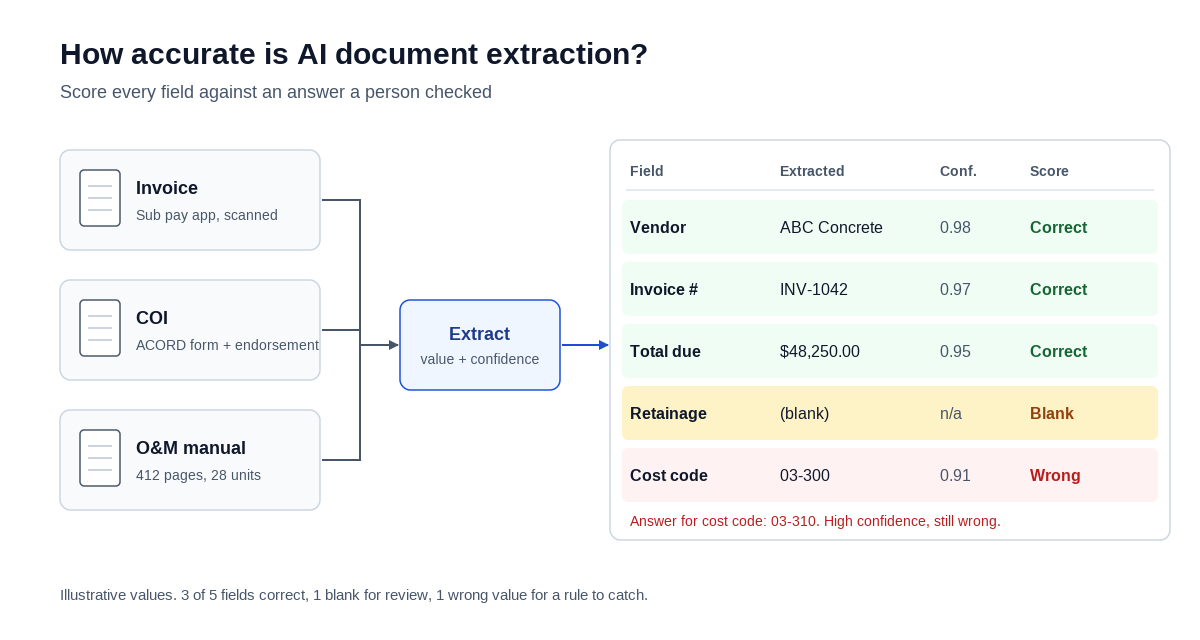
How Accurate Is AI Document Extraction for Construction?
An honest answer on AI extraction accuracy for construction documents: OCR versus IDP versus vision models, what published benchmarks show, how to score fields on your own golden set, and a pipeline that validates, routes and learns from corrections.
Workflow automation · November 21, 2026
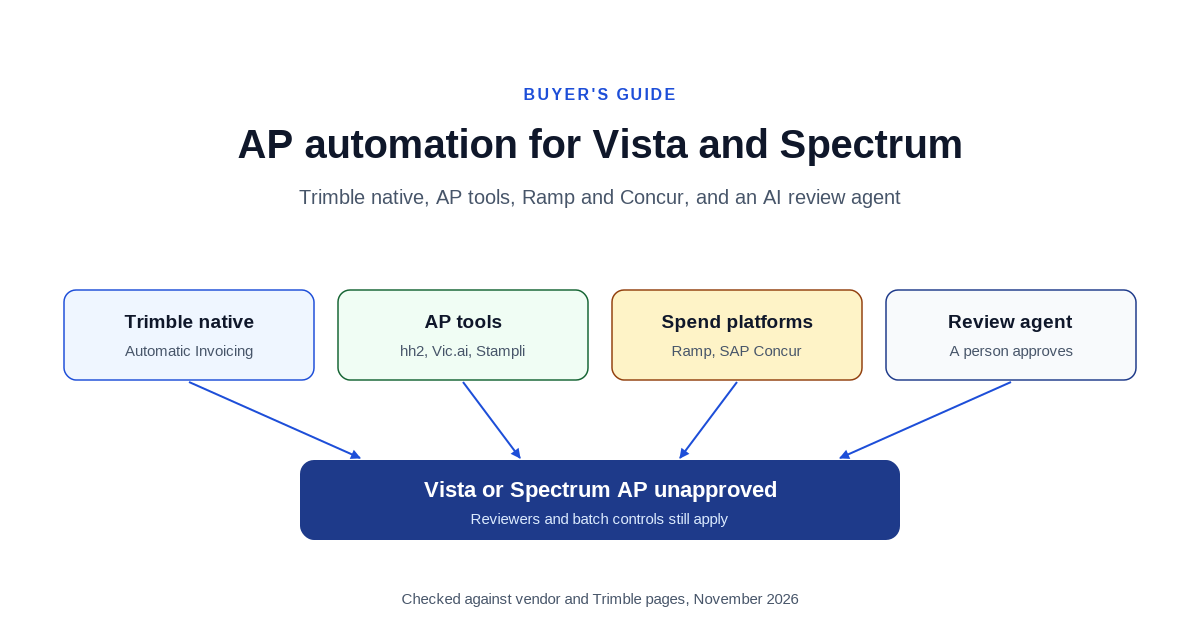
AP Automation for Viewpoint Vista and Spectrum: Trimble, AP Tools, Ramp and Concur
A buyer’s guide for Vista and Spectrum contractors: what Trimble ships, which AP vendors publish integrations, whether Ramp and Concur sync, where OCR and AI fit, and a checklist for job, phase and cost type coding, matching, retainage and compliance holds.
Guides, playbooks & build breakdowns
131 articles
Reporting & analytics · November 21, 2026
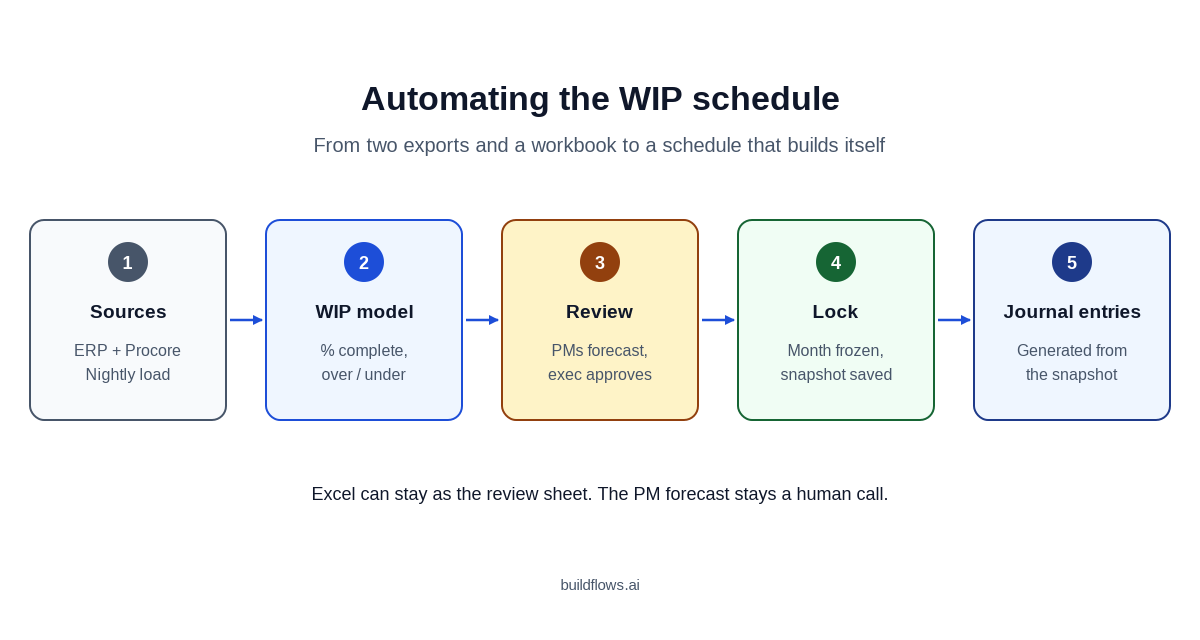
What Software Can Automate a WIP Schedule Instead of Excel?
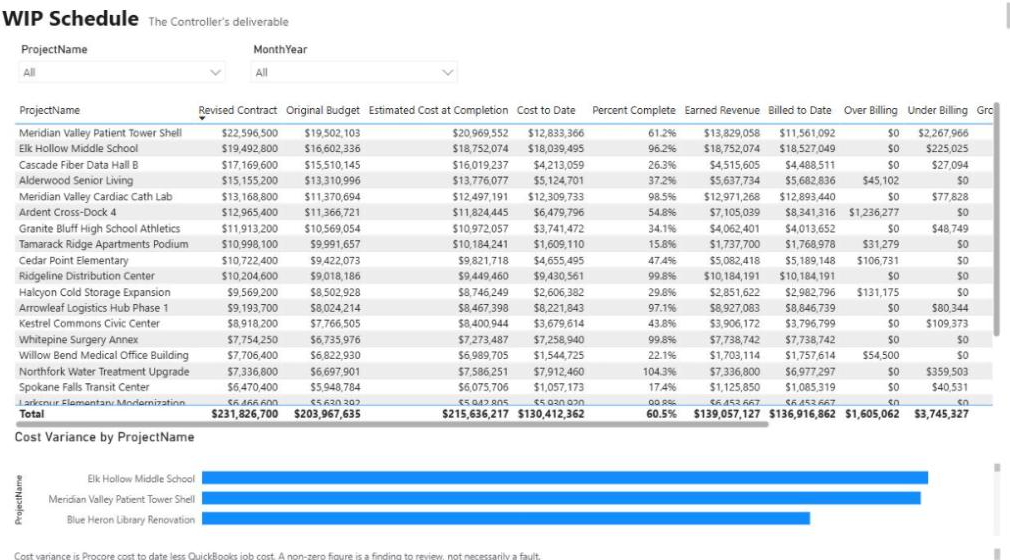
The honest path from an Excel WIP schedule to an automated one: why the spreadsheet breaks, what Sage, Vista, Spectrum, Foundation and QuickBooks WIP reports actually do, job management tools with WIP built in, a nightly Power BI or Fabric model, and a governed forecast, lock, snapshot and journal entry workflow, with a six-step plan and a decision table by company size.
Reporting & analytics · November 19, 2026
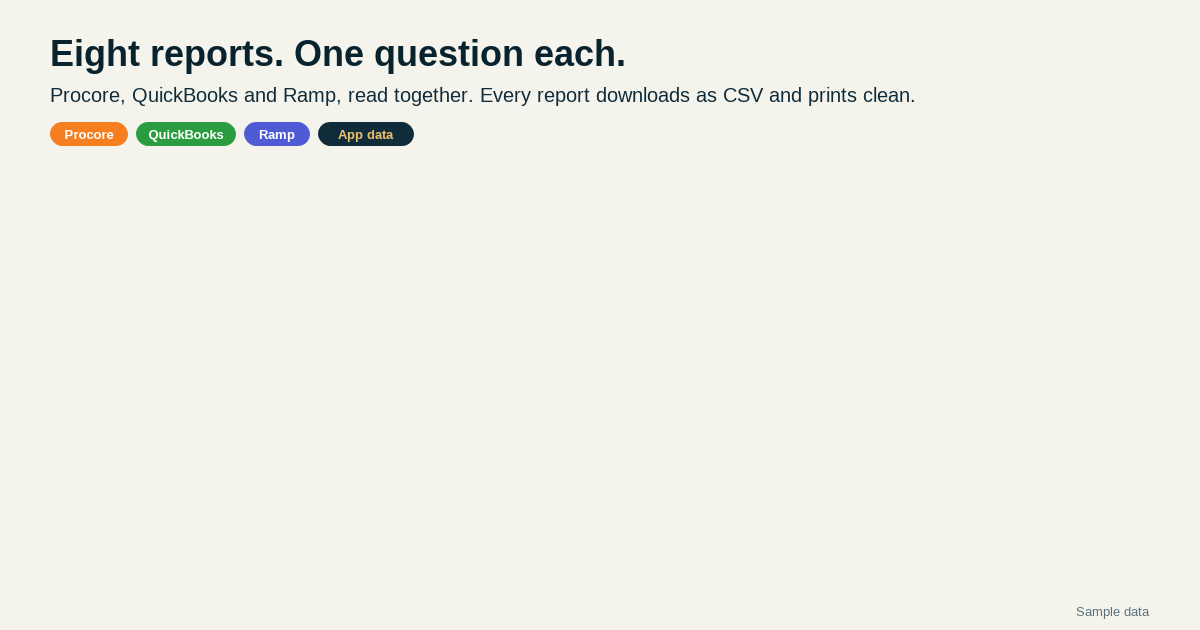
The Contractor Owner's Report Pack: WIP, Cash, Profitability, Buyout and More
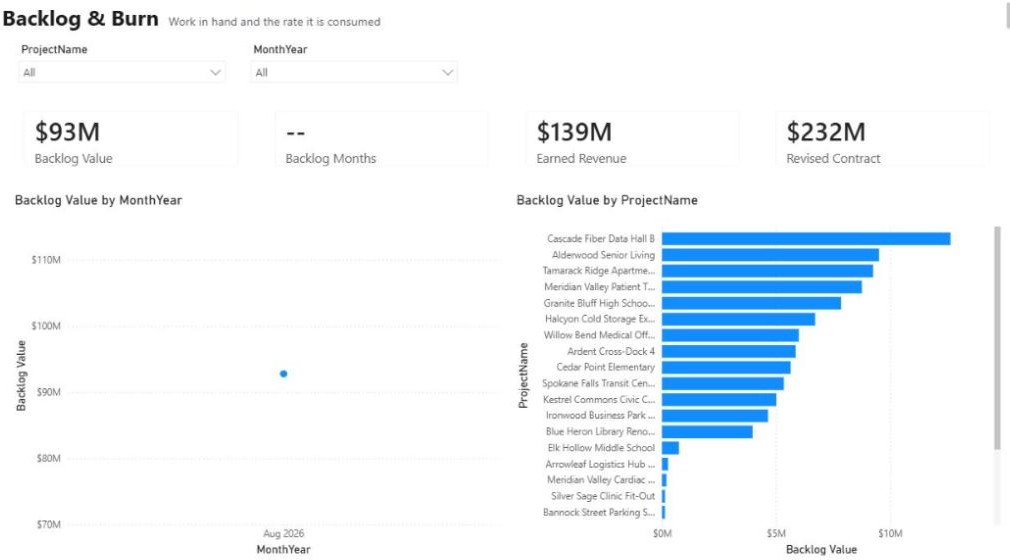
The report catalog from the Cattlemen OS proof of concept, built for Cattlemen Construction Services in Fort Worth, Texas, and shown on sample data. Eight reports, each answering one question: the WIP schedule (cost-to-cost percent complete, earned revenue, over and under billing), cash position with a 13-week forecast, job cost by cost code, profitability and portfolio with margin fade and months of backlog, commitments and buyout variance, vendor spend with uncoded spend aging, card spend coding, and an exceptions list. For each: the formula, which numbers come from Procore, QuickBooks Online and Ramp, how to read it with real sample figures, and the red flag to watch, plus a fifteen-minute Monday reading order.
Reporting & analytics · November 19, 2026
A Weighted Project Grade for Contractors: Pillars, Measures, Tolerances and a Worked Example
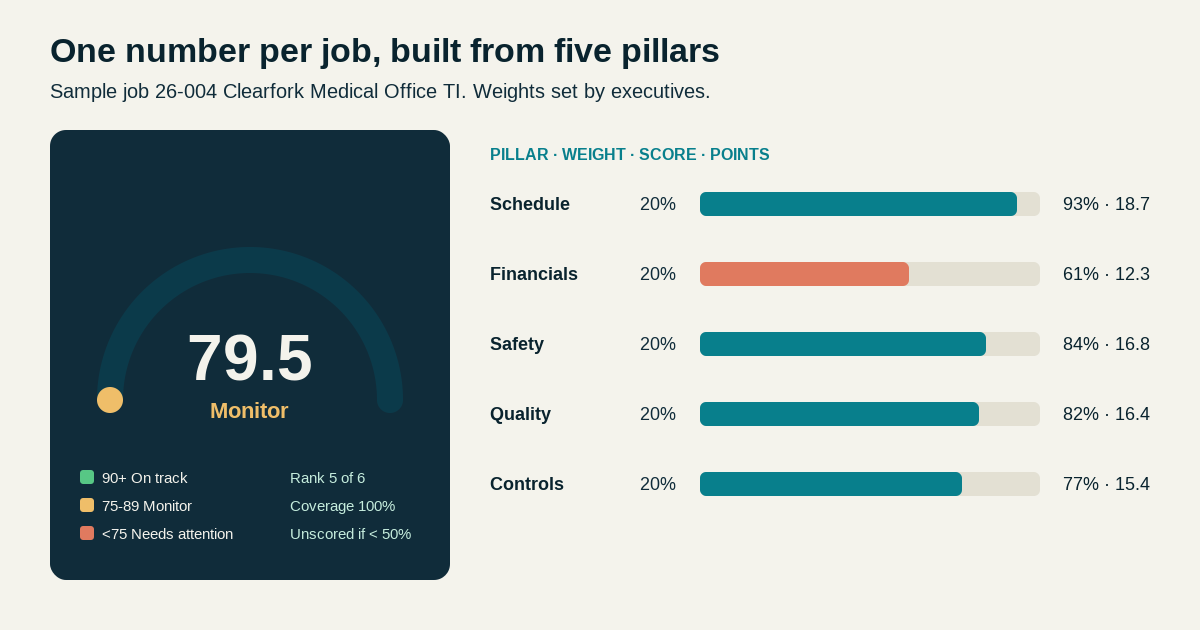
The project grade built into the Cattlemen OS proof of concept for Cattlemen Construction Services: five weighted pillars (schedule, financials, safety, quality, project controls) plus a risk pillar that starts off, 16 measures read from Procore, QuickBooks and the app's coding log, scoring bands with deliberate cliffs, grade tolerances (90 on track, 75 monitor, 50% minimum coverage), the four-step math, a full worked example on sample job 26-004 that grades 79.5, how missing data and project stage are handled, executive-adjustable weights with a live what-if (Financials at 40% drops 26-004 to 74.98, Needs attention), tuning advice, where the grade appears, and a CSV scorecard template.
Reporting & analytics · November 19, 2026
Month-End Cost-to-Complete Review: PM Forecast, Executive Sign-Off and a Locked WIP
The month-end close in the Cattlemen OS proof of concept for Cattlemen Construction Services, on sample data. Defines cost to date, cost to complete, estimate at completion, cost-to-cost percent complete, earned revenue, over and under billing, projected margin and margin fade, and works every formula on sample job 26-004 (EAC $1,100,075 on a $1,278,000 contract, 13.9% margin, $69,823 under billed). Walks through opening the month, the PM's cost-code forecast with prefill rules, submit, executive review with fade flags (margin down more than 1 point or EAC up more than 2%) and questions to ask, approve or send back, lock and sign off, the close pack, and admin unlock with a reason. Includes a six-job portfolio table and a CSV review worksheet.
Reporting & analytics · November 18, 2026
What Good Looks Like: A Starter KPI Scorecard for a Small GC
A starter KPI scorecard for a small GC, built from a discovery call with Cattlemen Construction Services: 12 KPIs in four groups (Money, Delivery, Field discipline, Admin), each with a definition, source system, formula, default green/amber/red tolerance and reason. Covers standardizing Procore inputs first, scoring weekly, validating each number against its source of truth, role-based views, tuning tolerances after 4-6 weeks and using red tiles to ask what happened rather than to punish.
Reporting & analytics · November 14, 2026
Is Microsoft Fabric F2 Enough for Construction Reporting?
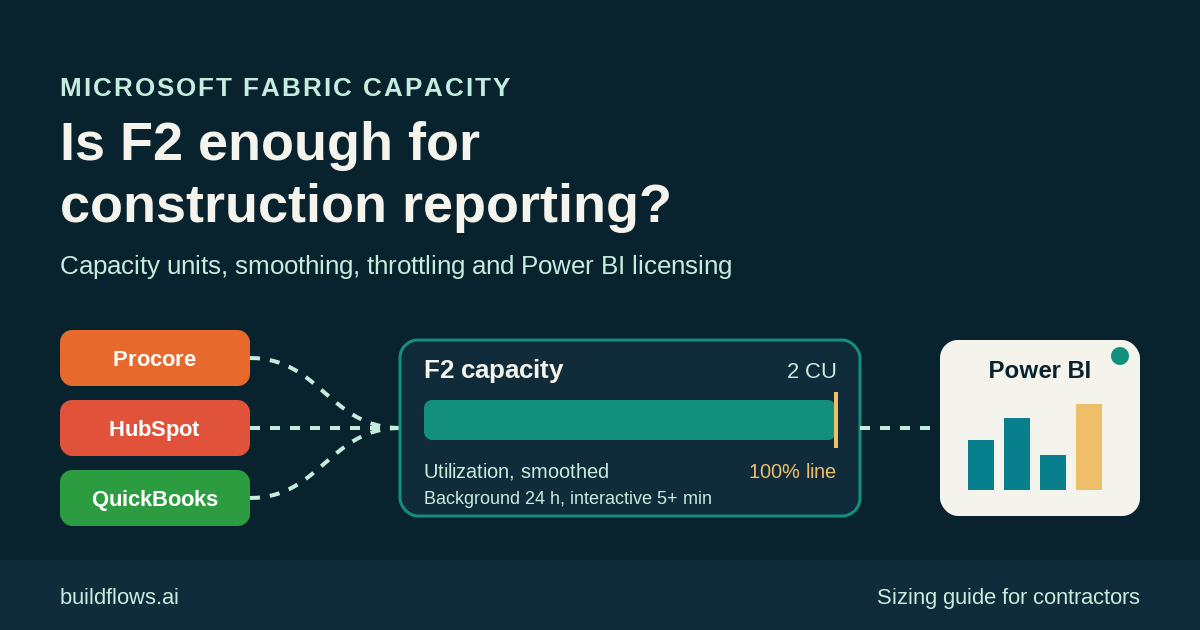
A plain guide to sizing Microsoft Fabric for Procore, HubSpot and QuickBooks reporting: capacity units, pay-as-you-go vs reservation pricing, pausing, Power BI licensing below F64, smoothing and throttling, the signs you need to scale, and lower-cost alternatives.
Reporting & analytics · October 10, 2026
Retainage Tracking: Receivable, Payable and How to Report It
Retainage receivable and payable defined, where each lives in Procore and the ERP, how to age it, what triggers release, eight monthly reconciliation checks and a report layout you can copy.
Reporting & analytics · October 10, 2026
Change Order Aging: The Report That Protects Your Margin
The change order lifecycle and the four clocks worth measuring, aging buckets, pending exposure and approved-not-billed, the data problems that break aging reports, and how to track owner and subcontractor sides together.
Reporting & analytics · October 10, 2026
Over/Under Billing Explained: How to Read Your WIP Schedule
How over and under billing are calculated, three worked jobs including a stale forecast, the month-end journal entries and balance sheet impact, the usual causes, and a routine to review the WIP schedule every close.
Reporting & analytics · October 9, 2026
How to Improve an Existing Power BI Report for Construction
A practical review method for an inherited construction Power BI report, from refresh and model shape to pay-app measures, blank-versus-zero, usability and governance, with a prioritized checklist.
Reporting & analytics · October 9, 2026
Construction Cash Flow Forecasting in Power BI: A Practical Guide
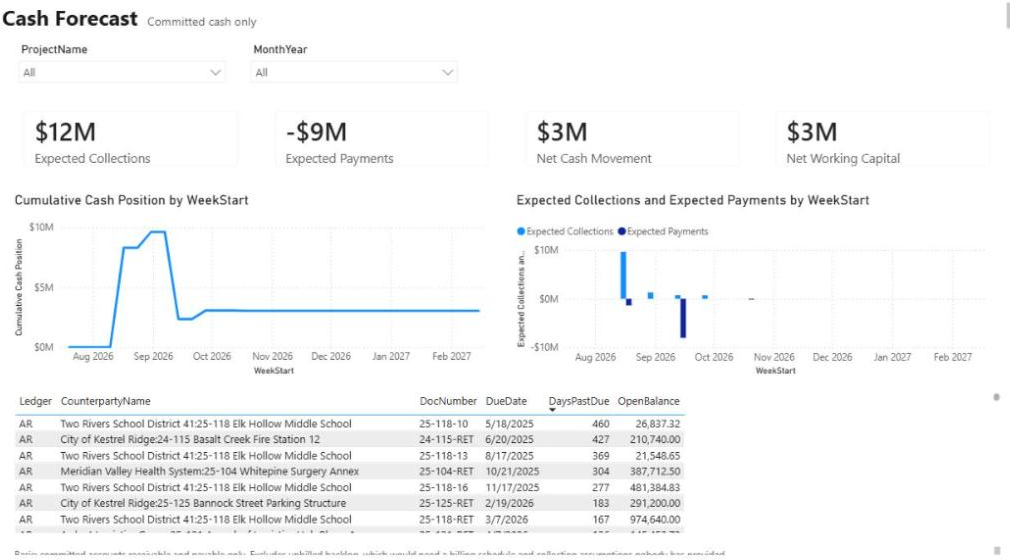
A practical guide to forecasting contractor cash in Power BI: start from committed AR and AP placed by due date, keep retainage separate, and layer scenarios with their assumptions written on the page.
Reporting & analytics · October 9, 2026
Early Warning Indicators for Contractors: Catch Margin Fade Early
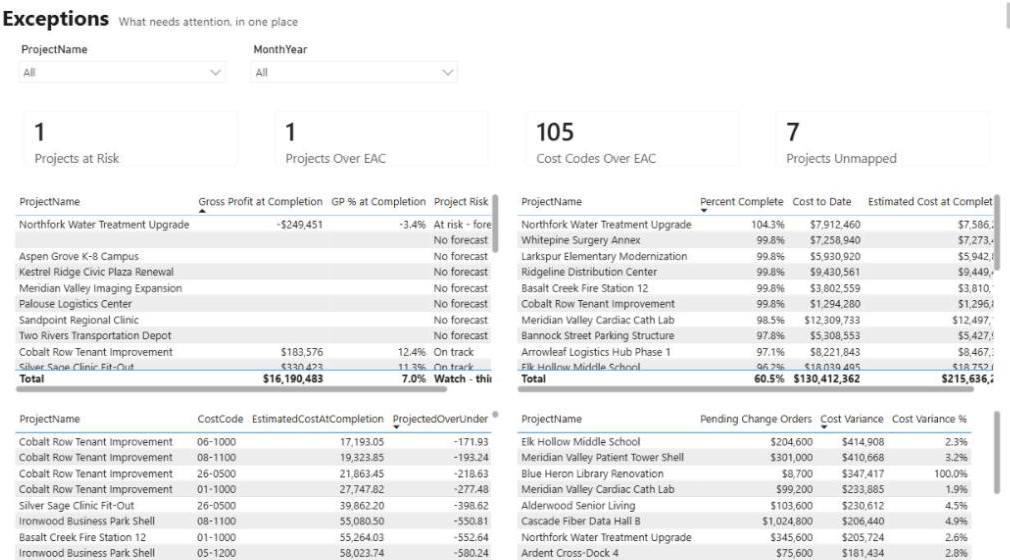
The seven leading metrics that move before margin does, how to set their thresholds as business decisions, and how to surface breaches on one exceptions page with a named owner.
Reporting & analytics · October 9, 2026
Procore Analytics vs a Custom Power BI or Fabric Reporting Model
A fair comparison of Procore Analytics and a custom Power BI or Microsoft Fabric reporting model: what each does well, when Procore-only reporting is enough, when you need accounting and scheduling joined, and how definitions and data quality decide trust.
Reporting & analytics · October 8, 2026
Construction Project Reporting: Solution Showcase
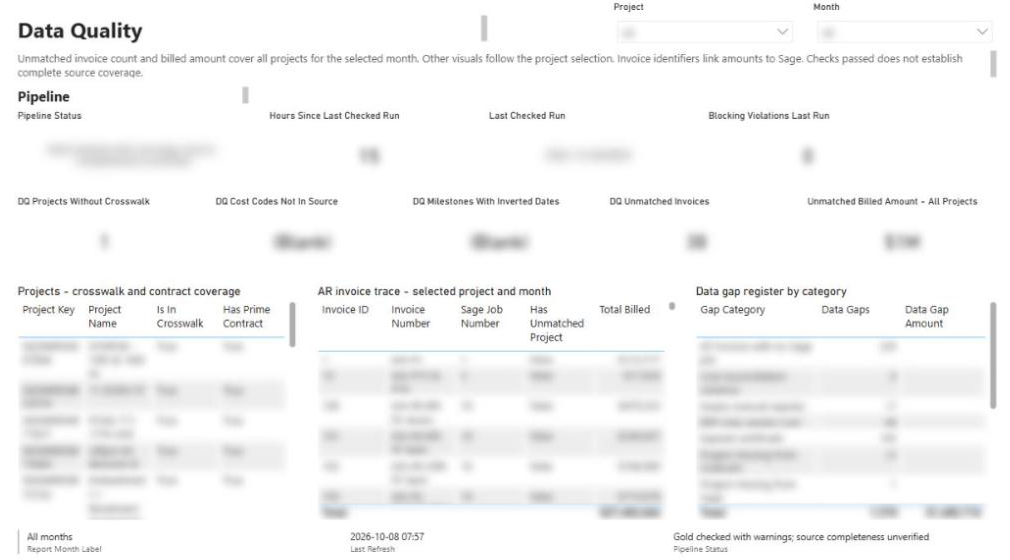
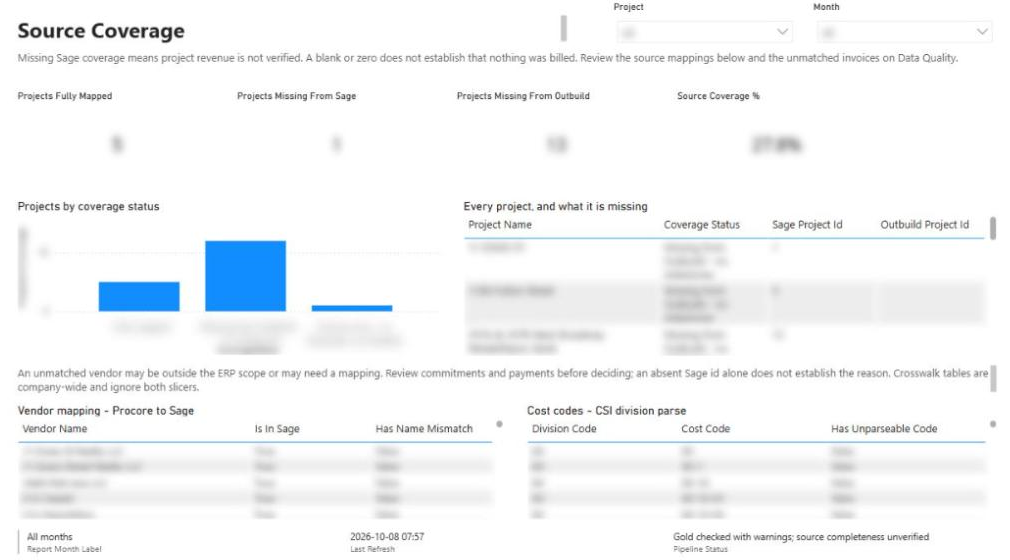
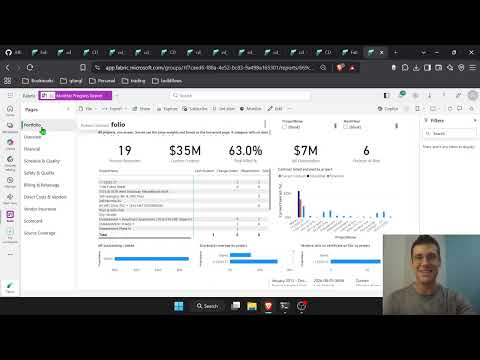
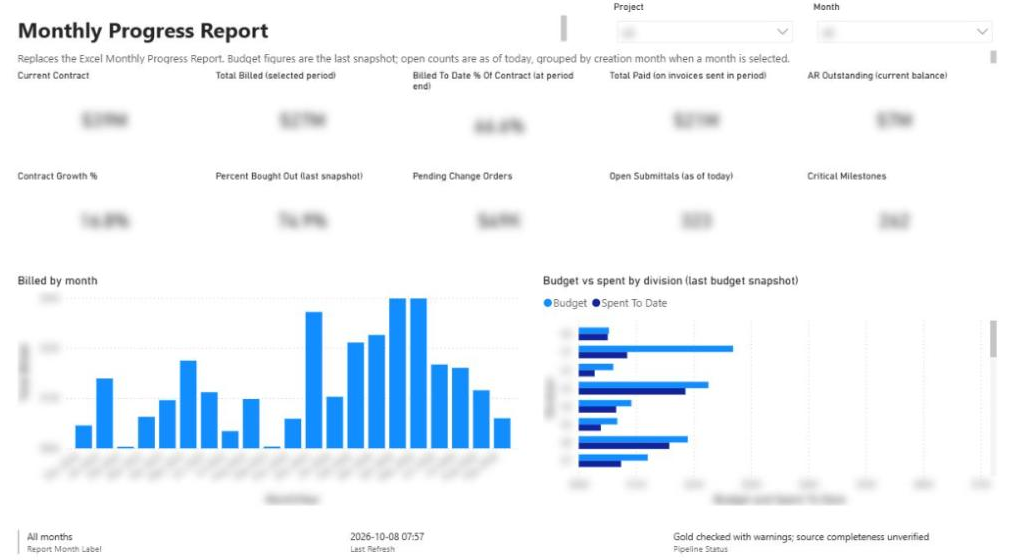
Two Power BI reports—22 pages and ~180 measures—that replaced a general contractor's hand-filled monthly progress and QA/QC workbooks. Computed nightly from Procore, Sage 100, Outbuild, and SharePoint, and published only after ~200 data-quality rules pass.
Reporting & analytics · October 8, 2026
Construction Data Quality: The Rules That Make Reports Trustworthy
A practical checklist of the data-quality rules behind construction reports people can defend, from quality gates and blank-never-zero to cost-code crosswalks, reconciliation and snapshots.
Reporting & analytics · October 8, 2026
Construction WIP Reporting in Power BI: A Controller's Guide
A practical guide to construction WIP reporting in Power BI: the formulas, where the data comes from in Procore and accounting, the mistakes that make a WIP schedule look right while being wrong, and how to automate it.
Reporting & analytics · October 8, 2026
Microsoft Fabric for Contractors: A Lakehouse Guide
A practical guide to Microsoft Fabric for construction: the medallion lakehouse, notebooks, Direct Lake models, quality gates, the SQL endpoint, cost considerations, and when Fabric is the wrong choice.
Reporting & analytics · October 7, 2026
Procore, QuickBooks & HubSpot Reporting Example
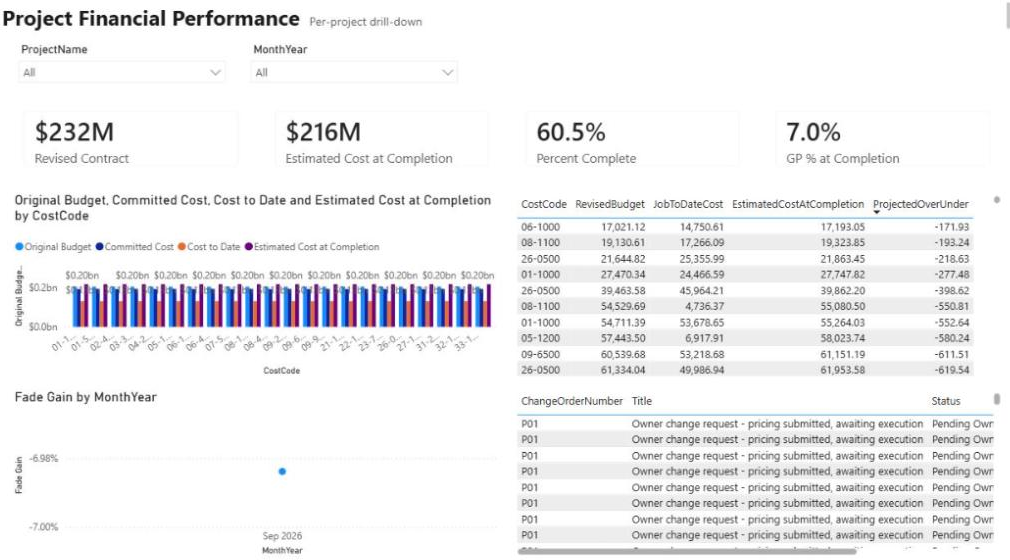
A 10-page Financial Operating System in Power BI that gives owners and controllers one view of contracts, WIP, cost, cash, pipeline, and labor—joined across Procore, QuickBooks Online, and HubSpot.
Reporting & analytics · October 7, 2026
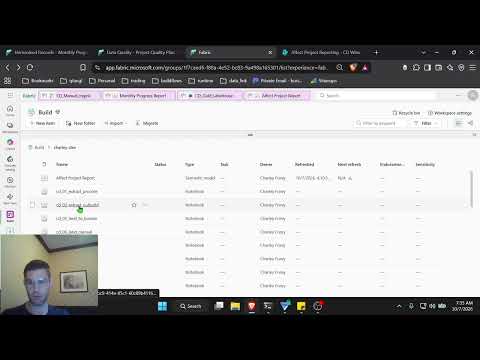
How We Built Construction Reporting in Microsoft Fabric
The engineering behind a nightly Procore + Sage + Outbuild reporting platform in Microsoft Fabric: medallion lakehouse, cost-code mapping, a quality gate, and building it with Claude and MCP servers.
Reporting & analytics · August 3, 2026
Rebuilding a Construction Monthly Report: Procore to Power BI
We replaced an 11-tab, 700-input-cell Excel workbook with an automated Procore, Sage and Fabric pipeline feeding 12 Power BI pages, and found two hidden scorecard bugs on the way.
Playbooks · November 19, 2026
Construction Software Rollout Roadmap: From Proof of Concept to Live, Gate by Gate
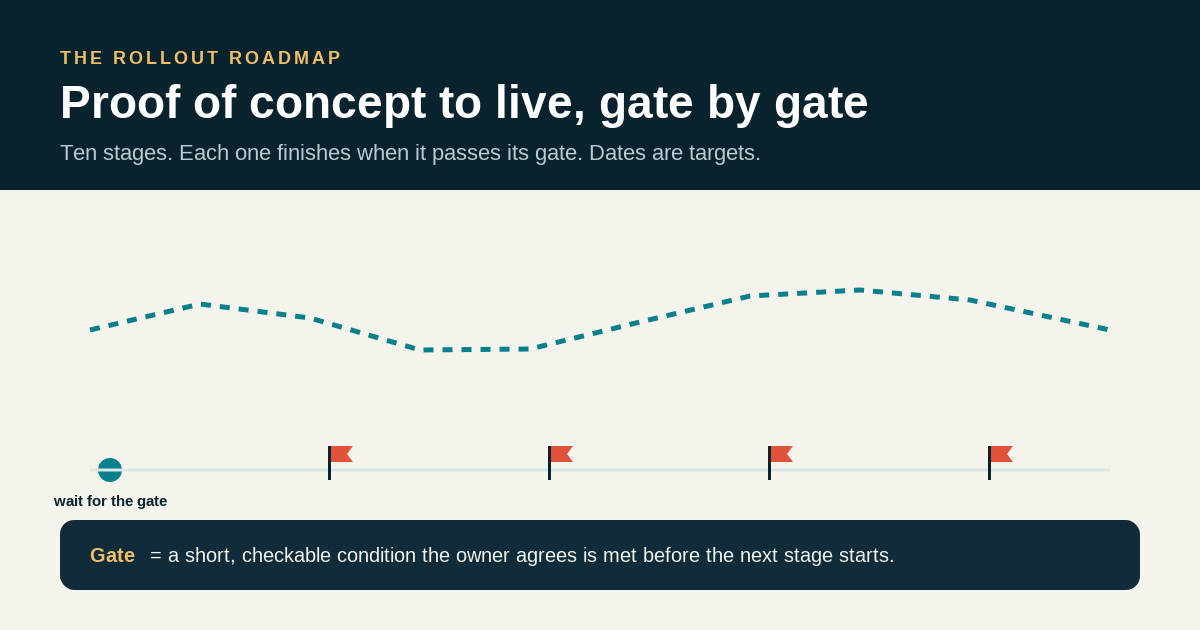
The rollout roadmap we walked Cattlemen Construction Services through after building a proof of concept on sample data: proof of concept, agree and sign, access and secure setup, live data and cost-code mapping, tie out the numbers, expense approver go-live (preview, shadow week, sandbox, live), tailor and roll out, SharePoint folders and Convert to won, connecting an AI vendor, and run and improve. For each stage: what happens, what the contractor provides, what the builder does, the gate that ends it and how long it usually takes. About six weeks from signature to fully live, with dates as targets and gates as the real finish line.
Playbooks · November 19, 2026
Prove a Job-Cost Fix First: Re-Code Three Ramp Bills by Hand in QuickBooks Online
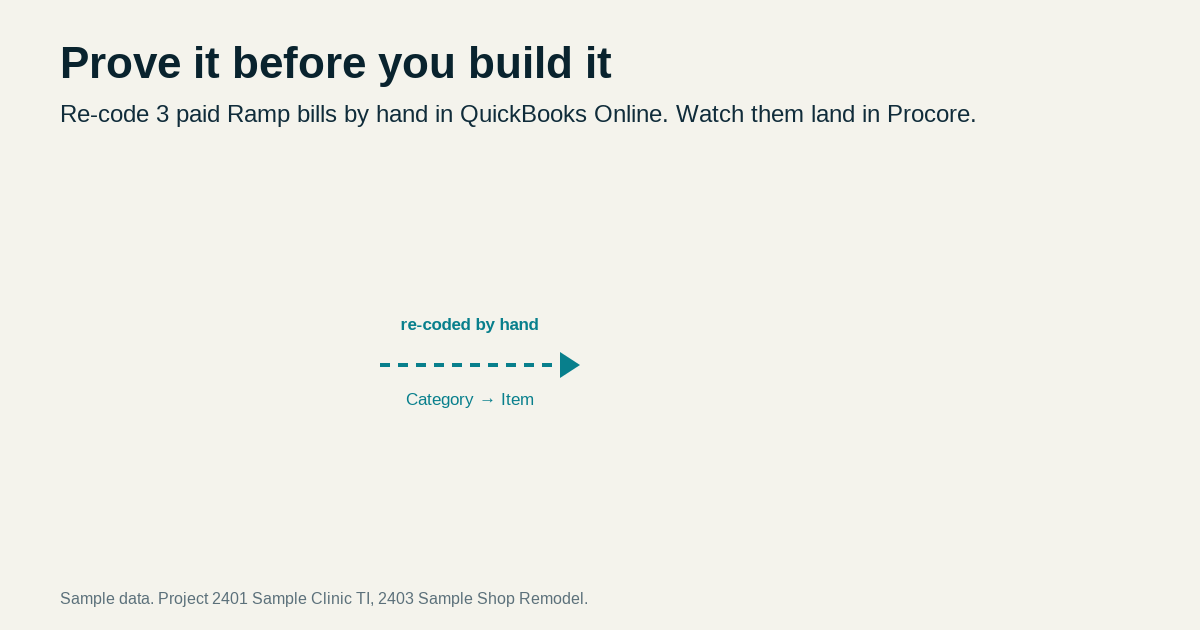
A step-by-step hand test that proves a Ramp to QuickBooks Online to Procore job-cost fix before anyone builds automation. Pick three paid Ramp bills on synced projects with three cost types, capture the before state in Ramp, QuickBooks and Procore, check the closing date and each service item's expense account, move each Category details line to an Item details line on the Procore-created service item with the same amount and description, confirm the bill is still paid with its payment linked, run an on-demand Procore job cost sync, and read the budget. Includes pass and fail rules for Gate B, what each failure means, the four-gate rollout that follows, and a printable worksheet. From the job-cost flow plan written for Cattlemen Construction Services, shown with sample data.
Playbooks · November 19, 2026
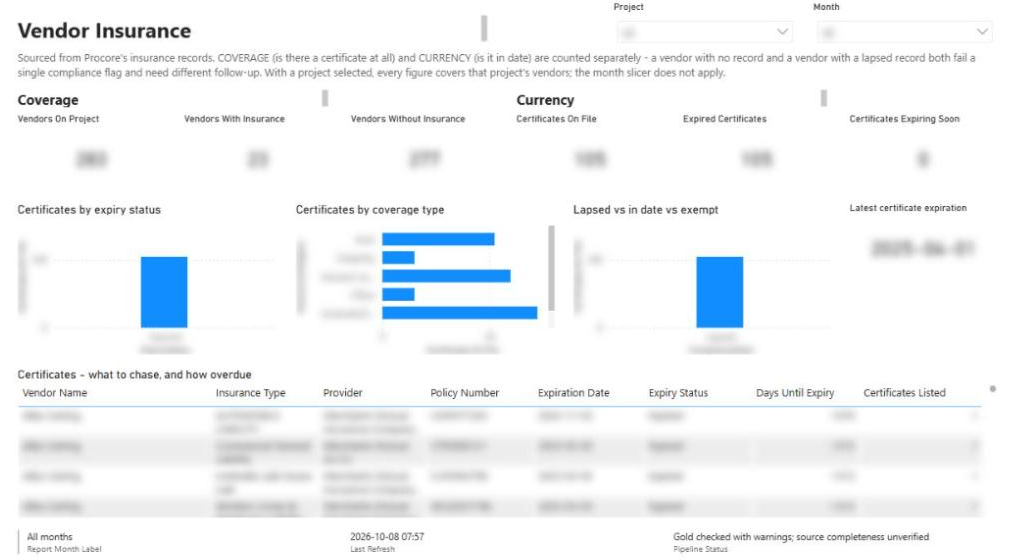
Subcontractor Compliance Tracking: COI Expirations, Lien Waivers and W-9s
How the Cattlemen OS proof of concept, built for Cattlemen Construction Services in Fort Worth, Texas, tracks subcontractor compliance on sample data. Each sub on a job, found by assignment or by its Procore commitment, is checked for current general liability, auto and workers' comp certificates, a W-9 on file, and an unconditional lien waiver for every paid period. Covers the four certificate states and the 30-day expiring window, how a lien waiver gap opens when a period is paid without an unconditional waiver, the alerts and their severities, who sees them by role, which gaps to treat as a payment hold versus a warning, how compliance can feed a project grade, and a setup order for live data.
Playbooks · November 18, 2026
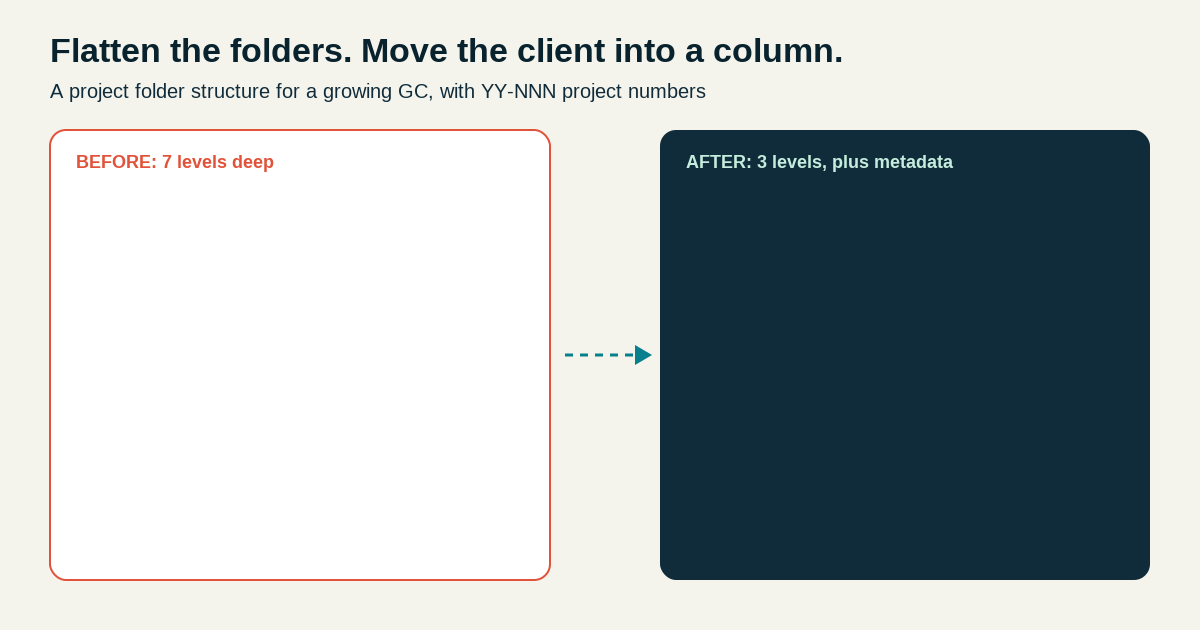
A SharePoint and OneDrive Project Folder Structure for a Growing GC (with Project Numbers and a Procore Hand-off)
How a growing general contractor can replace deeply nested SharePoint folders with one folder per project named by YY-NNN project number, a Client metadata column and views for executives and field staff, a standard 22-folder project template, and a lifecycle where every RFP gets a folder but only won jobs get a Procore project. Covers the Create new project and Convert to won automations (Power Automate, Microsoft Graph, Procore API), OneDrive sync and shortcut tips, the 400-character path limit, permissions, naming rules and archiving. From a recorded discovery call with Cattlemen Construction Services.
Playbooks · November 16, 2026
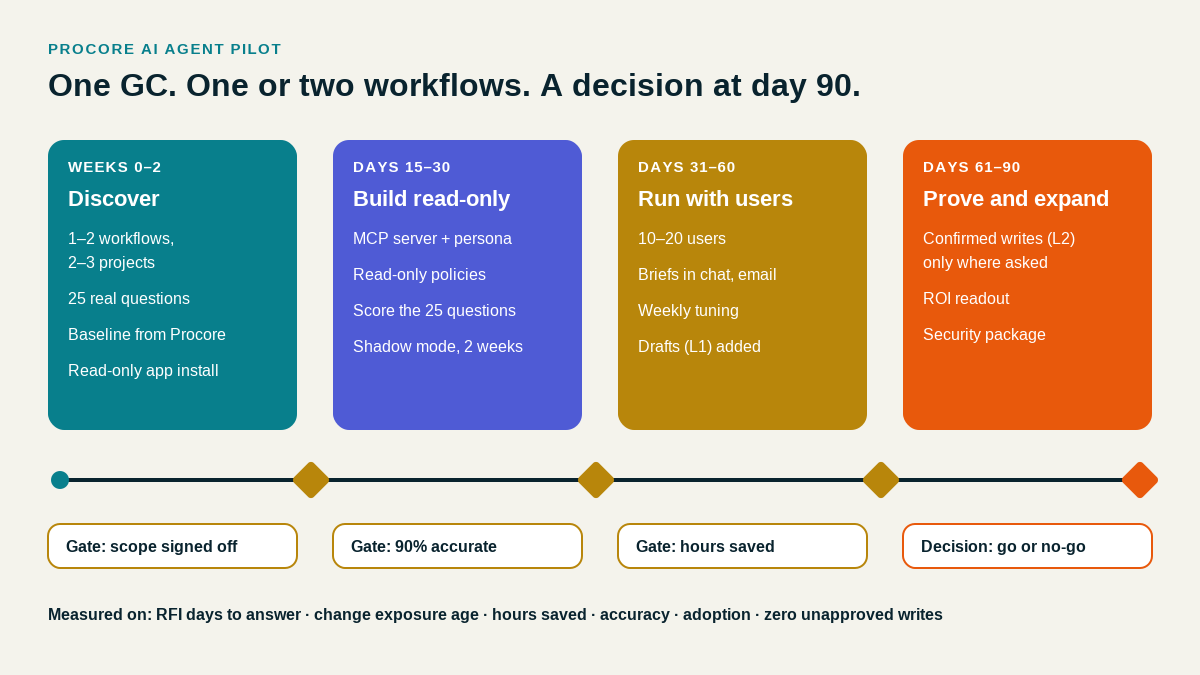
A 90-Day Pilot Plan for a Procore AI Agent: Gates, Metrics and ROI Math
The plan we use to take one GC from discovery to a go or no-go decision in 90 days: pick one or two workflows, build read-only, run shadow mode, go live with measured gates, and read out ROI as hours saved times loaded rate versus revenue at net margin. Includes a checklist you can copy.
Playbooks · November 14, 2026
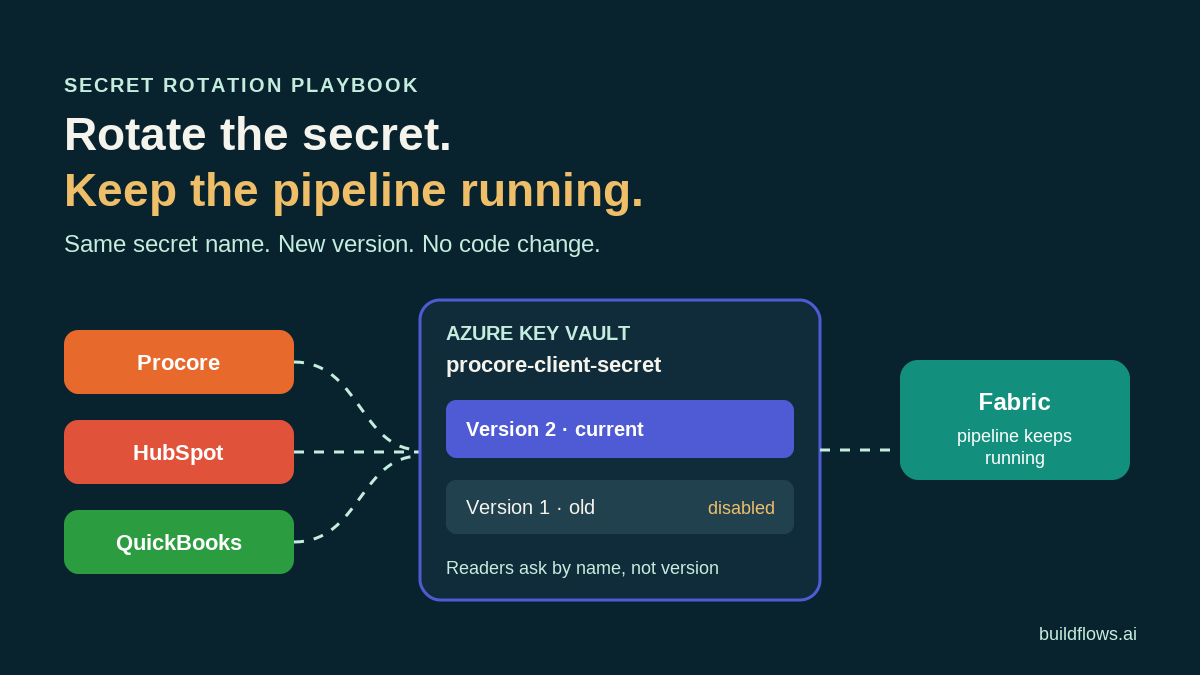
How to Rotate Procore, HubSpot and QuickBooks Secrets in Azure Key Vault Without Breaking Your Pipelines
When and how to rotate integration credentials: per-system steps for Procore, HubSpot service keys and QuickBooks Online, adding Key Vault versions so Fabric picks them up by name, a rotation calendar, and Event Grid near-expiry alerts.
Playbooks · November 14, 2026
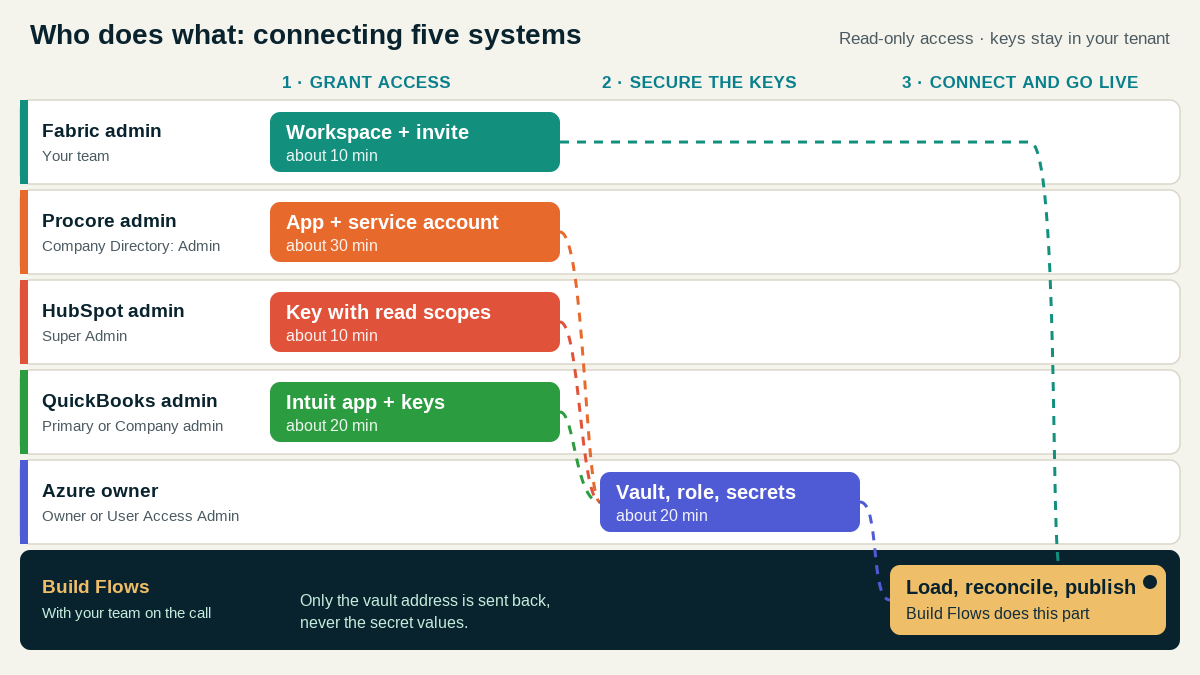
Who Does What: A RACI for Connecting Procore, HubSpot, QuickBooks, Azure and Fabric
A who-does-what playbook for connecting construction systems to Microsoft Fabric: required admin roles, a RACI table, time per step, call prep, a 60-minute agenda and the hand-it-all-off option.
Playbooks · November 14, 2026
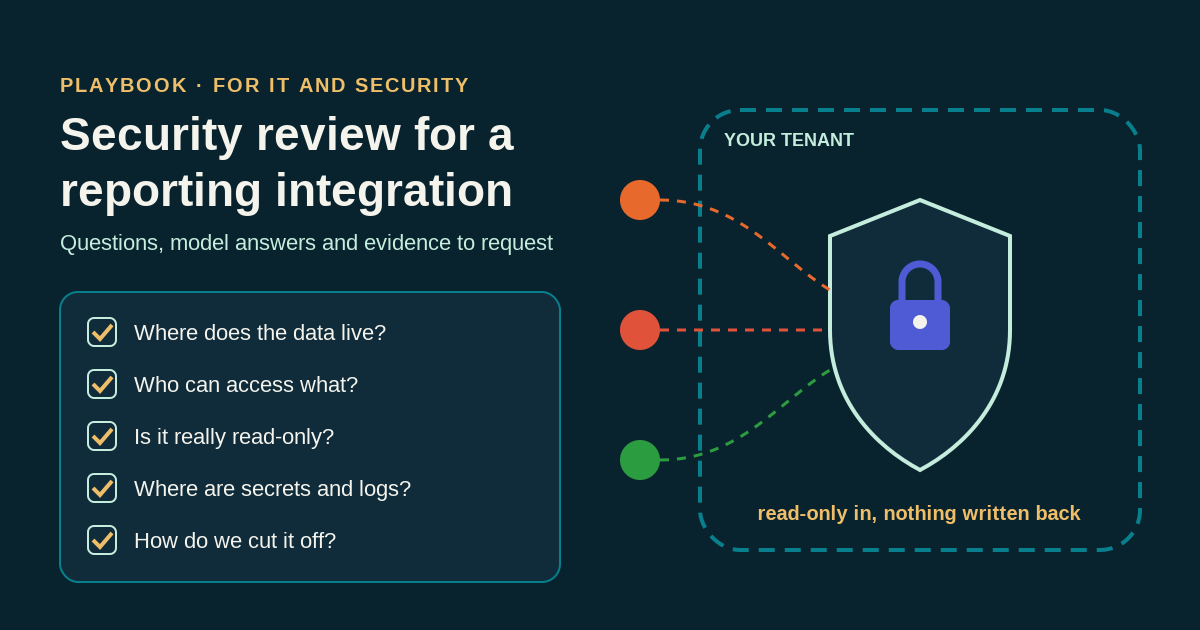
IT Security Review for a Construction Reporting Integration: Questions, Model Answers and Evidence
A questionnaire for the IT or security reviewer approving a Procore, HubSpot and QuickBooks reporting integration in Microsoft Fabric, with model answers, evidence to request and an offboarding sequence.
Playbooks · November 8, 2026
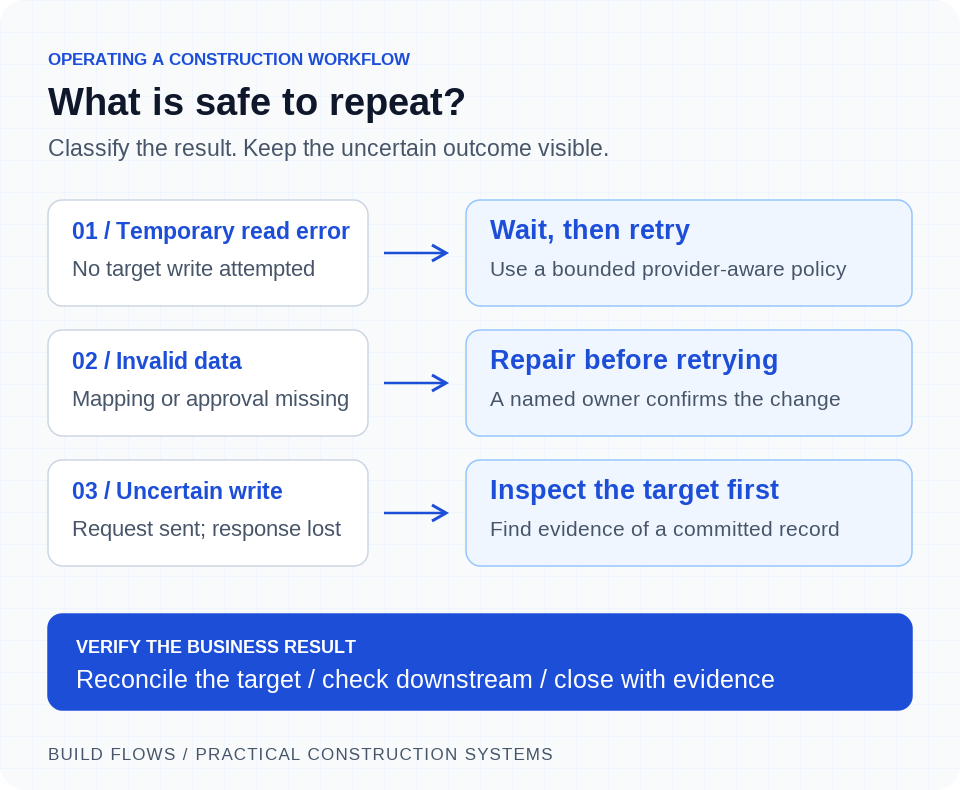
When a Construction Automation Fails: A Practical Recovery Runbook
A practical operating guide for the morning a job, invoice or report does not arrive: establish what already happened, repair the cause and verify the recovery.
Playbooks · November 8, 2026
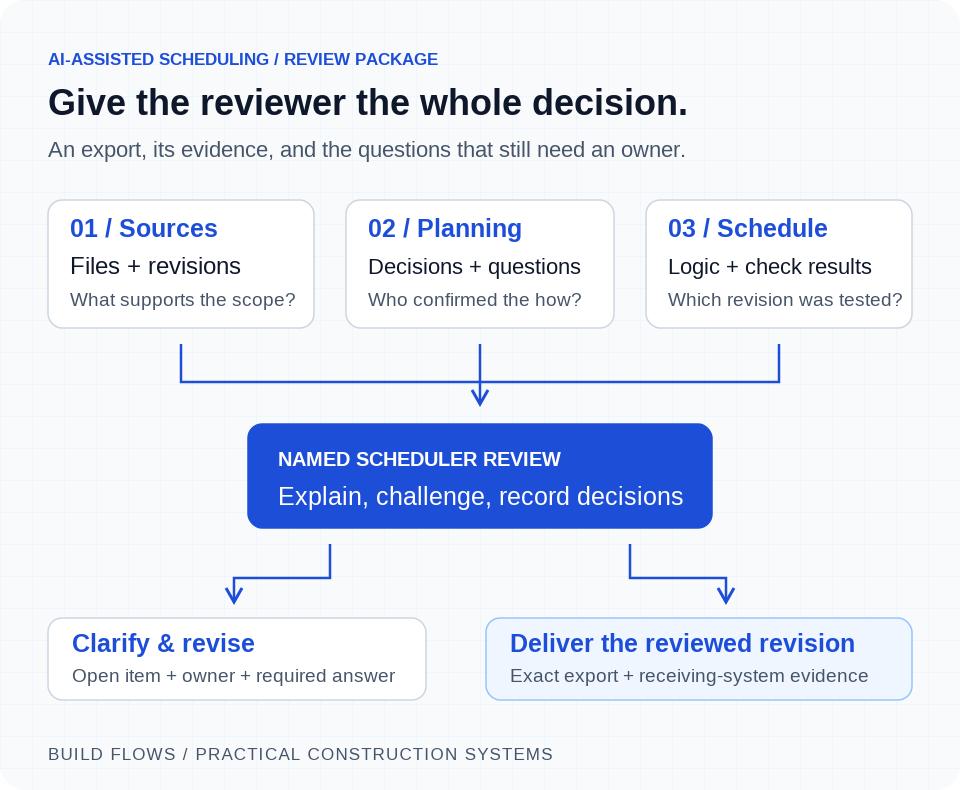
The AI Construction Schedule Handover Checklist
What a project-controls lead should receive before accepting an AI-generated draft: a reviewable evidence package, a clear exception register and the exact revision being delivered.
Playbooks · November 8, 2026
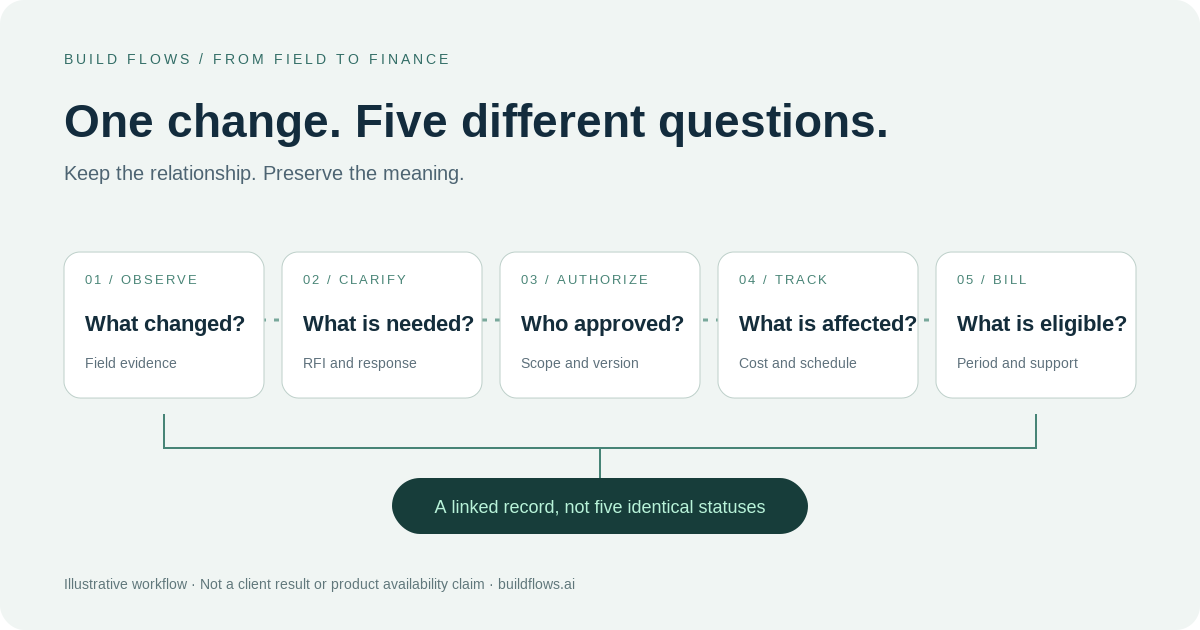
Follow One Construction Change from the Field to Finance
One field change creates several different records. Learn what to connect, what to keep distinct, and how this informs services and construction product design.
Playbooks · October 10, 2026
Month-End Close Checklist for Construction Controllers
The nine-step month-end close in the order that keeps the WIP from being rebuilt, who owns each step, what done looks like, and which parts to automate first.
Playbooks · October 10, 2026
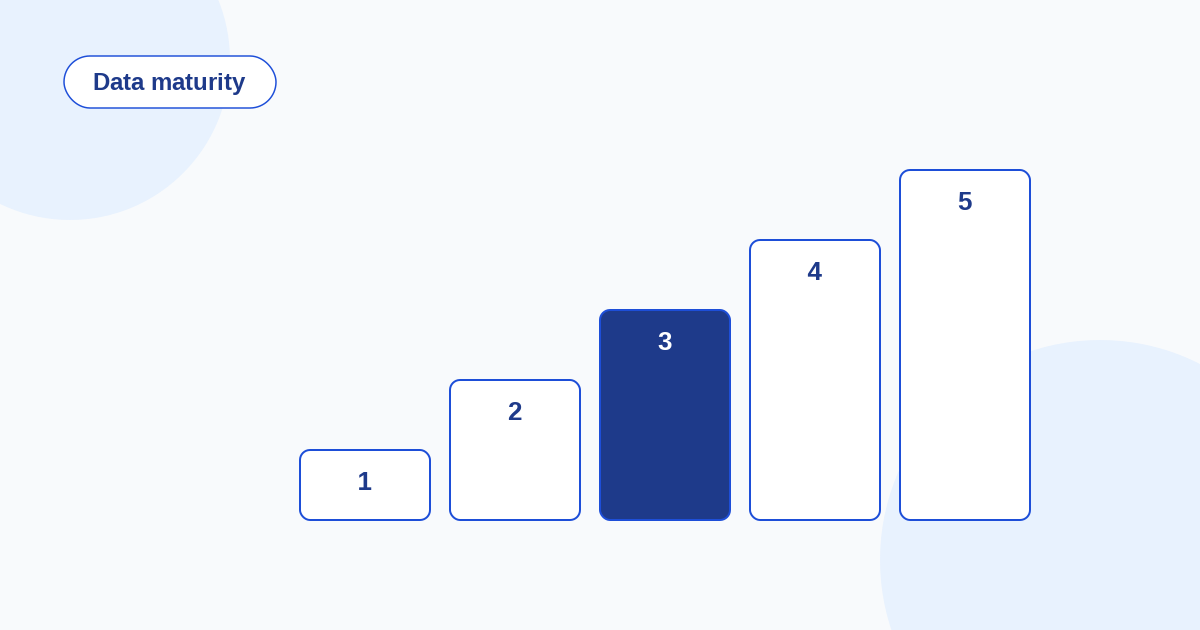
Construction Data Maturity: The Five Stages and What to Fix First
A practical maturity model for contractors: five stages from spreadsheet-driven to intelligent, the signs of each, the six areas that set your stage, why the weakest area caps the result, and the first move out of each stage.
Playbooks · October 9, 2026
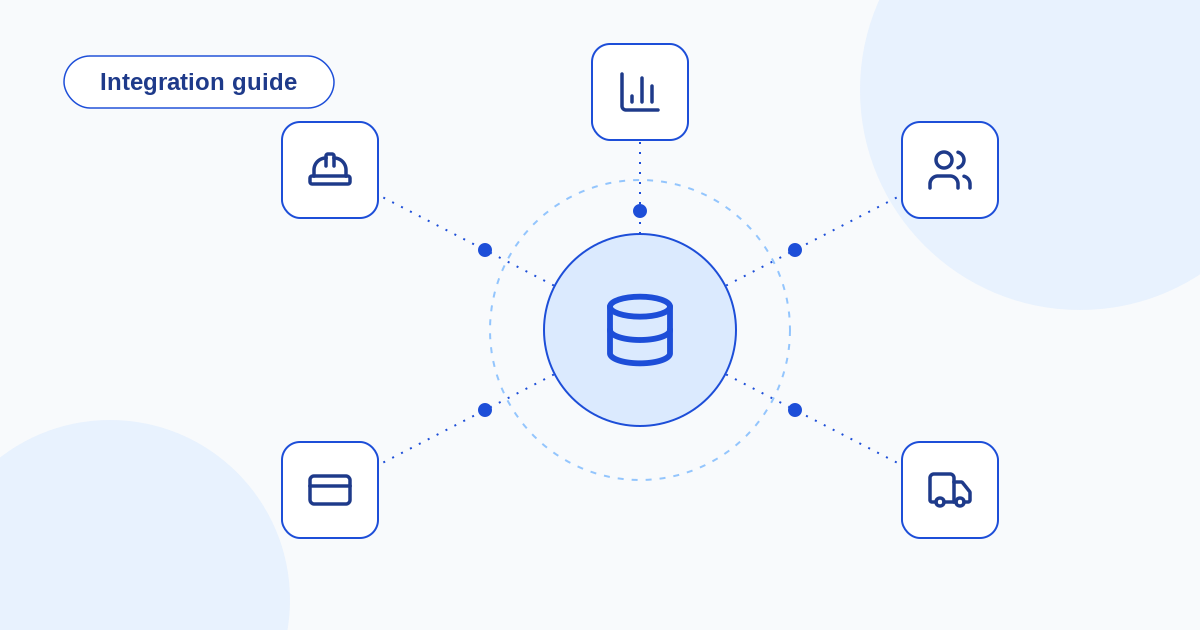
Integration Discovery: Questions to Ask Before Automating a Contractor Workflow
A vendor-neutral discovery list for construction integrations, from process mapping and field-level source of truth to error routing, volumes, security, opportunity-cost ROI and phased rollout. Includes a printable checklist.
Playbooks · October 9, 2026
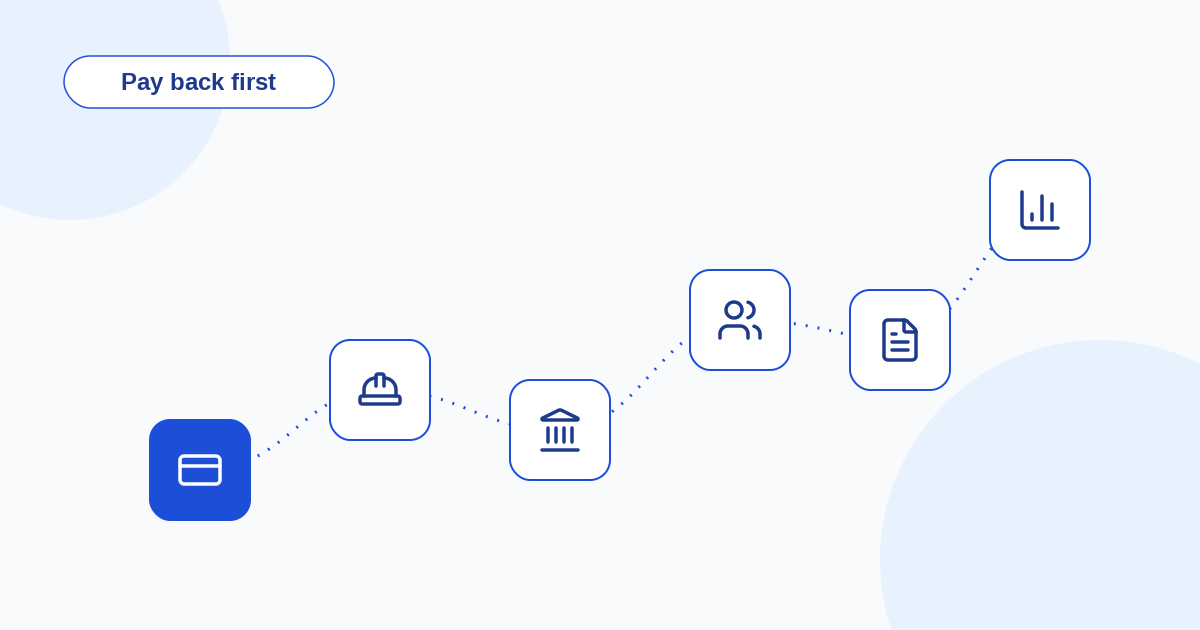
The Construction Integrations That Pay Back First
A playbook for choosing your first construction integrations: why expense-to-AP, PM-to-ERP, GL/AP/AR, payroll and HR, carrier EDI and reporting feeds pay back first, with an anonymized expense-to-Vista pattern and a prioritization table.
Playbooks · October 9, 2026
Build vs Buy for Construction Software, Integrations and Reporting
A practical framework for deciding when to buy, build or combine construction software, integrations and reporting, with a decision table, questions for vendors and builders, and a checklist.
Playbooks · October 8, 2026
Playbook: Replacing the Monthly Excel Report for Contractors
A step-by-step program for retiring a contractor's hand-built monthly Excel report: inventory the workbook, map sources, give manual data a home, build crosswalks and a gated pipeline, pilot in parallel, then retire the spreadsheet.
Integrations · November 21, 2026
CRM for Procore: Comparing Options for GC Pursuit Tracking
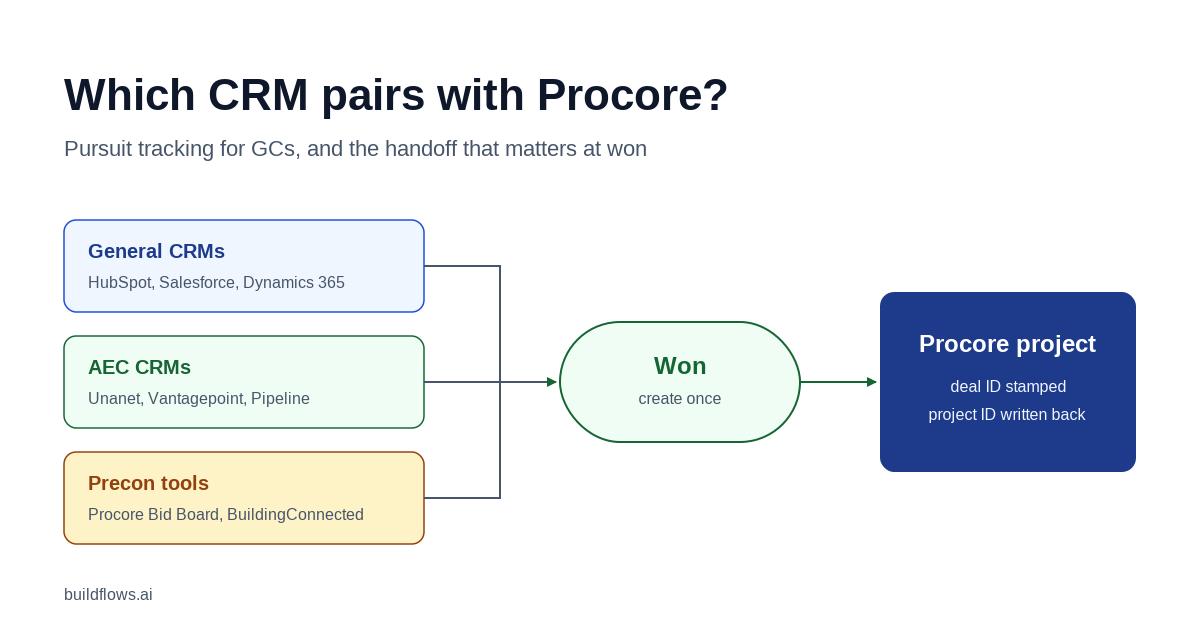
A fair buyer's comparison of CRMs general contractors pair with Procore for pursuit and preconstruction pipeline tracking: what each one connects with, how, what syncs and what pricing is public, plus the won-deal handoff pattern and the HubSpot webhook retry trap that creates duplicate projects.
Integrations · November 21, 2026
Software That Sits on Top of Procore and Sage: The Four Layers and Which to Use
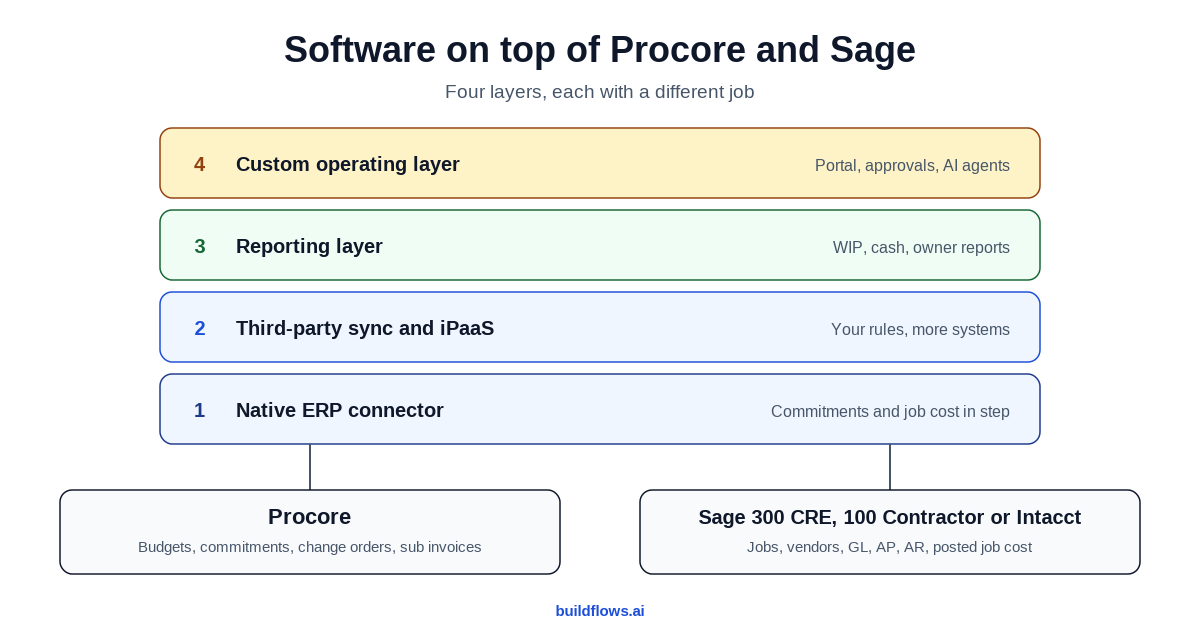
Four kinds of software can sit on Procore and Sage at the same time: Procore's native ERP connectors, third-party sync platforms, a reporting layer that reads both, and a custom operating layer with AI agents. What each does, a decision grid, which system should own each record, and how Sage 300 CRE, Sage 100 Contractor and Sage Intacct differ.
Integrations · November 19, 2026
Procore Service Items in QuickBooks Online: How 2401-03-300.M Is Built and Why It Matters
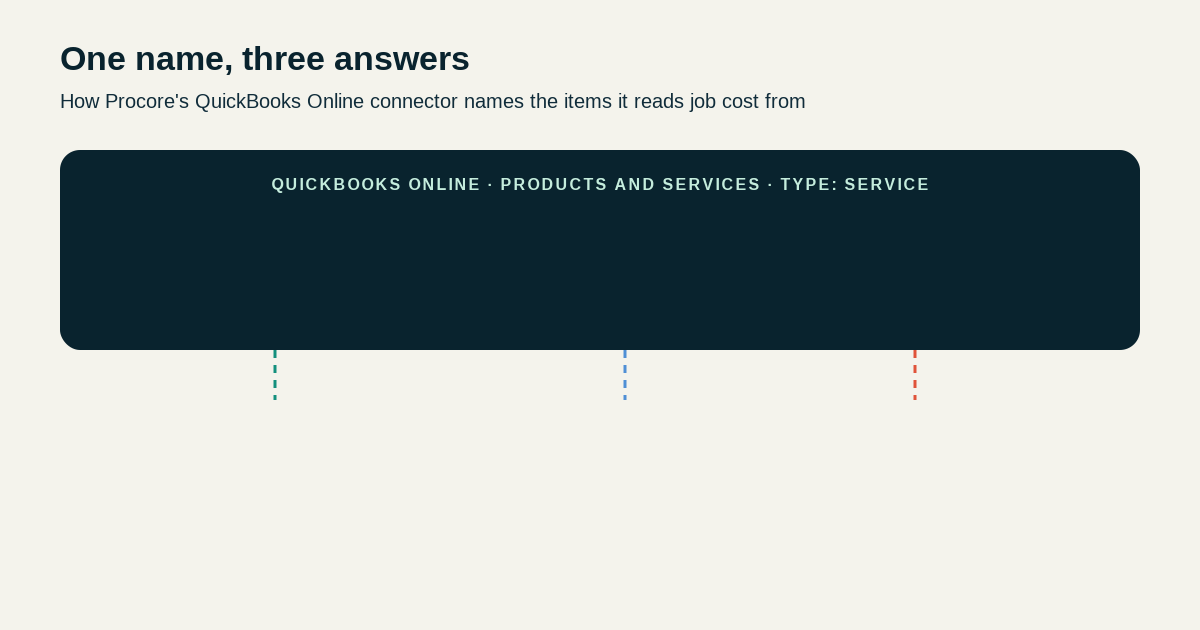
Procore's QuickBooks Online connector only retrieves job costs from lines coded to the project-specific Service items it creates, named [project number]-[cost code].[cost type]. This guide breaks down the name, shows the order that creates the items (2+ tier cost codes, project number set first, budget lines, a background export about every five minutes), explains why you never create or merge them by hand, warns that an Item details line posts to the item's expense account, and gives a five-minute audit of the item list. From the Ramp to QuickBooks to Procore job-cost plan for Cattlemen Construction Services.
Integrations · November 19, 2026
Why Ramp Bills Show $0 in Procore, and How to Fix It
The section hub for the Ramp to QuickBooks to Procore job-cost fix, built from the plan we wrote for Cattlemen Construction Services. Ramp writes its coding to the Category details lines of a QuickBooks Online bill. Procore's QuickBooks Online connector only retrieves job costs from lines coded to the project-specific service items it created, which live in Item details, so the cost never reaches the Procore budget. The guide shows how to confirm the gap in five minutes, then the cheapest order to fix it: check four settings, build a translation table, re-code three bills by hand to prove it, then automate with a bill line rewriter and a nightly reconciliation, with guardrails and a phased rollout.
Integrations · November 19, 2026
Ramp to QuickBooks to Procore Bill Coding, and the Operating System Built Around It: The Full Walkthrough
The companion guide to a 30-minute walkthrough built for Cattlemen Construction Services in Fort Worth, Texas, on sample data. Part 1 explains why Ramp bills coded on QuickBooks Online Category details lines never reach the Procore budget, and the fix: four settings checks, a translation table to Procore service items like 2401-03-300.M, a bill line rewriter that detects, reads, translates, scores, rewrites or queues and logs, a nightly safety net, and a three-bill hand test before any build. Part 2 covers the rollout from a tested proof of concept through access, mapping, tie-out, preview, shadow week, sandbox and live, each with a gate, plus what the contractor provides and how data is protected. Part 3 tours the operating system: approvals, projects with OneDrive folders and Convert to won, month-end cost to complete, the company dashboard, project grades, subcontractor compliance, alerts, owner reports, the admin console with view-as, a help center and read-only API and MCP access for AI agents. Includes a chapter index, a this-week checklist and links to every detailed guide.
Integrations · November 19, 2026
Ramp, QuickBooks Online and Procore: The Settings to Check Before You Build an Integration
The step-zero checklist from a real job-cost plan for Cattlemen Construction Services. Before anyone builds an automation to get Ramp bills into Procore job costs, confirm the Procore QuickBooks Online connector's basics (QBO Plus or Advanced, Projects not sub-customers, projects created after connection), ask Ramp whether Bill Pay lines can use the Procore-created service items, confirm 2+ tier cost codes and synced budget codes, check the budget view shows direct costs, find where the cost code lives in Ramp, check each service item's expense account, the QuickBooks closing date and the daily sync timing, and settle the owner's decision on entering invoices in Procore first.
Integrations · November 19, 2026
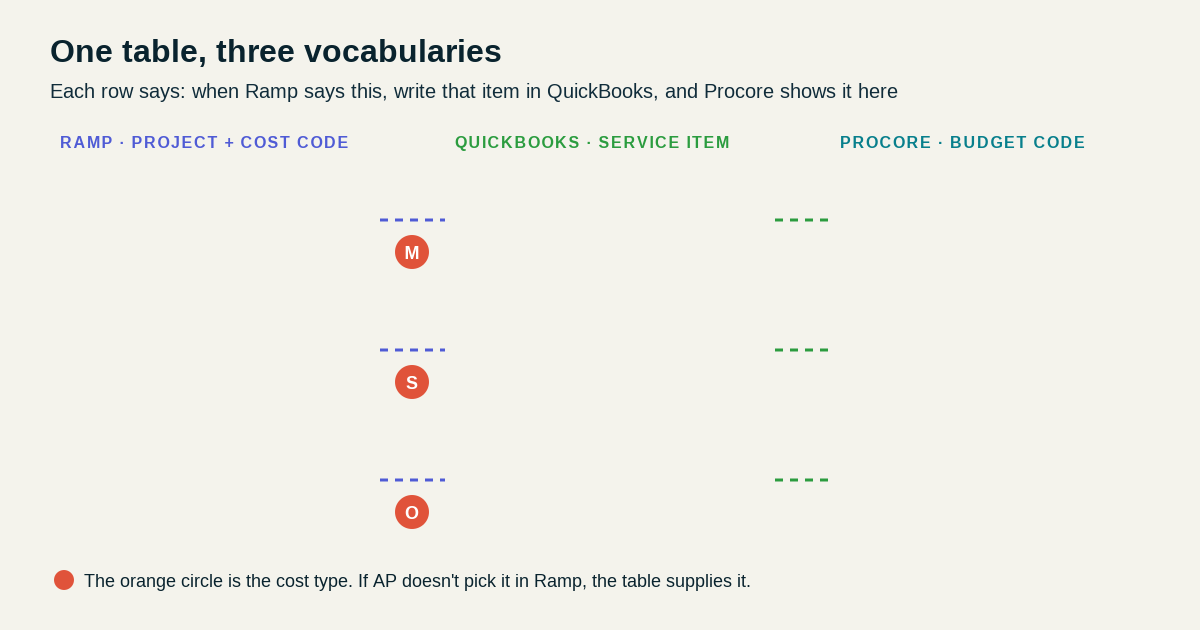
The Ramp to QuickBooks to Procore Translation Table: Columns, Cost Types and Confidence Rules
A guide to the translation table (crosswalk) that maps each Ramp project and cost code to the Procore-created QuickBooks service item and Procore budget code. It covers how it differs from a GL-to-cost-code mapping, the columns it needs, two rules for supplying the cost type, how most rows build from read-only calls to QuickBooks, Procore and Ramp, and how each row decides whether a bill line is rewritten, queued, escalated or left as a category line. Includes a 23-row CSV template with low-confidence and queue examples. From the job-cost plan for Cattlemen Construction Services.
Integrations · November 19, 2026
Shadow Week, Sandbox, Live: Go-Live Gates for a QuickBooks Write Integration
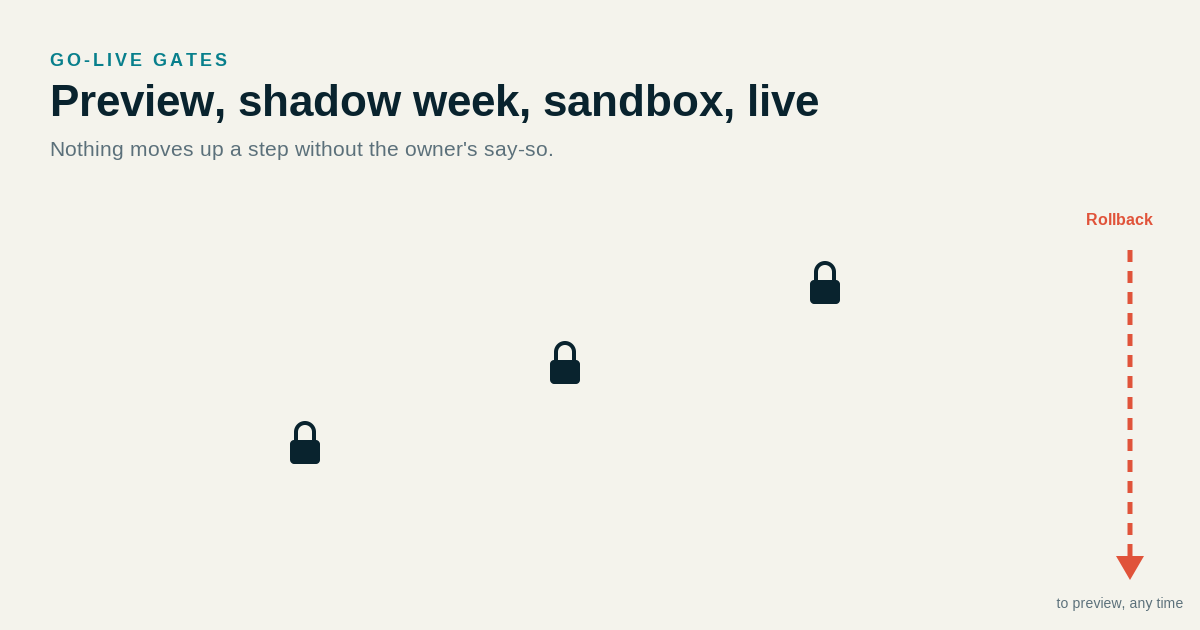
How to switch on writes to QuickBooks Online safely, using the expense approver built for Cattlemen Construction Services as the example. Four steps, each needing the owner's say-so: preview only (the app shows the exact line it would write), shadow week (field users code, the owner approves, accounting compares with its own by-hand coding), a sandbox test against a test company, and live with a recorded sign-off, starting with one expense and a small batch. Covers the three locks on write mode, the five checks before every write, a line-by-line comparison table, pass and fail criteria for each step, and a five-step rollback plan.
Integrations · November 19, 2026
What Contractors Provide for an Integration: The QuickBooks, Procore, Ramp and Microsoft 365 Access Checklist
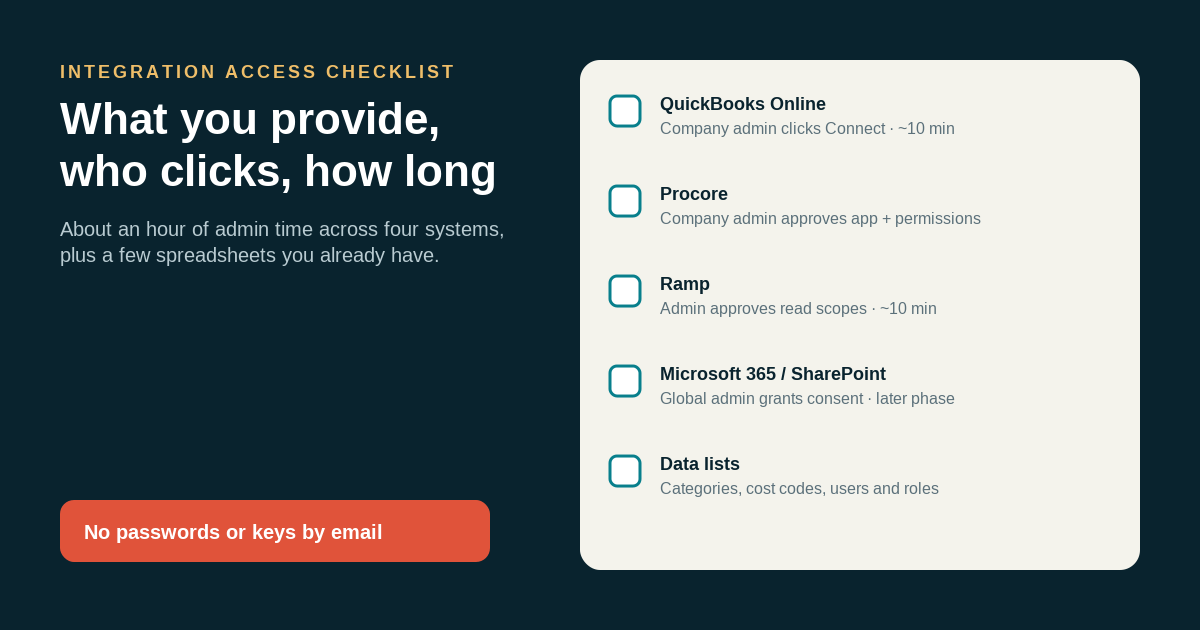
The precise list of what a contractor provides for an integration across QuickBooks Online, Procore, Ramp and Microsoft 365 (SharePoint), from a real rollout for Cattlemen Construction Services. For each system: which admin must do it, the steps, what access it grants, hands-on and calendar time, and how to revoke it later. Explains why passwords and keys should never be emailed, the two safe patterns (a hosted app with Connect buttons, or credentials in a vault you own), the non-secret data lists, how to shorten the wait, and common mistakes.
Integrations · November 18, 2026
Why Ramp Card Costs Show $0 in Procore: A Real Discovery Call, Walked Through
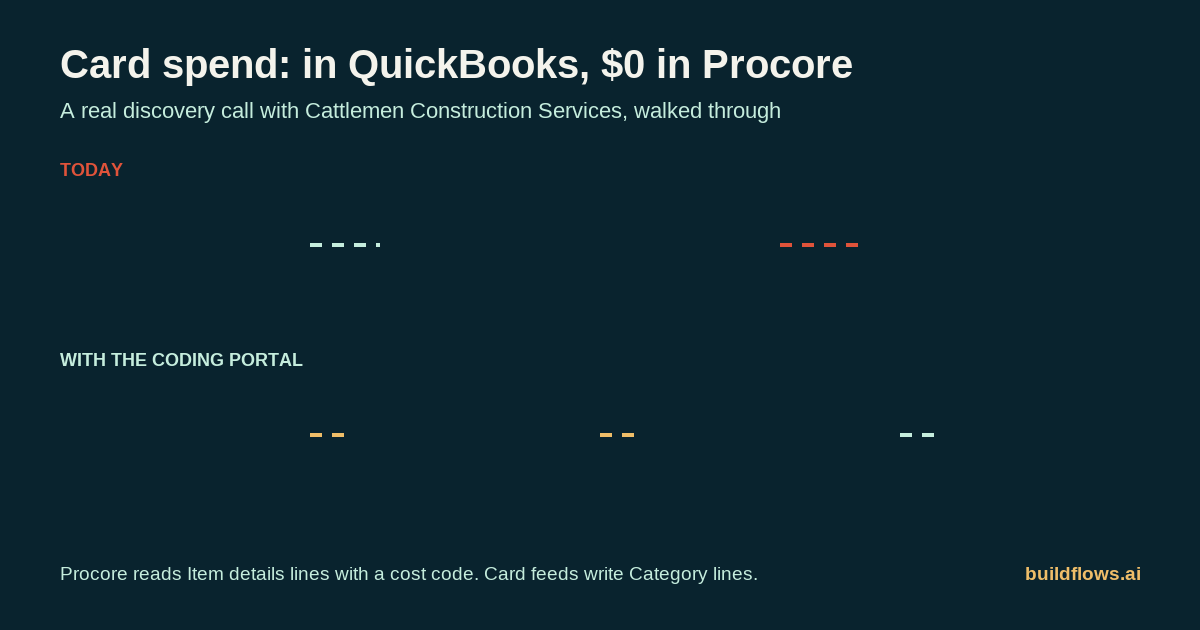
A walkthrough of a recorded discovery call with Ryan Blankers of Cattlemen Construction Services in Fort Worth, Texas. Ramp card expenses sync to QuickBooks Online as Category details lines, while Procore's QuickBooks integration builds job costs from Item details lines tied to a cost code, so card spend shows $0 in Procore. Covers why the fix can't be fully automatic, the expense coding portal design with approvals and an audit log, the GL to cost code mapping, hosting, a role-based Cattlemen OS with KPIs, SharePoint project folders and a Procore convert-to-won automation, embedding into an AI platform through an iframe, API or MCP server, and the timeline.
Integrations · November 18, 2026
QuickBooks Category Details vs Item Details: Why Procore Shows $0 Job Cost
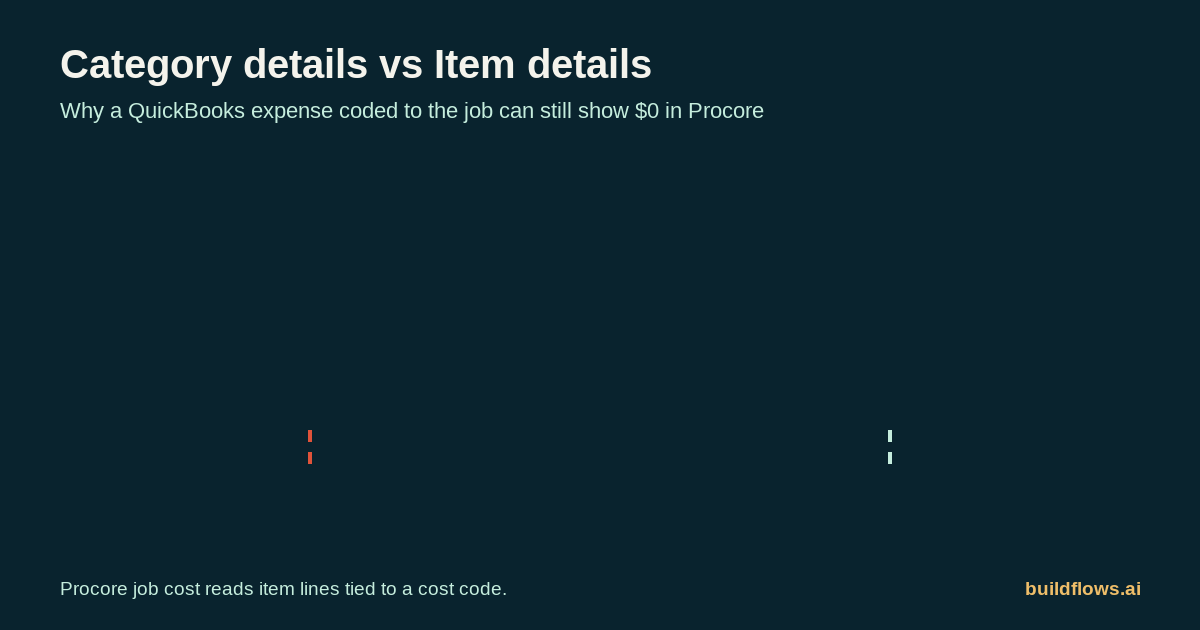
QuickBooks Online expenses, bills and checks have two line sections: Category details (account-based) and Item details (item-based). This guide compares the fields each carries, explains why Procore's QuickBooks Online integration builds job costs from item lines tied to a cost code, why card feeds like Ramp land as category lines, how to check a transaction in six steps, and three fixes: code at the source, re-code in QuickBooks, or a coding portal that rebuilds the expense with an Item line.
Integrations · November 18, 2026
Map QuickBooks GL Accounts to Procore Cost Codes (When It Isn't One-to-One)
A step-by-step guide to building a GL-to-cost-code mapping table for card spend, from a recorded discovery call with Cattlemen Construction Services. Export the cost-of-services accounts and keep G&A out, export Procore cost codes and cost types, set a default code and a short allowed list per account, flag one-to-many accounts like Supplies & Materials for a human pick, add keyword hints, route the rest to needs review, and keep the table current so it can drive an expense coding portal.
Integrations · November 18, 2026
Design a Human-in-the-Loop Expense Coding Portal for Ramp, QuickBooks and Procore
The expense coding portal designed on a recorded discovery call with Cattlemen Construction Services. Cardholders sign in and see only their uncoded card expenses, pick a suggested Procore cost code and approve; the portal rebuilds the QuickBooks Online expense with Item details and Procore's own integration brings it in as actual cost. Covers the admin view, notifications, roles, audit log, failure handling, idempotency, API scopes, hosting, the proof of concept and the metrics that show it's working.
Integrations · November 18, 2026
Sage 100 vs QuickBooks Online for Contractors: When to Switch
A practical comparison for growing contractors weighing QuickBooks Online against Sage. Explains the difference between Sage 100, Sage 100 Contractor, Sage 300 CRE and Sage Intacct Construction, where QuickBooks Online job costing relies on workarounds (items as cost codes, no native cost type matrix, WIP or subcontract commitments), the signs you've outgrown it, how the Procore ERP integration changes, and a migration checklist. Based on a question Ryan Blankers of Cattlemen Construction Services asked on a recorded discovery call.
Integrations · November 17, 2026
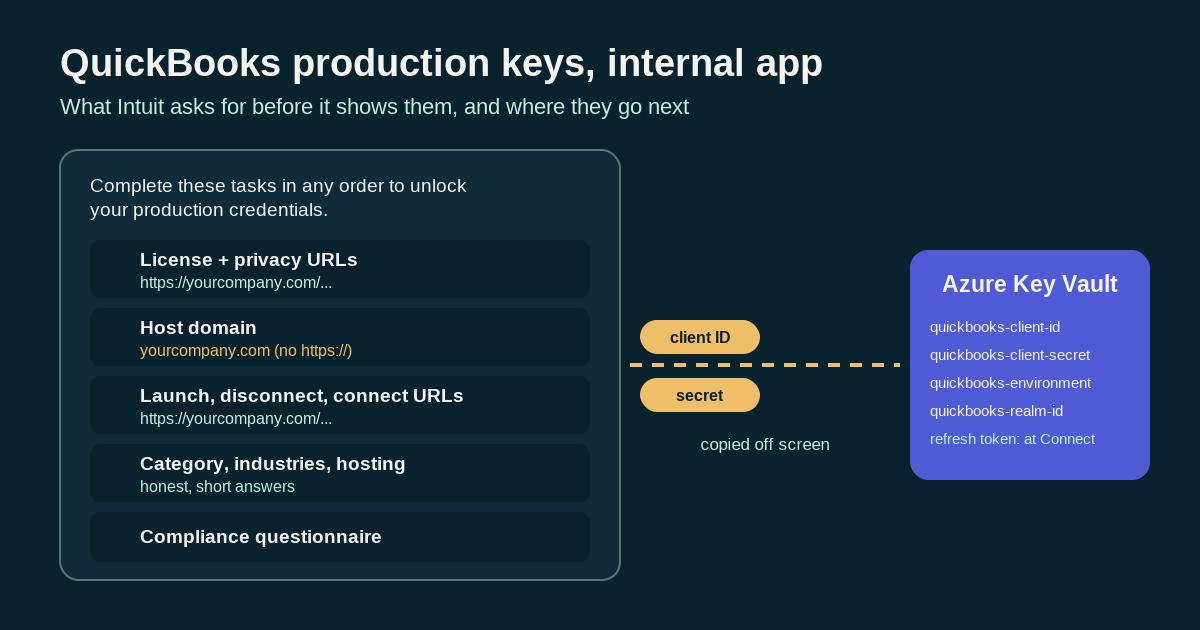
QuickBooks Production Keys: What Intuit Asks For Before It Shows Them (Internal Apps)
A field-by-field guide to the App details and Compliance tasks Intuit shows before it unlocks QuickBooks Online production keys, with what each field is for in a published app, what to enter for an internal read-only reporting app, the host domain error, and how to move the client ID and secret straight into Azure Key Vault.
Integrations · November 17, 2026
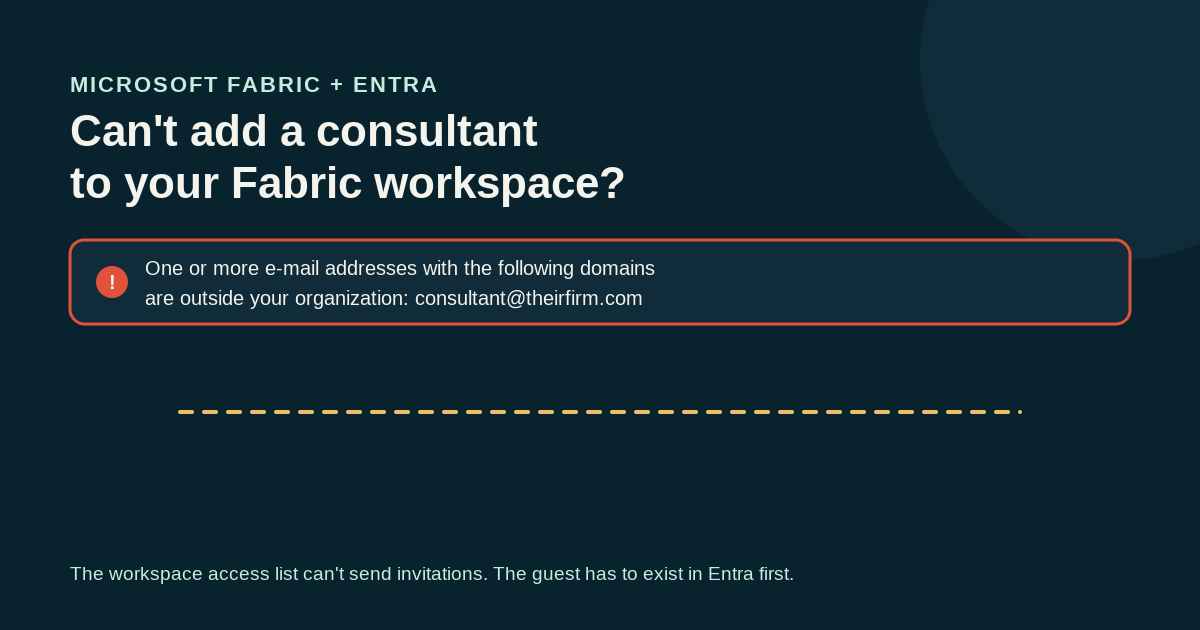
Can't Add a Consultant to a Fabric Workspace? Fix the 'Outside Your Organization' Error
Why Microsoft Fabric rejects an outside email in a workspace's Add people panel, and the four-step fix: the Guest users can access Microsoft Fabric tenant setting, an Invite external user invitation from Microsoft Entra, the guest accepting, and adding them under Manage access with the right role, with a role table and a map of which setting controls what.
Integrations · November 17, 2026
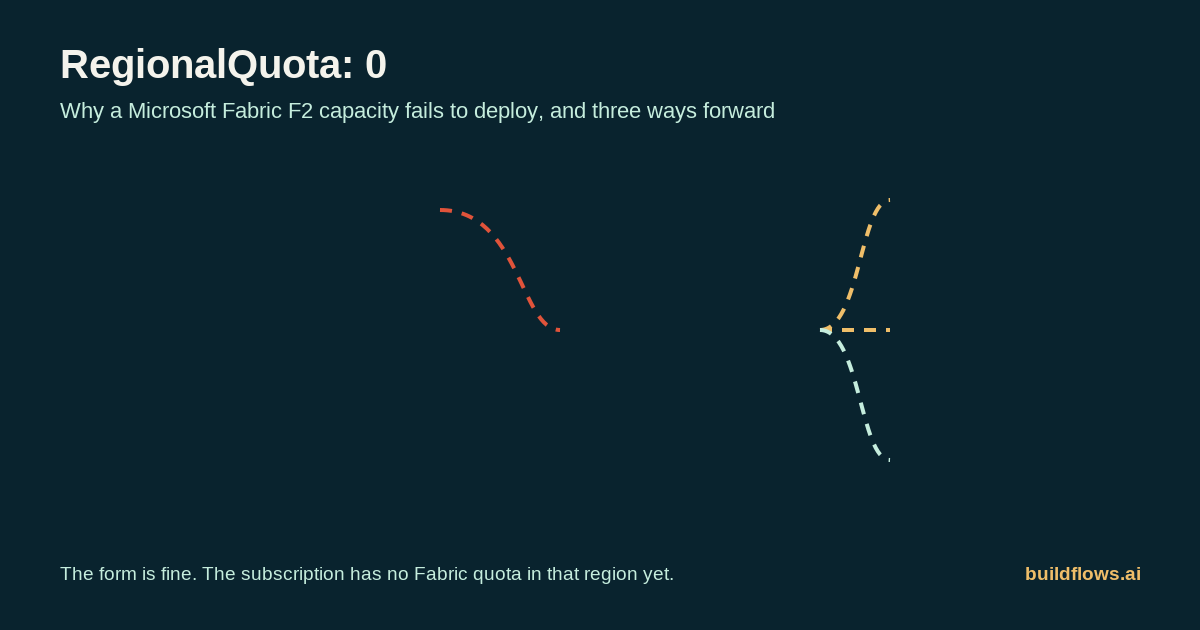
Fix "RegionalQuota: 0" When Creating a Microsoft Fabric F2 Capacity
What the Microsoft Fabric regional quota error means when an F2 capacity fails to deploy in Azure, how to read TotalCapacityUnits, RegionalQuota, RequestedSku and Param1 to Param3, and the fixes in order: register Microsoft.Fabric, request a quota increase, try another region or subscription, and start the 60-day Fabric trial while you wait.
Integrations · November 17, 2026
Create a Microsoft Fabric Capacity in Azure: Subscriptions, Resource Groups and F2 Costs
A plain-English guide for office managers and IT generalists at contractors: what an Azure subscription, resource group, resource and resource provider are, how to create a Microsoft Fabric F2 capacity (name rules, region, size, Capacity Overage Protection, capacity administrator), assign it to a workspace, pause it, and what F2 really costs with reservations, Power BI Pro viewers, tags and budgets.
Integrations · November 17, 2026
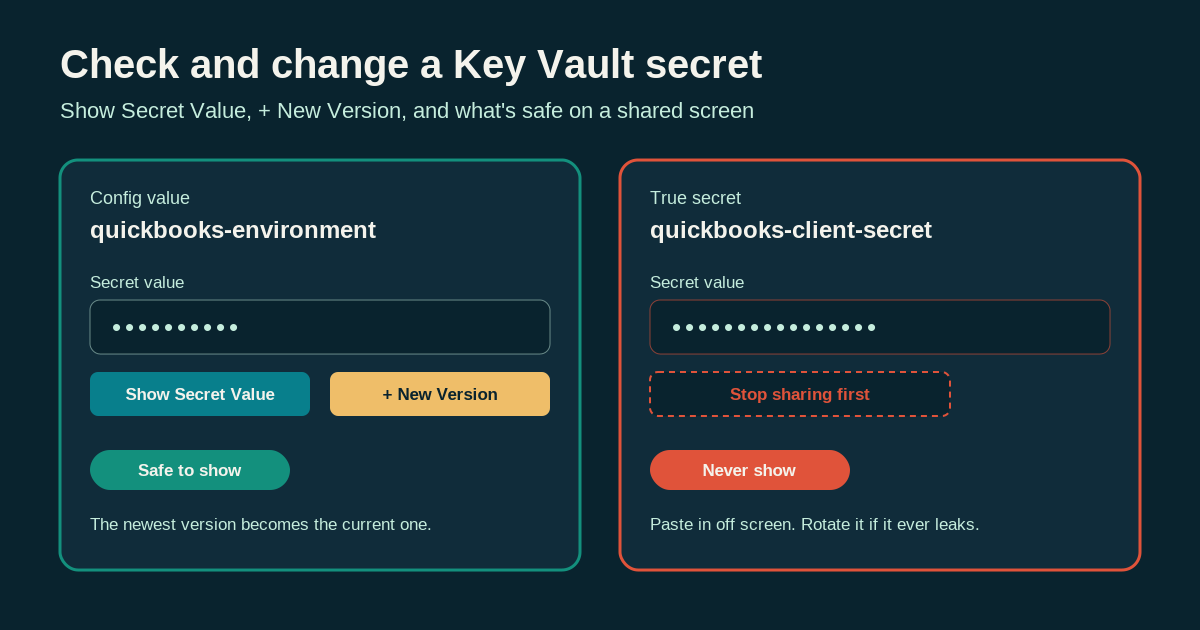
Check and Change an Azure Key Vault Secret Safely: Show Secret Value and New Version
How to read an Azure Key Vault secret's current value with Show Secret Value, which RBAC role you need, how + New Version changes a value while pipelines that read by name pick up the newest version, what disabling versions and expiration dates really do, and which entries are config values safe to reveal on a call versus true secrets that never go on screen.
Integrations · November 17, 2026
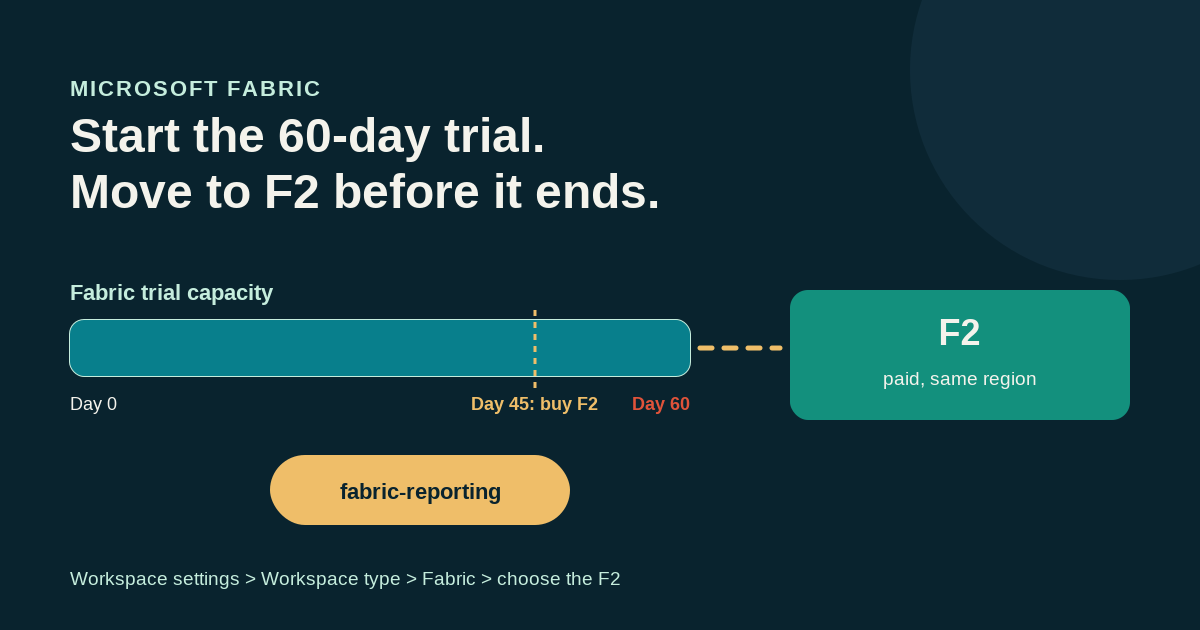
Start the Microsoft Fabric Free Trial (60 Days) and Move to a Paid F2 Before It Ends
How to start the Microsoft Fabric trial from the account manager, what the trial capacity includes and excludes, how to create a workspace on it, what happens on day 60 and in the seven days after, and how to move the workspace to a paid F2 in the same region, with a 60-day plan and a trial vs F2 comparison.
Integrations · November 17, 2026
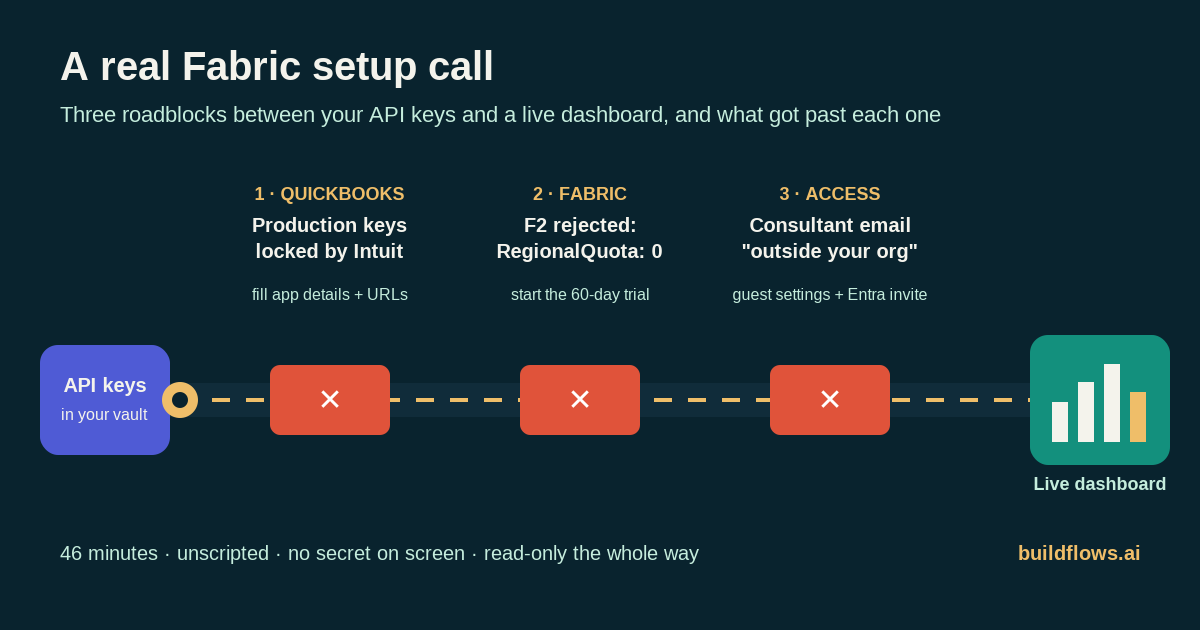
A Real Microsoft Fabric Setup Call: QuickBooks, Key Vault and 3 Roadblocks We Fixed Live
A walkthrough of an unscripted 46-minute setup call with a client's admin: unlocking QuickBooks production keys in the Intuit Developer portal, checking Azure Key Vault values safely, getting past the Fabric F2 "RegionalQuota: 0" error with the 60-day trial, and giving an outside integrator guest access to a Fabric workspace, with a run sheet and checklist.
Integrations · November 16, 2026
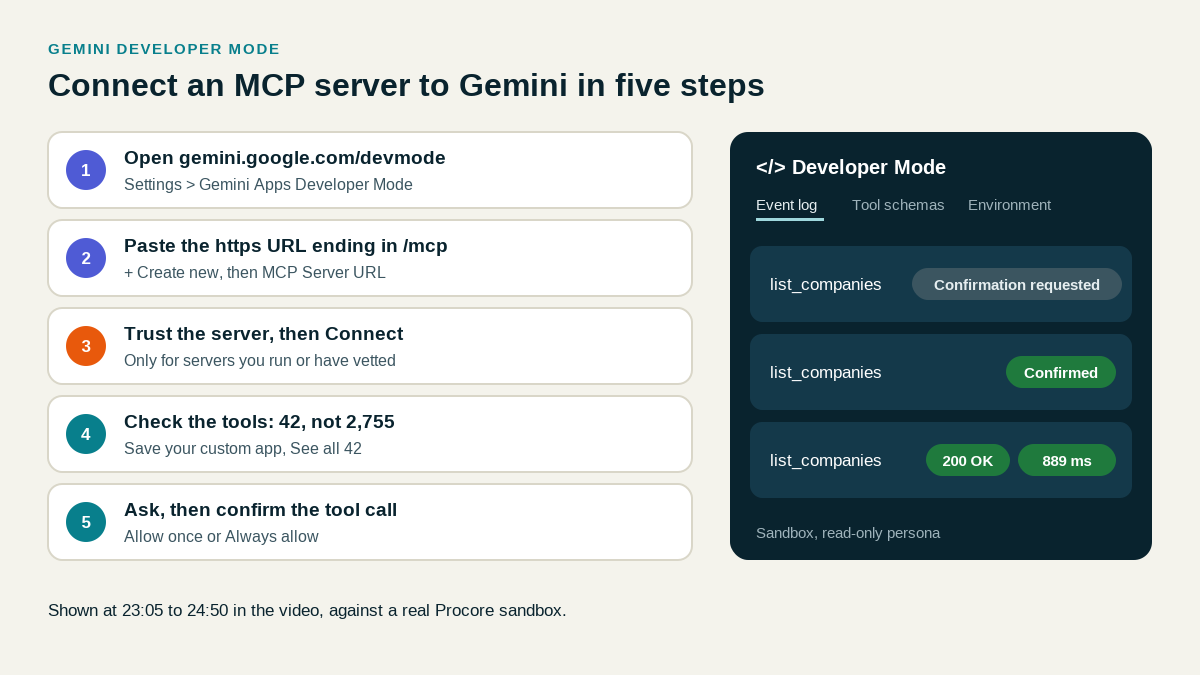
How to Connect a Procore MCP Server to Google Gemini (Developer Mode)
A help guide that matches the video from 23:05 to 24:50: what Gemini Apps Developer Mode is, how to run the server on port 8123 at /mcp, how to build the URL with mode and persona, each Gemini screen in order, the confirmation prompts, the Tool schemas, Environment and Authentication tabs, and troubleshooting.
Integrations · November 16, 2026
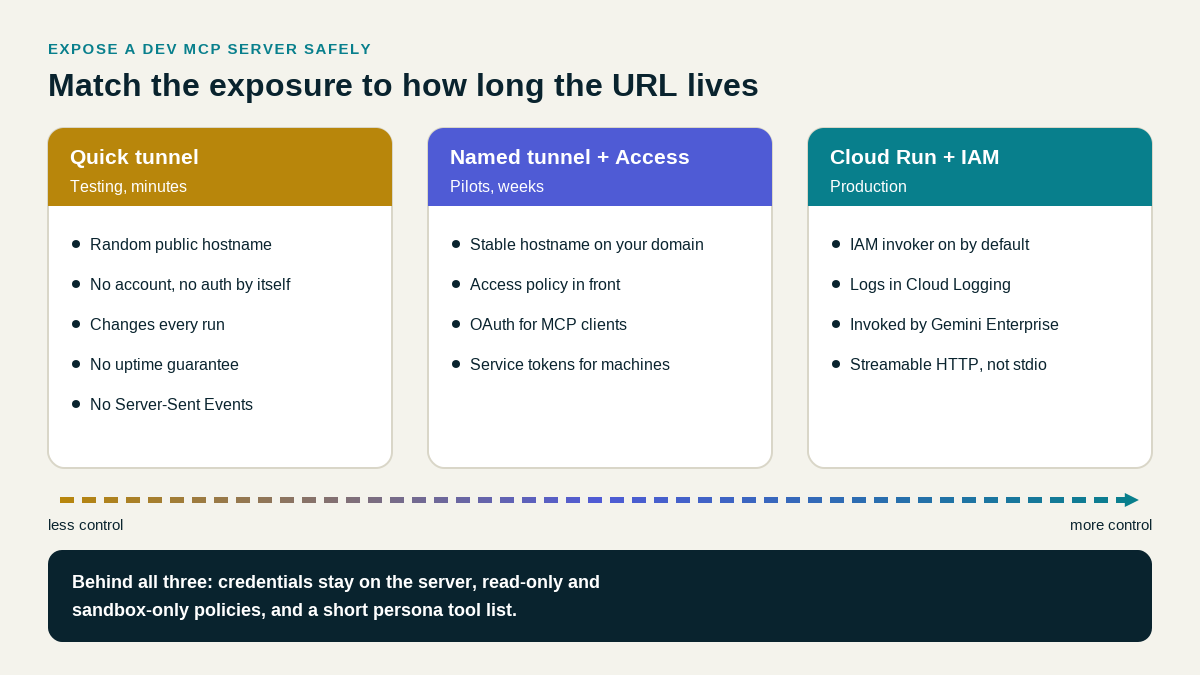
Expose a Dev MCP Server to Gemini Safely: Tunnels, Tokens and Recording Hygiene
General best practice for exposing a dev MCP server to a hosted client: when to use a Cloudflare quick tunnel, a named tunnel behind Access, or Cloud Run; why tokens belong in the Authorization header; how the Procore MCP server's demo token gate works; read-only, sandbox-only Procore access; rotation; and a screen-recording checklist.
Integrations · November 14, 2026
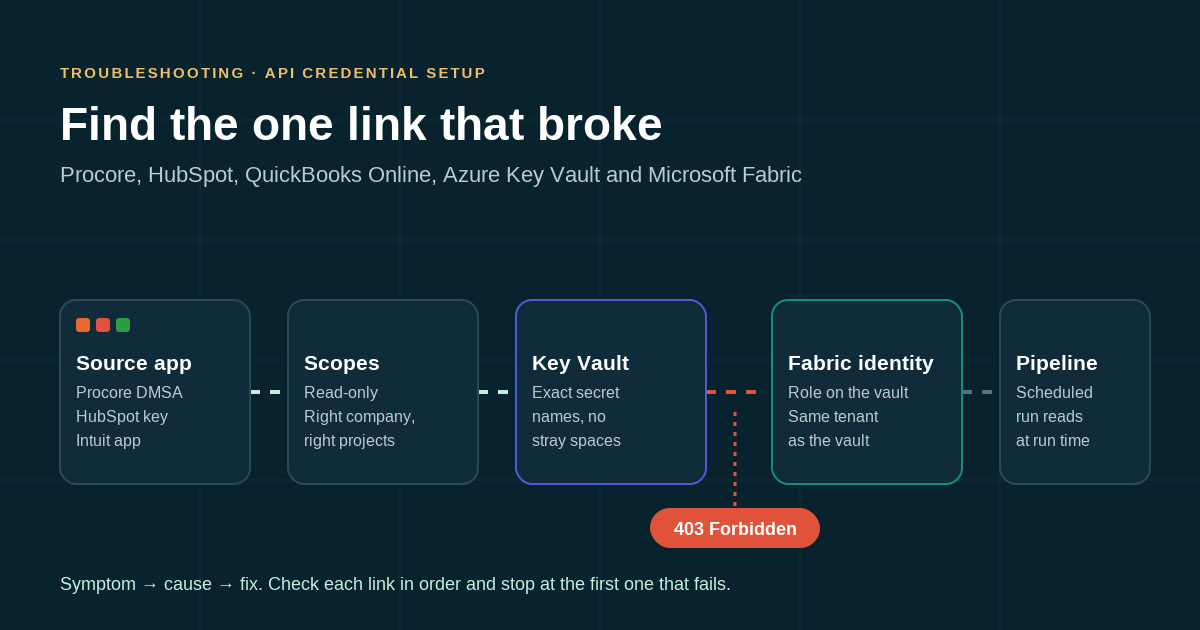
Troubleshooting API Credential Setup: Procore, HubSpot, QuickBooks, Key Vault and Fabric
A symptom, cause and fix guide for the errors that stop a read-only reporting integration: Key Vault roles, Procore service accounts, HubSpot service keys, QuickBooks tokens and Fabric identities.
Integrations · November 14, 2026
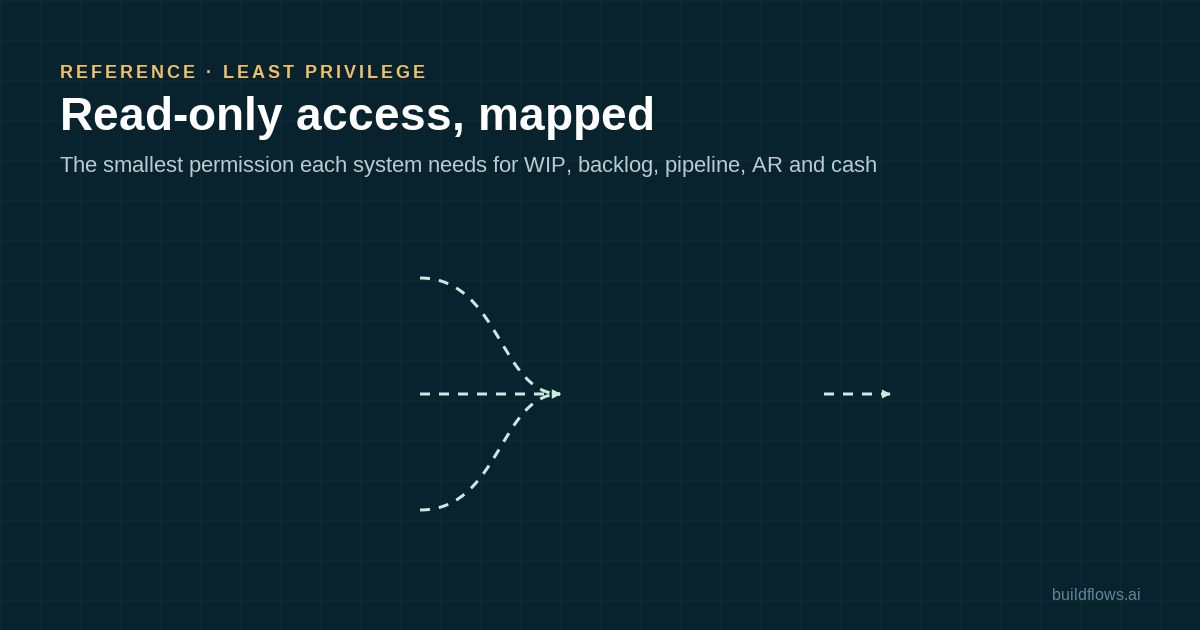
Read-Only API Scopes for Construction Reporting: Procore, HubSpot, QuickBooks, Azure and Fabric
A reference that starts from the report (WIP, backlog, pipeline, AR aging, cash) and maps it to the smallest read permission in Procore, HubSpot and QuickBooks Online, plus the right Azure Key Vault and Microsoft Fabric roles, with every name checked against vendor docs.
Integrations · November 14, 2026
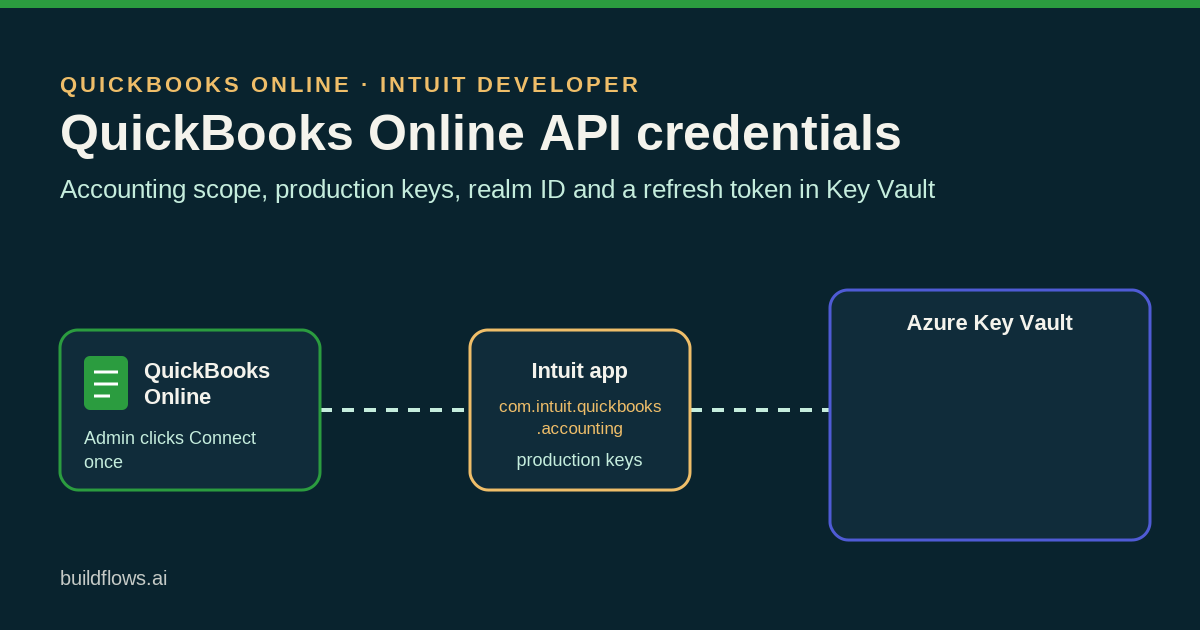
QuickBooks Online API Credentials: Intuit Developer App, Production Keys and Refresh Tokens
A step-by-step guide to QuickBooks Online API credentials for reporting: the Intuit developer account, an app with only the Accounting scope, development versus production keys, the production-keys tasks, the realm ID, the one-time Connect step, and how refresh tokens rotate and expire under Intuit's current policy, with every value stored in Azure Key Vault.
Integrations · November 14, 2026
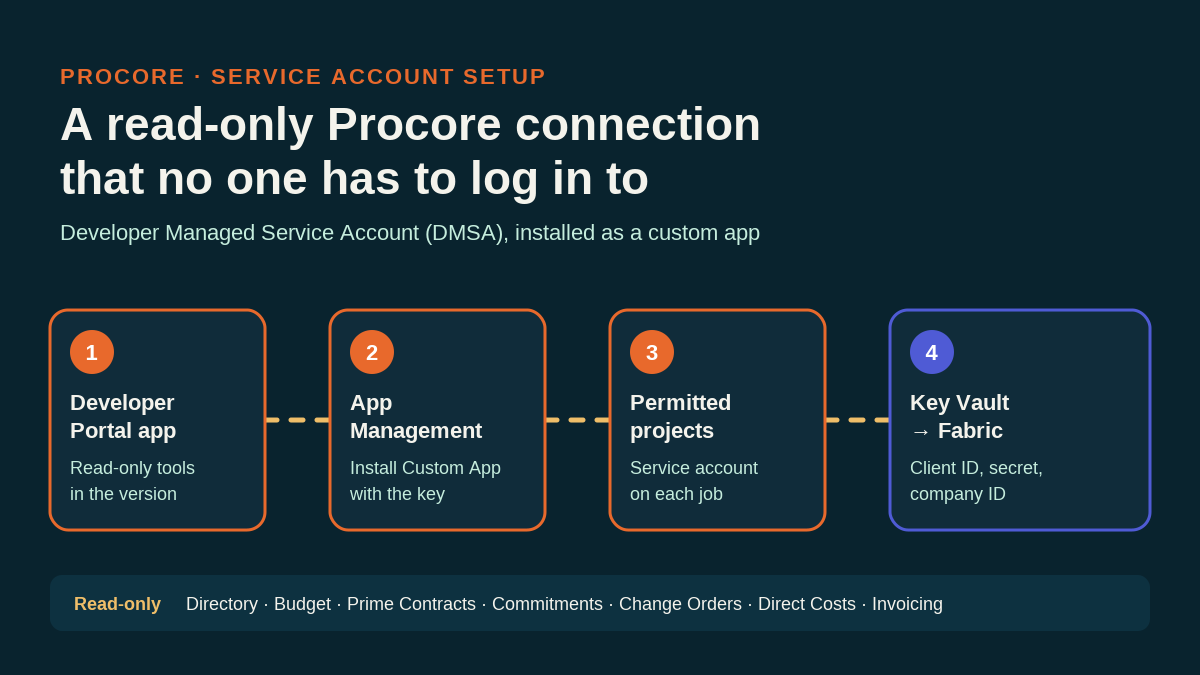
Procore Developer Managed Service Account (DMSA) Setup for Read-Only Reporting
A step-by-step guide to giving a reporting integration read-only Procore access through a Developer Managed Service Account: developer account, app and components, read-only tool permissions, sandbox versus production keys, installing the custom app in App Management, permitted projects, the company ID, and storing the credentials in Azure Key Vault.
Integrations · November 14, 2026
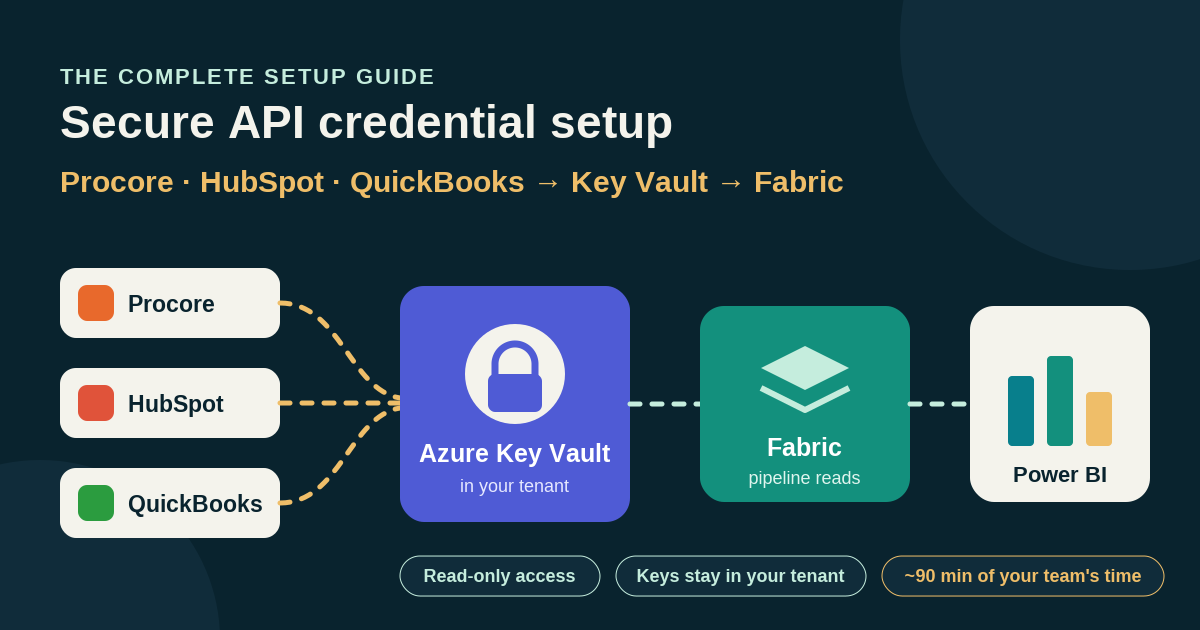
Secure API Credential Setup for Procore, HubSpot and QuickBooks with Azure Key Vault and Microsoft Fabric
The end-to-end guide to connecting Procore, HubSpot and QuickBooks Online to Microsoft Fabric and Power BI without handing over credentials: who owns each step and how long it takes, the architecture from sources through Azure Key Vault to Fabric, the four steps (Fabric access, read-only API access in three systems, Key Vault with the Secrets Officer role, connect and go live), the exact secret names, what to send back, how to revoke access, common mistakes and a checklist.
Integrations · November 14, 2026
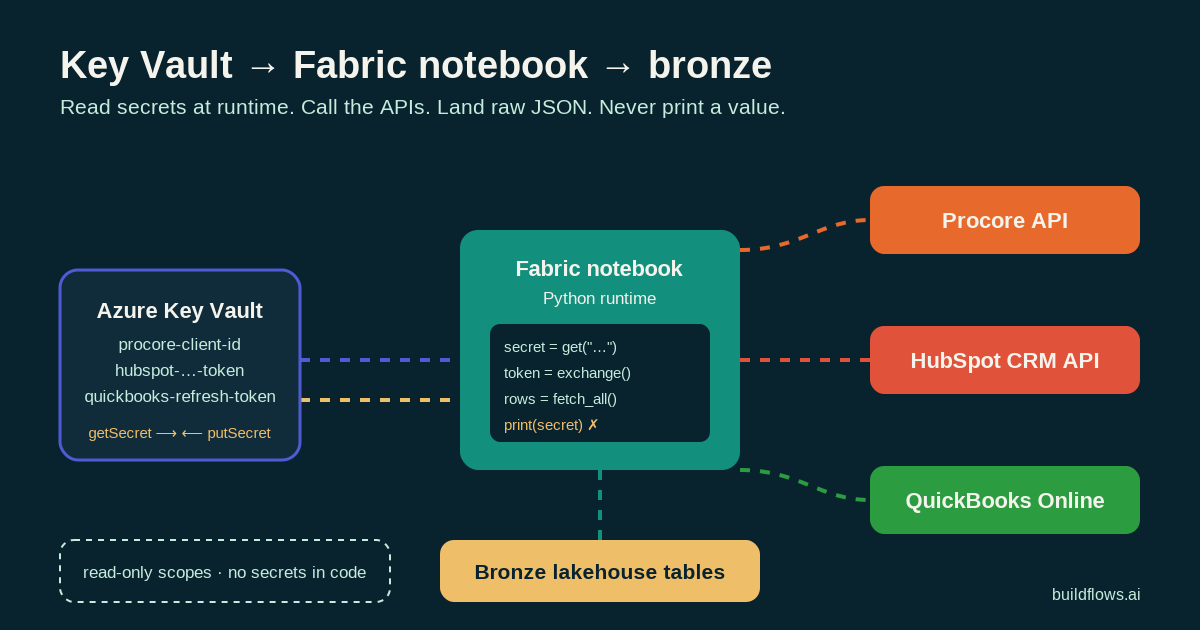
Read Azure Key Vault Secrets in a Fabric Notebook: Procore, HubSpot and QuickBooks in Python
A code-first walkthrough of one Fabric Python notebook: getSecret at runtime, Procore client credentials, a HubSpot service key, QuickBooks refresh with putSecret, and raw JSON in bronze tables without printing a secret.
Integrations · November 14, 2026
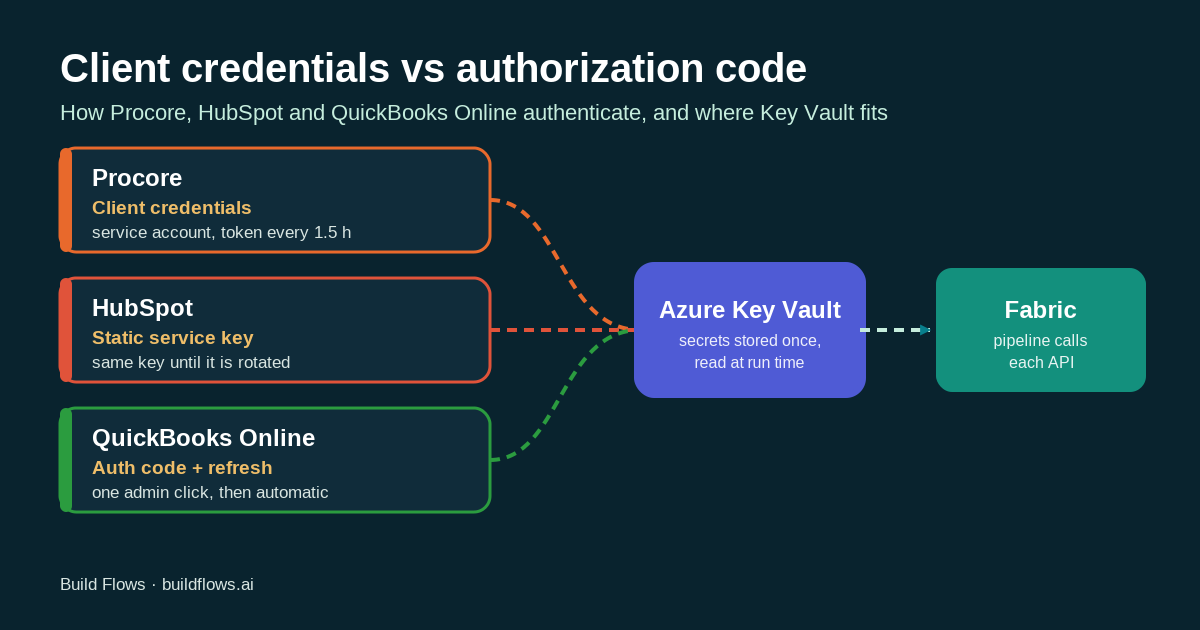
Client Credentials vs Authorization Code: How Procore, HubSpot and QuickBooks Authenticate
Procore, HubSpot and QuickBooks Online each authenticate differently. This guide explains client credentials, static bearer tokens and authorization code with refresh tokens, with animated sequence diagrams, a what-breaks-when table and the Key Vault secrets each model needs.
Integrations · November 14, 2026
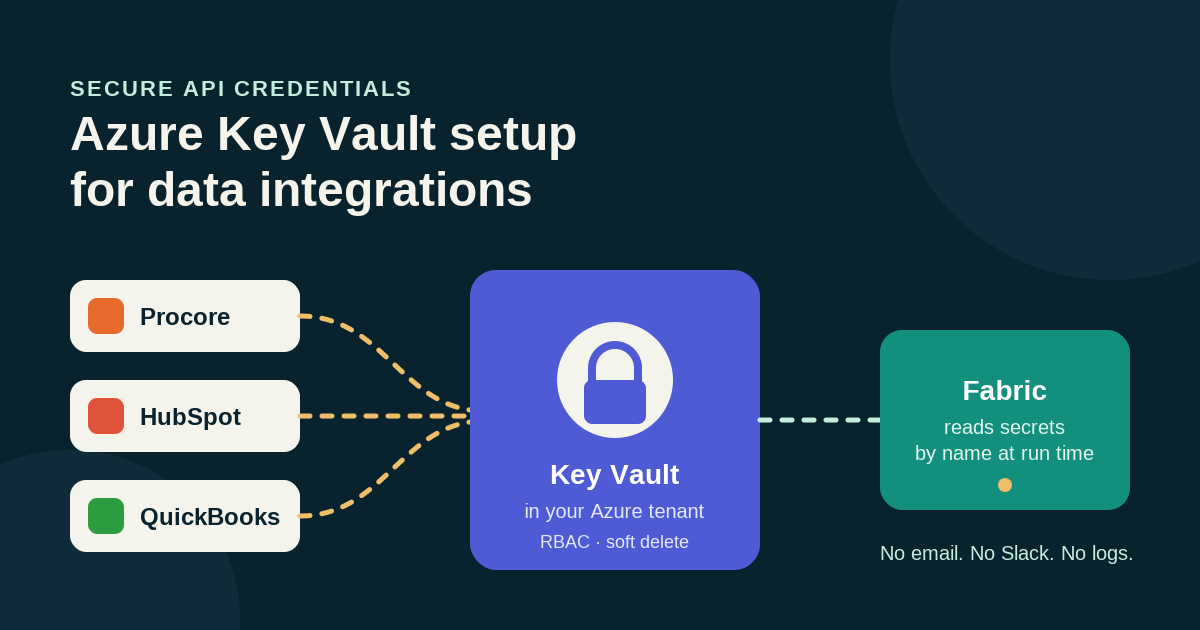
Azure Key Vault Setup for Data Integrations: Create the Vault, Set RBAC and Assign Secrets Officer
A step-by-step guide to creating an Azure Key Vault for integration secrets: resource group and globally unique name, matching the Fabric region, Standard tier, soft delete and the purge protection trade-off, the RBAC permission model, networking, the Key Vault Secrets Officer role assignment, why 'not authorized' appears right after setup, and what it really costs.
Integrations · November 14, 2026
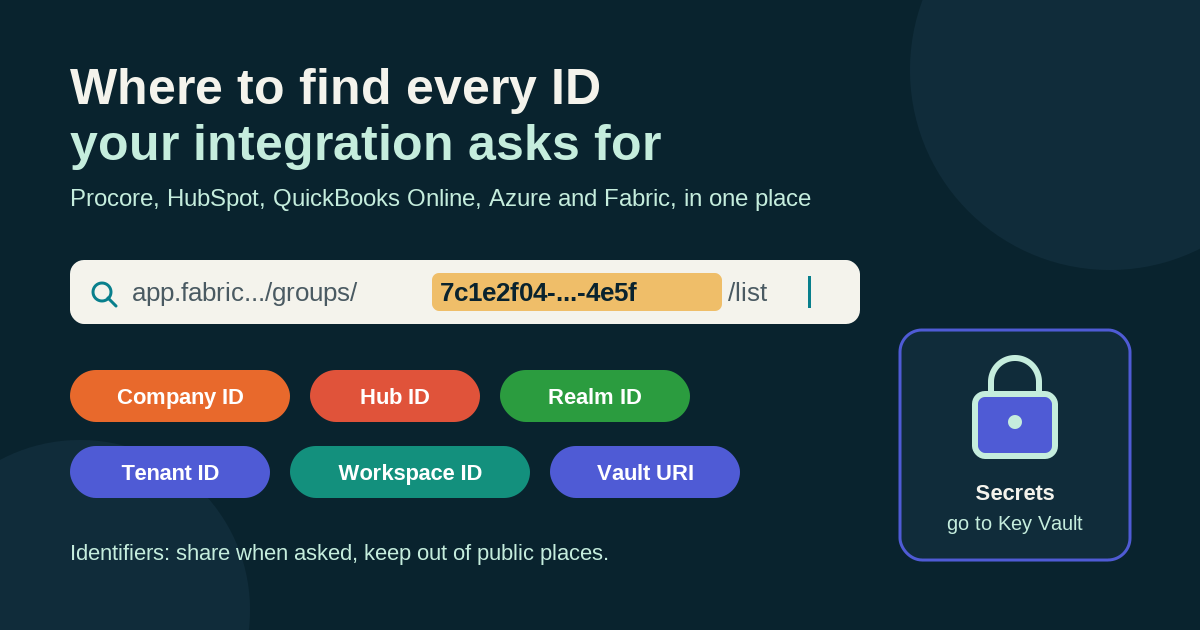
Where to Find Every Integration ID: Procore, HubSpot, QuickBooks, Azure and Fabric
A quick reference for every identifier a Procore, HubSpot and QuickBooks Online to Microsoft Fabric integration asks for: the screen or URL each one lives on, what it looks like, common mix-ups, and which nearby values are secrets that belong only in Azure Key Vault.
Integrations · November 14, 2026
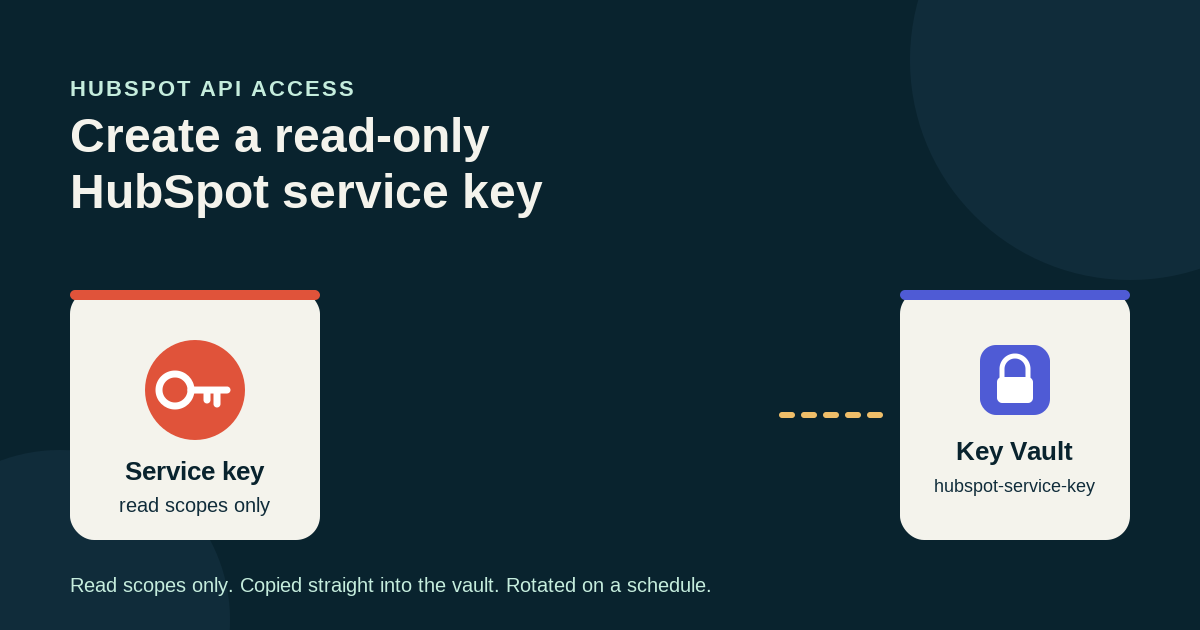
HubSpot Service Key Setup: Read-Only CRM API Access Without a Private App
A step-by-step guide to creating a HubSpot service key with five read-only CRM scopes (deals, companies, contacts, line items, owners), why it replaces legacy private apps for new integrations, how to copy it straight into Azure Key Vault, and how to rotate it with HubSpot's 7-day overlap.
Integrations · November 14, 2026
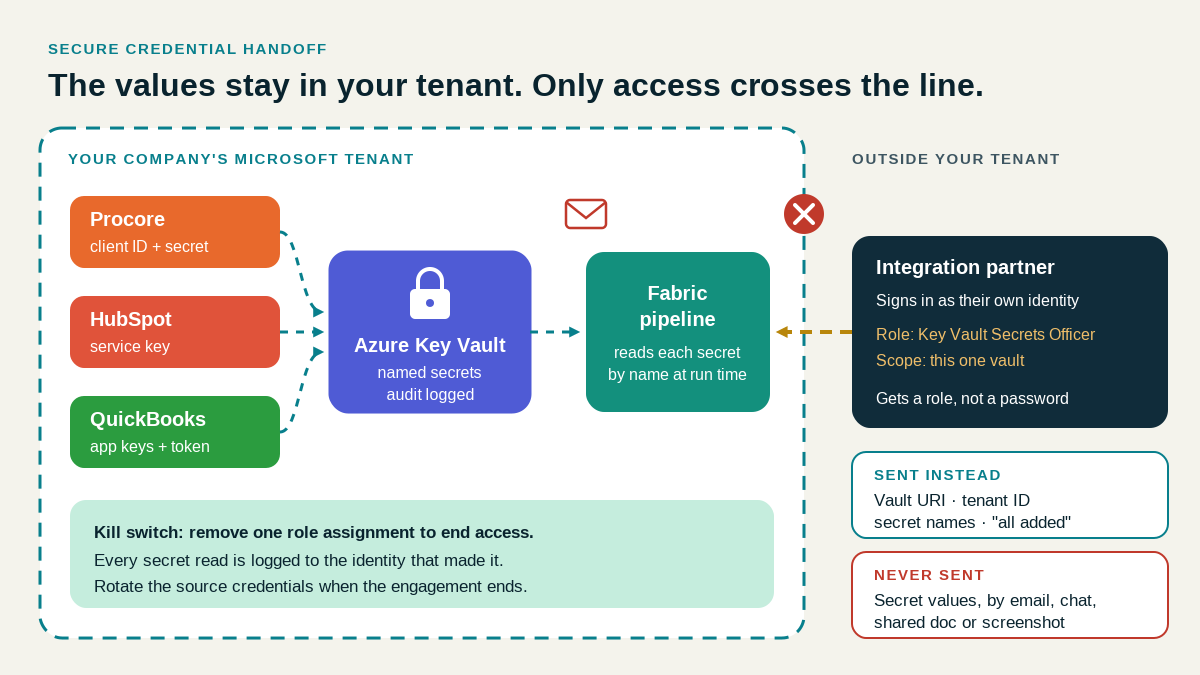
Never Email an API Key: A Secure Credential Handoff Between a Company and a Consultant
A vendor-neutral process for sharing integration credentials safely: your company owns the vault, the partner gets a scoped role, and only the vault address ever crosses between you.
Integrations · November 14, 2026
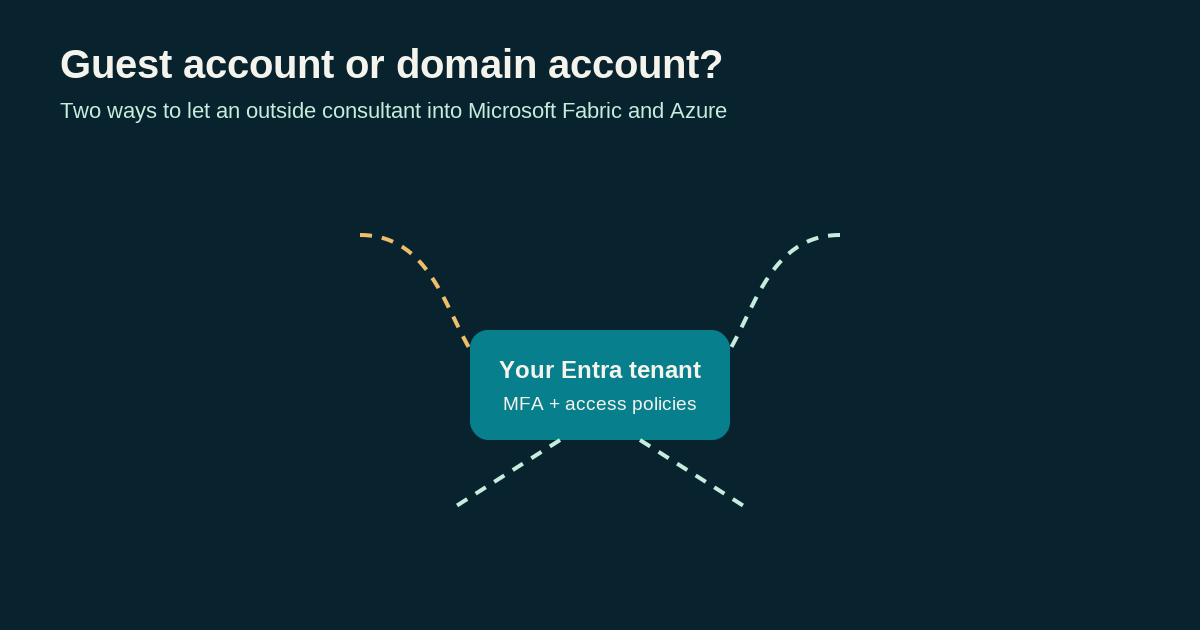
Guest Account vs Domain Account: Giving a Consultant Access to Fabric and Azure
How to give an outside consultant access to a Microsoft Fabric workspace and an Azure Key Vault, comparing a Microsoft Entra B2B guest invite with an account created on your own domain, with setup steps for each and a six-step offboarding sequence.
Integrations · November 14, 2026
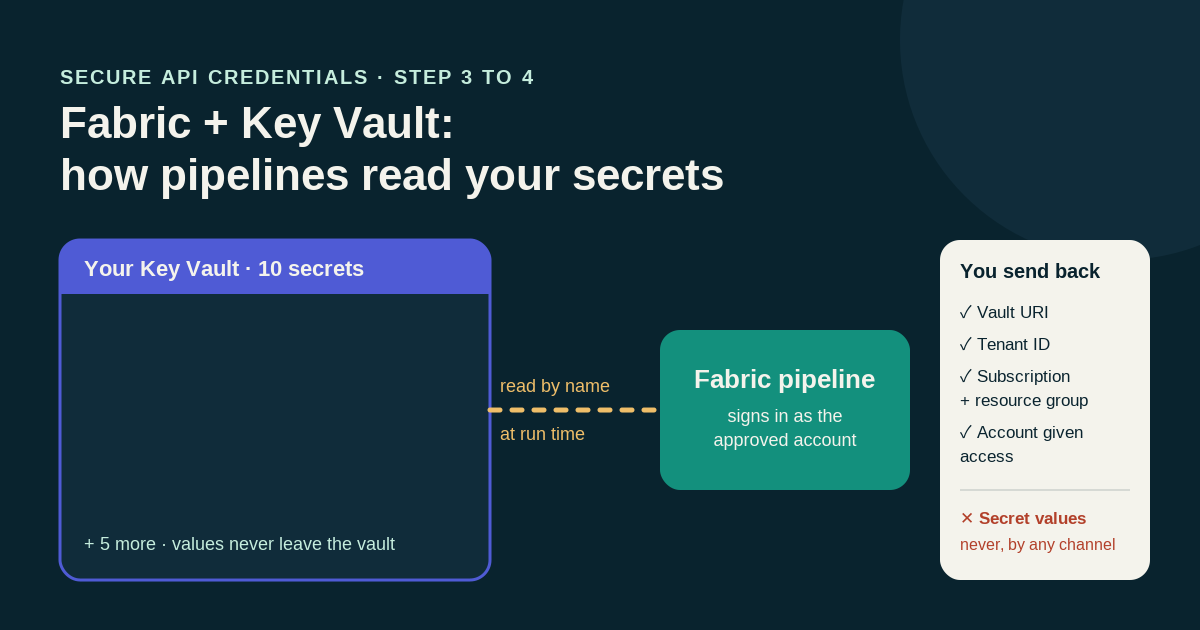
Microsoft Fabric and Azure Key Vault: Secret Names, the Vault URI Handoff and How Pipelines Read Secrets
The last stretch of a secure credential setup: Fabric workspace access (Admin role, guest vs domain account, F2 cost), adding ten named secrets under Objects > Secrets > Generate/Import, Key Vault naming rules, what to send back to your partner and what never to send, how a Fabric pipeline reads secrets at run time with notebookutils getSecret and whose identity it uses, why Key Vault references in Fabric connections don't cover Procore, HubSpot or QuickBooks, and how to revoke access by removing one role assignment.
Integrations · November 14, 2026
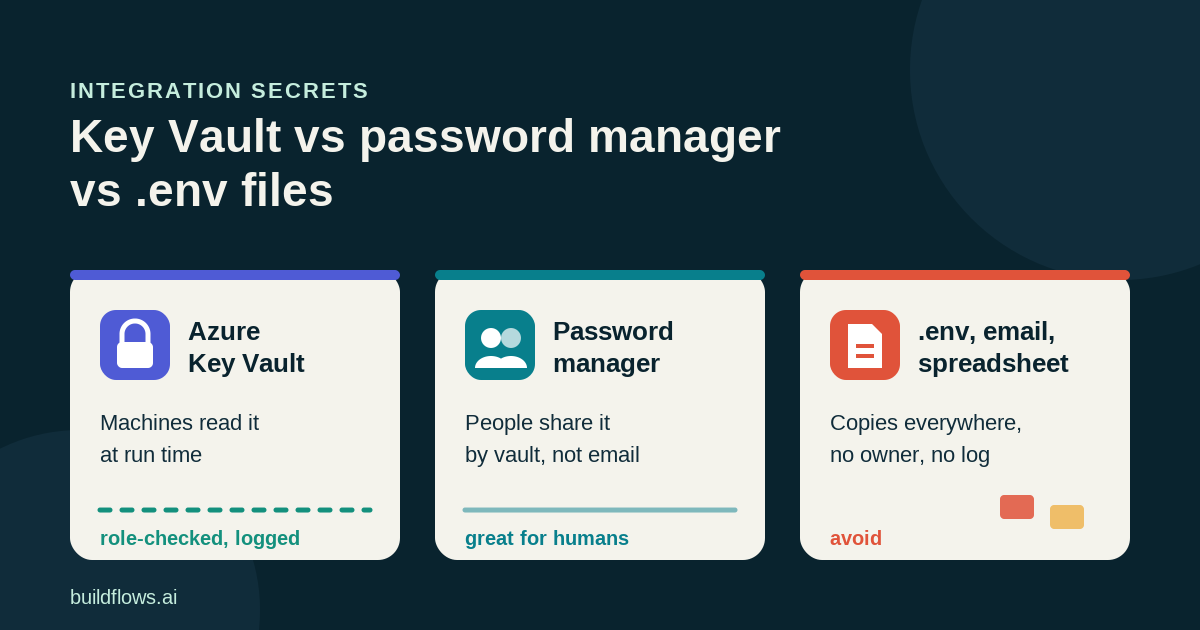
Azure Key Vault vs Password Manager vs .env Files: Where Integration Secrets Should Live
A side-by-side comparison of Azure Key Vault, business password managers, Fabric connection credentials, pipeline variables, .env files and email for storing integration secrets, judged on who can read them, run-time access, audit, rotation, revocation, cost and ease, with a recommendation for each common contractor setup.
Integrations · November 8, 2026
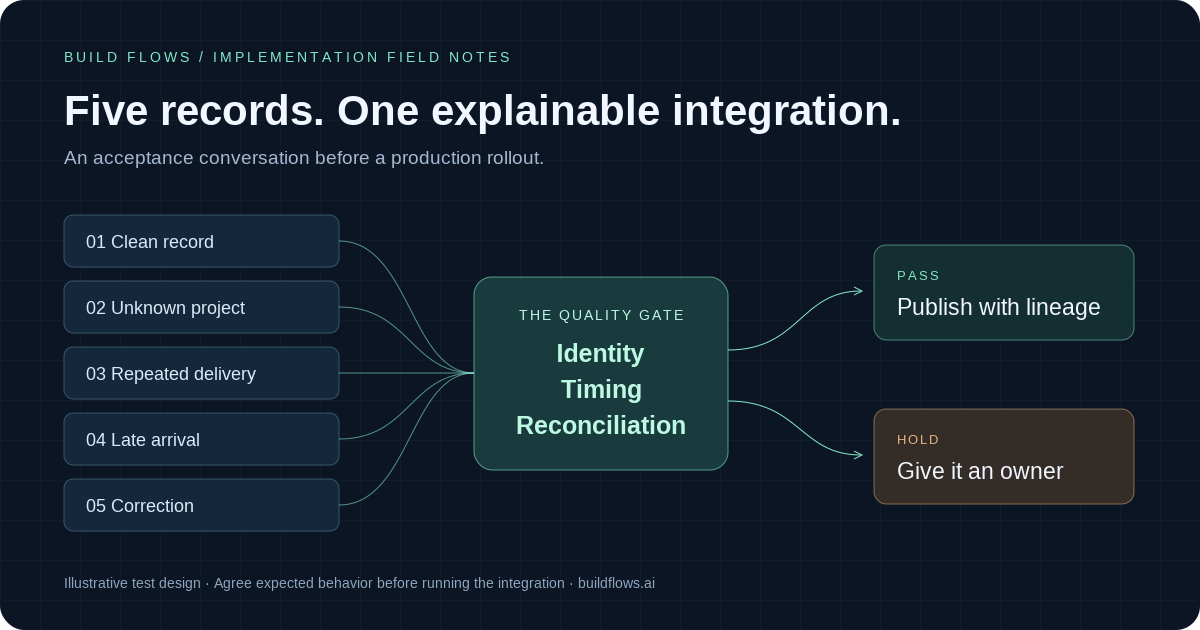
Can You Trust the Sync? A Five-Record Construction Integration Test
Five deliberately chosen records expose the gaps a successful API response cannot. A practical acceptance checklist for controllers, project managers and IT.
Integrations · October 10, 2026
How to Choose Your First Construction Integration
A scoring method for picking your first construction integration: annual re-keying cost from volume, minutes and errors, divided by complexity, with worked examples for job setup, commitments and AP, and the checks the math cannot see.
Integrations · October 10, 2026
Build vs Buy for Construction Integrations: Code, iPaaS or Connector
A vendor-neutral comparison of the five ways to connect construction systems, with the technical questions that decide between them: authentication, webhooks vs changed-data queries, API requirements, error handling and ownership cost.
Integrations · October 9, 2026
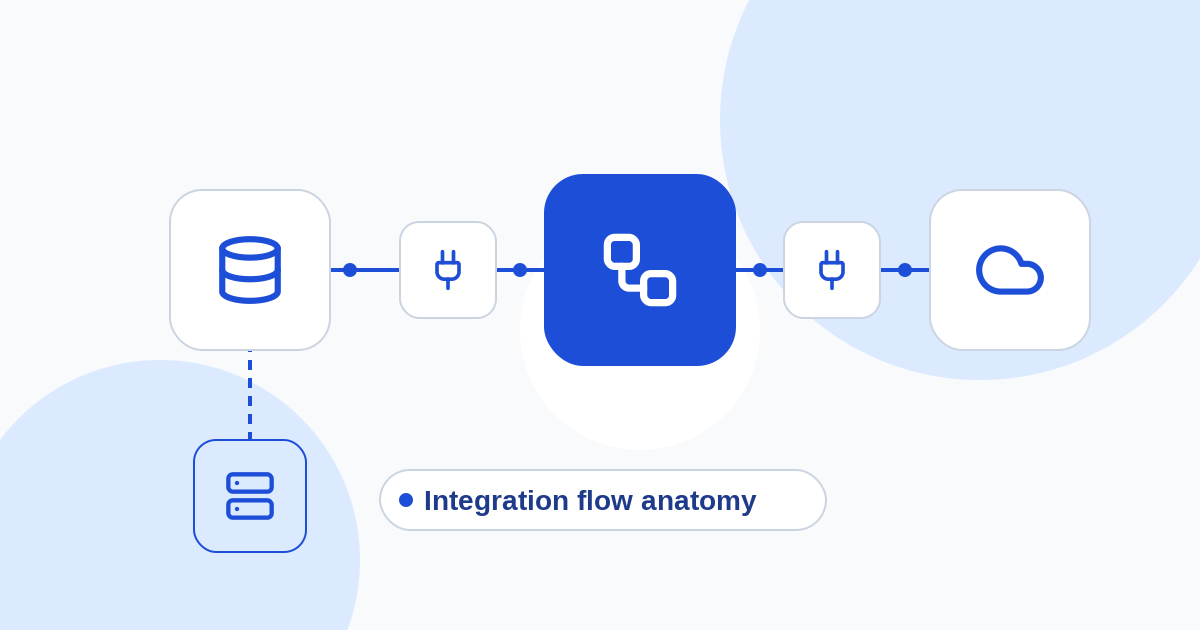
Anatomy of a Construction Integration Flow
How an iPaaS integration flow is put together, illustrated with Trimble App Xchange concepts: connectors, triggers, the cache-and-event model, step types, write scope, naming, remediation and limits. Ends with building a custom connector with the public Xchange SDK.
Integrations · October 9, 2026
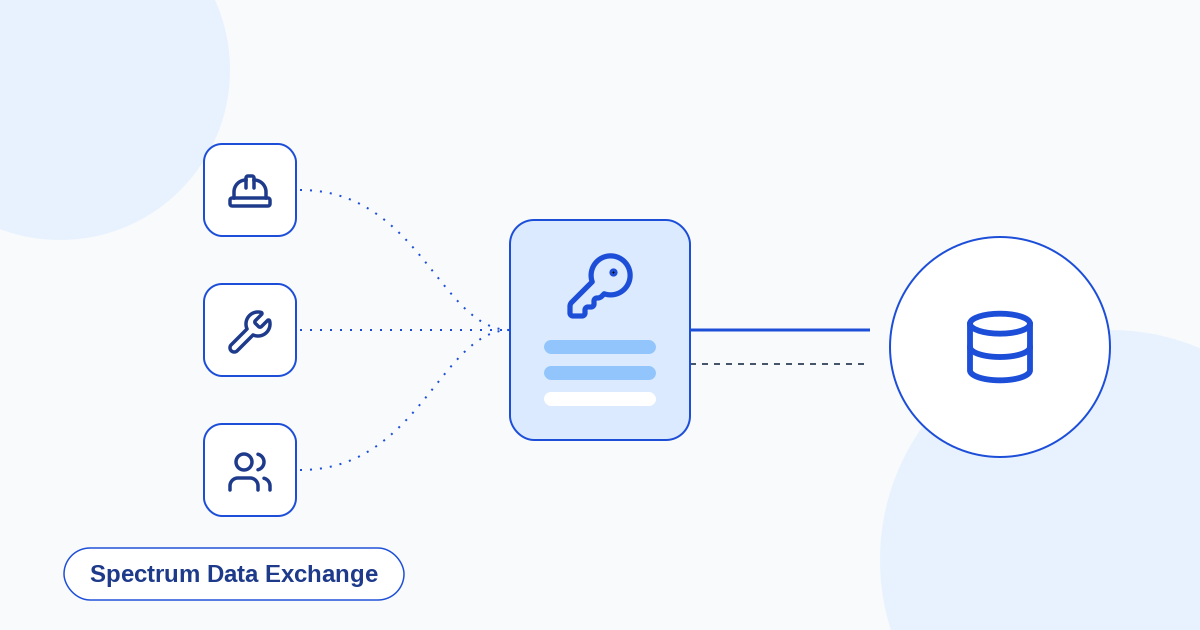
Spectrum ERP Integration Guide: Spectrum Data Exchange Explained
A practical primer on integrating Trimble Spectrum through Spectrum Data Exchange: how Authorization IDs and operator codes scope access, Basic vs Enhanced authentication, the 18 modules of web services, Excel templates, and the integrations contractors build most.
Integrations · October 9, 2026
Viewpoint Vista API Integration Guide for Contractors
A practical primer on integrating Viewpoint Vista: what the Vista API covers, how async write actions and App Xchange caching work, and how to align job, phase, cost type and vendor data so writes land correctly.
Integrations · October 9, 2026
Custom n8n Nodes for Procore, Autodesk, HCSS and Power BI
A walkthrough of the n8n nodes we built for Procore, Autodesk, HCSS and Power BI, the read-only Procore financials MCP server behind an AI agent, and the dashboard that traces every request.
Integrations · October 9, 2026
A Worked Source-Mapping Example: Procore, Accounting and CRM
How to link a Procore project, an accounting job and a CRM deal when they share no ID: match rules in order of trust, a sample crosswalk, old-to-new cost codes, and fixing exceptions at the source.
Integrations · October 9, 2026
CRM to Procore Integration: HubSpot and Salesforce Guide
How to connect HubSpot or Salesforce to Procore so a won deal becomes a set-up project: the trigger, field map, approval step, duplicate handling, which system owns what, and why pipeline and backlog stay separate.
Integrations · October 8, 2026
Procore API Integration Guide: Patterns, Crosswalks and Governance
A practical guide to connecting Procore with accounting, scheduling, BI and CRM systems: which pattern to use, how to link projects across systems, and how to keep the numbers trustworthy.
Integrations · August 18, 2026
How We Joined Procore, QuickBooks and HubSpot in Microsoft Fabric
A build walkthrough of the pipeline that joins Procore projects, QuickBooks jobs and HubSpot deals in Microsoft Fabric, including the crosswalk that refuses to guess and the gate that stops wrong numbers.
Integrations · January 21, 2026
Procore + P6 Analytics in Power BI via Azure and Cosmos DB
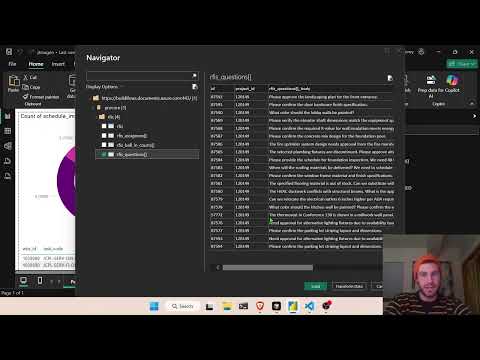
How we synced Procore RFIs into Azure Cosmos DB with Function Apps, parsed P6 XER schedules in Power Query, and combined both in a Power BI report that refreshes itself.
Scheduling & P6 · October 10, 2026
DCMA 14-Point Schedule Check for P6: What Each Check Means
A scheduler's guide to the DCMA 14-point assessment: every check from missing logic to BEI, the commonly published thresholds, why each matters, how to fix failures in Primavera P6, and where a score can mislead.
Scheduling & P6 · October 8, 2026
AI for CPM Scheduling and Primavera P6: What Works Today
A practical guide to where AI helps CPM schedulers today, from evidence-backed drafts and XER health checks to governed P6 access over MCP, and how to pilot it without risking a live schedule.
Scheduling & P6 · October 8, 2026
How Specialized AI Agents Standardize CPM Scheduling
A walkthrough of Connect, the agentic platform we built on Syncify, where one agent per step turns drawings, specs and client answers into validated, versioned CPM schedules.
Scheduling & P6 · May 25, 2026
Building an MCP Server for Oracle Primavera P6
A walkthrough of P6 MCP: a governed MCP server that turns 585 Primavera P6 REST operations into a small discovery, planning, and execution surface, plus offline XER analysis.
Workflow automation · November 21, 2026
How Accurate Is AI Document Extraction for Construction?
An honest answer on AI extraction accuracy for construction documents: OCR versus IDP versus vision models, what published benchmarks show, how to score fields on your own golden set, and a pipeline that validates, routes and learns from corrections.
Workflow automation · November 21, 2026
AP Automation for Viewpoint Vista and Spectrum: Trimble, AP Tools, Ramp and Concur
A buyer’s guide for Vista and Spectrum contractors: what Trimble ships, which AP vendors publish integrations, whether Ramp and Concur sync, where OCR and AI fit, and a checklist for job, phase and cost type coding, matching, retainage and compliance holds.
Workflow automation · November 19, 2026
The Bill and Card Coding Approvals Queue: How One Person Controls Where Job Costs Go
A screen-by-screen guide to the approvals queue in the Cattlemen OS proof of concept for Cattlemen Construction Services, on sample data. Covers who sees the queue by role, the four tiles (not in Procore yet, to code, oldest open, synced this week), the Needs action filter and Awaiting me switch, select ready to approve and bulk actions that run charge by charge, group by person, one-tap approve and where the 10-second undo lives, the What happens in QuickBooks panel showing the Category details line before and the Procore service item line after with total unchanged, self-approve rules, send back, reassign and not job cost, sync errors and retry, aging bands tied to the grade's cost coding measure, email and Teams approvals, and where Ramp for Construction fits.
Workflow automation · November 19, 2026
Guardrails for an Automation That Writes to QuickBooks: Ten Reads, Two Writes
From a real job-cost plan for Cattlemen Construction Services: the rules for an automation that rewrites Ramp bills in QuickBooks Online so Procore's QuickBooks Online connector can read them. It covers the full endpoint map (ten reads and two fenced writes across QuickBooks, Ramp and Procore), dedicated integration users, the sparse update with SyncToken, the never list (amounts, vendors, payment links, closed periods, item creation), confidence scoring and a review queue, idempotent re-runs, logging, a nightly reconciliation that never types into Procore, shadow mode with a 20-in-a-row gate, and a risks and controls table.
Workflow automation · November 14, 2026
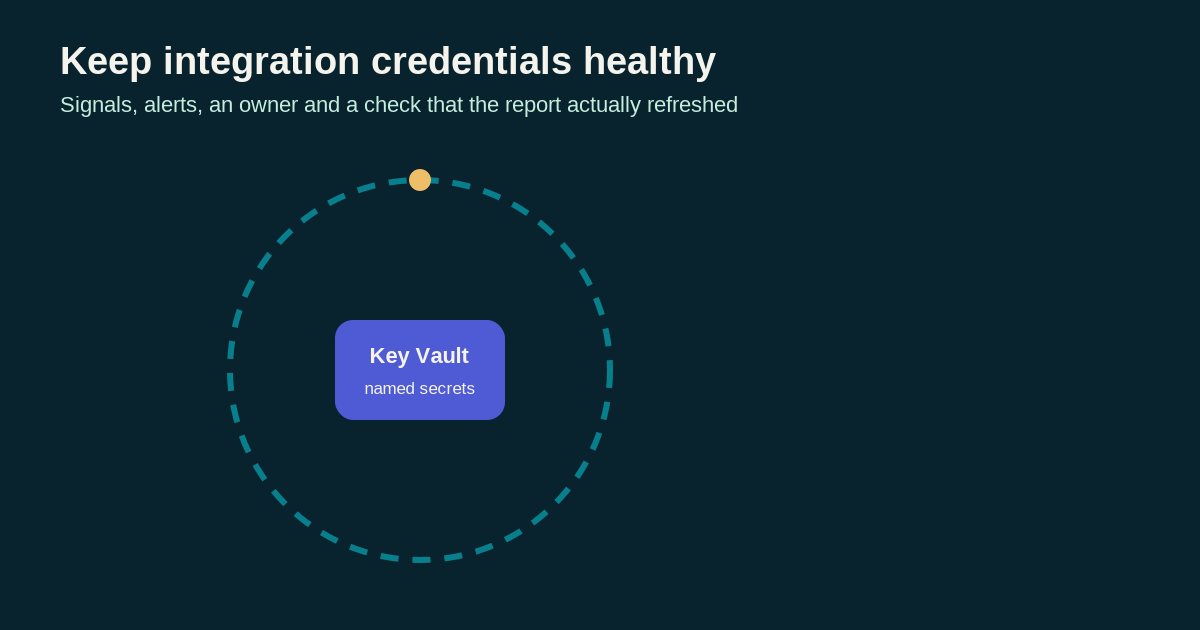
Monitoring Integration Credentials After Go-Live: Key Vault Logs, Expiry Alerts and a Refresh Runbook
What to switch on after a Procore, HubSpot and QuickBooks Online integration goes live on Microsoft Fabric: Key Vault diagnostic logs and failed-read alerts, near-expiry events, Fabric job failure emails, each vendor's warning sign, a weekly health check and a runbook for a report that didn't refresh.
Workflow automation · October 9, 2026
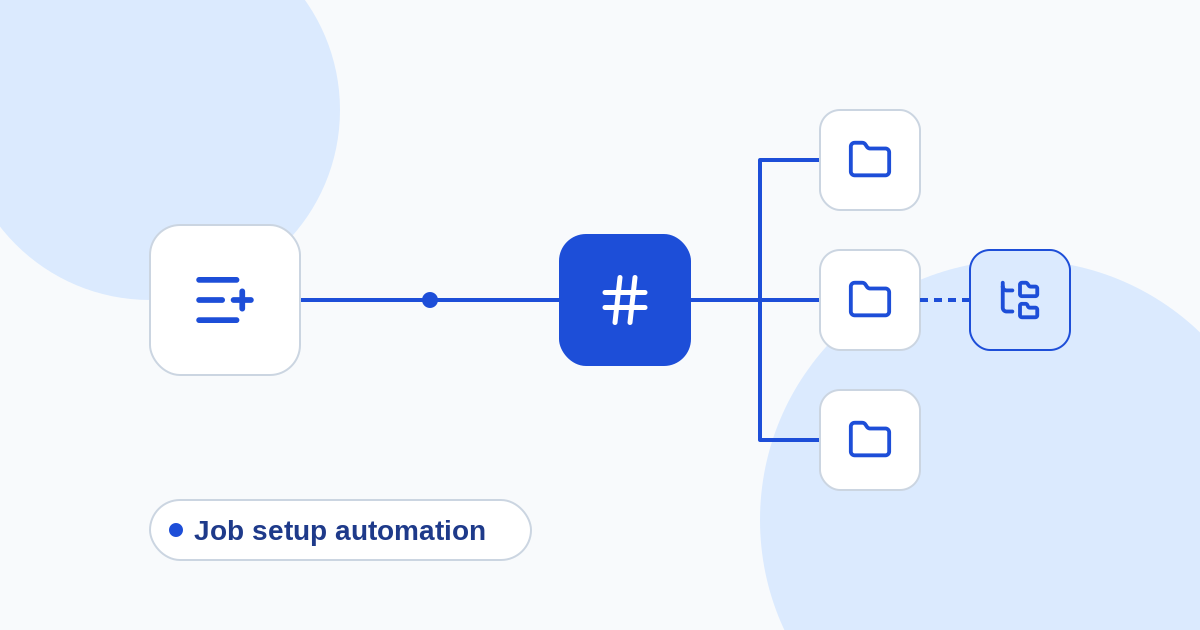
Automating Construction Job Setup with Power Automate and SharePoint
A deep dive on a job-setup build for a general contractor: a SharePoint Job Register as trigger, number authority, audit log and dim_Job source; CreateCopyJobs on a standard license; and the guards that stop duplicate numbers, loops and partial runs. Built and deployed, awaiting template contents and a service account.
Workflow automation · October 9, 2026
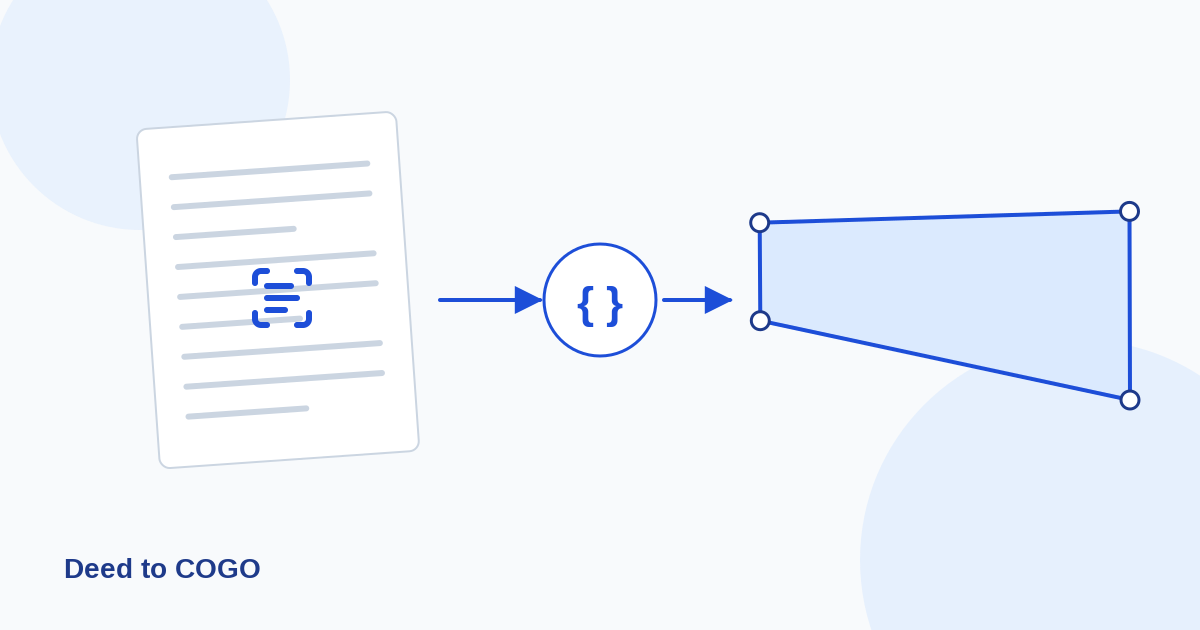
From Scanned Deed to COGO Lines: An OCR and LLM Pipeline
A pipeline that takes a scanned deed from Trimble Connect, runs Mistral OCR, has a fine-tuned model encode the legal description as COGO lines, evaluates all arithmetic in safe deterministic code, and writes results back for a surveyor to check. The same pattern fits most construction documents.
Workflow automation · October 9, 2026
Construction Document Automation with OCR: A Practical Guide
How to automate construction paperwork with OCR: capture documents at one door, extract defined fields, validate them against your systems, route exceptions to a person and measure accuracy per field.
Workflow automation · October 9, 2026
Power Automate for Construction: Workflows Worth Automating
A practical guide to the construction workflows worth building in Power Automate, including approvals, reminders, certificate expiry, RFI aging and report distribution, and how to design and govern them so they hold up.
AI agents & MCP · November 21, 2026
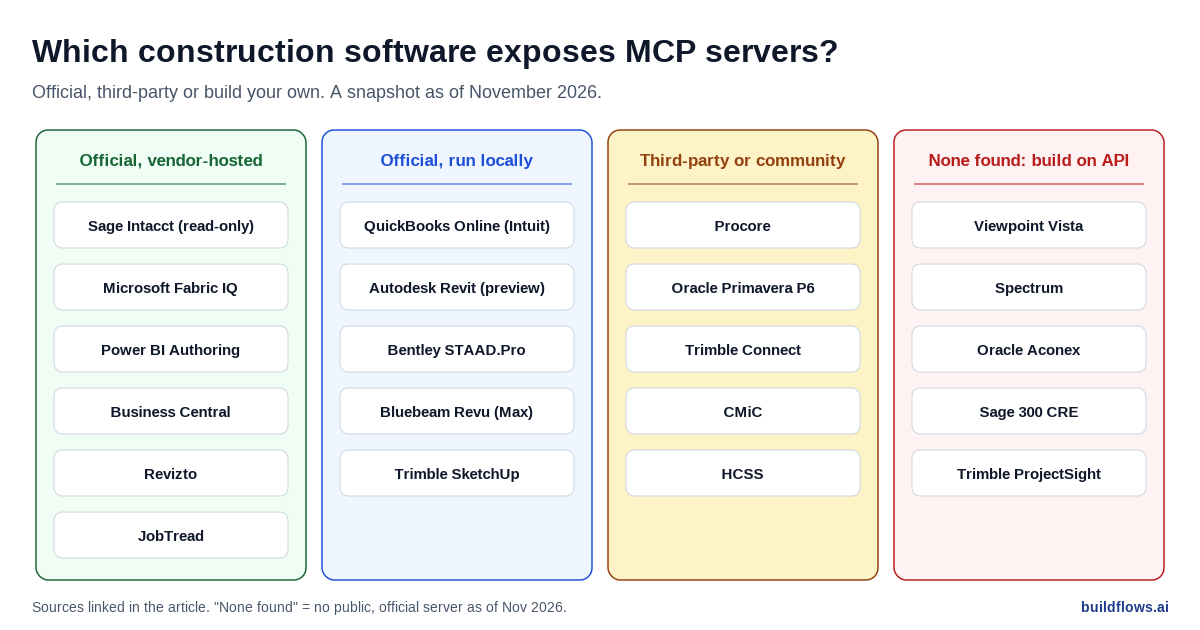
Which Construction Software Exposes MCP Servers? (November 2026)
An honest, sourced landscape of MCP servers across construction and finance software as of November 2026: which vendors ship official servers, which only have third-party or community options, which have none, and how to evaluate any server before it touches live data.
AI agents & MCP · November 19, 2026
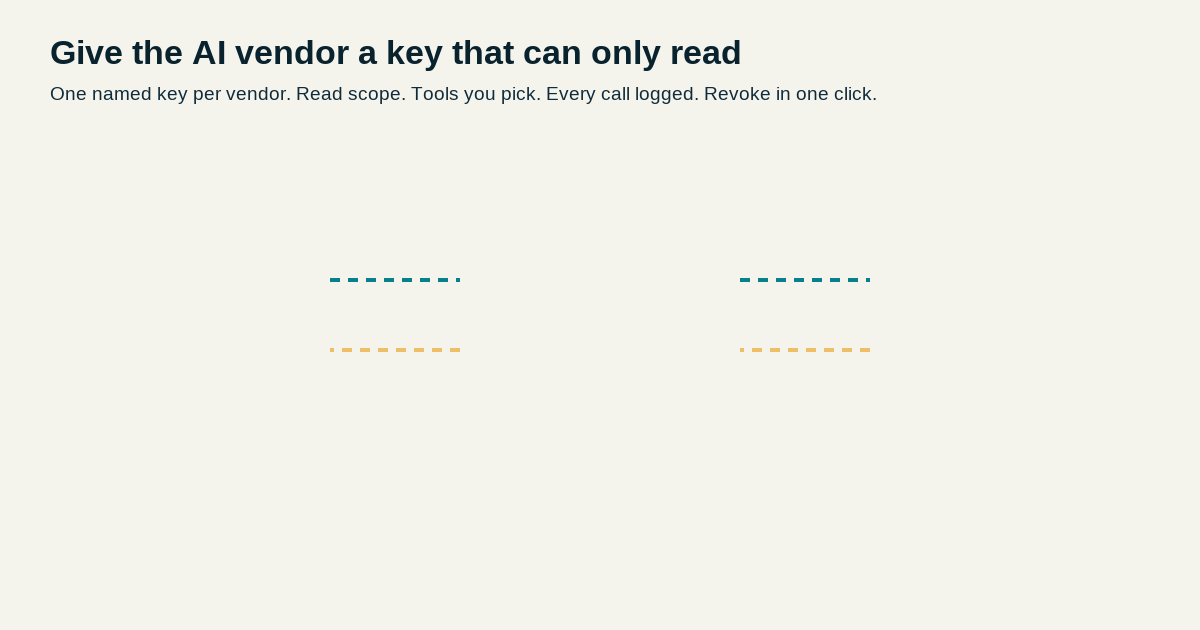
Give an AI Vendor Read-Only API and MCP Access to Your Construction Data
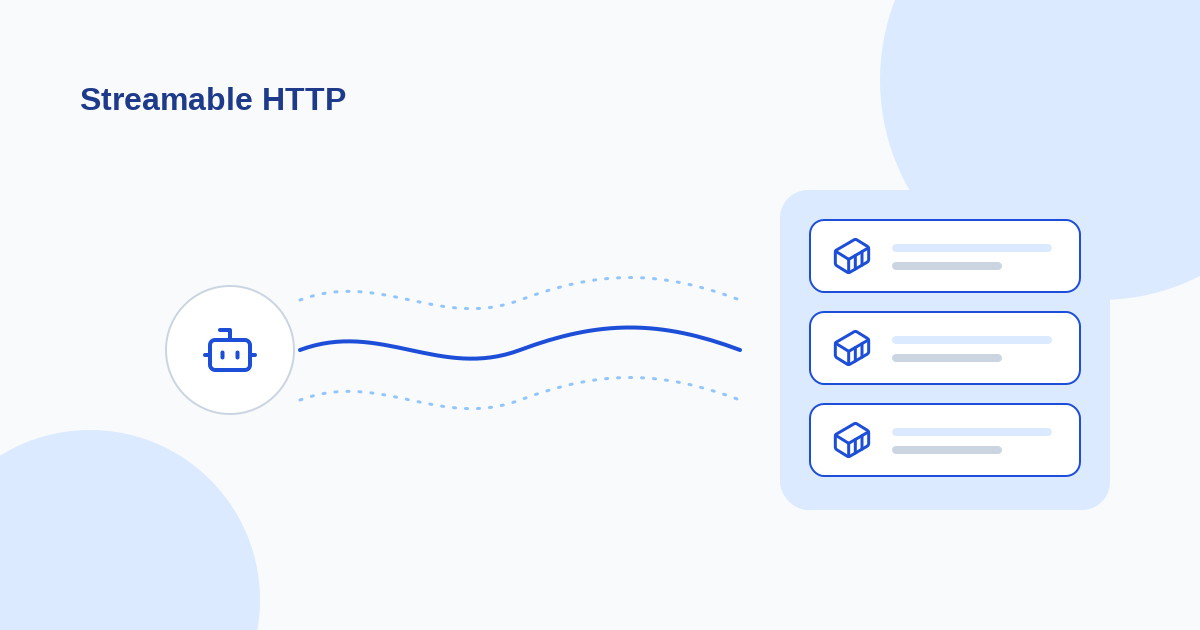
How the Cattlemen OS proof of concept, built for Cattlemen Construction Services in Fort Worth, Texas, lets the company's AI vendor read project and financial data without any way to change it. Covers the three connection options (iframe embed, read-only agent API, MCP server), the six GET endpoints behind named, hashed, revocable bearer keys, the six read-only MCP tools served over streamable HTTP, the checks every MCP call passes (origin, company kill switch, key, read scope, MCP enabled per key, rate limit, tool allow-list), copy-paste curl tests and an MCP client config with placeholder keys, key handover and review, audit logging, what is never exposed, and the limit of system keys for user-facing answers.
AI agents & MCP · November 18, 2026
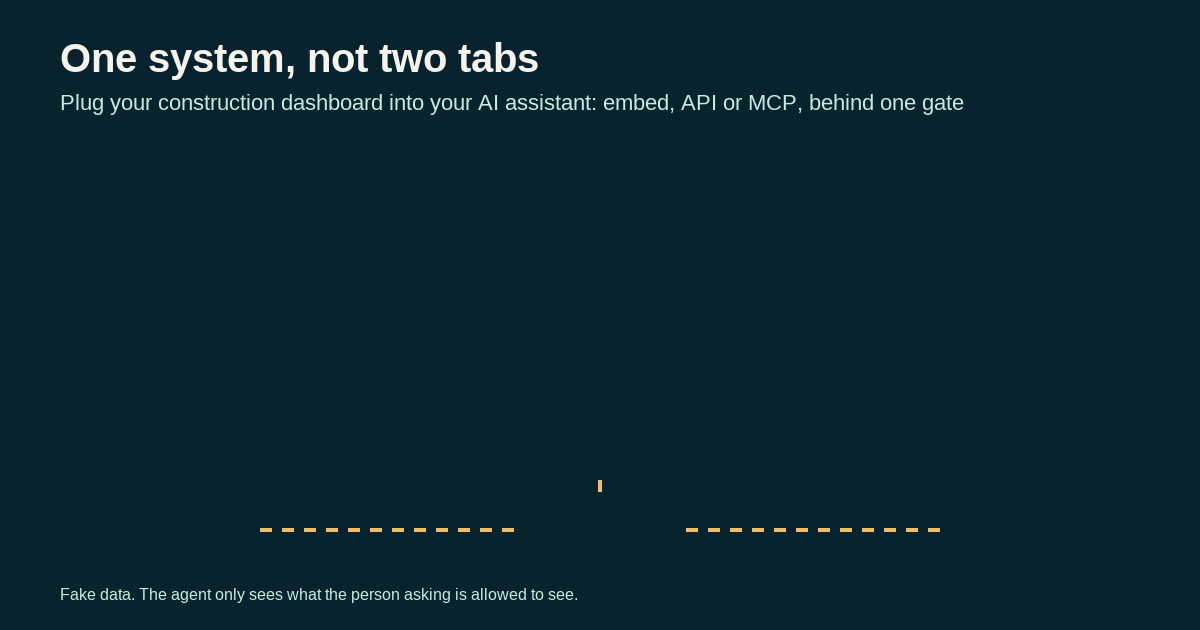
One System, Not Two Tabs: Plug Your Construction Dashboard into Your AI Assistant
From a discovery call with Cattlemen Construction Services, whose separate AI vendor is building a company 'brain' over SharePoint, Outlook, calendar and texts: how to make the operating dashboard and the assistant one system. Covers embedding in an iframe with SSO, CSP frame-ancestors and short-lived embed tokens; a scoped read-only API key; an MCP server with tools like get_job_billed_to_date and list_uncoded_expenses; row-level security so the model never sees what the user can't; logging every tool call; and a one-page interface contract for working in parallel with another vendor.
AI agents & MCP · November 16, 2026
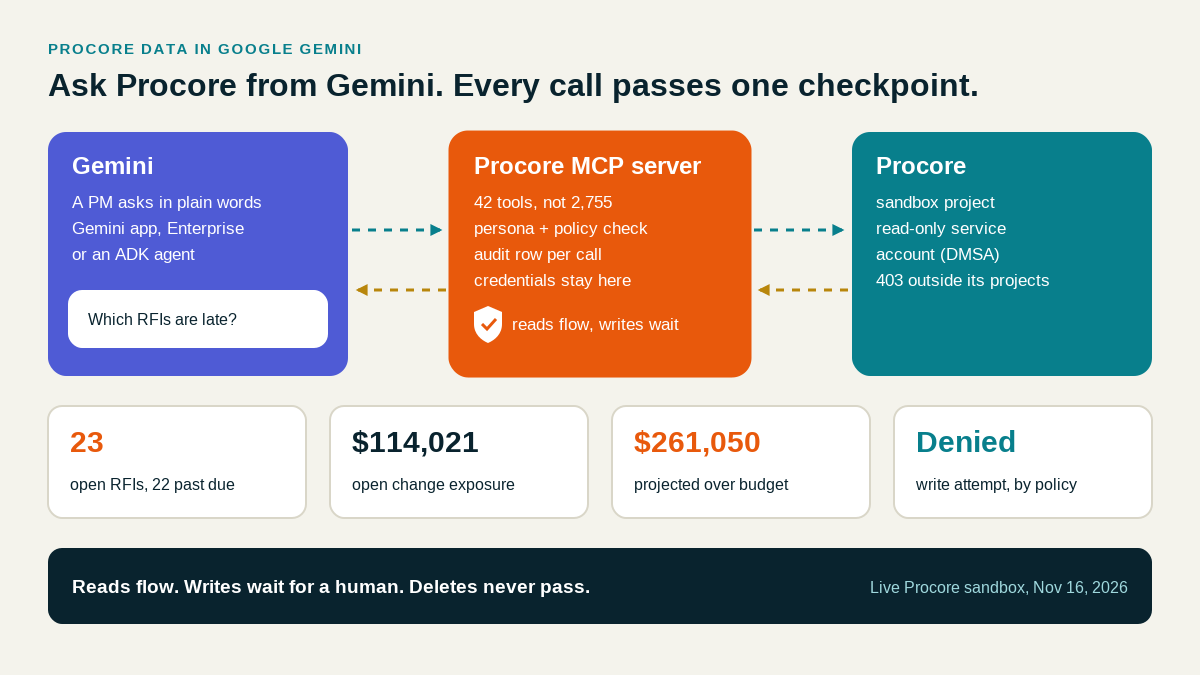
Procore Data in Google Gemini: The Governed Path for GC Agents
Why GCs want Procore answers in Gemini, the gap while Procore AI MCP supports only Claude, the Ask, Plan, Check, Fetch, Answer path, what we proved on a live Procore sandbox, where it fits in Google Cloud (Gemini Enterprise, ADK, A2A, BigQuery, Cloud Logging), the use cases to start with, and how to run a pilot.
AI agents & MCP · November 16, 2026
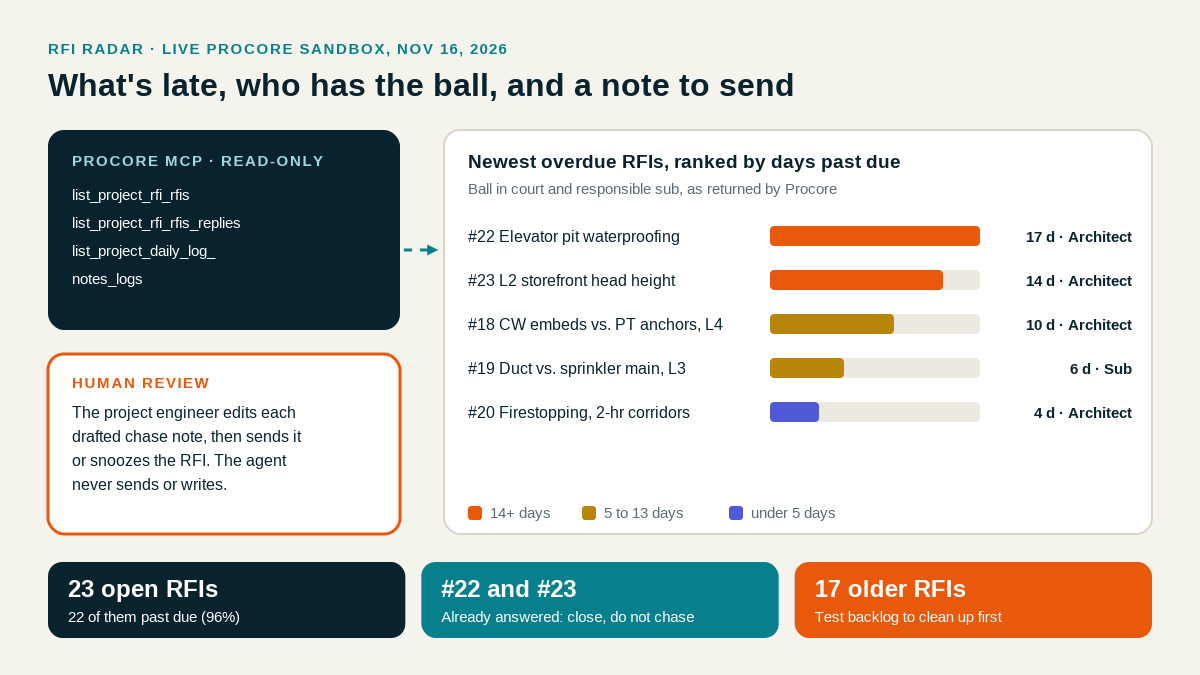
Procore RFI Radar: An AI Agent for Overdue RFIs and Ball-in-Court
Who the RFI radar is for, the exact Procore MCP tools it calls, the workflow blueprint, paste-ready prompts for Gemini or any MCP client, what it returned on a live Procore sandbox (23 open RFIs, 22 past due), and the data traps to plan for.
AI agents & MCP · November 16, 2026
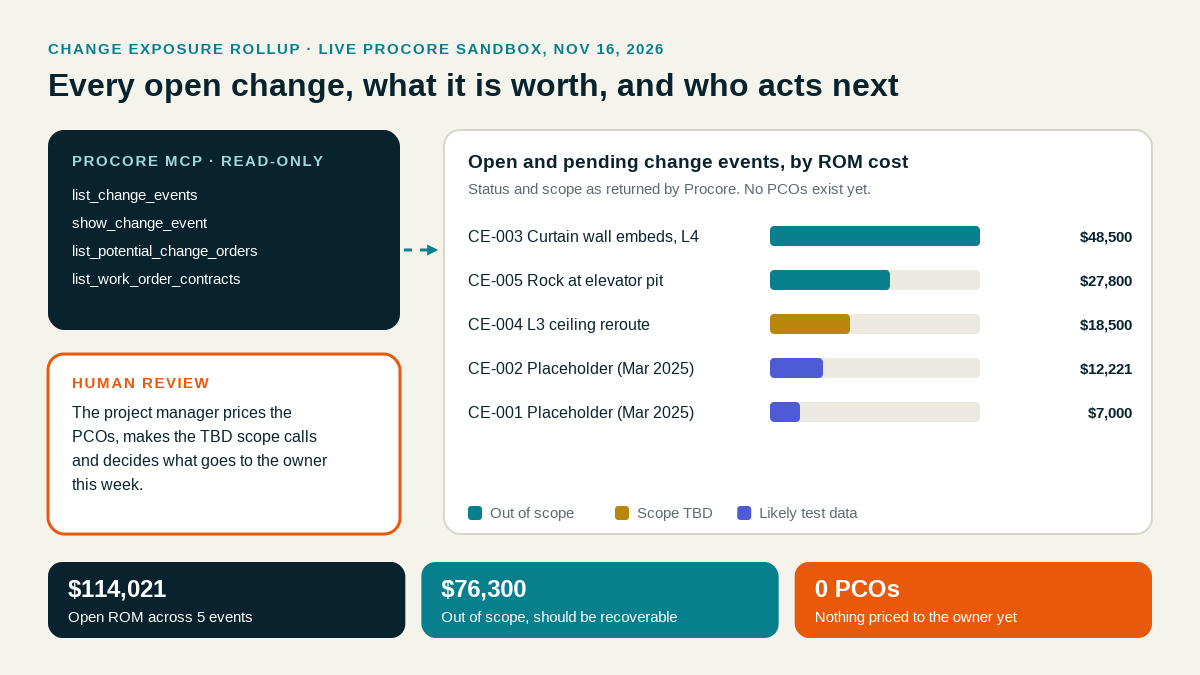
Procore Change Exposure Rollup: An AI Agent for Open Change Events and PCOs
Who the change exposure rollup is for, the exact Procore MCP tools it calls, the blueprint, paste-ready prompts for Gemini or any MCP client, what it found on a live Procore sandbox ($114,021 open, $76,300 recoverable, zero PCOs), and the traps to plan for.
AI agents & MCP · November 16, 2026
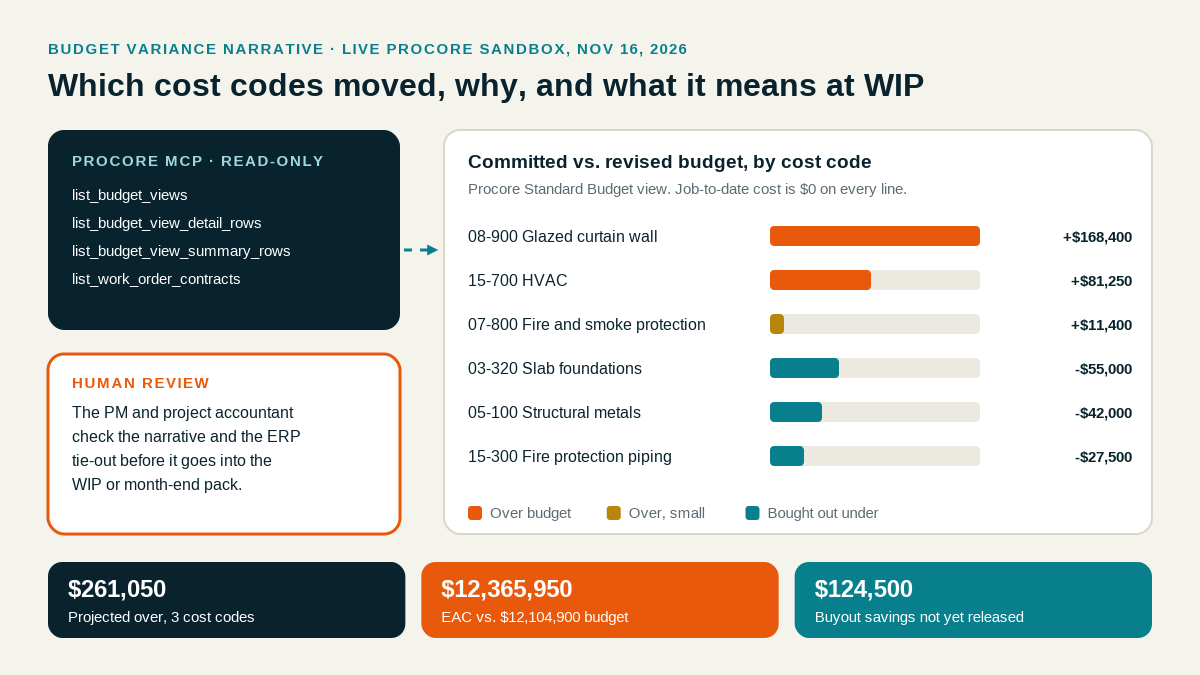
Procore Budget Variance and Forecast Narrative: An AI Agent for WIP Meetings
Who the budget variance narrative is for, the exact Procore MCP budget view tools it calls, the blueprint, paste-ready prompts for Gemini or any MCP client, what it found on a live Procore sandbox ($261,050 projected over across three cost codes), and the reconciliation traps.
AI agents & MCP · November 16, 2026
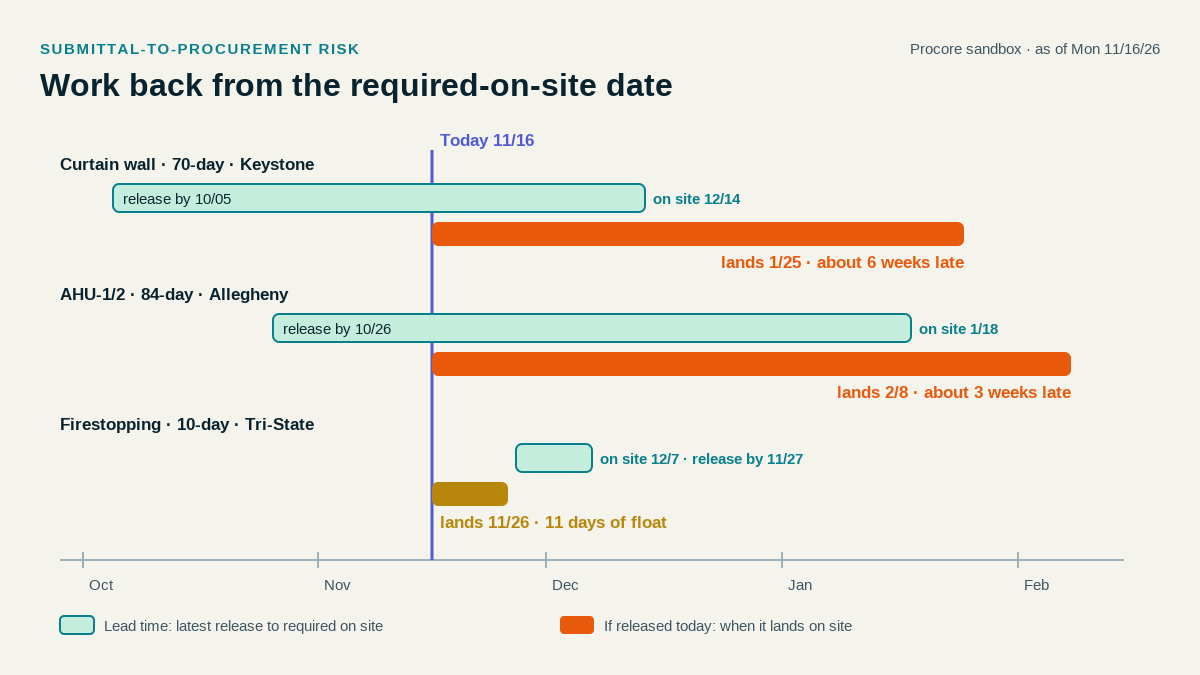
Submittal-to-Procurement Risk Agent for Procore: Work Back from the Required-On-Site Date
A use-case playbook for a read-only agent that reads the Procore submittal log through MCP, works back from each required-on-site date and lead time, and gives the project engineer a weekly watchlist of late, at-risk and stale submittals, with reviewer-overdue and procurement-log prompts. Includes the exact tools, the workflow blueprint, paste-ready Gemini prompts and the sandbox run that found curtain wall about six weeks late and AHUs about three weeks late.
AI agents & MCP · November 16, 2026
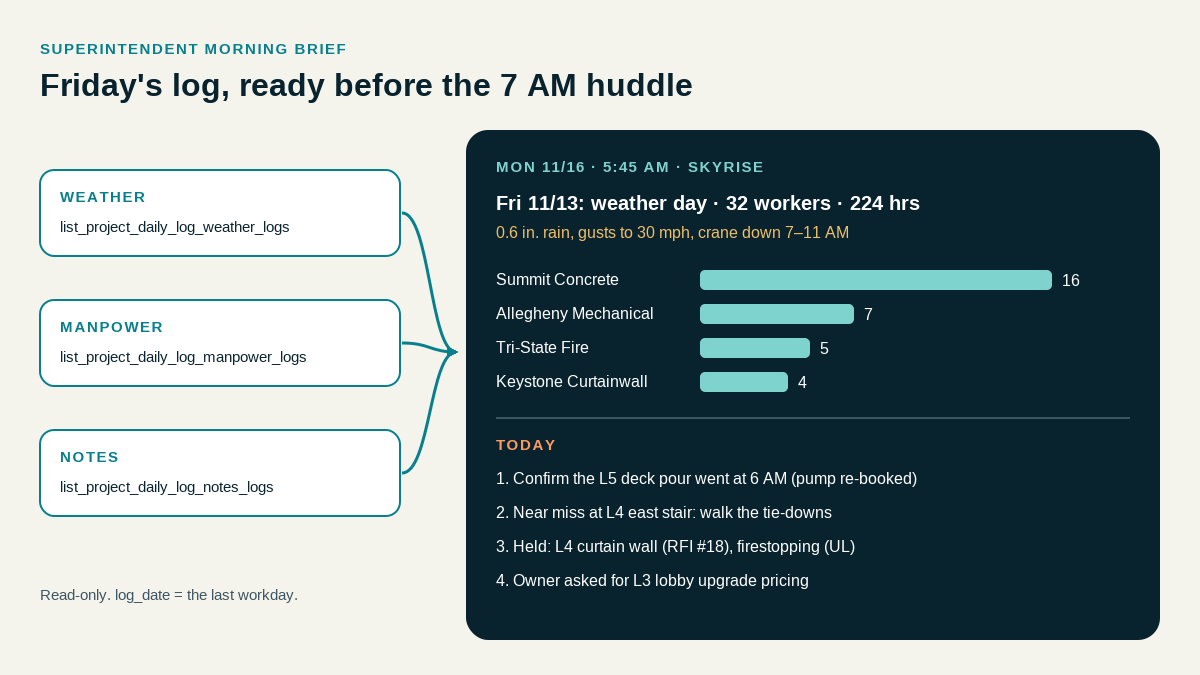
Superintendent Morning Brief: An AI Agent That Reads the Procore Daily Log
A use-case playbook for a read-only agent that reads the Procore daily log through MCP and delivers a phone-sized morning brief before the 7 AM huddle: weather and delays, manpower by sub, safety items, crews held by open RFIs, and owner requests. Includes the exact tools, the workflow blueprint, paste-ready Gemini prompts and the sandbox run for Friday 11/13: 32 workers, 224 man-hours, crane down 7 to 11 AM, L5 pour moved, one near miss.
AI agents & MCP · November 16, 2026
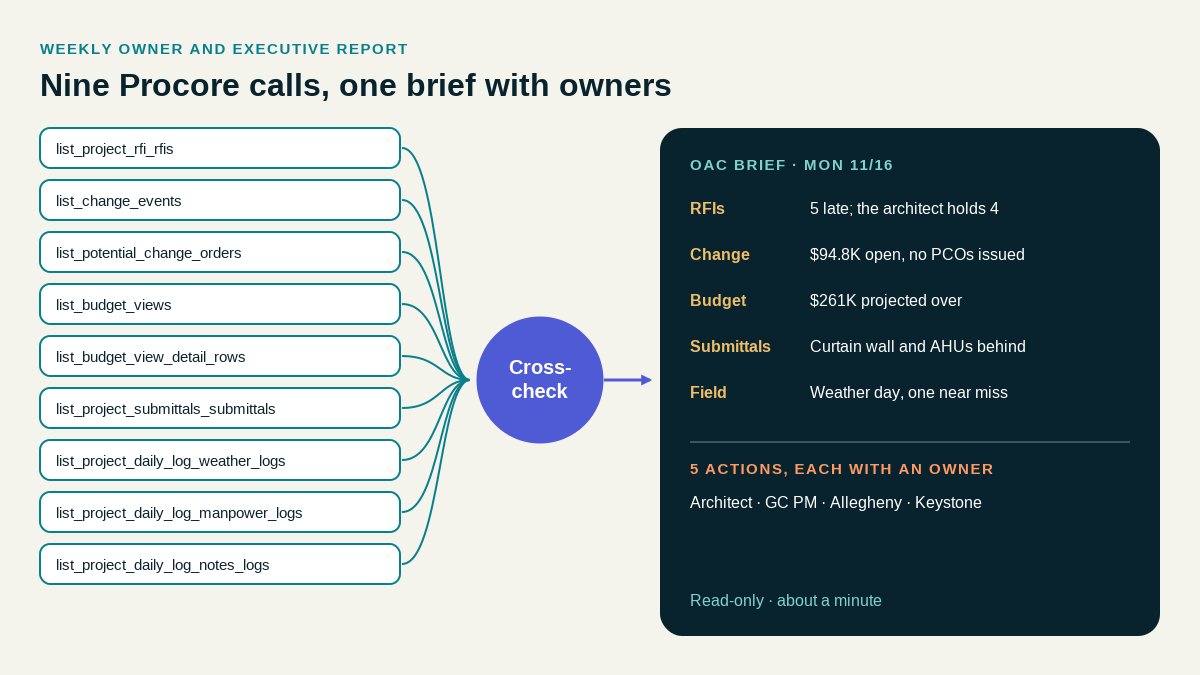
Weekly Owner and Executive Report: An AI Agent That Builds the OAC Brief from Procore
A use-case playbook for an agent that drafts the weekly owner and OAC executive brief from live Procore data: late RFIs, change exposure, budget, submittals and the field, read against each other, with a named owner on every action and a check-before-sending list. On the Procore sandbox, Build my OAC brief made nine Procore calls, eight in parallel, in about a minute. The project executive reviews and sends.
AI agents & MCP · November 16, 2026
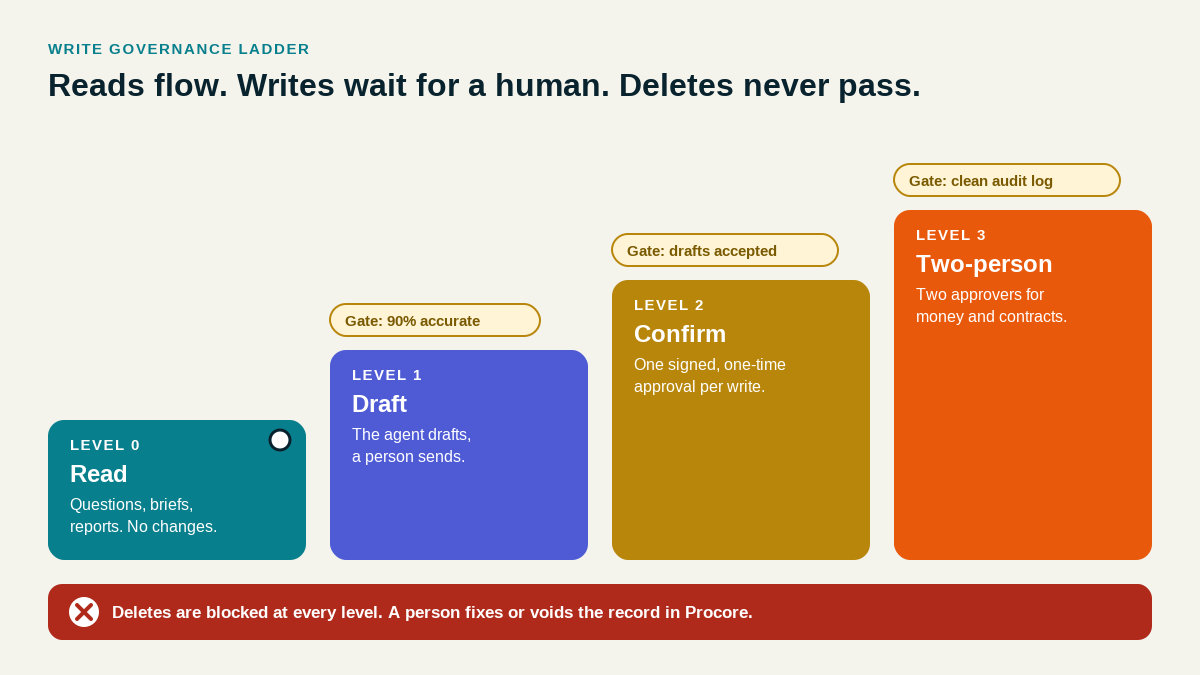
The Write Governance Ladder for AI Agents on Procore: Read, Draft, Confirm, Two-Person
A practical ladder for AI agents that touch Procore. What each level allows, which Procore actions belong where, how the open-source Procore MCP server enforces it with policy YAMLs and signed confirmation tokens, the live write denial from the sandbox, and a policy table GCs can copy.
AI agents & MCP · November 16, 2026
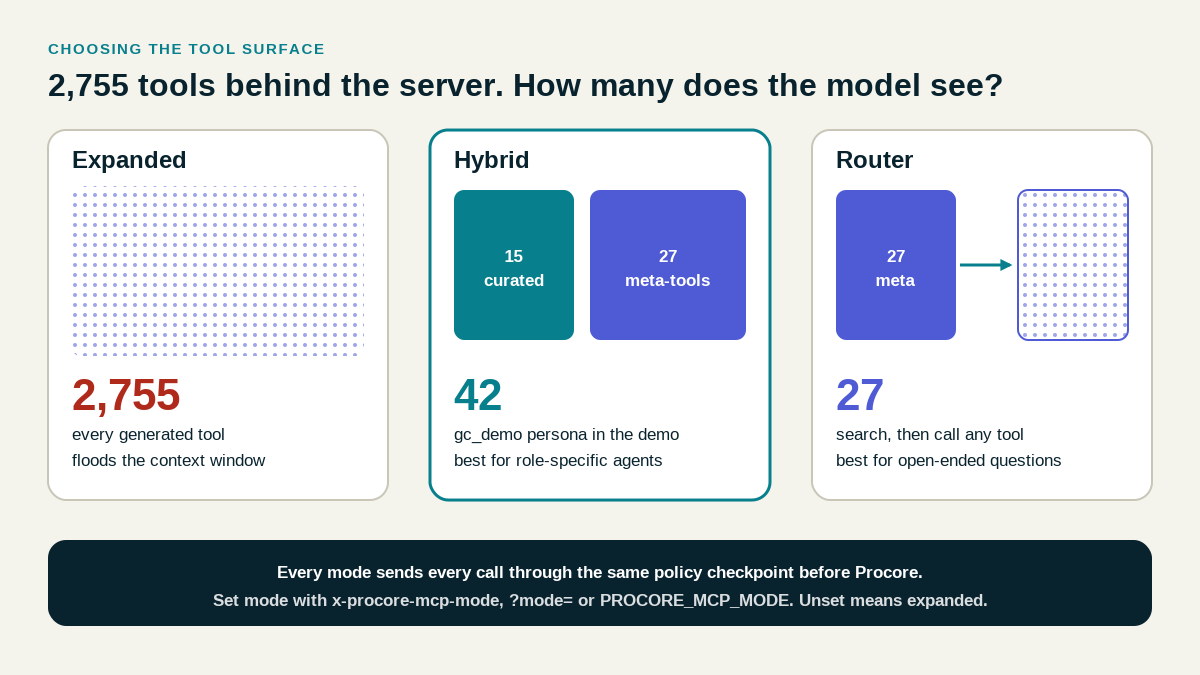
Router, Hybrid or Expanded: Choosing the Procore MCP Tool Surface for Each Agent
A practical guide to the three server modes of the open-source Procore MCP server: what each one lists, why the demo used hybrid with the gc_demo persona (15 curated tools plus 27 meta-tools, 42 in total), how personas and capability bundles size the surface, how to set mode and persona with headers or URL parameters for URL-only clients like Gemini, and a decision table.
AI agents & MCP · October 10, 2026
Hosting Streamable HTTP MCP: Kubernetes, Container Apps or a VM
A vendor-neutral guide to hosting streamable HTTP MCP servers: choosing a session posture, comparing Kubernetes, managed containers and a VM with nginx and systemd, and getting probes, Origin checks, OAuth 2.1, secrets, observability and load testing right.
AI agents & MCP · October 10, 2026
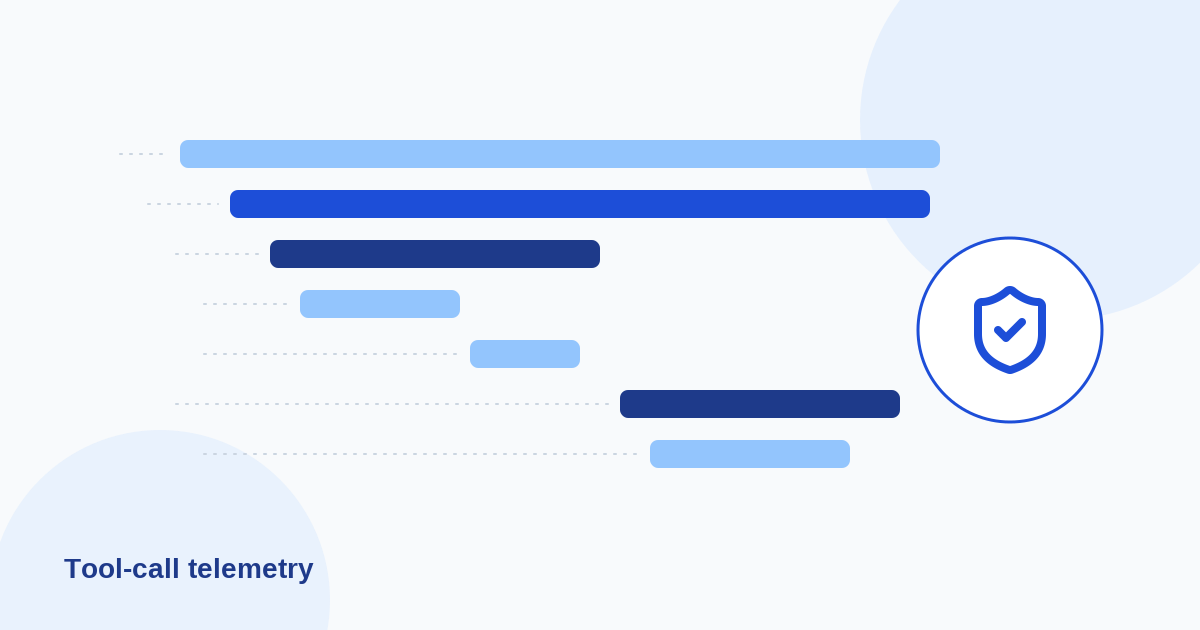
What to Log on Every Agent Tool Call: An MCP Telemetry Blueprint
A field-level specification for MCP tool call telemetry: five event types, common and per-event fields, privacy rules that keep raw payloads out, an OpenTelemetry span structure, and derived metrics including argument auto-correction and hallucinated tool names.
AI agents & MCP · October 10, 2026
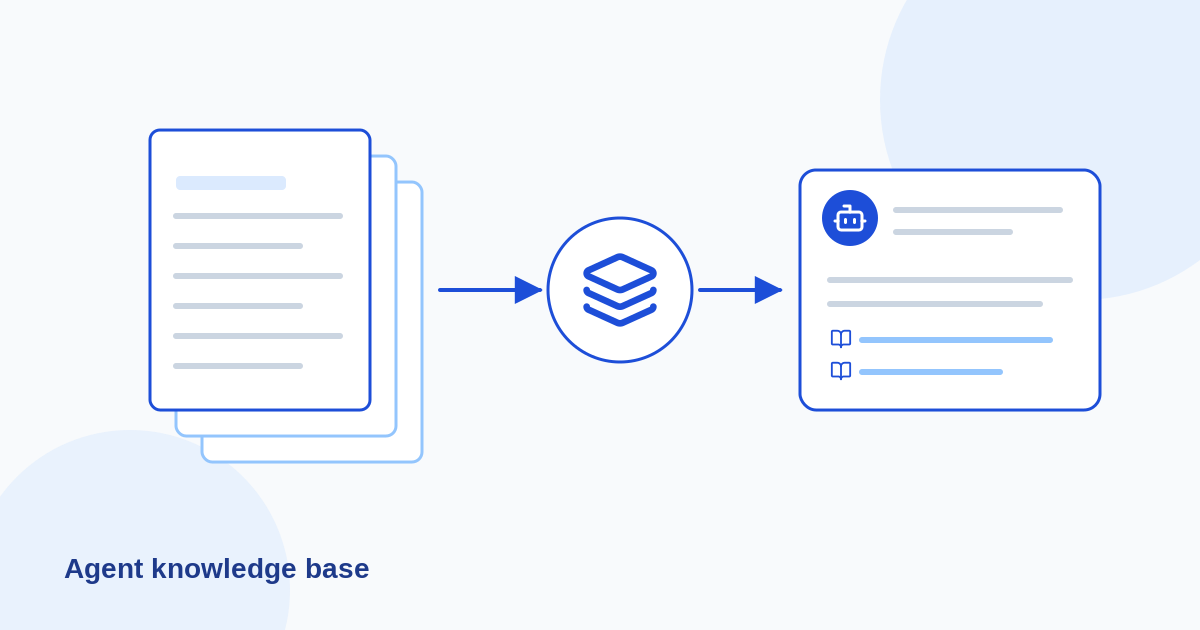
Turning Product Help Docs into an Agent Knowledge Base
A practical pipeline for building a help-docs agent: scoped crawling, HTML to Markdown with source metadata, per-product and aggregate libraries, resumable ingestion with token refresh, re-crawling, cited answers and golden-set evaluation.
AI agents & MCP · October 9, 2026
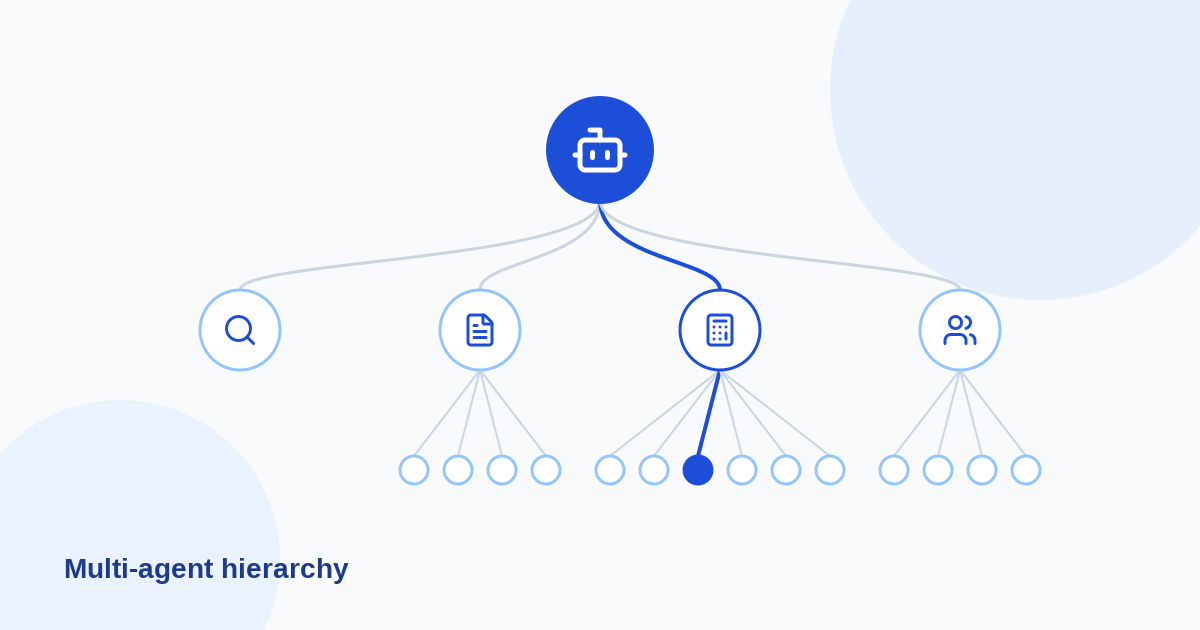
Multi-Agent Hierarchies for Construction Project Management
A walkthrough of a 19-agent hierarchy over Trimble ProjectSight: one orchestrator, three routing leads and fifteen specialists, with routing descriptions, per-specialist allowlists and playbooks, tool-checking evals and one-command create, validate and teardown scripts.
AI agents & MCP · October 9, 2026
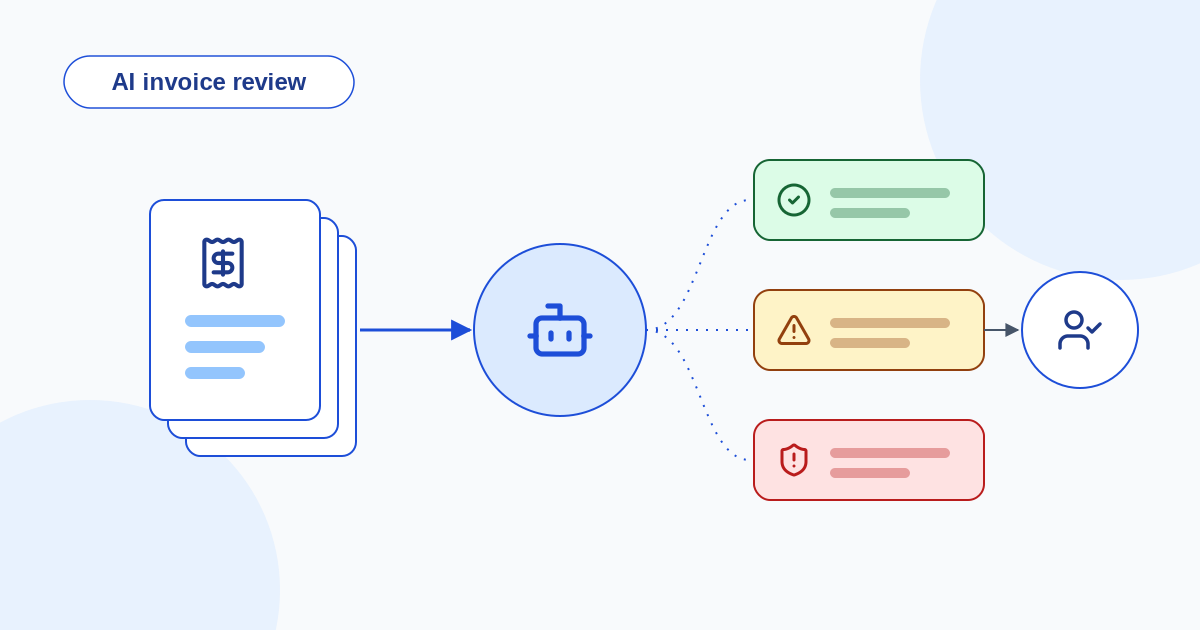
AI Invoice Review for Viewpoint Vista AP: Design of a Safe Agent
The design of an AI agent that triages Viewpoint Vista AP unapproved invoices with deterministic risk rules, hands reviewers an evidence packet, and records every human decision. Read-only by default, with dry-run and allowlisted writes.
AI agents & MCP · October 9, 2026
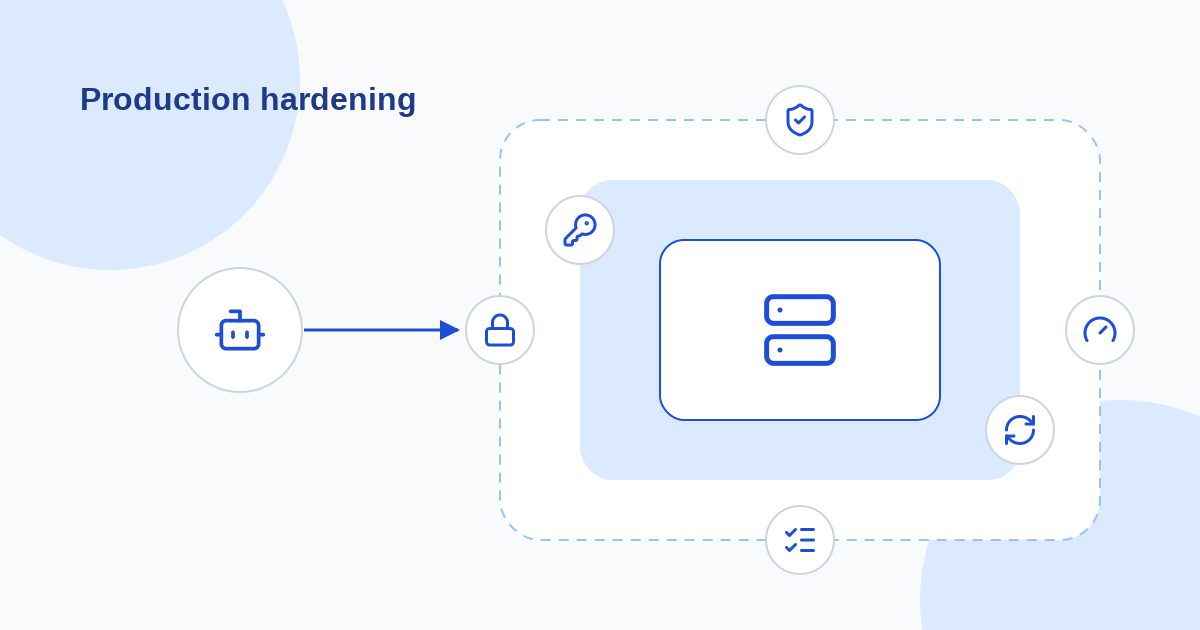
Hardening MCP Servers for Production: A Checklist
A checklist-style guide to running MCP servers safely in front of ERPs and project platforms, covering auth modes, read-only defaults, write allowlists, approval handshakes, reliability controls, transport security, untrusted content, error envelopes, telemetry and hosting options.
AI agents & MCP · October 9, 2026
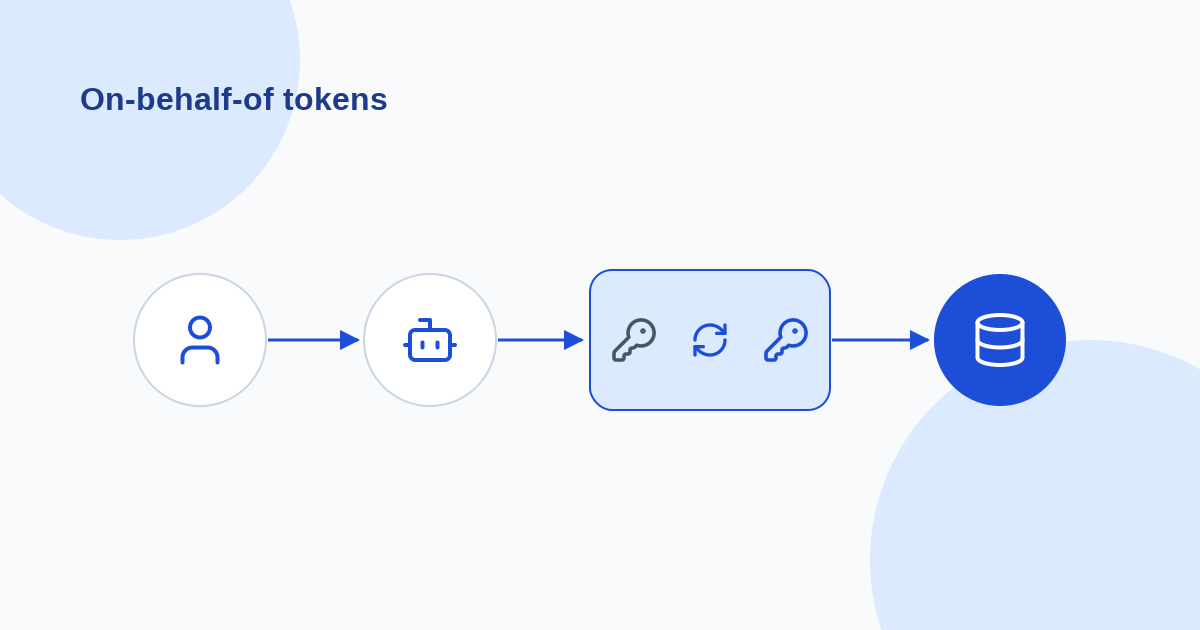
On-Behalf-Of Token Exchange for AI Agents (RFC 8693)
A plain-language guide for construction IT to on-behalf-of token exchange: why forwarding the agent platform's token fails, the four auth modes for MCP servers, audience and scope, a symptom-to-cause troubleshooting table, least privilege and audit.
AI agents & MCP · October 9, 2026
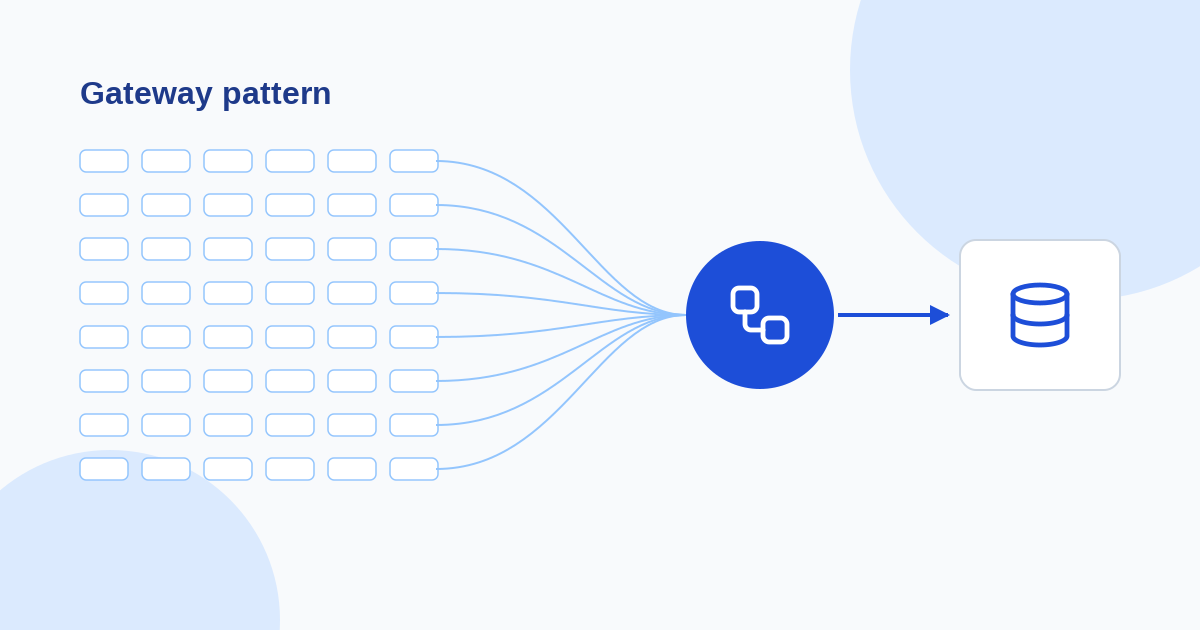
The MCP Gateway Pattern for Large Construction APIs
One tool per endpoint overwhelms agents on large construction APIs. This guide compares a gateway tool over a registry (425 ProjectSight tools behind one tool), progressive discovery meta-tools, and task-first tools, plus the policy, docstring and testing practices that make routing reliable.
AI agents & MCP · October 9, 2026
n8n MCP Server Tutorial: Expose and Use MCP Tools in n8n
A step-by-step guide to MCP in n8n: turning workflows into MCP tools for Claude and Cursor, giving n8n agents tools from external MCP servers, and securing both.
AI agents & MCP · October 9, 2026
AI Sales Automation with Zapier, HubSpot and AI Agents
A breakdown of five Zapier zaps for sales and solutions work: business-card leads, discovery and demo prep, deal updates, and info requests with a human approval before any email is drafted.
AI agents & MCP · October 9, 2026
AI Assistants for Construction Documents: Citations, Access, Testing
A practical guide to AI assistants over drawings, specs and meeting notes: how retrieval with citations works, what they are good and bad at, how to govern access, and how to test one with known questions.
AI agents & MCP · October 8, 2026
Governing AI Agents in Construction: A Checklist for IT and Leadership
A practical checklist for putting AI agents into construction systems safely, covering credentials, least privilege, read-first rollout, tool routing, telemetry, evaluation and human approval, drawn from our own builds.
AI agents & MCP · October 8, 2026
What Is MCP? A Practical Guide for Construction Teams
A plain-language guide to the Model Context Protocol for contractors: what MCP servers and gateways do, why large APIs like Procore and P6 need tool routing, and how to start safely.
AI agents & MCP · May 10, 2026
Routing 2,755 Procore API Tools Through MCP Without Drowning the Model
A walkthrough of the Procore MCP server architecture: generated tools for every endpoint, router-mode meta-tools, hybrid retrieval, and a single dispatch chokepoint for safety and audit.
AI agents & MCP · April 29, 2026
MCP Gateway with Telemetry: How Tool Runtime Governs Agent Tools
Tool Runtime pulls many MCP servers into one governed endpoint. Here is how the gateway composes tools per API key, logs every call, and why production agents need this layer.
AI agents & MCP · January 16, 2026
Building AI Agents for Construction with MCP Tools and Procore
A walkthrough of Construct.Chat: building a Procore financials agent with MCP tools, auditing every tool call, and the structure of a 735-tool Procore MCP server.
Custom applications · November 19, 2026
A Contractor's Project Operating System, Screen by Screen: What Each Role Sees and Why
A screen-by-screen tour of the Cattlemen OS proof of concept built for Cattlemen Construction Services in Fort Worth, Texas, on sample data over QuickBooks Online, Procore, Ramp and Microsoft 365. Covers sign-in and Home, My expenses and the approvals queue that gets card spend onto Procore cost codes, the Projects list with convert to won and SharePoint folders, the project page tabs (overview, grade, job cost, expenses, subs, files), the weighted project grade, the month-end cost-to-complete close, the company dashboard, alerts, reports, the platform console with read-only view as, the help center and the AI brain connection through iframe, read-only API and MCP. For each screen: what it shows, which role sees it and why, with sample numbers and timestamps from the walkthrough video.
Custom applications · November 19, 2026
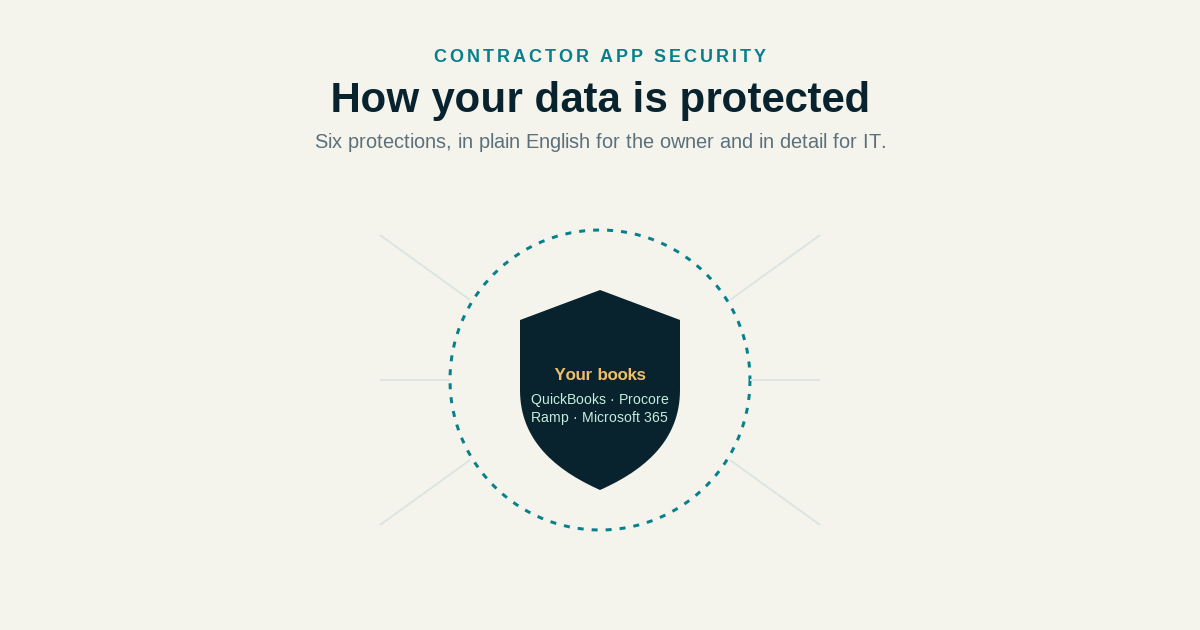
How Your Data Is Protected: Six Security Controls for a Contractor App, for Owners and IT
The six protections on the Cattlemen OS roadmap, each explained in plain words for the owner and in detail for their IT person: your own login (per-user sign-in, two-step for admins, session timeouts), see only your part (role capabilities and server-side scoping from field to super admin, a read-only view-as), approve don't share (OAuth connections, encrypted revocable tokens), QuickBooks guarded (three-lock write mode and write invariants), everything logged (150+ audit actions), and hosting with HTTPS, backups and an exit. Also covers read-only access for an AI vendor and a list of security questions to ask any vendor.
Custom applications · November 19, 2026
Roles and View-As in a Contractor App: Who Sees What, and How Support Checks Safely
The access model in the Cattlemen OS proof of concept for Cattlemen Construction Services in Fort Worth, Texas, shown on sample data. Five roles nest like rings: field users see only their own card expenses, project managers add team expenses and assigned projects, executives see all projects and financials, admins add users, connections, settings and API keys, and the BuildFlows super admin adds the platform console. Routes check capabilities rather than role names, and lists are filtered on the server. A super-admin-only view-as mode shows the app exactly as a user sees it, refuses any write that matters, logs every request under both identities and ends after 30 minutes by default. Also covers the audit log, sign-in and two-step rules, sessions, the platform console tabs, and offboarding.
Custom applications · October 9, 2026
Custom Client and Owner Portals for Contractors: Build or Buy?
A practical guide to owner and client portals for contractors: when the vendor portal is enough, what a custom one should include, and how to secure it, sync it and keep it running.






Engineering series: how we built Connect
32 deep dives for engineering and IT teams: the architecture, security, agents, and operations behind an AI platform for construction scheduling.
Start with the architecture overviewAll 32 articles in the series
- AI job walks: turning site audio, photos and video into reports and schedule actuals
- Construction Alerts and Notifications Over Email, Web Push and SMS
- Vector Search on Cosmos DB for MongoDB vCore: An Operator's Field Guide
- CPM Engine, Schedule Health and Monte Carlo Risk
- Means & Methods as a system of record: capturing expert reasoning as data, not chat
- Prompt Caching for AI Agents: How We Structure Prompts and Model Clients in Connect
- Versioned Client Project Updates, Written by AI and Approved by People
- Verifying Primavera P6 XER Exports Before They Leave
- The Agent Tool Manifest: Declaring, Gating and Testing Every Tool an AI Agent Can Call
- Building an AI Learning Loop That Humans Control
- Engineering an AI Schedule Builder: Build Specs, Gates and Repair Loops
- Anatomy of an AI Chat Turn: Safety, Retrieval, Prompt Caching and Streaming, Step by Step
- Architecture Tests: Enforcing Codebase Boundaries So Small Teams and AI Agents Can Move Fast
- Building an Enterprise MCP Server with OAuth 2.1 Inside a Multi-Tenant SaaS
- How We Built Connect: Architecture of an Enterprise AI Platform
- Building a Connector Framework for Procore and OAuth Integrations
- Deploying a Node Monolith to VMs: systemd, CI Service Containers and Schema-Safe Rollback
- How to Safely Embed an AI Chat Widget in a Client Portal
- The Enterprise AI Platform Blueprint: A Checklist from Connect
- Building an Executive Admin Portal for AI Agents: The Control Plane Behind Connect
- Headless Auth: Personal Access Tokens, Embed Tokens and One Door per Credential
- Layered AI Safety Guardrails: Injection Gates, Content Safety, Topic Classifiers and Structural Controls
- Leased Background Jobs in Postgres: How Connect's Worker Claims, Renews and Resumes Work
- Tracing LLM Agents in Postgres: Why We Built a Ledger Instead of OpenTelemetry
- LLM Evals in Production: Judges, Golden Sets, Regression Runs and a Gated Autopilot
- Multi-Agent Delegation That Pauses and Resumes: How Connect's Chat Hands Work to Sub-Agents
- Multi-Tenant RBAC With a Single Authorization Chokepoint
- Postgres Schema Design for an Enterprise AI Platform: 120+ Tables, No ORM, Verified Migrations
- Building a RAG Pipeline for Construction Documents: Chunking, Incremental Re-ingest and Scoped Vector Search
- Resumable Large File Uploads to Azure Blob for Construction Files
- Sandboxed AI App Builder: Letting AI Generate Apps Without Your Database
- Two-Phase AI Agents with Human Approval: How We Built the Connect Info Sheet
Next step
Rather talk it through?
If you already know the problem, skip the reading. Tell us the outcome and we'll come back with how we'd approach it.
Prefer email? charley@buildflows.ai