Key takeaways
- When AP already codes project and cost code in Ramp, a translation table can turn that coding into the one Procore service item, such as 2401-03-300.M, mechanically.
- It differs from a GL mapping table: the input is Ramp's project and cost code, and the output is exactly one item, not a short pick list.
- The cost type has to come from somewhere. Either AP picks it in Ramp or it defaults from the GL category, and that's an owner's decision.
- Most rows build from read-only data: QuickBooks service items, Procore projects and budget codes, and Ramp's field options. AP confirms the exceptions once.
- Each row answers four questions: job cost account, exactly one item, item exists on an active project, open period. All yes rewrites; anything else goes to review, escalation or stays a category line.
- A missing item means the Procore budget line doesn't exist yet. Escalate it to the PM and never create the item in QuickBooks.
- The same table lets a nightly check compare QuickBooks item lines with Procore direct costs per budget code.
91 seconds · From a Build Flows walkthrough
Ramp codes come from QuickBooks, Procore codes from its budget
Field users pick a QuickBooks accounting code in Ramp. Procore has its own, more specific budget codes. The two lists have to be mapped before anything can flow.
Read the clip transcript
through an assessment here. But. But essentially what's happening is a bill is happening in Ramp and so as a client is going through and or as a person in the field is going through and making invoices and paying bills for purchasing equipment or items, they're assigning that to a specific cost code that is pulled directly from the QuickBooks accounting cost code. And so Ramp is reading those QuickBooks accounting cost codes and they're assigning it to that specific thing. The situation. Is that Procore does not read QuickBooks costing for their coding structure and so Procore has no way of identifying that and so essentially what's happening is when this occurs Procore is only reading the line item details of each individual item of the bill and instead Ramp is pulling that in as the QuickBooks cost code and then it's needing to be read. To map it appropriately to the correct fields. And. Sure that it's associated and so essentially. The goal is to align on this to ensure that we can pull all of these fields and so once they are then. Pulled into QuickBooks that then they can be assigned to the proper Procore cost code since the Procore cost codes and the QuickBooks cost codes need to be mapped and aligned and so we need to identify. You know if something is purchased as materials for a project well then what is the type of material then. we're recording in Procore.
Captions adapted from the source video; proper names may reflect automatic transcription. Original segment: 1:19–2:49. Watch at the source.
Ramp, QuickBooks Online and Procore each name the same cost differently. AP codes a Ramp bill line to project "2401 Sample Clinic TI" and cost code "03-300 Concrete". QuickBooks needs that line on a service item called 2401-03-300.M. Procore shows it on budget code 03-300.M. Nothing in Ramp's QuickBooks sync connects the first to the second, and Procore's QuickBooks Online connector only reads the second. So you need a translation table: one row per combination, saying "when Ramp says this, write that item, and Procore will show it here."
This guide shows how to build that table, what columns it needs, how most of it fills itself from data the systems already hold, where the cost type comes from, and how each row decides whether a bill line is rewritten, queued for a person, escalated or left alone. It comes from the job-cost plan we wrote for Ryan Blankers at Cattlemen Construction Services in Fort Worth, Texas, where one table drives both automations in the fix. The section overview has the full story, and you can watch the walkthrough where I go through the plan on screen. There's a CSV template at the end.
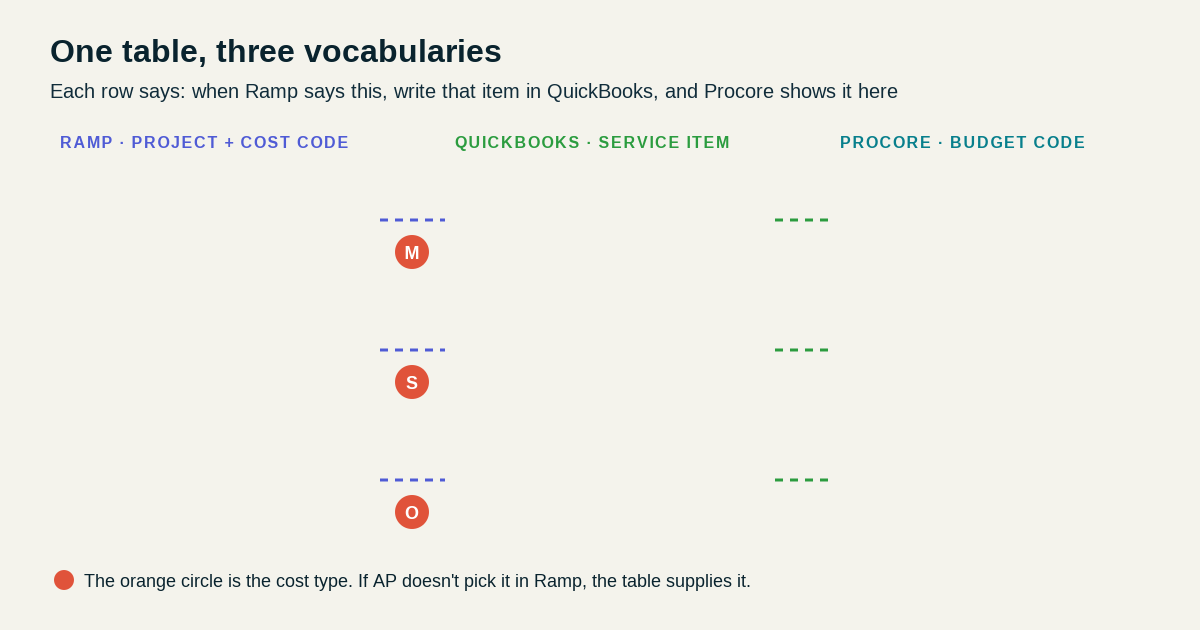 One row per combination: Ramp's words, QuickBooks' item, Procore's budget code
How this differs from a GL mapping table
We've written about a different table before: mapping QuickBooks GL accounts to Procore cost codes. That one is for card spend, where the cardholder only ever picks a GL category like Supplies & Materials and a person has to choose the cost code. The GL table narrows the choice.
This table is for bills where AP has already coded the project and the cost code in Ramp. Nobody has to guess the work. The coding exists; it's just written in Ramp's vocabulary and sitting in the wrong part of the QuickBooks bill. The translation table converts it, mechanically, into the one item Procore can read. A person only gets involved when the table can't give a single, safe answer.
| GL mapping table | Translation table | |
|---|---|---|
| Input | GL category (Supplies & Materials) | Ramp project + cost code (2401, 03-300) |
| Output | A short list of allowed cost codes | Exactly one service item (2401-03-300.M) |
| Who decides | The cardholder picks from the list | The table, unless confidence is low |
| Main use | A coding portal for card spend | An automation that rewrites Ramp bills |
Plenty of contractors need both. They share a lot of data, and the GL table's account groups (job cost vs G&A) feed one column of this one.
What one row looks like
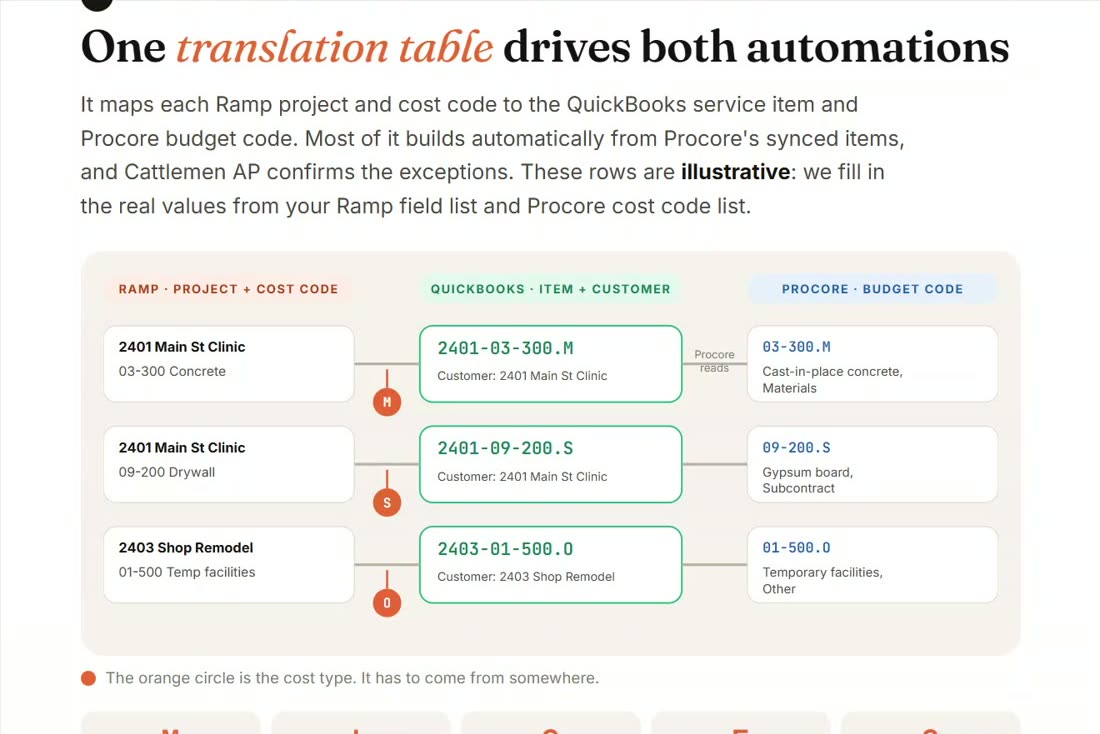 The translation table section of the plan, as shown in the video (illustrative data)
Each row ties together three things, one from each system:
- Ramp side: the project and cost code values AP picks in Ramp, plus the GL category on the line and whether the coding is per line or per bill.
- QuickBooks side: the Procore-created service item (
2401-03-300.M) and the QuickBooks project it belongs to. - Procore side: the project number and the budget code (
03-300.M) with its description, so a person can sanity-check the row.
Then a few status columns that let a machine decide what to do with the row: does the item exist, is the project active, is this a job cost account, and how confident are we.
Here are the columns in our template:
| Column | Example | Why it's there |
|---|---|---|
ramp_project | 2401 Sample Clinic TI | The value AP picks in Ramp |
ramp_cost_code | 03-300 Concrete | The value AP picks in Ramp |
ramp_line_category_gl | Job Materials | The GL account Ramp wrote. Decides job cost vs not, and can default the cost type. |
ramp_level | line or transaction | Whether coding is per line or one value for the whole bill |
cost_type_source | ap_picks_in_ramp, default_from_gl | Where the cost type letter came from |
qbo_customer_project | 2401 Sample Clinic TI | The QuickBooks project for the line |
qbo_service_item | 2401-03-300.M | The item the line is rewritten to |
procore_project_number | 2401 | Must match the item prefix |
procore_budget_code | 03-300.M | Where Procore will show the cost |
procore_budget_code_description | Cast-in-place concrete, Materials | For a human checking the row |
item_exists_in_qbo | Y / N | N means escalate, never create |
project_active | Y / N | Closed or unsynced projects go to review |
confidence | high / low | High rewrites automatically; low goes to a person |
action | rewrite, queue, escalate, keep-category | What happens to a matching line |
low_confidence_reason | item_missing, closed_period, ambiguous_code... | So the reviewer knows why it stopped |
gl_job_cost_account | Y / N | N lines stay Category lines |
notes | Free text | For the next person who edits the row |
A note on the customer column. Procore's documentation keys on the service item, which already carries the project number. It doesn't list the QuickBooks project on the line as a requirement. We still set the project on the rewritten line, because QuickBooks' own job reports use it and the item's prefix should agree with it anyway. If they don't agree, that's a row to look at.
Where the cost type comes from
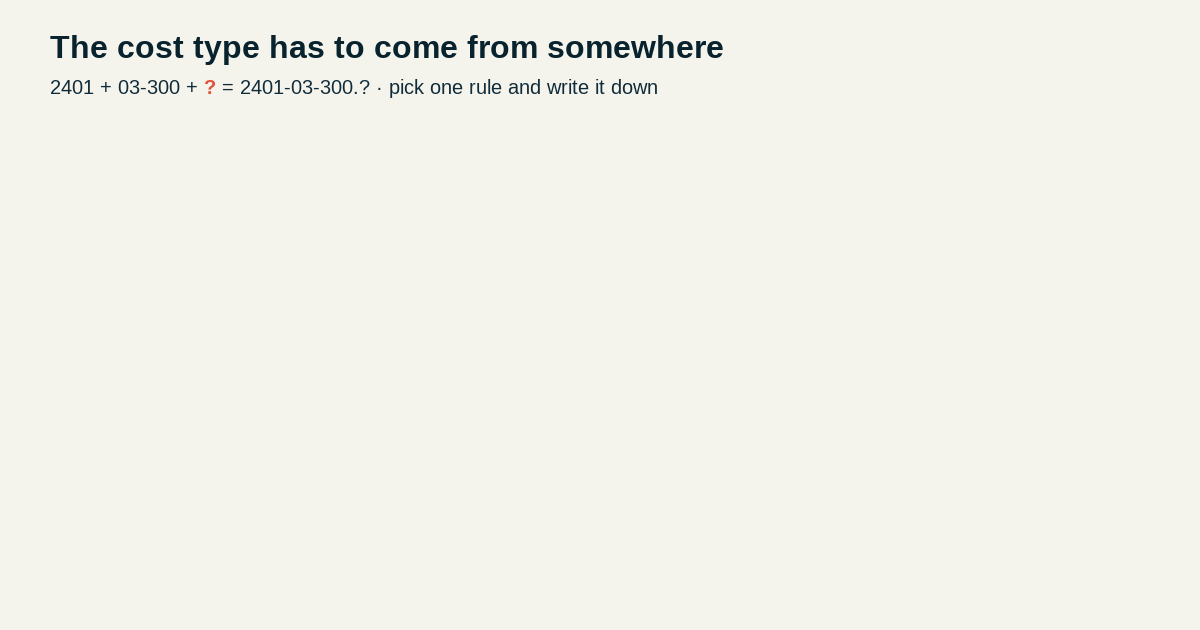 Pick one rule for the cost type and write it down
This is the column that trips people up. The plan put it plainly: "The orange circle is the cost type. It has to come from somewhere." Ramp's project and cost code fields tell you 2401 and 03-300. They don't tell you whether it's .M or .S, and on most budgets both exist.
There are two workable rules, and it's an owner's decision which one to use:
- AP picks it in Ramp. Add a cost type field (or fold it into the cost code values, like "03-300 Concrete - M"). It's exact, and it handles a bill where one line is the sub's work and another is materials. The cost is one more pick per line, and you need somewhere in Ramp to hold it. Ramp's custom fields sync at the transaction level only, so check whether your setup can capture it per line.
- Default it from the GL category. Job Materials means M, Subcontractors means S, Equipment Rental means E. AP changes nothing. The table does the work. It's wrong whenever the category and the work disagree, for example when a drywall sub's invoice is coded to Job Materials. The rule for those cases is simple: if the default produces an item that doesn't exist on that project's budget, the line is low confidence and goes to review with a suggestion.
You can also combine them: use AP's pick when it's there, fall back to the GL default when it isn't. That's what the sample rows in our template do.
Whatever you choose, the letters must match your company's Procore cost type list. M, L, S, E and O are common, but they aren't a fixed Procore standard. Check yours.
Most of the table builds itself
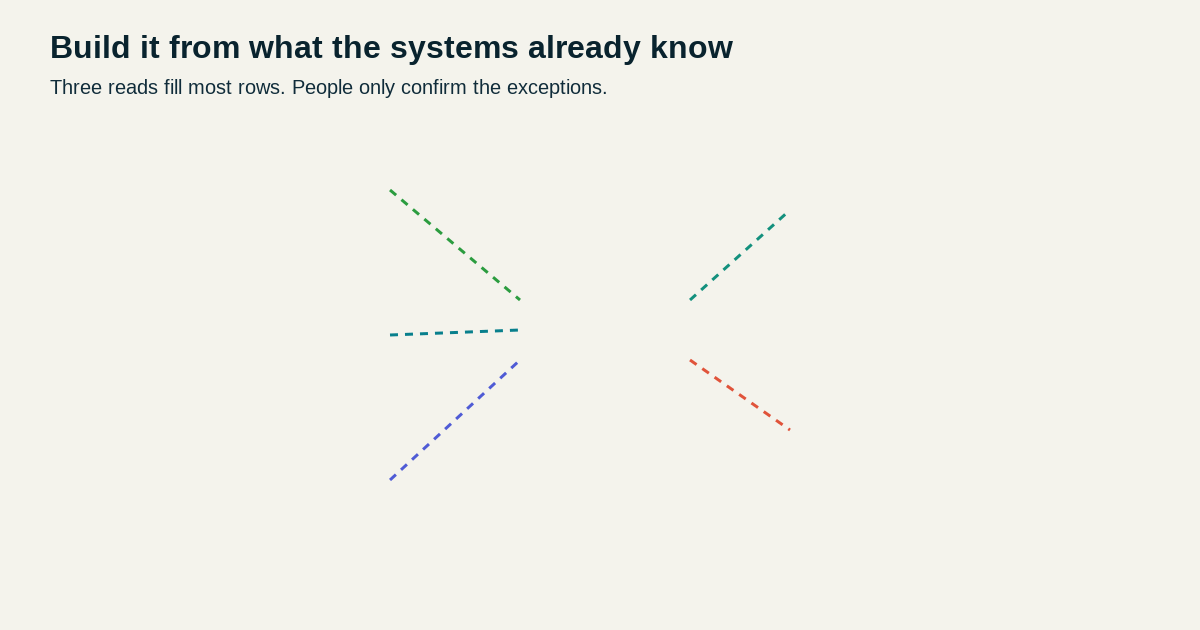 Three reads fill most rows; AP confirms the rest
You don't have to type this table. In the plan, it's built from four read-only calls, all listed on the endpoint map:
- QuickBooks Online: a query for items where the type is Service, plus the list of customers and projects. Every Procore-created item name splits cleanly into project, code and type.
- Procore: the company's projects (to tie project numbers to QuickBooks projects) and the cost codes on each project.
- Ramp: the accounting fields and their options, which gives you every project and cost code value AP can pick.
A short script splits each item name at the - and ., finds the Ramp values that match on project number and cost code, applies the cost type rule and writes a row. The plan expects most rows to build this way. The rest land on an exceptions list, and AP confirms them once:
- A Ramp cost code that has no budget line on that project. That's a missing item. Escalate it to the PM.
- The same code written two ways ("09-200 Drywall" and plain "Drywall"). Add an alias row once and it stops coming back.
- A cost type the rule can't infer.
- A project in Ramp that isn't in Procore yet. At Cattlemen, only won jobs go to Procore, so estimate-stage projects will sit here until they're won.
Rebuild the table on a schedule (nightly is fine), because new budget lines create new items every day. Keep the exceptions AP confirmed as overrides, so a rebuild doesn't wipe them out.
How a row decides what happens to a line
 Four questions, four outcomes
The table is also the rulebook for confidence. When the automation reads a Ramp bill line, it looks up the row and asks four questions, in order:
- Is the GL account a job cost account? If not (sales tax, freight on a non-job account, office supplies), the line stays a Category line exactly as Ramp wrote it. G&A never maps to a budget code, even if someone tagged a project.
- Is there exactly one service item for this project, cost code and cost type? Two candidates, or none, means low confidence.
- Does that item exist in QuickBooks, on an active project? A missing item means the budget code isn't synced. Escalate to the project manager. The automation never creates the item itself.
- Is the bill date in an open period? Closed-period bills always go to review. The QuickBooks API also rejects writes dated on or before the closing date.
All four yes: high confidence. The Category line becomes an Item line on that service item, with the same amount, same description, same vendor and same payment link. Anything else goes to a review queue (email or Teams) with the suggested coding, and one click approves it.
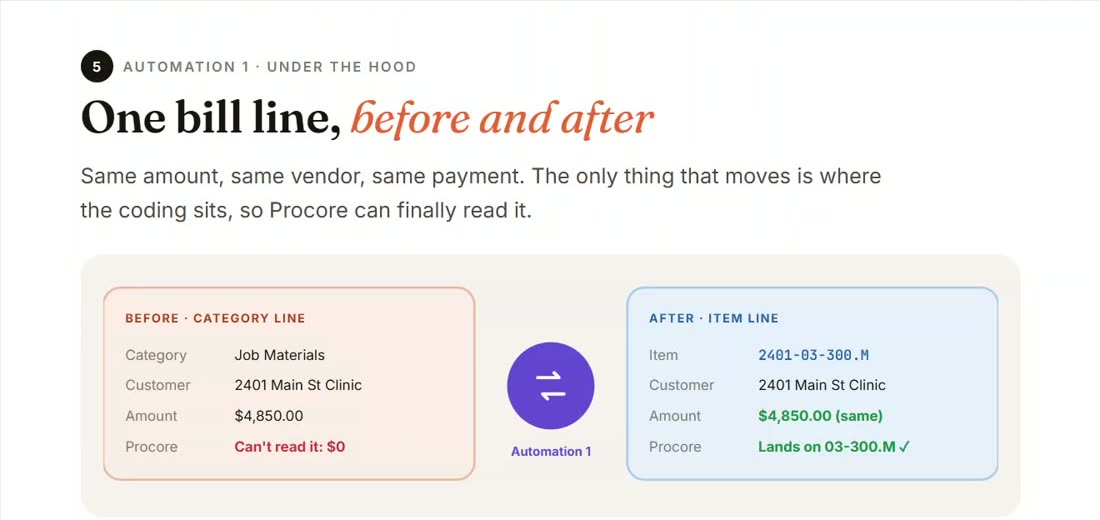 What the table produces for one line: same amount, new place (illustrative data)
The before and after for one line is deliberately boring. Only the coding moves. The details of the rewrite, and the list of things the automation never does, are in safe QuickBooks write automation guardrails.
The same table checks the other direction
In the plan, the table drives a second automation too: a nightly reconciliation. It pulls QuickBooks item lines per service item and Procore direct costs per budget code, pairs them by vendor, invoice number and date, and flags gaps. The translation table is what lets it compare 2401-03-300.M in QuickBooks with 03-300.M on project 2401 in Procore. Without the table, that's two lists that don't line up.
Typical gaps it reports: a bill still on Category lines (send it back through the rewrite), a bill already on items but not in Procore yet (wait for the daily import or run an on-demand sync), and amounts that differ between the two systems (flag both values with links).
Use the template
The Ramp to Procore translation table template (CSV) has 23 sample rows across three made-up projects: 2401 Sample Clinic TI, 2403 Sample Shop Remodel and 2405 Sample Office Fit-Out. It includes:
- Clean rewrite rows for materials, subcontract, equipment and other cost types
- A drywall code with both
.Mand.Sbudget lines, showing why the cost type matters - Escalate rows where the item is missing from the budget
- Queue rows for a closed period, an ambiguous code, an inactive project, a project not yet in Procore, transaction-level coding and an unknown cost type
- Keep-category rows for sales tax, freight and G&A
Replace the sample rows with your own. Start from an export of your QuickBooks Service items and your Ramp field options, and let the empty cells show you what's missing.
Common mistakes
- Building the table by hand from the cost code list. It goes stale the first time a PM adds a budget line. Build it from the synced items and rebuild it on a schedule.
- Treating the cost code as the whole key.
03-300without a cost type isn't an item. Every row needs all three parts. - Letting the table create missing items. A missing item is a signal that the Procore budget is incomplete. Send it to the PM.
- No owner for the exceptions. Somebody in AP has to clear the queue weekly, or low-confidence lines pile up and Procore is short again.
- Forgetting transaction-level coding. If the cost code lives in a bill-level field, one code covers every line. Mixed bills need review.
- Skipping the GL check. An item line posts to the item's expense account. Read Procore service items in QuickBooks before you rewrite anything.
Next step
Before anyone builds this, prove the table on three real bills. Pick three paid Ramp bills on active jobs, look each line up in the template, re-code them by hand in QuickBooks, and check that Procore shows the full amounts after the next job cost sync. The walkthrough is in prove a job cost fix: re-code three bills by hand, and the settings to check first are in the pre-integration settings guide.
If you want help building the table from your own Ramp, QuickBooks and Procore data, email charley@buildflows.ai or tell us what you're working on.
References
- Procore Support: QuickBooks Online: Things to Know
- Procore Support: QuickBooks Online: Detailed Data Mapping
- Ramp Support: QuickBooks Online custom fields
- Ramp Support: Bill Pay accounting
- Ramp Developer API: docs.ramp.com
- Procore Developers: developers.procore.com
Frequently asked questions
What is a Ramp to Procore translation table?
It's a crosswalk with one row per Ramp project and cost code combination, giving the Procore-created QuickBooks service item to write and the Procore budget code where the cost will appear. An automation or a person uses it to move Ramp bill coding from Category details to the right Item details line.
How is a translation table different from a GL to cost code mapping?
A GL mapping starts from a GL category, which can belong to many cost codes, so a person picks from a short list. A translation table starts from the project and cost code AP already chose in Ramp and returns exactly one service item, so a person is only needed for exceptions.
Where does the Procore cost type come from if Ramp only has a cost code?
Choose one rule: AP picks the cost type in Ramp alongside the cost code, or the table defaults it from the GL category, for example Job Materials to M. Many teams use AP's pick when present and the GL default otherwise, and send lines whose default item doesn't exist to review.
Can the translation table be built automatically?
Mostly. Read the Service items from QuickBooks Online, the projects and budget codes from Procore, and the project and cost code options from Ramp. Split each Procore item name into project, code and type and match it to Ramp values. AP reviews the rows that don't match cleanly.
What happens when the service item doesn't exist yet?
The row is marked low confidence and escalated to the project manager, because a missing item means the budget code isn't on the Procore budget. Once the PM adds it, Procore creates the item in QuickBooks. The automation never creates items itself.
Which bill lines should stay as Category lines?
Lines on accounts that aren't job cost, such as sales tax, freight on a non-job account and G&A like office supplies or software. They stay exactly as Ramp wrote them and never map to a Procore budget code.
Next step
Need this connection in your environment?
Scope one integration: the records, direction, timing, and business rules behind the connection.
Prefer email? charley@buildflows.ai
Keep learning
Integrations · November 19, 2026
Why Ramp Bills Show $0 in Procore, and How to Fix It
The section hub for the Ramp to QuickBooks to Procore job-cost fix, built from the plan we wrote for Cattlemen Construction Services. Ramp writes its coding to the Category details lines of a QuickBooks Online bill. Procore's QuickBooks Online connector only retrieves job costs from lines coded to the project-specific service items it created, which live in Item details, so the cost never reaches the Procore budget. The guide shows how to confirm the gap in five minutes, then the cheapest order to fix it: check four settings, build a translation table, re-code three bills by hand to prove it, then automate with a bill line rewriter and a nightly reconciliation, with guardrails and a phased rollout.
Integrations · November 19, 2026
Procore Service Items in QuickBooks Online: How 2401-03-300.M Is Built and Why It Matters
Procore's QuickBooks Online connector only retrieves job costs from lines coded to the project-specific Service items it creates, named [project number]-[cost code].[cost type]. This guide breaks down the name, shows the order that creates the items (2+ tier cost codes, project number set first, budget lines, a background export about every five minutes), explains why you never create or merge them by hand, warns that an Item details line posts to the item's expense account, and gives a five-minute audit of the item list. From the Ramp to QuickBooks to Procore job-cost plan for Cattlemen Construction Services.
Workflow automation · November 19, 2026
Guardrails for an Automation That Writes to QuickBooks: Ten Reads, Two Writes
From a real job-cost plan for Cattlemen Construction Services: the rules for an automation that rewrites Ramp bills in QuickBooks Online so Procore's QuickBooks Online connector can read them. It covers the full endpoint map (ten reads and two fenced writes across QuickBooks, Ramp and Procore), dedicated integration users, the sparse update with SyncToken, the never list (amounts, vendors, payment links, closed periods, item creation), confidence scoring and a review queue, idempotent re-runs, logging, a nightly reconciliation that never types into Procore, shadow mode with a 20-in-a-row gate, and a risks and controls table.