Key takeaways
- The OAC brief crosses five Procore modules: RFIs, change events and PCOs, budget detail rows, submittals and daily logs. Nine read-only calls on the sandbox, eight in parallel.
- The value is the cross-check: RFI #18, the curtain wall change event, the idle L4 crew, the late curtain wall submittal and the $168K overrun are one story.
- On real sandbox data the brief reported 5 late RFIs (architect holds 4), $94.8K open change with no PCOs, $261K projected over budget, two long-lead submittals behind, and a weather day with one near miss.
- Every action gets a named owner, and the agent lists anything it guessed or filtered in a check-before-sending section.
- The agent drafts; the project executive edits and sends. Owner-facing and internal versions use different prompts.
- Measure drafting hours per week, corrections per brief and actions closed by the next meeting.
20 seconds · From a Build Flows walkthrough
The weekly owner and executive report
Roll the week's changes and progress into a report for owners and executives, with the metrics each team needs.
Read the clip transcript
which is the weekly owner and executive report. So communicating any type of changes or progress that have happened throughout the week to be able to provide that to the owner and the executives for them to be able to gather their insights. Of course, there's different types of metrics and data that each business and team needs. And so providing them access to that is quite important.
Captions adapted from the source video; proper names may reflect automatic transcription. Original segment: 15:55–16:15. Watch at the source.
Every PM knows the Thursday-night version of the weekly owner report. Export the RFI log. Screenshot the budget. Ask the PE which submittals are late. Scroll the daily logs for anything the owner will hear about anyway. Then write it up so it sounds calm. It's half a day, every week, and most of it is copying numbers from one Procore tool into a document.
This playbook is an agent that drafts that brief from live Procore data: RFIs, change exposure, budget, submittals, and the field, cross-checked against each other, with an owner on every action. On a real Procore sandbox, "Build my OAC brief" took nine Procore calls and about a minute. The project executive still reviews it and sends it. That part doesn't change.
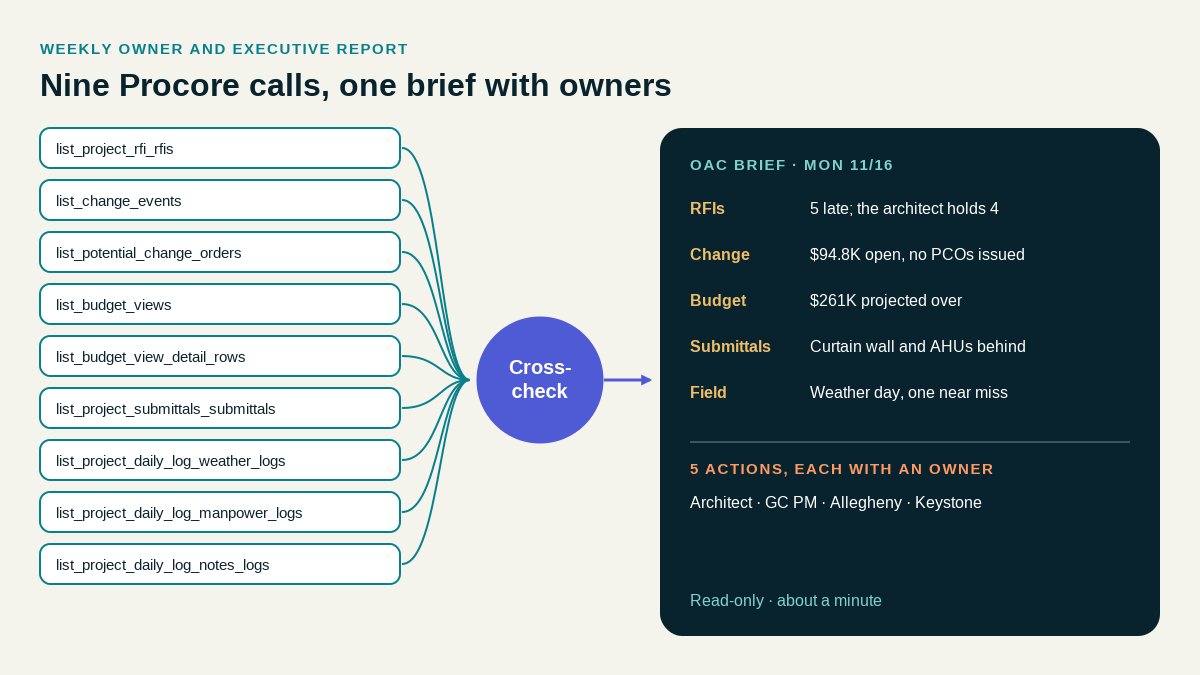 Nine Procore reads, cross-checked into one brief with owners.
Who it's for and the question it answers
Persona: project executive, operations VP. The PM is usually the one who edits and sends it.
The question: What does the owner (and my boss) need to know this week, and who is on the hook for each item?
In the Procore Agent Playbook use-case catalog, the weekly owner and executive report scores 4 for value and 4 for feasibility, and it's read-only. The ROI logic is plain: PMs often spend half a day a week on reporting, so measure drafting hours before and after. Those scores and that half-day are our working estimates, not a study. Measure your own.
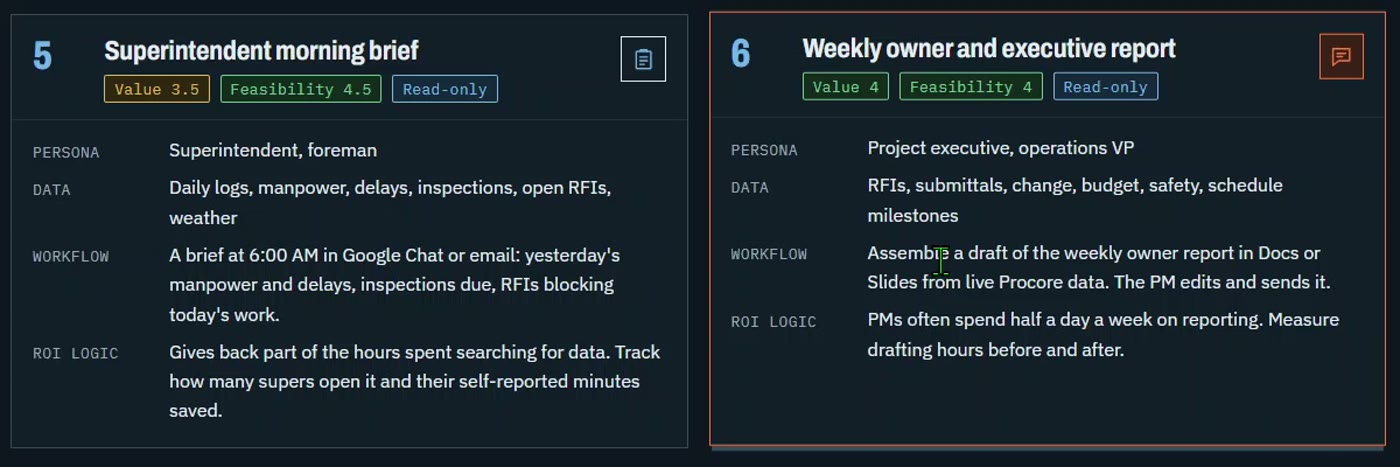 Use case 6 in the playbook catalog, as shown in the video.
In the video I describe it at 15:55: communicating the changes and progress from the week to the owner and executives, with the metrics each business actually cares about.
Why this one needs an agent, not a report
A dashboard can show you 23 open RFIs and $114K of change exposure. It can't tell you that RFI #18, the change event for curtain wall embeds, the L4 crew standing around on Friday, the curtain wall submittal that's six weeks behind and the $168K curtain wall overrun are all the same story. That's the brief. An owner doesn't want five module summaries. They want the three things that matter and who's fixing them.
That's the cross-check. The agent reads each module, then reads them against each other.
The Procore data and the exact MCP tools
The live "Build my OAC brief" run on the sandbox made these nine calls through the open-source Procore MCP server, with eight of them in parallel:
| Section | Tool | What it contributes |
|---|---|---|
| RFIs | list_project_rfi_rfis | Open RFIs, due dates, ball in court, cost and schedule impact |
| Change | list_change_events | Change events with ROM amounts, status and scope |
| Change | list_potential_change_orders | Whether anything has been priced to the owner yet |
| Budget | list_budget_views | Which budget view to read |
| Budget | list_budget_view_detail_rows | Original, revised, committed and projected cost by cost code |
| Submittals | list_project_submittals_submittals | Required-on-site dates, lead times, status |
| Field | list_project_daily_log_weather_logs | Weather and delay flags |
| Field | list_project_daily_log_manpower_logs | Crew by sub, and who was held |
| Field | list_project_daily_log_notes_logs | Safety, owner requests, reschedules |
The broader reference run (the five-bullet Monday brief) also used list_budget_view_summary_rows for project totals and list_work_order_contracts for commitments.
Schedule and safety. In the sandbox, schedule shows up through RFI schedule impacts, submittal on-site dates and daily log reschedules, and safety through the notes log. For a real job, add the schedule and safety tools. The repo's workflow files map these to list_project_scheduling_schedules, list_project_schedule_legacy_schedule_lookaheads, list_project_observations_observations_items and list_project_incidents_incidents_near_misses. We didn't exercise those on the sandbox, so test them against your own data first.
The repo's executive_dashboard persona ships a weekly_executive_digest workflow, but it's a starting point built on reporting, budget, directory and budget-modification reads. The tool set above is the one we actually proved. For how the server keeps 2,755 tools down to a usable set, see Routing 2,755 Procore API tools through MCP and choosing router, hybrid or expanded mode.
The workflow blueprint
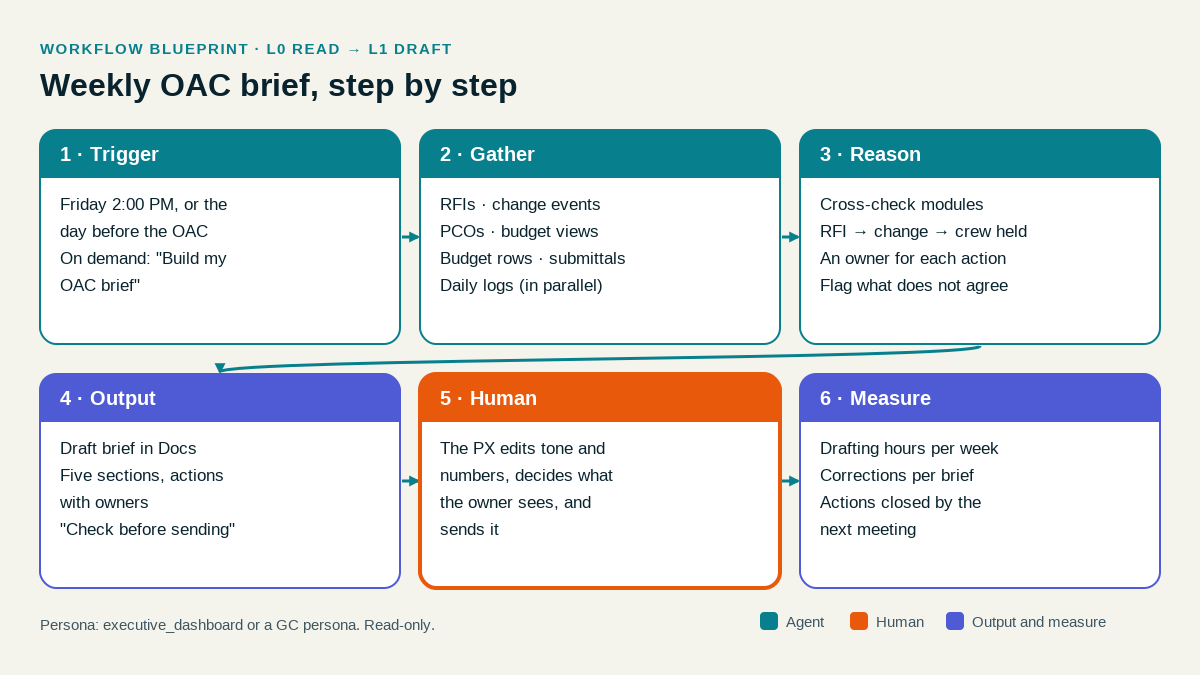 The agent drafts. The PX decides what the owner sees.
| Step | What happens |
|---|---|
| Trigger | Friday 2:00 PM or the day before the OAC meeting. On demand: "Build my OAC brief." |
| Gather | All nine reads in parallel, plus schedule and safety reads on a live job. |
| Reason | Filter out stale and test records. Link RFIs to change events, held crews and submittals. Split recoverable change from TBD. Put a named owner on every action. List anything that doesn't agree. |
| Output | A draft brief in Google Docs (or an email): five short sections, an action list with owners, and a "check before sending" list. |
| Human review | The PX or PM edits the tone, checks the numbers, and decides what the owner sees versus what stays internal. Then sends. |
| Metric | Drafting hours per week; corrections per brief; share of last week's actions closed by the next meeting. |
This is L0 read with an L1 draft. The agent never sends to the owner. Saving the brief to a shared drive or posting OAC minutes back into Procore is a write, and it should go through a signed confirmation. See the write governance ladder and the two-phase approval pattern.
Paste-ready prompts
These work in Gemini once the server is connected (setup steps) and in any other MCP client pointed at the same server.
Build my OAC brief:
Use the Procore tools. Project: <project name>. Today is <date>.
Build my OAC brief. Pull RFIs, change events and PCOs, the budget view
detail rows, submittals, and the daily logs for <last workday>, in parallel.
Five sections, each a short table or three bullets:
1. Late RFIs: days late and ball in court.
2. Change exposure: open amount, what's out of scope, what's been priced to the owner.
3. Budget: cost codes projected over, and whether open change is included.
4. Submittals at risk: required on site vs. lead time.
5. Site: weather, crew, safety, owner requests.
Then up to five action items, each with a named owner and a date.
Then "Check before sending": anything that disagrees, looks like test
or stale data, or where you guessed an owner. Read only. Don't write anything.
Owner-facing version:
Rewrite that brief for the owner. Keep facts and dates. Drop internal
cost and margin detail, sub-level blame and anything marked "check".
Lead with decisions we need from the owner and the architect this week.
Monday executive brief (five bullets):
Give me a 5-bullet Monday morning executive brief for <project name>
covering RFIs, change exposure, budget, submittals, and Friday's field report.
One bullet each, numbers first, then the one action that matters.
What it looks like on real data
Procore developer sandbox, project "The Sparkling Skyrise Project," Monday 11/16/2026. Nine Procore calls, eight in parallel. The one-pager that hosts the recording clocks it at 67 seconds end to end; the run log shows 64 seconds of agent time. Read-only, captured with a command-line MCP client against the same server Gemini connects to. You can watch the 48-second recording of the run at /resources/media/oac-brief.mp4.
Here is the brief, trimmed slightly:
| Section | What the agent wrote |
|---|---|
| Late RFIs | Five recent RFIs late (4 to 17 days). The architect holds 4 of 5. RFI #21 (roof scupper) is due 11/20 and not late yet. |
| Change exposure | $94.8K open across three live change events, no PCOs issued. CE-003 curtain wall embed relocation $48.5K and CE-005 rock at the elevator pit $27.8K are out of scope and recoverable from the owner. CE-004 L3 ceiling reroute $18.5K is scope TBD. "$76.3K firm, up to $94.8K if 004 goes our way." |
| Budget | $261K projected over: curtain wall $168.4K (5.3%), HVAC $81.3K (2.9%), firestopping $11.4K (6.2%). Doesn't include open change. |
| Submittals | Curtain wall: not received, 70-day lead makes 12/14 impossible. AHU-1/2: 84-day lead, earliest delivery about 2/8. Firestopping: still draft, waiting on RFI #20. |
| Site, 11/13 | Rain and 30 mph gusts, crane down 7-11 AM, L5 deck pour moved to today at 6 AM. Near miss at the L4 east stair. Owner rep asked for L3 lobby upgrade pricing. 32 workers; the L4 curtain wall crew sat idle waiting on RFI #18. |
Action items, each with an owner:
- Architect: answer RFIs 18, 22 and 23 by 11/20.
- GC PM: issue PCOs for change events 003 and 005 this week.
- Allegheny Mechanical: respond on RFI 19 and price change event 004.
- Keystone and Allegheny: send recovery schedules for the curtain wall and the AHUs.
- GC PM: price the L3 lobby upgrade and close out the near-miss report.
And the "check before sending" list, which is the part I'd show any PX who's skeptical:
- The two daily log entries on the delay don't fully agree: the concrete sub blamed rain, the notes and weather log blamed wind shutting the crane down.
- Ball in court on the recent RFIs sits with Procore's placeholder accounts, so it used their roles. Naming Allegheny on item 3 was a guess, based on Allegheny being the responsible contractor on the RFI. It said so.
- It left out older sample records (RFIs 1-17, submittals 1-11, change events 001-002) because they looked like leftover test data.
- Nothing was written to Procore.
The separate five-bullet Monday brief, run earlier the same day (12 turns, 40 seconds), added the budget totals: $12.10M budget against $12.37M estimated at completion, commitments at $11.15M or 92% of budget, and "if the out-of-scope items aren't recovered from the owner, the overrun grows to about $356K." That's the sentence an executive actually needs.
A note on the totals. The full change event log shows $114,021 of open exposure across five events. The brief reports $94.8K because it set aside two old placeholder events worth $19.2K. Both numbers are right. The brief told you which it used.
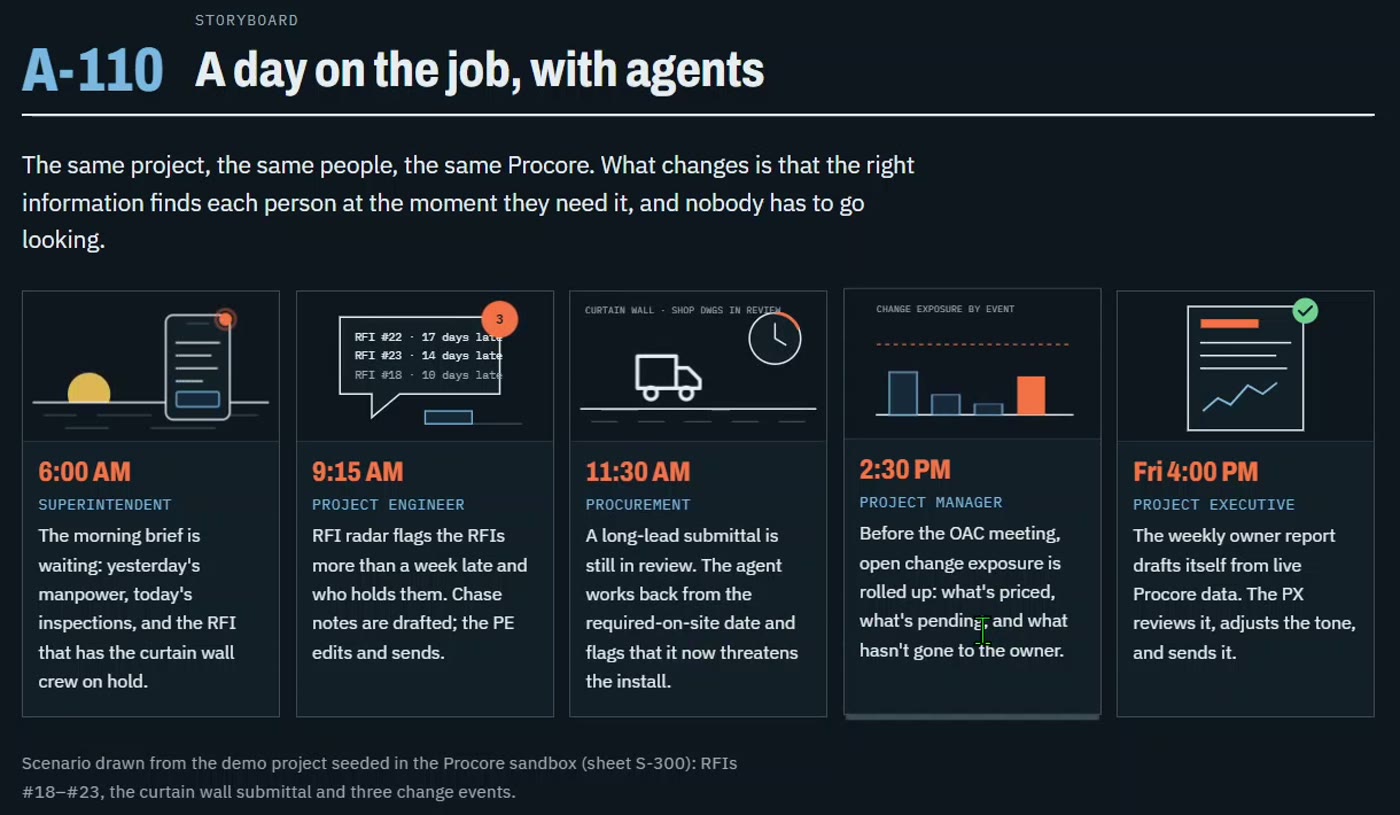 Friday 4:00 PM in the storyboard is this agent. From the video at 09:00.
Edge cases and data-quality traps
- Stale and test records. Every real Procore project has them: RFIs nobody closed, submittals from a previous phase. The agent has to filter them and say what it filtered, or the owner sees "22 RFIs past due" and panics.
- Two right totals. Like $114K vs. $94.8K above. Decide your rule (for example, exclude events older than 12 months with no activity) and put it in the prompt.
- Ball in court isn't a company. Ball in court is a person. If that person isn't tied to a company in the directory, the agent can't name the firm reliably. Fix the directory or accept that it will guess, and make it say when it does.
- Budget excludes pending change. Projected over/under usually doesn't include open change events. The brief has to say whether it does.
- Internal vs. owner-facing. Sub-level overruns and recoverability calls are internal. Use a separate owner-facing prompt, and never let the agent send.
- Dates and weekdays. In the live run, my prompt called 11/13 a Thursday. The agent flagged that 11/13/2026 was a Friday. Keep the instruction to flag date mismatches.
- Rate limits. Nine parallel calls is fine. A portfolio version across 40 projects is not. Procore applies hourly and spike limits, and the sandbox showed 25 requests per window. Run portfolio briefs in batches.
- Permissions. The service account only sees projects it's been added to. In the sandbox, 7 of 10 projects returned 403. That's correct behavior. Make sure your pilot projects are in scope.
What to measure
| Metric | How | Target to agree |
|---|---|---|
| Drafting hours per week | PM self-report, before and after | Agree a baseline first |
| Corrections per brief | Edits to numbers, not tone | Falling |
| Actions closed by next meeting | Owner-tagged actions, checked the next week | Rising |
| Time from data to owner | Friday data to Monday send | Same day |
| Unapproved writes | Audit log | Zero |
How to roll it out
- Pick one job with a weekly OAC meeting and a PX willing to compare the draft with what they'd have written.
- Run it in parallel for three weeks. The PM writes the report as usual; the agent drafts alongside. Compare.
- Fix the filters. Most early corrections are stale records and the wrong budget view. Put the rules in the prompt.
- Feed it from the other agents. The RFI radar, change exposure rollup, budget variance narrative, submittal risk watch and superintendent morning brief each produce a section. The weekly brief stitches them. The change order aging report is a good companion for the change section.
- Schedule it and draft into Docs. Friday 2 PM, draft lands where the PM edits. The PM sends.
- Govern it. Read-only persona, project-scoped service account, audit log. See governing AI agents in construction, hardening MCP servers for production and the 90-day pilot plan.
Start with the pillar article for the whole architecture, or the demo page to watch it run.
Do it with us
BuildFlows sets this up with GCs: connect the Procore MCP server to Gemini or your MCP client, tune the brief to your owner reporting format, and measure the hours it gives back. Email charley@buildflows.ai or start at /engage.
References
- Procore Developers: Rate limiting
- Procore Developers: Developer Managed Service Accounts
- Google for Developers: Gemini Apps Developer Mode overview
- Google Cloud: Set up a custom MCP server in Gemini Enterprise
- BuildFlows: Procore MCP server on GitHub
- BuildFlows: Procore Agent Playbook and Ask your jobsite
- Video: Procore data in Google Gemini, full walkthrough
Frequently asked questions
Which Procore MCP tools does the OAC brief call?
list_project_rfi_rfis, list_change_events, list_potential_change_orders, list_budget_views, list_budget_view_detail_rows, list_project_submittals_submittals, and the weather, manpower and notes daily log tools. Schedule and safety tools can be added for live jobs.
How long does it take?
On the Procore sandbox the run made nine calls, eight in parallel, and finished in about a minute. The hosting page clocks it at 67 seconds end to end; the run log shows 64 seconds of agent time.
Does it send the report to the owner?
No. It drafts. The project executive or PM edits the tone and numbers, decides what the owner sees, and sends it.
Why did the brief show $94.8K when the change log shows $114K?
It set aside two old placeholder change events worth $19.2K and said so. Put your own filtering rule in the prompt so the number is consistent week to week.
Does it work in Gemini?
Yes. With the Procore MCP server connected in Gemini, the prompts work as written, and they work in any other MCP client pointed at the same server.
What about schedule data?
In the sandbox, schedule shows up through RFI schedule impacts, submittal on-site dates and daily log reschedules. For a live job, add the scheduling tools and test them against your own data first.
Next step
Have a workflow in mind?
Start with a readiness review: the task, the data and tools it needs, the access boundaries, and how a pilot would be evaluated.
Prefer email? charley@buildflows.ai
Keep learning
AI agents & MCP · November 16, 2026
Superintendent Morning Brief: An AI Agent That Reads the Procore Daily Log
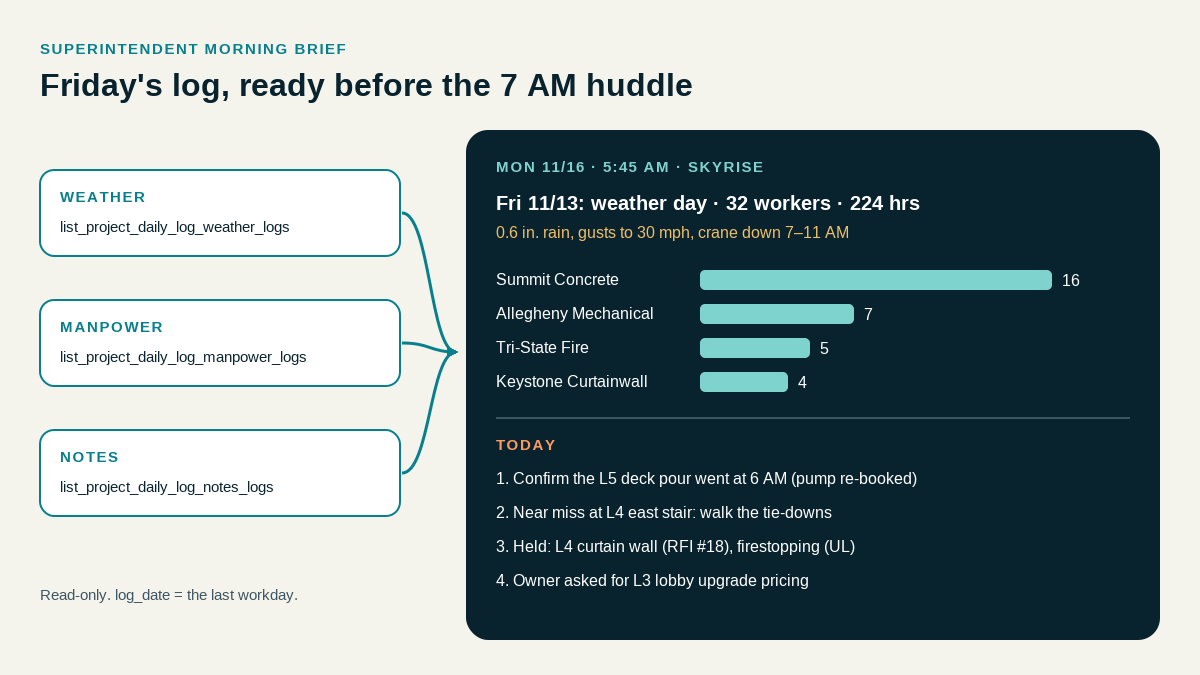
A use-case playbook for a read-only agent that reads the Procore daily log through MCP and delivers a phone-sized morning brief before the 7 AM huddle: weather and delays, manpower by sub, safety items, crews held by open RFIs, and owner requests. Includes the exact tools, the workflow blueprint, paste-ready Gemini prompts and the sandbox run for Friday 11/13: 32 workers, 224 man-hours, crane down 7 to 11 AM, L5 pour moved, one near miss.
AI agents & MCP · November 16, 2026
Procore Change Exposure Rollup: An AI Agent for Open Change Events and PCOs
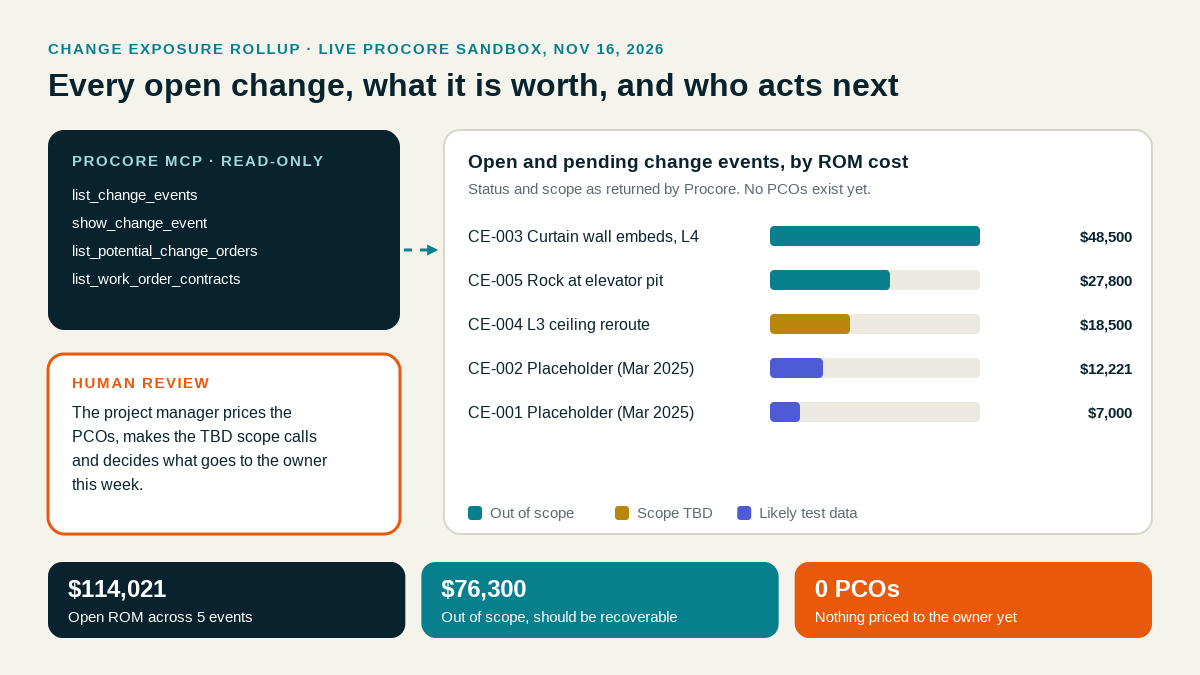
Who the change exposure rollup is for, the exact Procore MCP tools it calls, the blueprint, paste-ready prompts for Gemini or any MCP client, what it found on a live Procore sandbox ($114,021 open, $76,300 recoverable, zero PCOs), and the traps to plan for.
AI agents & MCP · November 16, 2026
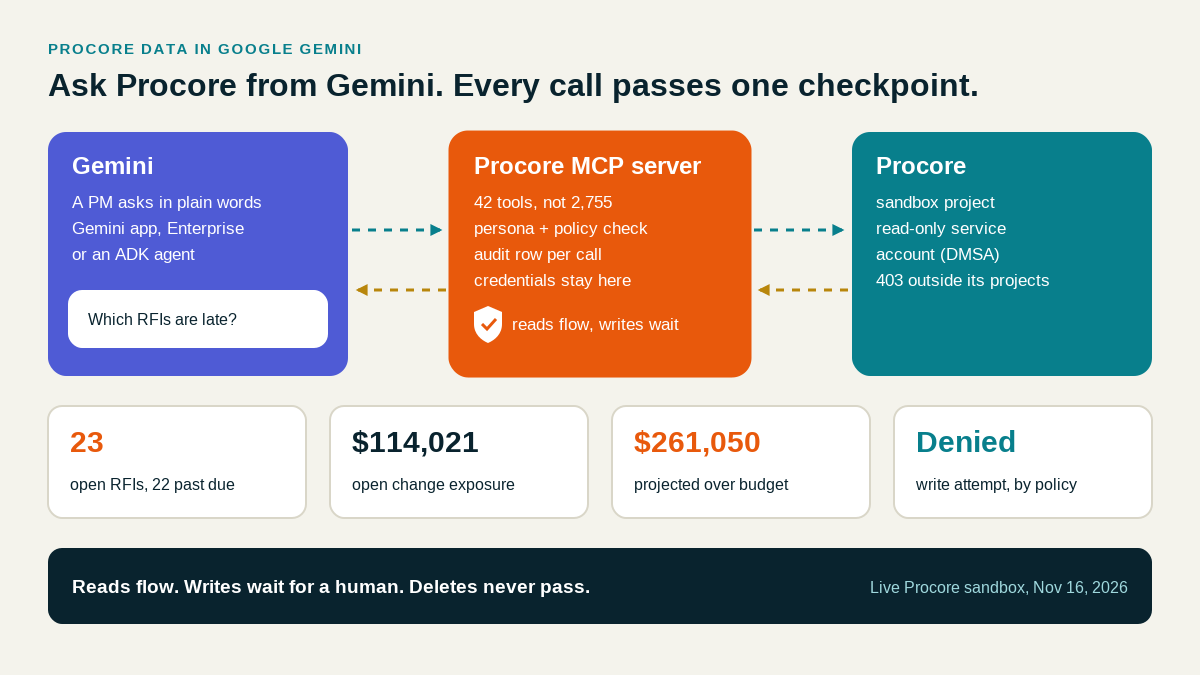
Procore Data in Google Gemini: The Governed Path for GC Agents
Why GCs want Procore answers in Gemini, the gap while Procore AI MCP supports only Claude, the Ask, Plan, Check, Fetch, Answer path, what we proved on a live Procore sandbox, where it fits in Google Cloud (Gemini Enterprise, ADK, A2A, BigQuery, Cloud Logging), the use cases to start with, and how to run a pilot.