Key takeaways
- Ramp card charges reach QuickBooks as Category details and show $0 in Procore. A small portal lets the cardholder pick the cost code so the expense can be rebuilt with Item details.
- Each user signs in and sees only their own uncoded card expenses, with a cost code suggested from the GL-to-cost-code mapping. Coding is pick, check, Approve.
- On Approve the portal re-reads the expense, replaces the category line with an item line for the cost code, carries description, quantity, rate and amount, and tags the GL account in the description.
- The portal writes only to QuickBooks. Procore's own QuickBooks integration brings the line in as actual cost, and the portal marks it 'in Procore' once it appears.
- An admin sees every queue, reassigns, bulk approves and works the needs-review bucket, so one person controls where cost goes without checking every charge.
- An append-only audit log records sign-ins, assignments, approvals and QuickBooks writes with before and after, and version checks prevent duplicate or stale writes.
- Track uncoded count, days to code, dollars uncoded and the share of job cost that's in Procore to know it's working.
58 seconds · From a Build Flows walkthrough
"I don't want to create myself another job"
Supers think in simple buckets. The coding step has to be one pick from a short list, or it won't happen and someone ends up checking everyone.
Read the clip transcript
Yeah. Yeah, that's kind of how I see it. And then here's, like, just another frame of reference. Uh, superintendents, this is really simple for them to understand supplies and materials, right? Like, they just know if I go swipe something, it's probably going to supplies and materials. If it's equipment rental, it goes to equipment rental. So I'm trying to, like, make this as simple as possible where they, like, if, [—] and swiped, uh, uh, materials for lighting, like, I would love, I'd love for there to be, uh, you know, an option in here for lighting. And I think we're supposed to have one, I believe. Lighting and controls. There you go. It's like, I would love for him to be able to kind of go in and figure out, like, okay, lighting controls. And then he just does it from there. Does that make sense? Like, I'm trying to make this as intuitive as possible. I don't want to create myself another job of having to go check somebody.
Captions adapted from the source video; proper names may reflect automatic transcription. Original segment: 16:50–17:48. Watch at the source.
50 seconds · From a Build Flows walkthrough
One pick, one Approve: the expense is rebuilt with Item details
Users see their own expenses, pick the Procore cost code and approve. The portal rebuilds the QuickBooks expense with an Item line, carrying description, quantity, rate and amount.
Read the clip transcript
super user or super admin that could then see all of them and reassign them if they wanted to automatically as well. But each user could then come in and then instead of coming into QuickBooks, they would come in and just see their portal and they would see an entire log of every single expense. And then they would be able to then allocate it to the Procore, uh, cost code that then they, and then once that's completed, they would press like an approve button and then that would then regenerate every expense and then have a historical record of everything that was done, but it would regenerate the entire expense. So then it includes the line item details. So they're not having to fill it out manually, but all it does is just take in that Procore cost code and then it reassigns everything from the description to the rates and quantity and amount. And everything based upon what it's already provisioned there in the expense category details. Got it.
Captions adapted from the source video; proper names may reflect automatic transcription. Original segment: 18:33–19:23. Watch at the source.
58 seconds · From a Build Flows walkthrough
Sign-in per user, an admin view, and an audit trail
Each user signs in to see their own expenses; an admin sees everyone. Every sign-in, assignment and submission is logged.
Read the clip transcript
history. And then you are like an admin are then able to sign in and see every user and see every expense. I think there's value in that. Uh, and so if that's something you'd be open to, I could spin up a simple React app. Have it hosted and then have it linked to all of this. So then when it is running, it would then just each user would then sign in. We would give access to each user's email with their own password. And then from there, it would just be sign in. They see access to all of their expenses and then you or any admin that you want to provision, but then also be able to see all users. But this is something that's very viable, definitely easy to spin up. Uh, we'd put it behind some safety authentication to make sure nothing's exposed. And then we would make sure that when they are interacting with this, that every single record or interaction of every user sign in and every submission is recorded and logged and referenced as well. So that could be definitely something of value to, uh, have that record of history. Yeah. The audit
Captions adapted from the source video; proper names may reflect automatic transcription. Original segment: 20:06–21:04. Watch at the source.
55 seconds · From a Build Flows walkthrough
Suggested cost codes the user can accept or change
The app pre-fills its best recommendation for each line. The user confirms or changes it, and everything waits in one approval queue.
Read the clip transcript
and so this is great and easy for users to be able to interact with and be able to update their system to be able to make sure that they're assigning whatever project and job that that specific bill is for and then they're choosing the cost code and so what we're doing here is when we are assigning this cost code we can give some recommendation or pre-filled ones for what we would believe it to be or what the best recommendation is for this given our specified assignment for what we would do but then of course the user can come in and approve it as well we showed the approvals ultimately you can see all the expenses that are coded to code approved we're not planting in right now but these are ultimately all the expenses that someone would have that then ultimately need to be approved and coded into it but then they would flow into the approval section where then they would assign to it next what we're doing is then we've went through and done all the expenses and
Captions adapted from the source video; proper names may reflect automatic transcription. Original segment: 15:24–16:19. Watch at the source.
A superintendent swipes a Ramp card for wire and a box of occupancy sensors. Ramp syncs the charge to QuickBooks Online with a GL account and the job. Procore, which only picks up QuickBooks lines that carry a cost-code item, shows nothing. Multiply that by every card on every job and your Procore budget is short a real slice of actual cost.
Ryan Blankers, Co-Founder of Cattlemen Construction Services in Fort Worth, TX, put it plainly on our discovery call: card spend leaves "a liability hole," and work in progress "isn't where we want it." When he saw a charge reach Procore with a cost code, he asked: "Is that some voodoo magic that happened behind the scenes?" It doesn't have to be magic. It can be a small, boring web app.
This guide lays out the design we agreed on during the call: an expense coding portal where each cardholder codes their own charges, an admin keeps control, and QuickBooks does the posting so Procore can pick it up. The call walkthrough covers the whole conversation, and the recording is on the video page.
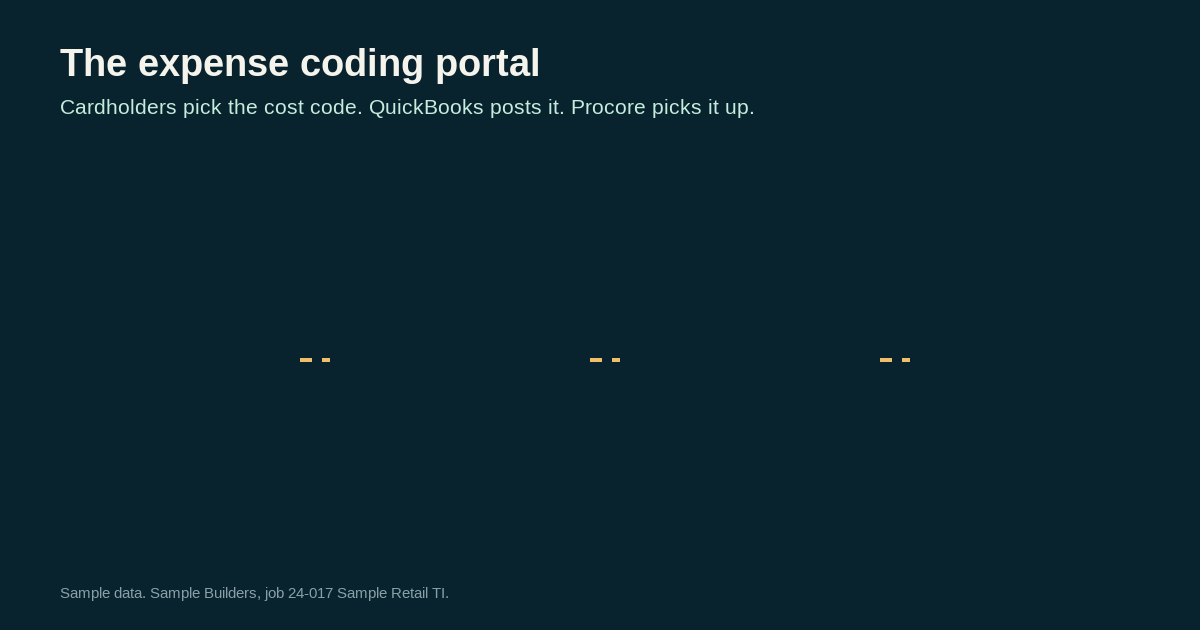 Swipe, code, approve, and the cost shows up in Procore
Why a person still has to pick
Ramp gives cardholders GL categories, not Procore cost codes. QuickBooks receives those charges as Category details lines. Procore's QuickBooks integration builds job cost from Item details lines tied to a cost code. Category vs Item details explains the mechanics.
You could map each GL account straight to one cost code, and for fuel or permits you should. But Supplies & Materials covers carpentry, drywall, electrical, plumbing and more. Only the buyer knows which one a charge was. Mapping GL accounts to cost codes shows how to build the table that decides when a default is safe and when a person must pick.
So the design keeps a human in the loop, but makes the human's job tiny. Ryan's two constraints shaped everything below:
- "I don't want to create myself another job of having to go check somebody."
- "I want one person to be able to control where it goes."
What the cardholder sees
Each user signs in with their own email and password and sees only their own Ramp expenses that haven't been coded yet. The description, amount, date, job and GL category are already filled in from QuickBooks. The cost code is pre-selected when the mapping can suggest one.
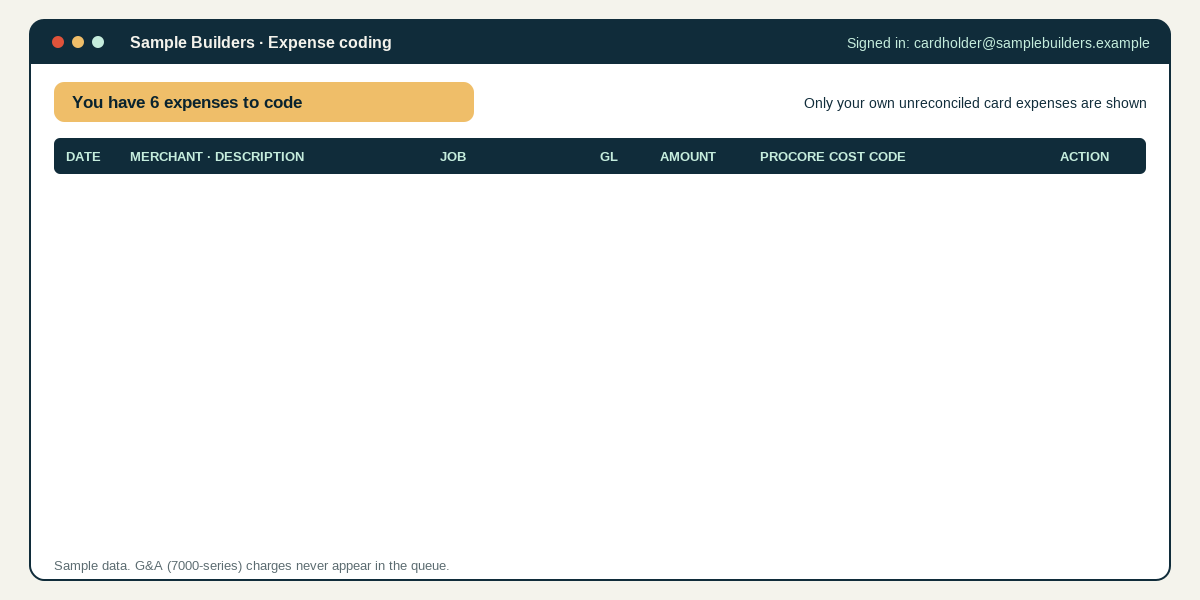 The cardholder's queue: suggested code, one click to approve
- Open the link from the notification ("You have 6 expenses to code").
- Check the suggested cost code. Change it from the short allowed list if needed.
- Press Approve.
That's it. If the suggestion is right, coding a week of charges takes under a minute. Ryan's goal was "as intuitive as possible," and the test is whether a superintendent will actually do it from a phone in a truck.
What happens on Approve
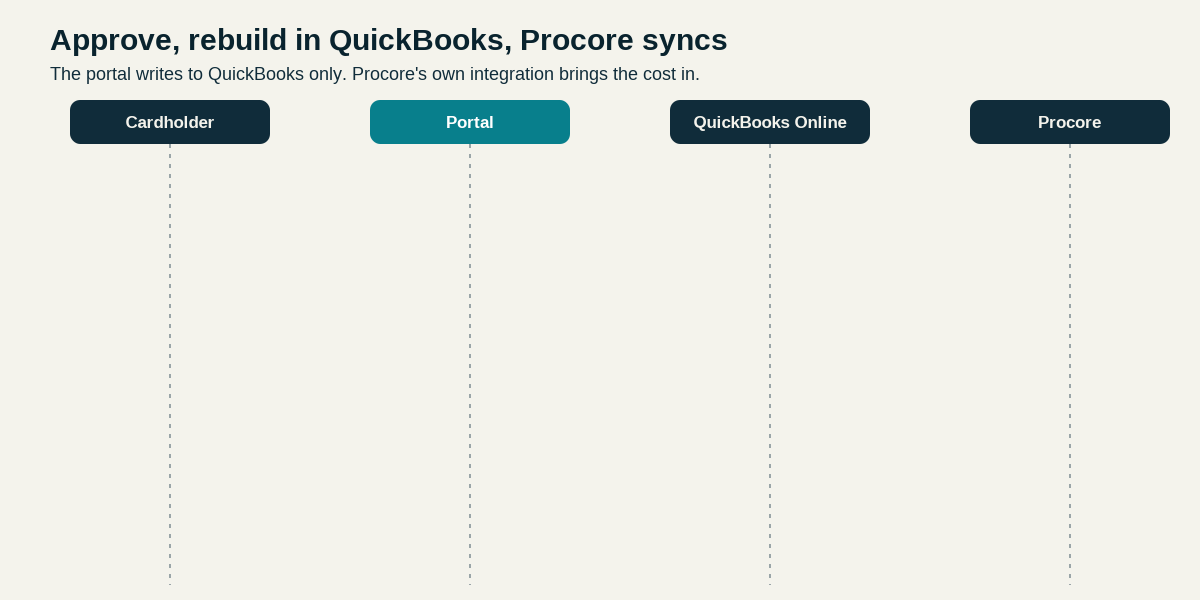 Approve rebuilds the QuickBooks expense; Procore's own sync does the rest
- Re-read the expense from QuickBooks. If it changed since the queue loaded (edited, voided, deleted), stop and send it back to the queue.
- Rebuild the line. Replace the Category details line with an Item details line for the chosen cost-code item. Description, quantity, rate and amount carry over. Customer/project, class and billable status carry over too.
- Tag the GL account in the description, for example
[GL 5010] Occupancy sensors (6), so accounting can still see where the charge started. - Write it back to QuickBooks and record the result.
- Wait for Procore. The portal never writes to Procore. Procore's own QuickBooks integration picks up the item line as an actual cost on its next sync. The portal watches for it and marks the expense "in Procore."
On the call we tried step 2 by hand on a real expense: the Category details line was filled, Item details was empty, and adding a cost-code item line showed the shape of the fix. The portal just does that the same way every time.
One accounting point to settle before go-live: an Item details line posts to the expense account set on the item, not the category you started with. Your bookkeeper should confirm each cost-code item posts to the account they expect. That's part of the mapping exercise.
The admin view
One person, or a small group, gets the super-user role:
- See every cardholder's queue.
- Reassign an expense to someone else (the charge was made for another super's job).
- Bulk approve a set of expenses that already have a confident suggestion.
- Work the needs review bucket: unmapped accounts, projects not yet in Procore, odd charges.
- Edit the mapping table.
This is where "one person controls where it goes" lives. The cardholders do the bulk of the coding. The admin handles exceptions and spot-checks, which is a light check, not a second job.
Roles and the audit log
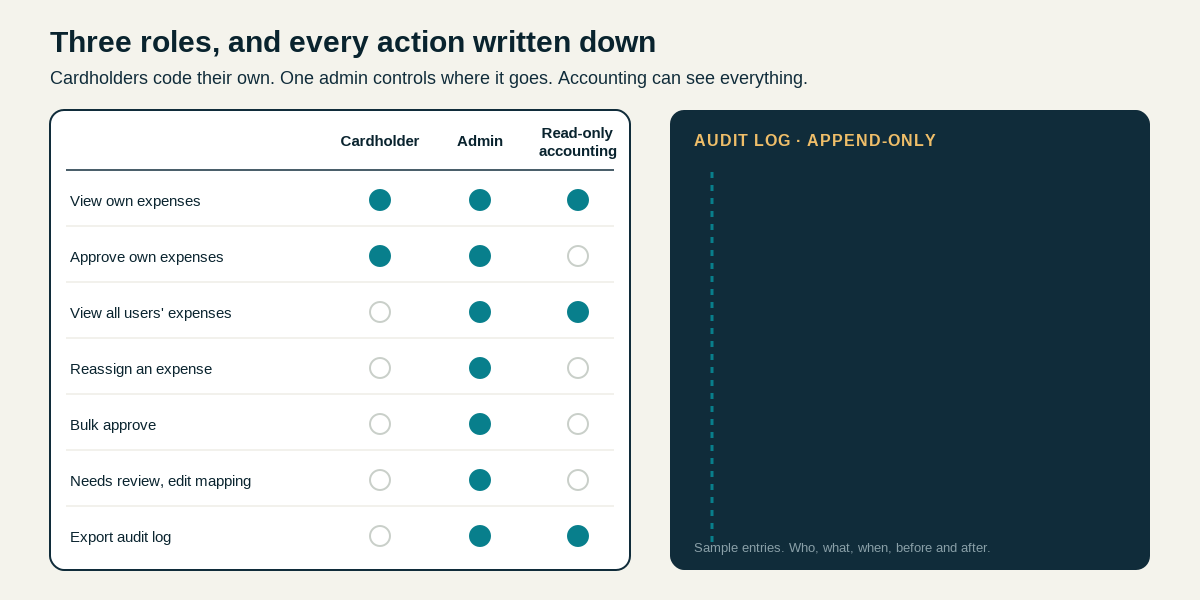 Three roles, and every action written down
| Role | Can do |
|---|---|
| Cardholder | Sign in, see own expenses, pick a code, approve |
| Admin | Everything a cardholder can, for all users; reassign; bulk approve; work needs review; edit mapping; manage users |
| Read-only (accounting) | View every expense and its status; export the audit log |
The audit log records every sign-in, assignment, reassignment, approval, QuickBooks write (with the before and after), and Procore confirmation. It is append-only. When someone asks "who put this on 16-500?", the answer takes seconds.
Notifications
- A digest to each cardholder: "You have 6 expenses to code," with a link straight into the queue.
- A reminder when an expense is older than your target, for example five days.
- An optional weekly email report to the admin: uncoded count, oldest items, needs review.
Keep the channel boring. Email works. Teams works if you're on Microsoft 365.
When things go wrong
| Situation | What the portal does |
|---|---|
| QuickBooks write fails (token expired, validation error) | Leave the expense in the queue, mark it "retry," alert the admin. Nothing is half-written. |
| Procore hasn't picked it up yet | Show "approved, waiting for Procore." Flag it to the admin if it's still missing after a set time. |
| Expense edited in QuickBooks after it was queued | Detect the change on re-read, refresh the row, ask the user to approve again. |
| Expense voided or deleted | Drop it from the queue and log why. |
| One charge covers two cost codes | Let the user split the line into several item lines that must add up to the total. |
| Refund or credit | Suggest the same cost code as the original charge, so the credit reduces the right line in Procore. |
| Project not in Procore yet | Hold in needs review until the project is created. At Cattlemen, only won jobs go to Procore. |
Idempotency. A double-click or a retry must never write the same line twice. The portal records each approval with the QuickBooks expense ID and its version, checks for that record before writing, and checks again whether the item line is already there. QuickBooks updates are version-checked, so a stale write is rejected rather than overwriting someone's change, and Intuit's API also accepts a request ID to protect against duplicate submissions.
Access and scopes
| System | Access the portal needs | Notes |
|---|---|---|
| Ramp | Read transactions and users | To match each charge to its cardholder. No write. |
| QuickBooks Online | Accounting scope (read and write) | Intuit has no read-only accounting scope, so the write limit is in the code: the portal only edits expenses on 5000-series accounts that a user approved. |
| Procore | Read cost codes, projects and job costs | No write. Procore's own ERP sync does the posting. |
Read-only API scopes for Procore, HubSpot and QuickBooks goes deeper on what each system allows. Keys live in a vault, not in the app's settings file.
Hosting
Cattlemen doesn't host software today, so Build Flows hosts and manages the portal: the server, the API keys and the monitoring. It sits behind authentication. If Cattlemen later wants it in their own Azure environment, it moves to a client-owned VM with the same setup.
The portal is also meant to live inside the bigger Cattlemen operating system that Ryan wants, a role-based view of Procore, QuickBooks and Ramp together. "I want it to be one system if possible," he said, not another tab. Ryan called the portal a "jumper" between systems. It's the first piece of that hub.
What the proof of concept looks like
Before touching live books, we build on sample data:
- Ryan sends the 5000-series account list and the Procore cost code list.
- We build the mapping table and review it together.
- We load a set of sample expenses, shaped like real Ramp charges but with fake merchants and amounts, into a QuickBooks sandbox.
- A test cardholder and a test admin sign in, code, approve, reassign and bulk approve.
- We show the rebuilt QuickBooks expenses and the audit log.
- Then we connect production, read-only first, and turn on writes for a small pilot group.
The timeline we gave on the call was one to two weeks once credentials are provisioned: QuickBooks Online, Procore, Ramp and Microsoft 365.
How to know it's working
| Metric | What it tells you |
|---|---|
| Uncoded count | Expenses waiting in all queues today. Should trend toward zero. |
| Days to code | Median days from card swipe to approval. A week or less is a good start. |
| $ uncoded | Dollars of card spend not yet in Procore. This is the hole in your WIP. |
| % of job costs in Procore | Procore actual cost divided by QuickBooks 5000-series job cost, by project. |
| Needs review volume | If it stays high, the mapping table needs work. |
Ryan's longer goal is to automate "so that we can hire performers rather than administrators." A queue that codes itself most of the way, with one person watching the exceptions, is a concrete step toward that.
FAQ
Why not code the expense in Ramp before it syncs? Cardholders would need the full cost code list at the point of sale. A suggested short list after the fact is faster and more accurate for field staff.
Does the portal write to Procore? No. It writes to QuickBooks. Procore's QuickBooks integration brings the item line in as an actual cost.
What happens to the GL account? It's tagged in the line description. The posting account comes from the item's expense account, which your bookkeeper should confirm during setup.
Can an admin approve on someone's behalf? Yes. Bulk approve and reassign are admin actions, and both are logged with the admin's name.
How long does it take to build? One to two weeks once credentials are provisioned, starting with a proof of concept on sample data.
Want one for your team?
Build Flows builds and hosts expense coding portals that connect Ramp, QuickBooks Online and Procore. Run through the card spend to Procore checklist to see where your gaps are, then book a call or email charley@buildflows.ai.
Frequently asked questions
How do I get Ramp credit card expenses into Procore job costs?
Procore's QuickBooks Online integration picks up Item details lines tied to a cost code. Ramp syncs charges as Category details. An expense coding portal lets the cardholder pick the Procore cost code, then rebuilds the QuickBooks expense with an item line for that code so Procore's sync brings it in as actual cost.
Does the expense coding portal write to Procore?
No. It writes to QuickBooks Online only. Procore's own QuickBooks integration brings the item line in as an actual cost, and the portal reads Procore to confirm it arrived.
What happens to the GL account when the expense is rebuilt with Item details?
The original GL account is tagged in the line description, for example [GL 5010]. The posting account comes from the expense account set on the cost-code item in QuickBooks, so your bookkeeper should confirm each item posts where they expect before go-live.
How does the portal avoid duplicate writes to QuickBooks?
Each approval is recorded with the QuickBooks expense ID and version. Before writing, the portal re-reads the expense and checks whether the item line already exists. QuickBooks updates are version-checked, and Intuit's API accepts a request ID to guard against duplicate submissions.
Who can see and approve expenses in the portal?
Cardholders see and approve only their own expenses. Admins see every user's queue, reassign, bulk approve, work needs review and edit the mapping. A read-only accounting role can view everything and export the audit log.
How long does it take to build an expense coding portal?
On the Cattlemen call the estimate was one to two weeks once credentials for QuickBooks Online, Procore, Ramp and Microsoft 365 are provisioned, starting with a proof of concept on sample data.
Next step
Need this connection in your environment?
Scope one integration: the records, direction, timing, and business rules behind the connection.
Prefer email? charley@buildflows.ai
Keep learning
Integrations · November 18, 2026
Map QuickBooks GL Accounts to Procore Cost Codes (When It Isn't One-to-One)
A step-by-step guide to building a GL-to-cost-code mapping table for card spend, from a recorded discovery call with Cattlemen Construction Services. Export the cost-of-services accounts and keep G&A out, export Procore cost codes and cost types, set a default code and a short allowed list per account, flag one-to-many accounts like Supplies & Materials for a human pick, add keyword hints, route the rest to needs review, and keep the table current so it can drive an expense coding portal.
Integrations · November 18, 2026
Why Ramp Card Costs Show $0 in Procore: A Real Discovery Call, Walked Through
A walkthrough of a recorded discovery call with Ryan Blankers of Cattlemen Construction Services in Fort Worth, Texas. Ramp card expenses sync to QuickBooks Online as Category details lines, while Procore's QuickBooks integration builds job costs from Item details lines tied to a cost code, so card spend shows $0 in Procore. Covers why the fix can't be fully automatic, the expense coding portal design with approvals and an audit log, the GL to cost code mapping, hosting, a role-based Cattlemen OS with KPIs, SharePoint project folders and a Procore convert-to-won automation, embedding into an AI platform through an iframe, API or MCP server, and the timeline.
Integrations · November 18, 2026
QuickBooks Category Details vs Item Details: Why Procore Shows $0 Job Cost
QuickBooks Online expenses, bills and checks have two line sections: Category details (account-based) and Item details (item-based). This guide compares the fields each carries, explains why Procore's QuickBooks Online integration builds job costs from item lines tied to a cost code, why card feeds like Ramp land as category lines, how to check a transaction in six steps, and three fixes: code at the source, re-code in QuickBooks, or a coding portal that rebuilds the expense with an Item line.