Key takeaways
- Three read-only tools do most of the work: list_project_daily_log_weather_logs, list_project_daily_log_manpower_logs and list_project_daily_log_notes_logs, filtered by log_date.
- On the Procore sandbox, Friday 11/13 summarized to 32 workers and 224 man-hours across four subs, a weather delay with the crane down 7 to 11 AM, the L5 pour moved to Monday, and one near miss, in 13 seconds.
- The value is in the bottom line: the agent noticed two of four subs were held by an open RFI and an unconfirmed UL firestop system, not by weather.
- Keep it read-only. A morning brief has no reason to write to Procore.
- Flag log entries that disagree instead of picking one; that record matters later in claims.
- Measure open rate, minutes saved from a weekly pulse, and corrections per week.
68 seconds · From a Build Flows walkthrough
A day on the job with agents
Where agents fit through a GC's day: morning briefs, RFI flags, procurement and delivery logs, OAC meeting actions and a project executive report.
Read the clip transcript
And then ultimately field and office, so communicating with the field, identifying what's happening, and being able to have the office understand where resources are being allocated, where deliveries are being happened, where people and crews are being resourced. And so then ultimately close out here for once it's completed, who owns what, where are the documents, and anything missing. And so really the day on the job is really there's a opportunity to really leverage consistently throughout the entire day from being able to do morning briefs to flagging RFIs or things to note, to be able to go through and identify procurements and delivery logs, and be able to get your OAC meetings involved, being able to read the transcripts and being able to identify where you need to allocate resources. And then overall consolidating all of that information and putting it in together to a project executive report specifically for each user based on their access to data. Procore now is shipping their own agents, and so they are delivering
Captions adapted from the source video; proper names may reflect automatic transcription. Original segment: 8:33–9:41. Watch at the source.
A good superintendent spends the first hour of the day rebuilding yesterday in their head. Who showed up, what the weather did, which crew got held, what blew over, what the owner asked for on the walk. It's all in the Procore daily log, spread across weather, manpower and notes entries that somebody typed in at 4 PM on a Friday.
This playbook turns that log into a one-screen morning brief, waiting on the super's phone before the 7 AM huddle. It's read-only, it's the quickest visible win for field adoption, and it ran on a real Procore sandbox. Below is the exact Friday it summarized.
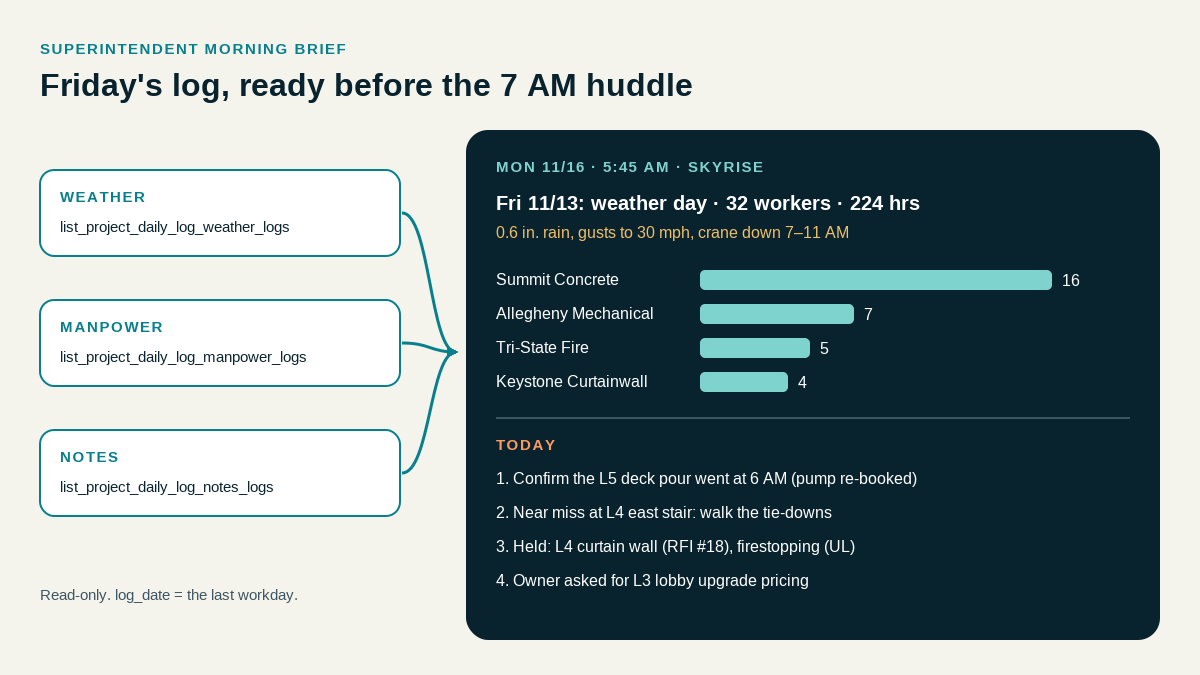 Three Procore reads, one card the super can read in a minute.
Who it's for and the question it answers
Persona: superintendent, assistant super, foreman. The PM gets a copy.
The question: What happened on site yesterday, and what does that mean for today?
In the Procore Agent Playbook use-case catalog, the superintendent morning brief scores 3.5 for value and 4.5 for feasibility. It's read-only. The value score is lower than the office use cases because it saves minutes, not change orders. The feasibility score is high because the data is already there and nothing gets written back. Those scores are our judgment, to be re-scored with each GC.
The reason it matters is time. In FMI and PlanGrid's 2018 "Construction Disconnected" study, construction professionals spent about 5.5 hours a week just looking for project data. That study is old, but nobody I talk to thinks the field got less busy since.
I cover it in the video in the "day on the job" section at 09:00, and again in the catalog at 16:14.
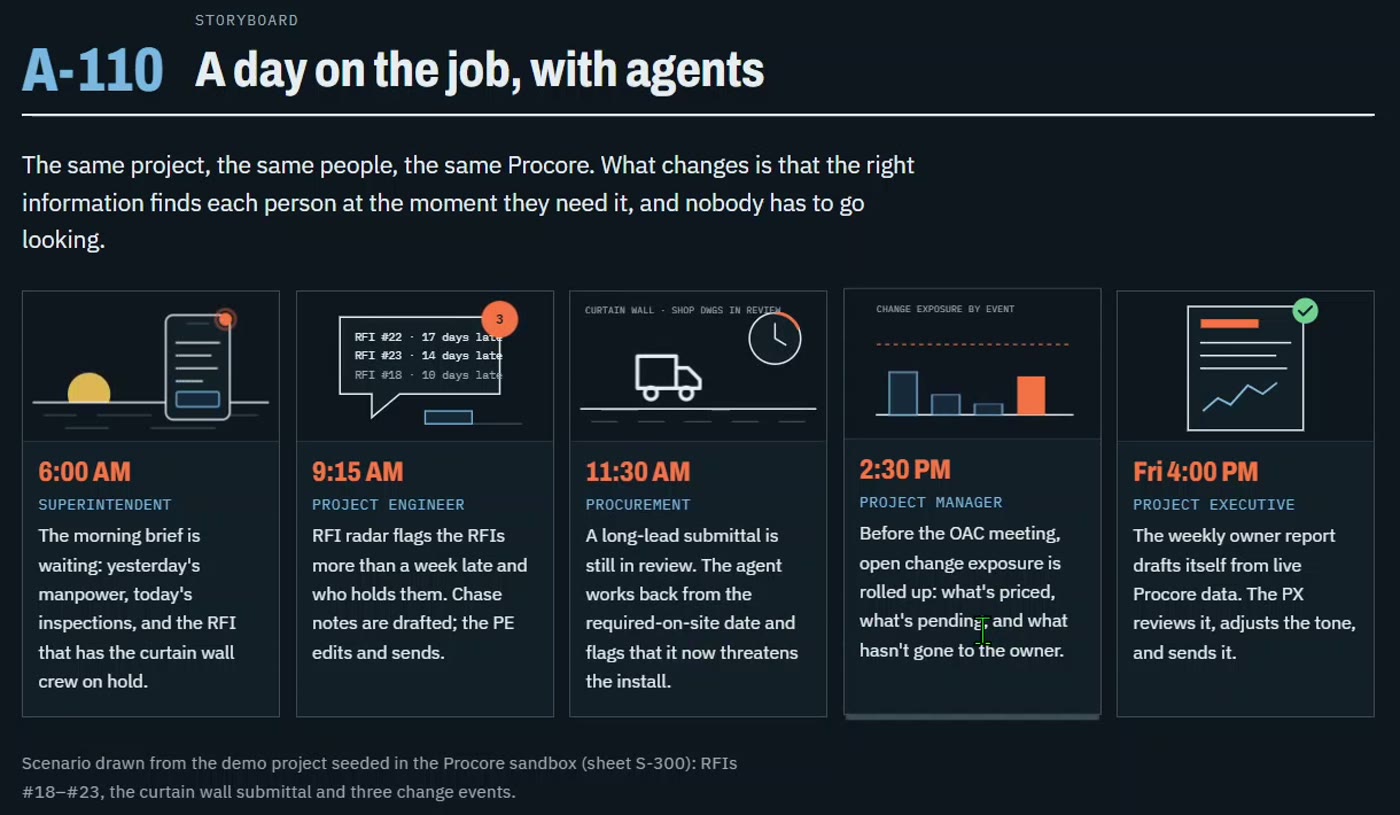 The day starts with this agent at 6:00 AM.
The Procore data and the exact MCP tools
Procore's daily log is a set of separate logs per day: weather, manpower, notes, delays, visitors, inspections, safety violations and more. Each has its own API endpoint, and each one is a separate tool in the open-source Procore MCP server.
The sandbox run used three, each filtered by log_date:
| Tool | Fields that matter |
|---|---|
list_project_daily_log_weather_logs | sky, temperature, wind, precipitation, ground, is_weather_delay, comments |
list_project_daily_log_manpower_logs | vendor, num_workers, num_hours, man_hours, notes |
list_project_daily_log_notes_logs | free-text notes: delays, safety, owner visits, inspections |
A fuller brief adds list_project_daily_log_delay_logs, list_project_daily_log_work_logs and list_project_daily_log_visitor_logs (all in the repo's daily_log_management capability), plus list_project_rfi_rfis and list_project_submittals_submittals for what's blocking today. The repo also ships a field_super persona with a daily_super_brief workflow that reads RFIs, inspections, work logs and photos in one run. Treat it as a starting point: it's a fixed set of reads, and the summarizing is the agent's job.
The workflow blueprint
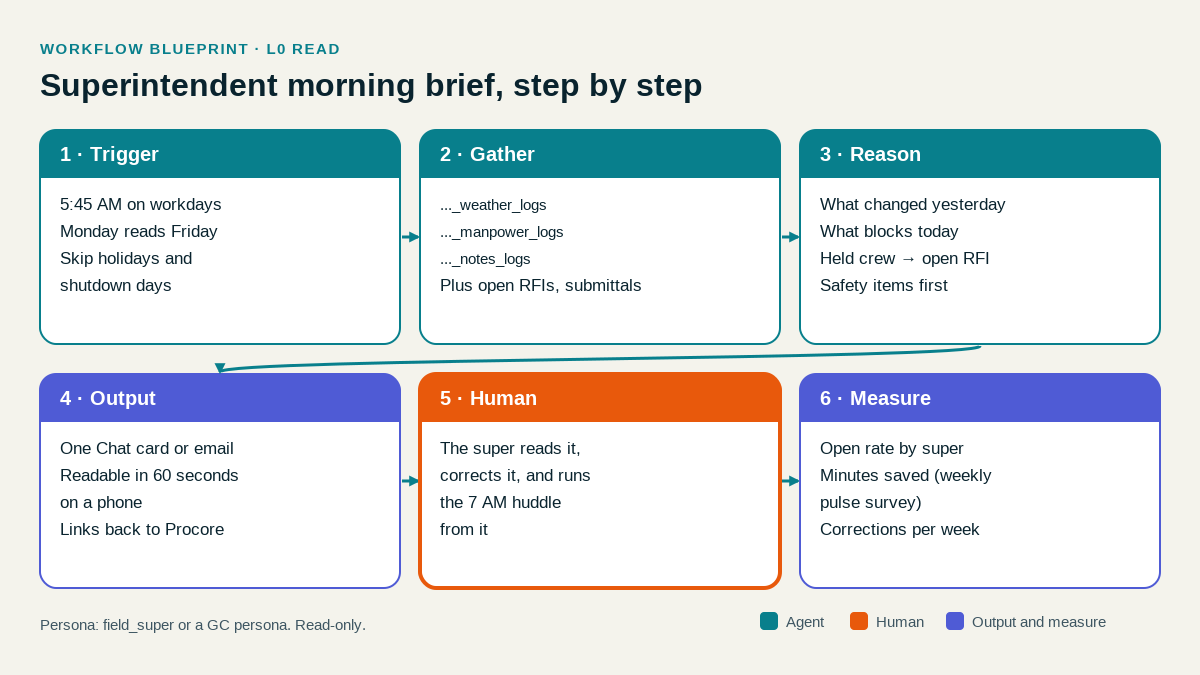 Blueprint 4 from the playbook, step by step.
| Step | What happens |
|---|---|
| Trigger | 5:45 AM on workdays. Monday reads Friday (or Saturday if you worked). |
| Gather | Weather, manpower and notes logs for the last workday. Open RFIs and submittals due this week. |
| Reason | Total the crew. Pull out delays, safety items and owner requests. Match any held crew to the open RFI or submittal holding it. |
| Output | One Google Chat card or email, readable in 60 seconds on a phone. |
| Human review | The super reads it, fixes anything wrong, and uses it in the 7 AM huddle. |
| Metric | Open rate per super; self-reported minutes saved in a weekly two-question pulse; corrections per week. |
This one stays at L0, read and answer. There's no reason for a morning brief to write anything. If the super wants to add a note back to the log, that's a separate, confirmed write. See the write governance ladder.
Paste-ready prompts
These work in Gemini once the MCP server is connected (setup steps) and in any other MCP client pointed at the same server.
The daily log summary:
Use the Procore tools. Project: <project name>.
Summarize the daily log for <date>: weather, manpower by company
(workers, hours, man-hours, what they worked on), and notable notes or issues.
Call out weather delays, safety items, anything on hold and why,
and any owner or inspector visit. Read only.
The morning brief:
Today is <date>. Build my morning brief for <project name> from the last
workday's daily log. Keep it under 150 words, phone-friendly:
1. One line: date, crew count, man-hours, weather impact.
2. Manpower by sub, one line each.
3. "Today": up to four actions, safety first, then anything rescheduled
   to today, then crews held by an open RFI or submittal (name the RFI).
4. Anything the owner asked for.
If two log entries disagree, say so in one line at the end.
Week in review (for Friday afternoon):
Summarize the daily logs for <Monday> through <Friday>: total man-hours by sub,
weather delay days, every safety note, and every crew that was held and why.
End with three things to fix next week.
What it looks like on real data
The sandbox is Procore's developer sandbox, project "The Sparkling Skyrise Project." I loaded realistic daily logs for Thursday 11/12 and Friday 11/13, 2026, then asked for Friday's summary on Monday 11/16. The run took five turns and 13 seconds, read-only, using the three daily log tools (captured with a command-line MCP client against the same server Gemini connects to).
Here's what the Procore records actually say for Friday 11/13:
| Log | Record |
|---|---|
| Weather | Rain, cold, high wind, ground wet/muddy, 0.6 in. precipitation, weather delay flagged. "0.6 in. rain 6 AM-1 PM; gusts to 30 mph. Crane down 7-11 AM." |
| Manpower | Summit Concrete 16 workers × 6 hrs = 96; Allegheny Mechanical 7 × 8 = 56; Tri-State Fire Protection 5 × 8 = 40; Keystone Curtainwall & Glazing 4 × 8 = 32. 32 workers, 224 man-hours. |
| Notes | Crane shut down 7-11 AM for wind; L5 deck pour rescheduled to Monday 11/16, 6 AM, pump truck re-booked. Near miss at the L4 east stair, unsecured plywood lifted by wind; toolbox talk at 1 PM, loose material tied down. Owner rep walked L2-L3 at 2 PM and asked for pricing on an L3 tenant lobby finish upgrade. |
And here is the agent's answer, lightly trimmed:
Weather: logged as a weather delay day. 0.6 in. of rain from 6 AM to 1 PM, gusts to 30 mph. The crane was shut down from 7 to 11 AM because of wind.
Manpower: 32 workers, 224 man-hours (table by company, with each sub's notes).
Issues to act on:
- L5 deck pour moved to today, 6 AM start. The pump truck has been re-booked. Confirm the pour went ahead.
- Safety near miss at the L4 east stair. With wind still in play, watch housekeeping on the upper floors.
- Two trades are held up by open items: the curtain wall crew needs the embed RFI answered before L4 install can start, and fire protection needs the UL firestop system confirmed.
- The owner wants pricing on an upgrade. This could become a change event.
Bottom line: Rain and wind cost the morning, and the L5 pour slipped one working day. Weather wasn't the only thing slowing the job: an open RFI and an unconfirmed UL firestop system are holding up two trades.
That bottom line is what makes it worth reading. The log itself says "rain." The agent noticed that two of four subs were held by paperwork, not weather.
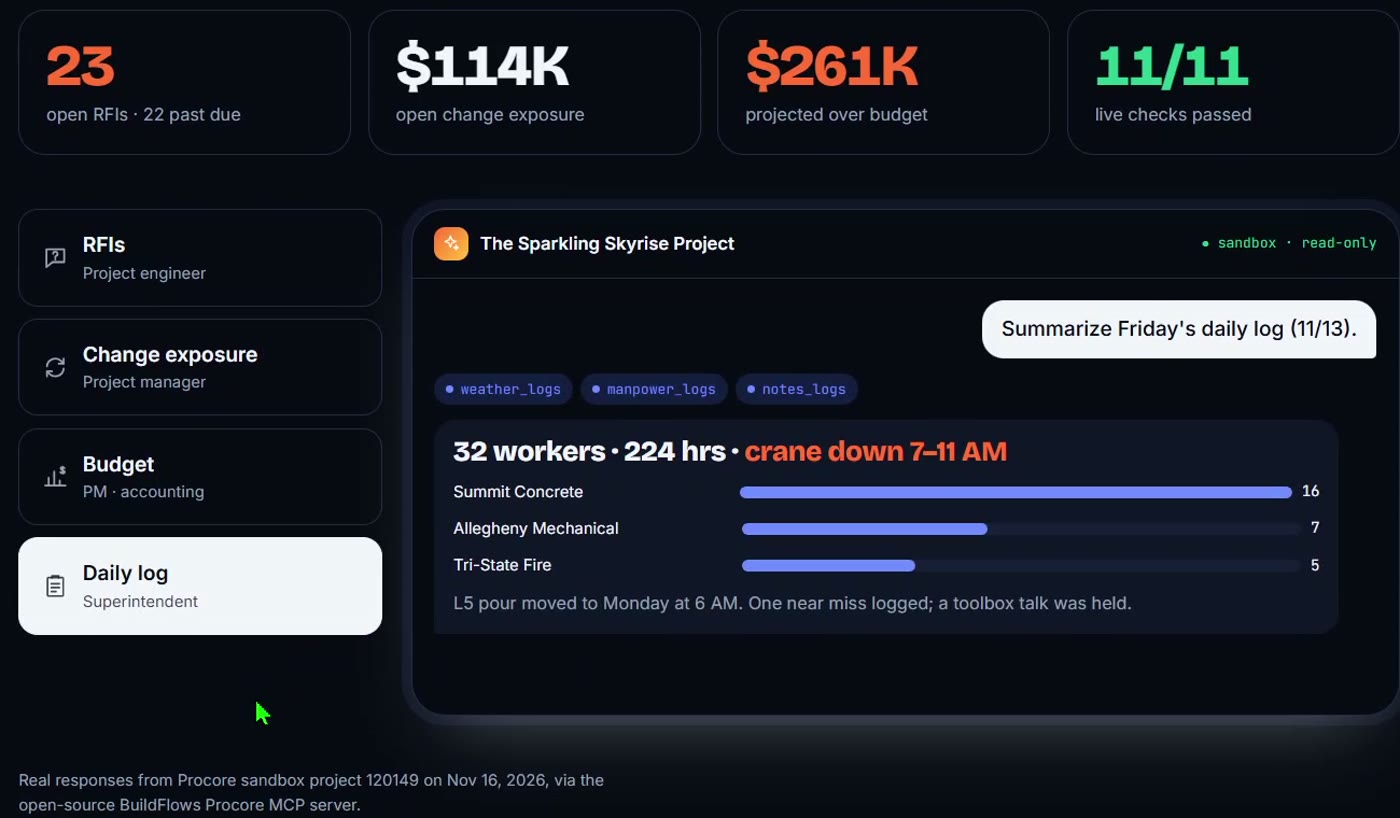 The daily log proof tab from the video at 03:40. The on-page chart shows the top three subs; the full log has four.
Edge cases and data-quality traps
- Logs that disagree. In a separate run that built an executive brief from the same day, the agent flagged that the concrete sub's manpower note blamed the pour delay on rain, while the notes and weather logs blamed wind shutting the crane down. Both are true, and that's exactly the kind of thing a claims consultant asks about later. Have the brief flag disagreements instead of picking one.
- The weather delay flag. Some GCs log weather delays in the weather log, others in the delay log. Check where your supers put them and tell the agent to read both, or a rain day will look like a normal one.
- Unapproved logs. Daily log entries have a status. Decide whether the brief reads only approved entries or everything, and say which in the output.
- Logs entered late. If the super enters Friday's log on Monday morning, a 5:45 AM run misses it. Either run it a little later or have it say "no log for Friday yet."
- Monday, holidays and Saturday work. "Yesterday" is the last workday with a log, not the calendar date. When an early prompt of mine called 11/13 "Thursday," the agent caught that 11/13/2026 was a Friday and asked whether I meant Thursday 11/12. Keep that behavior.
- Manpower math.
man_hoursis workers times hours. If a sub logs 16 workers for 6 hours on a rain day, the total is 96, not 128. Let the agent use the logged number, not recompute from a standard day. - Free-text notes are where the value is. They're also where people write "see above." Don't over-trust a quiet notes log.
- Safety items are leading indicators, not incidents. A near miss in the notes log may not be in the incident tool. Decide who closes the loop, and have the brief say "reported in notes, not yet in incidents" when that's the case.
What to measure
| Metric | How | Target to agree |
|---|---|---|
| Open rate | Chat or email opens per super per week | Most workdays |
| Minutes saved | Two-question weekly pulse survey | Agree a baseline in week one |
| Corrections | Times the super says the brief was wrong | Falling to near zero |
| Held-crew catches | Held crews in the brief tied to an RFI or submittal | Count them; they feed the RFI radar |
| Log completeness | Days with weather, manpower and notes all present | Rising |
That last one is a side effect worth having. When a super knows the log becomes the morning brief, the log gets better.
How to roll it out
- Start with one super who already keeps a good log. The brief can only be as good as the log.
- Run it on last week's logs first. Have the super read five briefs for days they remember. Fix the prompt until they'd trust it.
- Deliver where they already look. A Google Chat space or a plain email. Not another app.
- Add the blockers. Once the summary is right, add open RFIs and submittals so held crews link to the item holding them. That's where it overlaps with the RFI radar and the submittal risk watch.
- Roll it into the week. Friday's week-in-review feeds the weekly owner and executive brief.
- Keep it read-only. Scope the service account to the pilot projects and the daily log, RFI and submittal tools. Governing AI agents in construction and hosting Streamable HTTP MCP servers cover the setup, and the 90-day pilot plan covers the gates.
For the full picture of how this runs inside Gemini, see the pillar article and the live demo page.
Do it with us
BuildFlows sets this up with GCs: connect the Procore MCP server to Gemini or your MCP client, tune the brief with your supers, and measure whether they open it. Email charley@buildflows.ai or start at /engage.
References
- Procore Support: Daily Log overview
- Procore Support: Daily Log types
- Autodesk Construction Cloud blog: PlanGrid and FMI "Construction Disconnected" survey (2018)
- Procore Developers: Rate limiting
- Google for Developers: Gemini Apps Developer Mode overview
- Google Cloud: Set up a custom MCP server in Gemini Enterprise
- BuildFlows: Procore MCP server on GitHub
- BuildFlows: Procore Agent Playbook
- Video: Procore data in Google Gemini, full walkthrough
Frequently asked questions
What does the morning brief include?
The last workday's weather and delays, manpower by sub with hours and work notes, safety items, anything rescheduled to today, crews held by an open RFI or submittal, and owner or inspector requests. It should read in under a minute on a phone.
Which Procore MCP tools does it call?
The weather, manpower and notes daily log tools for the date. A fuller version adds delay, work and visitor logs, plus open RFIs and submittals for what blocks today.
When should it run?
Around 5:45 AM on workdays, reading the last workday with a log. On Monday that is usually Friday. If logs are entered late, run it later or have it say no log was found.
Does it work in Gemini?
Yes. With the Procore MCP server connected in Gemini, the prompts work as written, and they work in any other MCP client pointed at the same server.
What if the super's log is thin?
The brief can only be as good as the log. In practice the log tends to improve once supers know it becomes the morning brief.
Is a near miss in the notes log the same as an incident record?
Not necessarily. The brief should say when a safety item is in the notes but not yet in the incidents tool, so someone closes the loop.
Next step
Have a workflow in mind?
Start with a readiness review: the task, the data and tools it needs, the access boundaries, and how a pilot would be evaluated.
Prefer email? charley@buildflows.ai
Keep learning
AI agents & MCP · November 16, 2026
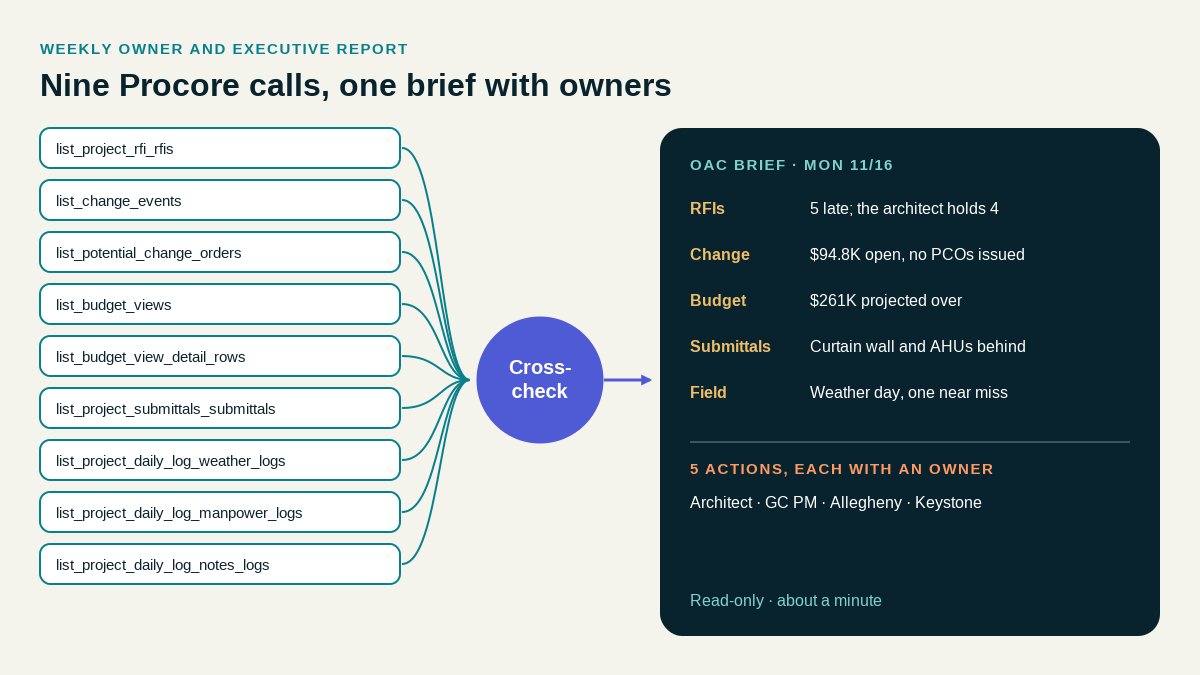
Weekly Owner and Executive Report: An AI Agent That Builds the OAC Brief from Procore
A use-case playbook for an agent that drafts the weekly owner and OAC executive brief from live Procore data: late RFIs, change exposure, budget, submittals and the field, read against each other, with a named owner on every action and a check-before-sending list. On the Procore sandbox, Build my OAC brief made nine Procore calls, eight in parallel, in about a minute. The project executive reviews and sends.
AI agents & MCP · November 16, 2026
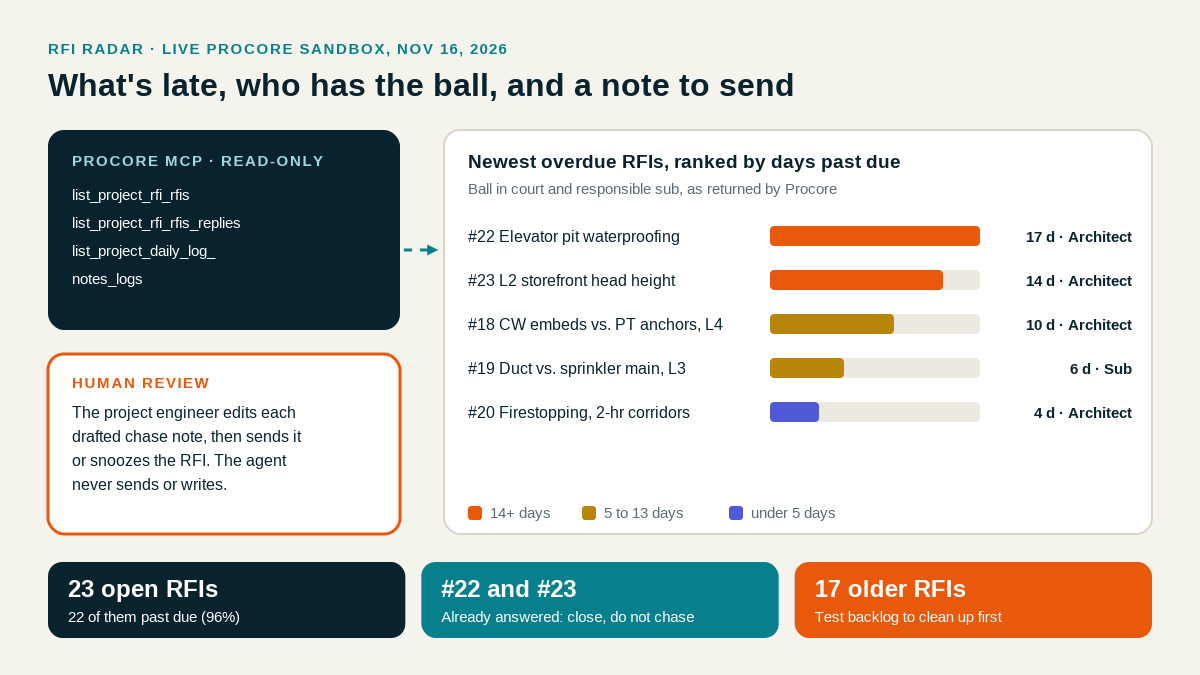
Procore RFI Radar: An AI Agent for Overdue RFIs and Ball-in-Court
Who the RFI radar is for, the exact Procore MCP tools it calls, the workflow blueprint, paste-ready prompts for Gemini or any MCP client, what it returned on a live Procore sandbox (23 open RFIs, 22 past due), and the data traps to plan for.
AI agents & MCP · November 16, 2026
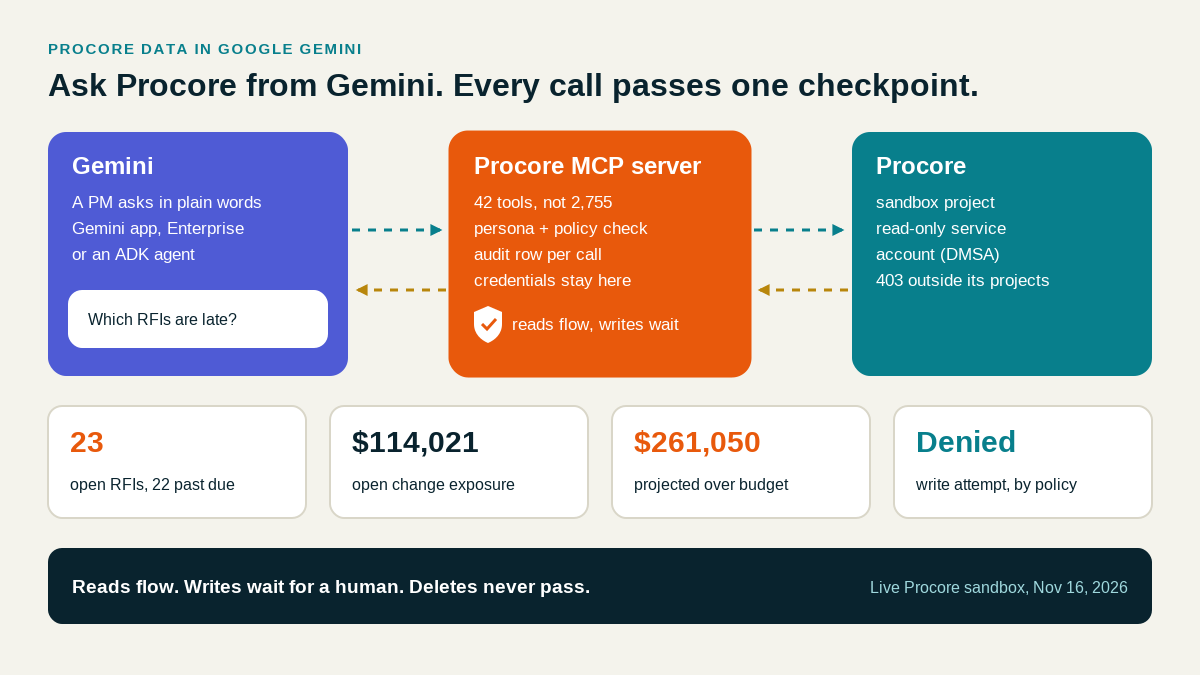
Procore Data in Google Gemini: The Governed Path for GC Agents
Why GCs want Procore answers in Gemini, the gap while Procore AI MCP supports only Claude, the Ask, Plan, Check, Fetch, Answer path, what we proved on a live Procore sandbox, where it fits in Google Cloud (Gemini Enterprise, ADK, A2A, BigQuery, Cloud Logging), the use cases to start with, and how to run a pilot.