Key takeaways
- There are three ways to join a dashboard and an AI assistant: embed it in an iframe for people, a scoped read-only API for systems, and an MCP server for agents. Most teams use two.
- An iframe embed needs single sign-on, a Content-Security-Policy frame-ancestors header limited to the assistant's origin, and short-lived embed tokens passed with postMessage, never in a URL.
- An API key belongs to a system, not a person. Use it for digests and scheduled pulls, not for answering one user's questions about any job.
- MCP tool calls should carry the asking user's identity so the server can check their role and projects on every call.
- Filter data before it reaches the language model. A prompt telling the model to hide other jobs is not a security boundary.
- Use one row-level security rule set for the screen, the API and the MCP server, and log every tool call with user, tool, job and time.
- A one-page interface contract lets two vendors build in parallel against the same tool names, examples and error shapes.
52 seconds · From a Build Flows walkthrough
Procore as the Trojan horse, and one system instead of two
Everyone loads into Procore, which feeds the dashboard and the AI layer. The goal is one system, not two builds that never connect.
Read the clip transcript
really what I want is I want I want your your dashboard your KPIs and all that I want that brain to somehow be together in some form or fashion so that I can kind of click through it and then I want what I'm what I'm anticipating is Procore is kind of my vehicle my trojan horse that everybody loads into and they give you it feeds all of your information your to your dashboard to this AI thing and then from there it's splitting off into SharePoint and dropping in uh repository information into SharePoint like I'm I'm starting to see how this all comes together and how it becomes usable for somebody and then I'm starting to see how this all comes together and how it becomes usable for somebody um I would just want to I would want I'd want to make sure that I'm not having you go and build something and then these guys are building something else and they never marry because it just sure I won't I want it to be one system if possible I completely
Captions adapted from the source video; proper names may reflect automatic transcription. Original segment: 28:33–29:25. Watch at the source.
38 seconds · From a Build Flows walkthrough
Let the AI vendor's agents ask "what's billed to date?"
Expose dashboard data to another team's agents through a secure, read-only API key or an MCP server, so they get answers without direct system access.
Read the clip transcript
the URL and then we can work in parallel too, which is the nice thing. So if anything that they would want to leverage the analysis and analytics for from the like operating system stuff, I can create an API key that then they could use on their agentic system to reference that data if you want. So if they're wanting to have their agents say, Hey, what is our current billed to date? And we could pull it from the report to say, Hey, what is our current billed to date or billed to date for this project? And it would pull that reference data. I can expose those APIs via secure API. If that's something that they want and they want to reference in their agent stuff, or if they want to expose it via MCP or something, I can create
Captions adapted from the source video; proper names may reflect automatic transcription. Original segment: 48:24–49:02. Watch at the source.
On our discovery call with Ryan Blankers, co-founder of Cattlemen Construction Services in Fort Worth, Texas, the main topic was getting Ramp card spend into Procore job costs. Near the end, Ryan described something running in parallel. Cattlemen is onboarding a separate AI vendor to build what he calls the company's "brain": several language models working over SharePoint, Outlook, the calendar and text messages, able to act on what they find.
Build Flows is building the operating system dashboard: Procore, QuickBooks Online and Ramp in one role-based view, with the expense coding portal inside it. Ryan didn't want those to be two products:
"I want it to be one system if possible."
He meant one place to work, not two separate tabs in a browser. This guide covers the three ways to make that happen, the access control risk that comes with all of them, and how two vendors can build in parallel without stepping on each other. The full call is on the video page, and the call walkthrough covers the job cost problem that started it.
 One workspace for the assistant and the dashboard, with one gate
Three ways to connect them
There are three patterns, and most teams end up using two of them together.
 Embed for people, API for systems, MCP for agents
| Pattern | Who uses it | What it's good for | Main risk |
|---|---|---|---|
| Embed (iframe) | People | Showing the scorecard, WIP and coding queue inside the assistant's screen | Losing authentication, or letting any site frame the dashboard |
| Scoped API key | The vendor's backend | Scheduled pulls, summaries, feeding their own index | A long-lived key that sees every project |
| MCP server | The vendor's agents | Live questions like "what's billed to date on job 24-017?" | The agent seeing data the user asking can't |
Option A: embed the dashboard in an iframe
The quickest way to get one screen. The assistant's app puts the dashboard in a frame, and the user sees their scorecard next to the chat.
The work is in keeping authentication intact:
- Single sign-on. Both apps should trust the same identity provider. For a Microsoft 365 company like Cattlemen, that's Microsoft Entra ID. The user signs in once, and the dashboard knows who they are inside the frame.
- Allow only the assistant's domain to frame it. Set the
Content-Security-Policyheader withframe-ancestorslisting the assistant's exact origin. Without it, any website could frame your dashboard and try to trick a signed-in user. Browsers that don't support CSP fall back toX-Frame-Options, which can only allow same-origin or nothing. - Plan for cookie restrictions. Many browsers block or partition cookies set inside a frame from another site. Don't rely on a dashboard session cookie surviving in the frame. A short-lived embed token is more predictable.
- Short-lived embed tokens. The assistant's server asks the dashboard's server for a token for this user, valid for minutes, and hands it to the frame. The token carries the user's identity and role, never more.
- No secrets in URLs. Tokens in query strings end up in browser history, proxy logs and analytics. Pass the token with
postMessageafter the frame loads, check the sender's origin, and never pass an API key to the browser at all.
We've written about this pattern in more depth in headless auth and embed tokens, and about locking down what runs inside a frame in the sandboxed app builder article.
An embed gives people one screen. It doesn't let the assistant's language models read the numbers. For that you need option B or C.
Option B: a scoped, read-only API key
The vendor's backend calls a small set of read-only endpoints, for example GET /jobs/{job}/billing-summary or GET /expenses?status=uncoded. This suits scheduled work: a Monday digest, a nightly pull into the vendor's own search index.
Rules that keep it safe:
- Read-only. Writes to Procore or QuickBooks stay inside the dashboard's own approval flows, such as the expense coding portal.
- Scoped. The key lists the endpoints and, where possible, the projects it can reach. A key for a company digest doesn't need payroll-adjacent detail.
- Stored in a vault, rotated on a schedule, and revocable in one step.
- Named. One key per integration, so the audit log shows which system made each call.
The weakness: a key belongs to a system, not a person. If the vendor's assistant uses one company-wide key to answer a superintendent's question, the superintendent can ask about any job. That's fine for an owners-only digest and wrong for anything user-facing.
Option C: an MCP server for the vendor's agents
The Model Context Protocol (MCP) is a standard way to give AI agents tools. Instead of raw endpoints, the dashboard publishes named tools with clear descriptions. If MCP is new to you, start with what MCP is.
A starter tool set for a GC's operating dashboard:
| Tool | Returns | Notes |
|---|---|---|
get_job_billed_to_date | Contract value, billed to date, earned to date, over/under billing | Job number in YY-NNN format |
list_uncoded_expenses | Card expenses still waiting for a Procore cost code | Filtered to the user's own expenses unless they're an admin |
get_job_cost_summary | Budget, cost to date, projected cost at completion by cost code | Read from Procore |
get_kpi_scorecard | The week's KPI tiles with status and checkpoints | See the starter KPI set |
list_overdue_items | Overdue RFIs and submittals for a job | Read from Procore |
Every tool call carries the identity of the person who asked, not just the vendor's. The MCP specification describes OAuth-based authorization for servers reached over HTTP, which is how the user's identity gets to your server. When the tool list grows, a single gateway tool over a registry keeps it manageable, as described in the MCP gateway pattern.
The real risk: who can see what
Charley raised this on the call as the main risk for the brain: "who has access to view what." Ryan said he was already working on "gates." The question gets harder once an AI assistant can read across SharePoint, Outlook, texts and the dashboard at once, because it can combine things nobody meant to put side by side.
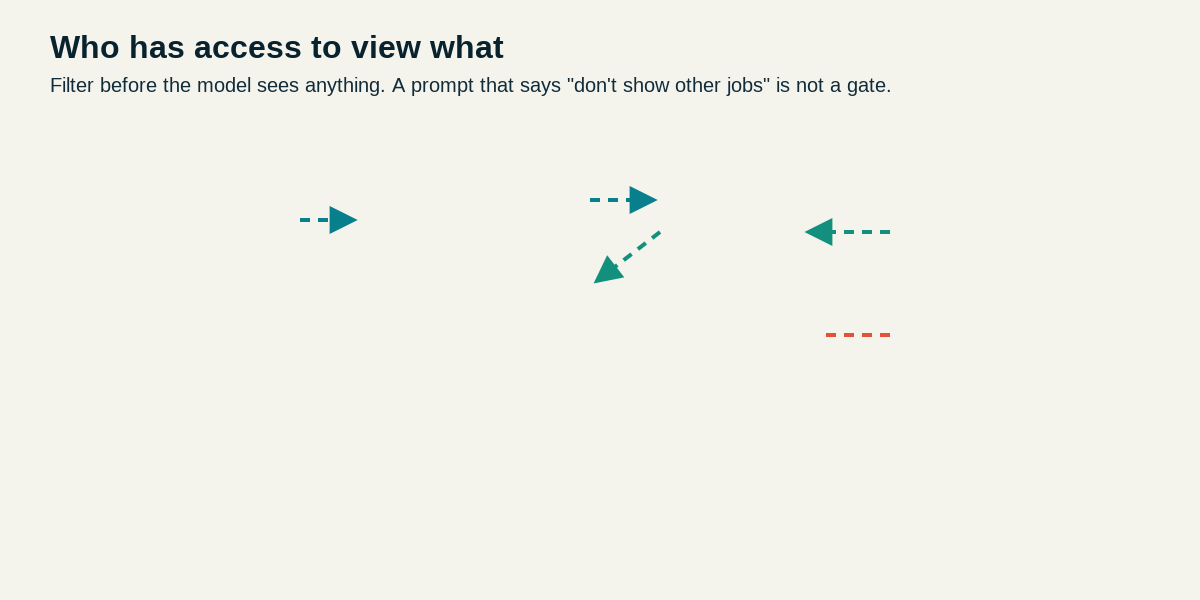 The agent only sees what the user can see
Four rules we hold to:
- Don't let the language model see what the user can't. Filter data before it reaches the model. Instructions in a prompt like "don't show other jobs" are not a security boundary. If the rows never arrive, the model can't leak them.
- Row-level security by role and project. The same rules as the dashboard: superintendents and PMs see their projects, executives see everything, accounting sees the coding queue. One rule set, enforced in the data layer, used by the screen, the API and the MCP server alike.
- Least privilege for the integration itself. Read-only credentials to Procore, QuickBooks and Ramp where the systems allow it, kept in a vault and never shown on screen.
- Log every tool call. Who asked, through which assistant, which tool, which job, what came back (or a hash of it), and when. When something looks wrong, the log is how you find out what the agent actually saw.
For more on running agents with controls around them, see governing AI agents in construction.
What a single question looks like
Here's the path for one question, with fake data.
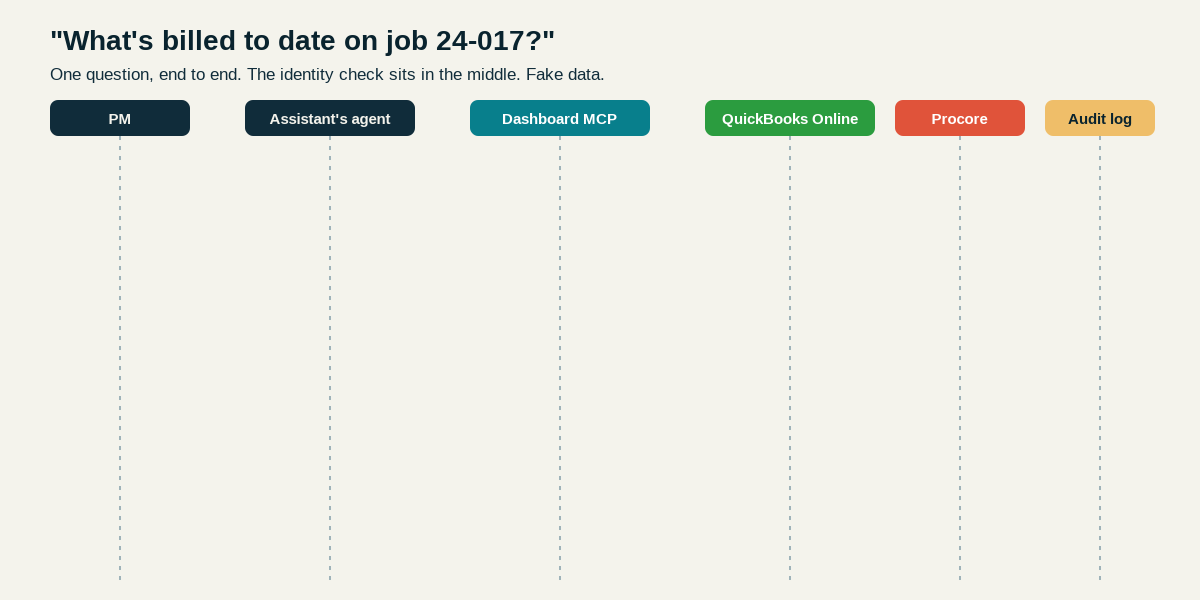 One question, end to end, with the identity check in the middle
- A PM asks the assistant, "What's billed to date on job 24-017?"
- The assistant's agent picks
get_job_billed_to_dateand calls it with the job number and the PM's token. - The MCP server validates the token and checks that the PM is assigned to 24-017.
- It reads billed to date from QuickBooks Online and cost and budget from Procore, from the same weekly snapshot the dashboard uses.
- It writes an audit entry and returns the numbers with their source and as-of date.
- The agent answers in plain English and cites where the figures came from.
If the PM had asked about a job they aren't on, step 3 returns "not authorized" and the agent says so. It doesn't guess.
Working in parallel with another vendor
Two teams building toward one system need a short written agreement on the seam between them. It doesn't have to be long. One page usually covers it:
| Item | What to agree |
|---|---|
| Identity | Which identity provider, and how a user's email maps to their role and projects |
| Embed | Allowed origin for frame-ancestors, how embed tokens are issued and how long they last |
| Tools and endpoints | Names, inputs, outputs and example responses for each tool or endpoint |
| Data freshness | Weekly snapshot or live, and the as-of date on every response |
| Errors | Standard shapes for not authorized, not found and system unavailable |
| Limits | Rate limits and maximum page sizes |
| Audit | Which fields each side logs, and how long logs are kept |
| Changes | Version numbers on tools and a notice period before breaking changes |
| Contacts | One technical owner on each side |
With that in place, both vendors can build at the same time. The dashboard team can ship tools against the contract with fake data, and the assistant team can build against the same examples before the real credentials arrive. If you're exposing a development server to test this, our guide to tunnels and tokens covers doing it without leaking access.
Where to start
For Cattlemen, the order is:
- Ship the expense coding portal and dashboard behind single sign-on.
- Turn on the embed for the assistant's domain.
- Agree the interface contract with the AI vendor.
- Publish two or three read-only MCP tools, with row-level security and logging from the first call.
Inputs still come first. The answer to "what's billed to date?" is only right if card spend has reached Procore, which is why the coding portal comes before any of this. A clean, numbered SharePoint project folder structure helps the assistant in the same way when it reads documents.
Checklist
- Single sign-on across the assistant and the dashboard
-
frame-ancestorsset to the assistant's exact origin - Embed tokens short-lived and never in a URL
- API keys read-only, scoped, named per integration and stored in a vault
- MCP tools carry the asking user's identity
- Row-level security by role and project, one rule set for screen, API and MCP
- Every tool call logged with user, tool, job and time
- One-page interface contract agreed with the other vendor
Building toward one system?
Build Flows builds operating dashboards for contractors and the integrations that let other tools, including AI assistants, use them safely. If you're bringing in an AI vendor and want the dashboard side to fit, email charley@buildflows.ai or tell us what you're building.
Frequently asked questions
Can I embed a Procore or QuickBooks dashboard inside an AI assistant?
Yes, if the dashboard is your own app built on that data. Embed it in an iframe, use single sign-on so the user is recognized inside the frame, set Content-Security-Policy frame-ancestors to the assistant's exact origin, and hand the frame a short-lived embed token rather than a long-lived key.
Should an AI assistant use an API key or an MCP server to read dashboard data?
Use a scoped, read-only API key for system jobs like a weekly digest. Use an MCP server when agents answer individual users' questions, because each tool call can carry that user's identity and be checked against their role and projects.
How do I stop an AI agent from seeing data the user isn't allowed to see?
Enforce row-level security by role and project in the data layer, before anything reaches the model. Pass the user's identity with every tool call, return not authorized for jobs they aren't on, and log every call. Prompt instructions alone are not a control.
Why shouldn't embed tokens go in the iframe URL?
URLs end up in browser history, server and proxy logs and analytics tools. Load the frame without the token, then pass a short-lived token with postMessage and check the sender's origin.
What MCP tools would a contractor's operating dashboard expose?
A starter set: get_job_billed_to_date, list_uncoded_expenses, get_job_cost_summary, get_kpi_scorecard and list_overdue_items. Keep them read-only, with clear descriptions, and return the source system and as-of date with every answer.
How do two vendors build an AI assistant and a dashboard in parallel?
Agree a one-page interface contract: identity provider and role mapping, allowed embed origin and token lifetime, tool and endpoint names with example responses, data freshness, error shapes, rate limits, audit fields, versioning and a technical contact on each side.
Next step
Have a workflow in mind?
Start with a readiness review: the task, the data and tools it needs, the access boundaries, and how a pilot would be evaluated.
Prefer email? charley@buildflows.ai
Keep learning
Integrations · November 18, 2026
Why Ramp Card Costs Show $0 in Procore: A Real Discovery Call, Walked Through
A walkthrough of a recorded discovery call with Ryan Blankers of Cattlemen Construction Services in Fort Worth, Texas. Ramp card expenses sync to QuickBooks Online as Category details lines, while Procore's QuickBooks integration builds job costs from Item details lines tied to a cost code, so card spend shows $0 in Procore. Covers why the fix can't be fully automatic, the expense coding portal design with approvals and an audit log, the GL to cost code mapping, hosting, a role-based Cattlemen OS with KPIs, SharePoint project folders and a Procore convert-to-won automation, embedding into an AI platform through an iframe, API or MCP server, and the timeline.

AI agents & MCP · October 8, 2026
What Is MCP? A Practical Guide for Construction Teams
A plain-language guide to the Model Context Protocol for contractors: what MCP servers and gateways do, why large APIs like Procore and P6 need tool routing, and how to start safely.
Custom applications · October 9, 2026
Headless Auth: Personal Access Tokens, Embed Tokens and One Door per Credential
How Connect handles browser sessions, CLI personal access tokens, cross-site embed tokens and MCP OAuth, with each credential confined to one route scope and resolved to the same authorization rules.