Key takeaways
- Sage 100 and Sage 100 Contractor are different products. Sage 100 is ERP software mostly used by distributors and manufacturers; contractors usually mean Sage 100 Contractor.
- QuickBooks Online is a good start for contractors: fast invoicing, simple AP and GL, bank feeds, and a Procore integration.
- QuickBooks Online has no native cost code and cost type matrix, WIP schedule or subcontract commitments. Contractors use items as cost codes and spreadsheets for the rest.
- Common next steps are Sage 100 Contractor, Sage Intacct Construction, Sage 300 CRE or Trimble Spectrum. Larger GCs often use Viewpoint Vista or CMiC, and the final choice is often preference.
- Three or more signs, such as off-book cost codes, a hand-built WIP, uncoded card spend and off-book retainage, mean it's time to look. One or two can often be fixed with process.
- With a construction ERP, cost codes and cost types map directly to Procore. Changing the ERP connected to Procore needs a planned cutover with Procore support.
- Migrate at a period start, finalize cost codes first, and bring open AP, AR, commitments, retainage and job-to-date costs by cost code.
Video unavailable? Watch on YouTube or read the written breakdown.
Near the end of our discovery call with Cattlemen Construction Services, Co-Founder Ryan Blankers asked a question we hear from a lot of growing contractors: should we stay on QuickBooks Online, or move to Sage 100?
Charley's answer on the call was short. Many contractors start on QuickBooks Online. It's great for quick invoicing and simple payables and general ledger work. Sage's construction products handle cost-code structure, and the one-off coding nuances that come with it, much better. A lot of firms move on to a Sage product or to Spectrum as they grow, and larger firms often end up on Vista or CMiC. Past a point, it's often preference.
This guide expands that answer. It sorts out which "Sage 100" you actually mean, where QuickBooks Online's job costing runs out, the signs you've outgrown it, what changes for your Procore integration, and a migration checklist. We don't quote software prices here. They change often and depend on users and modules, so get current quotes from each vendor.
The call itself was about getting Ramp card spend from QuickBooks into Procore job costs, and you can watch it on the video page.
 Where contractors usually go after QuickBooks Online
First, which Sage?
"Sage 100" gets used loosely, and it causes real confusion. Sage sells several separate products with similar names.
| Product | What it is | Built for contractors? |
|---|---|---|
| Sage 100 | Business management (ERP) software, formerly MAS 90/200, mostly used by distributors and manufacturers. It has a job cost module, but it isn't a construction product. | Not usually |
| Sage 100 Contractor | Construction accounting for small and mid-size contractors, formerly Master Builder. Job cost, payroll, AP/AR, billing. Typically installed on-premises or hosted. | Yes |
| Sage 300 Construction and Real Estate (Sage 300 CRE) | Construction and real estate accounting for mid-size and larger firms, formerly Timberline. | Yes |
| Sage Intacct Construction | Cloud construction accounting built on Sage Intacct. | Yes |
When a contractor says "we're looking at Sage 100", they almost always mean Sage 100 Contractor. It's a different product from Sage 100, with a different history. Confirm which one a reseller is showing you before you go further.
For a young GC like Cattlemen, the realistic Sage options are Sage 100 Contractor and Sage Intacct Construction. Sage 300 CRE tends to suit larger firms with more complex job cost, payroll and real estate needs. Outside Sage, Trimble's Spectrum is a common next step, and Viewpoint Vista and CMiC are more common at larger general contractors.
What QuickBooks Online does well
QuickBooks Online is a good general ledger. For a young contractor it has real advantages:
- Fast to set up, and most bookkeepers and CPAs know it.
- Quick invoicing and simple progress invoicing from estimates.
- Bank feeds, bill pay and a large app ecosystem. Card platforms like Ramp sync to it directly.
- Projects (in Plus and Advanced), Classes and Locations give you basic tracking by job and department.
- Procore has an ERP integration for QuickBooks Online.
If you run a handful of jobs at a time, have simple payroll and do your job cost review in Procore or a spreadsheet, it may be all you need.
Where QuickBooks Online's job costing runs out
These are the limits we run into most. Intuit keeps adding project features, especially to QuickBooks Online Advanced and Intuit Enterprise Suite, so check the current edition before you decide.
- No native cost code and cost type matrix. Construction systems track cost by cost code (16-500 Lighting Controls) and cost type (labor, material, subcontract, equipment). In QuickBooks Online the usual workaround is to use Products and Services (items) as cost codes, sometimes with Classes for cost type. It works, but it's a convention you have to enforce, not a structure the software checks.
- Category lines vs item lines. An expense coded only to a GL category, the way card platforms often sync it, has no cost code at all. That's exactly the gap on the Cattlemen call: Procore's QuickBooks integration brings item-based lines into job costs, so category-only card spend showed $0 in Procore. We cover it in Category vs Item details.
- No native WIP schedule. Over and under billing, percent complete and earned revenue usually get built in a spreadsheet or another tool.
- Limited committed cost. Purchase orders exist in some editions, but subcontracts with retainage, change orders against commitments and committed-versus-actual by cost code aren't what QuickBooks Online was built for. Many teams keep commitments in Procore for this reason.
- Retainage and AIA billing. There's no built-in AIA G702/G703 pay application, and retainage usually takes workarounds or add-ons.
- Construction payroll. Union rates, certified payroll and job-level labor burden generally need a separate payroll service.
None of these is a reason to switch on its own. Together, and with growing job count, they're why contractors move.
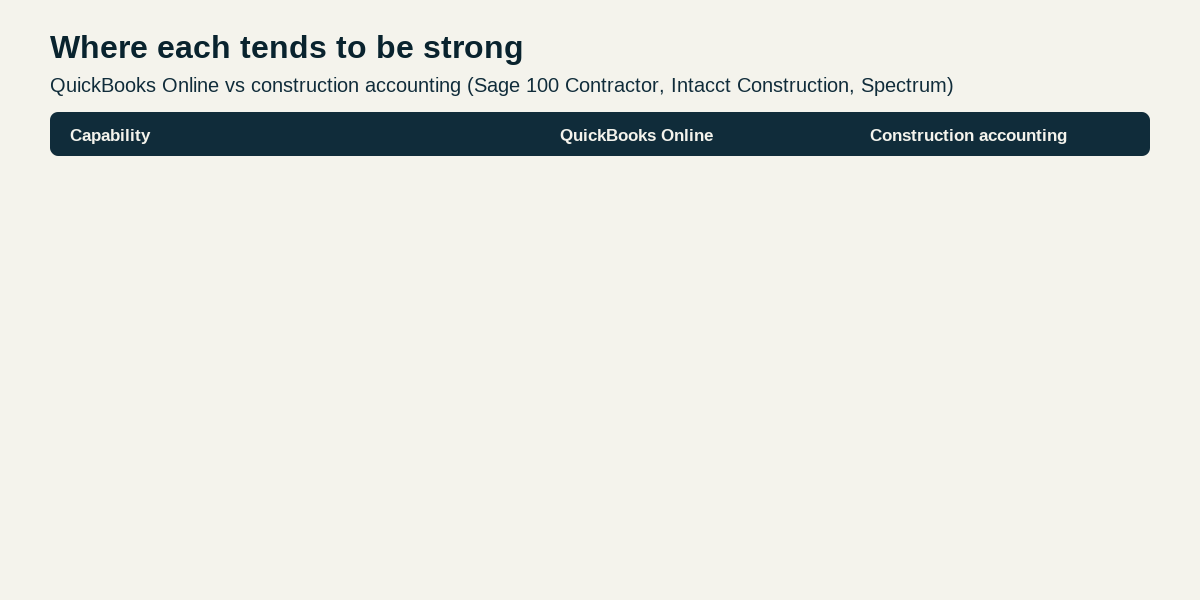 Where each tends to be strong
| Capability | QuickBooks Online | Sage 100 Contractor / Intacct Construction / Spectrum |
|---|---|---|
| Invoicing, AP, GL | Strong, simple | Strong, more setup |
| Cost codes | Workaround with items | Native |
| Cost types (labor, material, sub) | Workaround with items or classes | Native |
| Committed cost and subcontracts | Limited | Native |
| Retainage | Workarounds | Native |
| AIA-style progress billing | Not built in | Built in or add-on, depending on product |
| WIP and over/under billing | Spreadsheet | Reports available |
| Construction payroll | Separate service | Built in or add-on, depending on product |
| Bookkeeper familiarity | Very common | Needs construction accounting skills |
| Procore integration | Item-based lines only | Cost code and cost type map directly |
Signs you've outgrown QuickBooks Online
 Three or more of these, and it's time to look
- Your cost code list lives in a spreadsheet, and someone maps it to QuickBooks items by hand.
- You rebuild WIP from scratch every month, and the numbers don't tie out the first time.
- Card and reimbursement spend lands on the job with no cost code.
- Retainage payable and receivable are tracked outside the books.
- You need job-level labor cost, certified payroll or union rates.
- You run more than one entity, or plan to.
- Month-end close keeps getting longer as job count grows.
- Your bank or bonding company asks for WIP and job cost reports you can't produce cleanly.
If three or more apply, it's time to look at construction accounting. If only one or two apply, fixing the process in QuickBooks Online is often cheaper. Ryan's firm, for example, decided to fix the card-spend gap with an expense coding portal before considering a switch.
What changes for your Procore integration
Procore lists ERP integrations for QuickBooks Online and for the main construction systems, including Sage 100 Contractor, Sage 300 CRE, Sage Intacct, Spectrum, Vista and CMiC. Check Procore's integration documentation for the current list, and for whether a given connector is built by Procore or a partner.
On QuickBooks Online, job costs in Procore come from item-based lines on bills and expenses that carry a cost code. Anything coded only to a GL category doesn't show as job cost detail. You live with that rule or work around it.
On a construction system, cost codes and cost types exist on both sides, so the mapping is more direct: a commitment in Procore lines up with a subcontract in accounting by cost code and cost type, and actuals come back the same way. In our experience this is where the switch pays off for Procore users.
Things to plan for:
- Cost code structure. Agree on one cost code list and one set of cost types before you set up either system. Changing it later is painful on both sides.
- Re-linking. Changing the ERP connected to Procore isn't a toggle. Plan the cutover with Procore support, decide which projects re-link and which stay as history, and expect some cleanup.
- On-premises connectors. Sage 100 Contractor and Sage 300 CRE usually run on a server you or a host manage, and the Procore integration may need a connector installed there. Cloud systems avoid that.
- Card spend. Confirm your card platform integrates with the new system, and how it handles job and cost code. Ramp lists its supported accounting integrations on its site.
Migration checklist
- Confirm the product: Sage 100 Contractor, not Sage 100. Same for Intacct Construction vs plain Intacct.
- Pick a go-live date at the start of a period, ideally a fiscal year or quarter start for payroll.
- Clean the chart of accounts. Keep the structure (for example, 5000s cost of services, 7000s G&A).
- Finalize the cost code list and cost types, matched to Procore.
- Export vendors, customers and 1099 details.
- Export open AP and open AR with aging.
- List open subcontracts and purchase orders with billed-to-date and retainage held.
- Bring job-to-date costs per job by cost code for active jobs.
- Bring billed-to-date and retainage receivable per contract, with schedules of values.
- Decide how much history to convert and where the rest lives (keep read-only access to QuickBooks Online).
- Re-point bank feeds and the card platform.
- Plan the Procore cutover with Procore support.
- Run one month in parallel, or at least tie out balances, before you turn QuickBooks Online off.
- Rebuild reports and dashboards on the new source.
Either way, the integration is the same job
Build Flows connects Procore to whichever accounting system you use: QuickBooks Online, Sage, Spectrum, Vista or CMiC. The work is the same: map cost codes, keep commitments and actuals in step, and feed a single view of WIP, cash and job cost. On the Cattlemen call that meant Procore and QuickBooks Online first, with a KPI scorecard on top. If they move to Sage later, the dashboard keeps its shape and the source changes underneath.
FAQ
Is Sage 100 the same as Sage 100 Contractor? No. Sage 100 is ERP software mostly used by distributors and manufacturers. Sage 100 Contractor is a separate construction accounting product, formerly Master Builder. Contractors usually mean Sage 100 Contractor.
Can QuickBooks Online do job costing for contractors? Yes, at a basic level. Projects track income and cost by job, and items can stand in for cost codes. It has no native cost code and cost type structure, WIP schedule or subcontract commitments, so growing contractors often add spreadsheets or other tools.
When should a contractor switch from QuickBooks Online to Sage? When several signs stack up: cost codes kept outside the books, a hand-built WIP each month, retainage tracked separately, job-cost payroll needs, multiple entities, or a lengthening close. One or two signs can often be fixed with process and integrations.
Does Procore integrate with Sage 100 Contractor? Procore offers an ERP integration for Sage 100 Contractor. Check Procore's current integration documentation for setup requirements, including any connector installed alongside an on-premises Sage server.
Which is better for a contractor, Sage Intacct Construction or Sage 100 Contractor? It depends. Intacct Construction is cloud-based and suits firms that want multi-entity and remote access without a server. Sage 100 Contractor is a long-standing all-in-one product often run on-premises or hosted. Demo both with your own cost codes.
What comes after Sage for larger contractors? Larger general contractors often use Viewpoint Vista or CMiC. Spectrum covers a broad mid-market range. The right choice often comes down to preference, your accountant's experience, and integrations.
Will switching accounting systems fix missing job costs in Procore? It can help, because cost codes exist on both sides. But if card spend is coded only to GL accounts, it will still be missing. Fix the coding step first.
Need a hand?
Build Flows connects Procore, QuickBooks Online, Sage, Spectrum and Ramp, and builds the dashboards on top. If you're weighing a switch and want the integration planned before the migration, email charley@buildflows.ai or tell us what you're building.
References
- Sage: Sage 100 Contractor
- Sage: Sage 300 Construction and Real Estate
- Sage: Sage Intacct Construction
- Sage: Sage 100 (business management)
- Intuit: QuickBooks job and project costing (Projects in Plus and Advanced)
- Procore Support: ERP Integrations (supported connectors)
- Ramp: Integrations
Frequently asked questions
Is Sage 100 the same as Sage 100 Contractor?
No. Sage 100 is ERP software, formerly MAS 90/200, mostly used by distributors and manufacturers. Sage 100 Contractor is a separate construction accounting product, formerly Master Builder. Contractors usually mean Sage 100 Contractor.
Can QuickBooks Online do job costing for contractors?
Yes, at a basic level. Projects (in Plus and Advanced) track income and cost by job, and items can stand in for cost codes. It has no native cost code and cost type structure, WIP schedule or subcontract commitments, so growing contractors often add spreadsheets or other tools.
When should a contractor switch from QuickBooks Online to Sage?
When several signs stack up: cost codes kept outside the books, a hand-built WIP each month, retainage tracked separately, job-cost payroll needs, multiple entities, or a lengthening close. One or two signs can often be fixed with process and integrations.
Does Procore integrate with Sage 100 Contractor?
Procore lists an ERP integration for Sage 100 Contractor, along with Sage 300 CRE, Sage Intacct, Spectrum, Vista, CMiC and QuickBooks Online. Check Procore's current documentation for setup requirements, including any connector installed alongside an on-premises Sage server.
Which is better for a contractor, Sage Intacct Construction or Sage 100 Contractor?
It depends. Intacct Construction is cloud-based and suits firms that want multi-entity and remote access without a server. Sage 100 Contractor is a long-standing all-in-one product often run on-premises or hosted. Demo both with your own cost codes.
What accounting software do larger general contractors use?
Larger general contractors often use Viewpoint Vista or CMiC, and Trimble Spectrum covers a broad mid-market range. The right choice often comes down to preference, your accountant's experience and integrations.
Will switching accounting systems fix missing job costs in Procore?
It can help, because cost codes exist on both sides. But card spend coded only to GL accounts will still be missing a cost code. Fix the coding step first.
Next step
Need this connection in your environment?
Scope one integration: the records, direction, timing, and business rules behind the connection.
Prefer email? charley@buildflows.ai
Keep learning
Integrations · November 18, 2026
Why Ramp Card Costs Show $0 in Procore: A Real Discovery Call, Walked Through
A walkthrough of a recorded discovery call with Ryan Blankers of Cattlemen Construction Services in Fort Worth, Texas. Ramp card expenses sync to QuickBooks Online as Category details lines, while Procore's QuickBooks integration builds job costs from Item details lines tied to a cost code, so card spend shows $0 in Procore. Covers why the fix can't be fully automatic, the expense coding portal design with approvals and an audit log, the GL to cost code mapping, hosting, a role-based Cattlemen OS with KPIs, SharePoint project folders and a Procore convert-to-won automation, embedding into an AI platform through an iframe, API or MCP server, and the timeline.
Integrations · November 18, 2026
QuickBooks Category Details vs Item Details: Why Procore Shows $0 Job Cost
QuickBooks Online expenses, bills and checks have two line sections: Category details (account-based) and Item details (item-based). This guide compares the fields each carries, explains why Procore's QuickBooks Online integration builds job costs from item lines tied to a cost code, why card feeds like Ramp land as category lines, how to check a transaction in six steps, and three fixes: code at the source, re-code in QuickBooks, or a coding portal that rebuilds the expense with an Item line.
Reporting & analytics · November 18, 2026
What Good Looks Like: A Starter KPI Scorecard for a Small GC
A starter KPI scorecard for a small GC, built from a discovery call with Cattlemen Construction Services: 12 KPIs in four groups (Money, Delivery, Field discipline, Admin), each with a definition, source system, formula, default green/amber/red tolerance and reason. Covers standardizing Procore inputs first, scoring weekly, validating each number against its source of truth, role-based views, tuning tolerances after 4-6 weeks and using red tiles to ask what happened rather than to punish.