Key takeaways
- Latest release date = required-on-site date minus lead time (calendar days in Procore), minus review time if set. The agent runs that across every open submittal every week.
- The core tool is list_project_submittals_submittals, which returns required_on_site_date, lead_time, review times, ball_in_court, approvers, received and delivery dates.
- On the Procore sandbox the agent found curtain wall 42 days past its release date (about 6 weeks late on site) and rooftop AHUs 21 days past (about 3 weeks late), in 23 seconds, read-only.
- Expect the first run to be half data cleanup: stale Open items, missing on-site dates and empty review times.
- Start read-only, then let the agent draft nudges to subs and reviewers for the PE to edit and send. It never sends on its own.
- Measure long-lead items released by their date, float lost per week, and the count of submittals missing dates.
21 seconds · From a Build Flows walkthrough
Submittal-to-procurement risk
Flag submittals that put long-lead items at risk, including ones a reviewer has not touched yet.
Read the clip transcript
or submittal of the procurement risk, which is really just the submittals that are at error for any type of lead times that haven't been started yet or any type of risk of exposure for the reviewer not having attended to it yet. The number six was the main other one here,
Captions adapted from the source video; proper names may reflect automatic transcription. Original segment: 15:34–15:55. Watch at the source.
Long-lead items rarely slip because someone forgot to order them. They slip because the submittal sat. Shop drawings come in late, wait in someone's queue, and nobody does the math on the procurement clock until the super asks where the curtain wall is. By then the float is gone.
This playbook is a read-only agent that does that math every Monday. It reads your Procore submittal log through the Procore MCP server, works back from each item's required-on-site date, and gives your project engineer a short watchlist: what is already late, what is at risk, and what is just bad data. It ran on a real Procore sandbox, and the results are below.
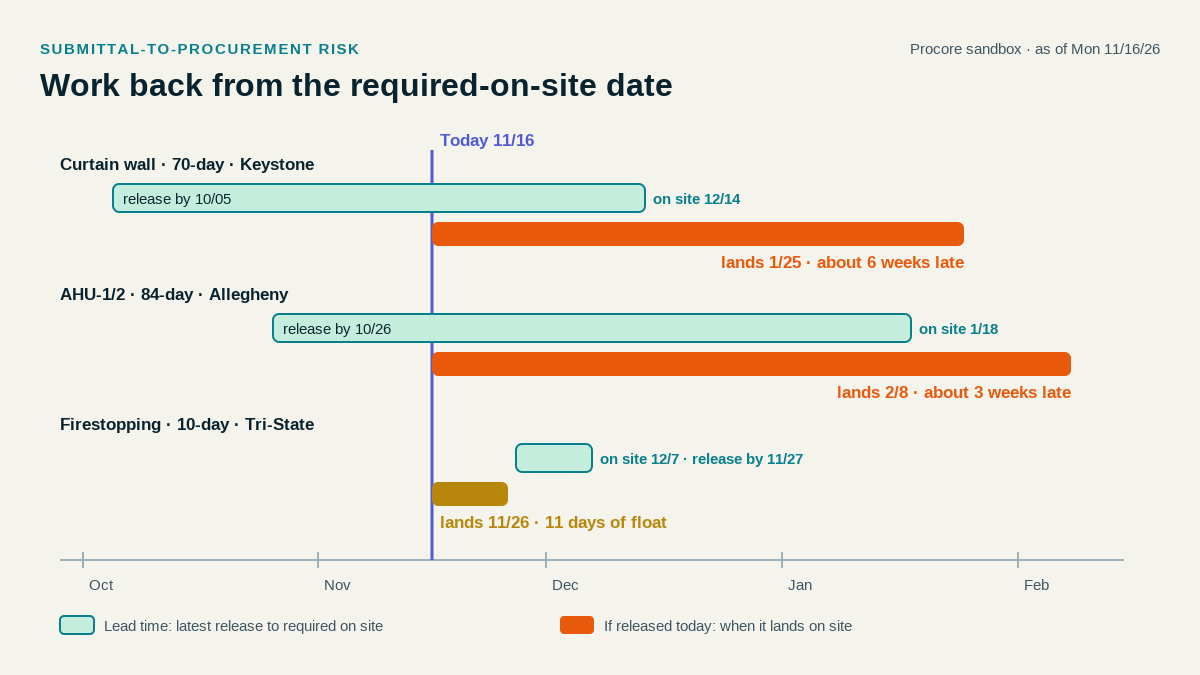 The whole agent is this math, run against every open submittal, every week.
Who it's for and the question it answers
Persona: project engineer, submittal coordinator, procurement lead. The PM and project executive read the summary.
The question: Which submittals are holding up procurement, and who has to move this week?
In the Procore Agent Playbook use-case catalog this is use case 4, "Submittal-to-procurement risk." We scored it 4 out of 5 on value and 3.5 on feasibility, and it is read-only. The logic is simple: one avoided long-lead slip on switchgear, curtain wall or elevators can be worth weeks of general conditions. Those scores are our judgment, not a benchmark, and we re-score them with each GC.
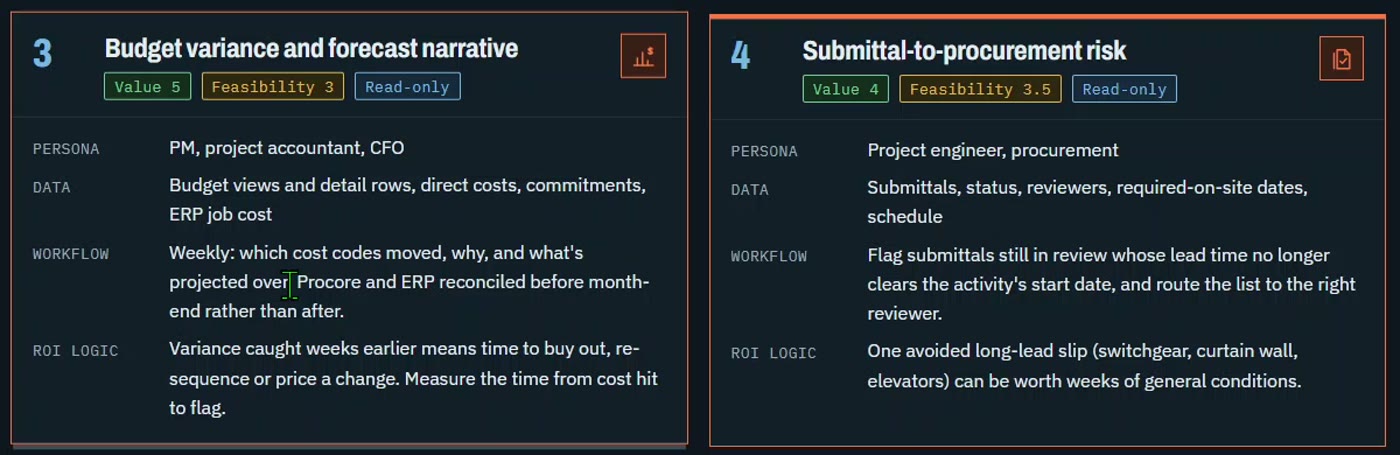 Use case 4 in the playbook catalog, as shown in the video.
I walk through this card in the video at 15:28: the submittals at risk because the lead time clock has started, or because a reviewer hasn't touched them yet.
The math Procore already gives you
Procore's submittal tool has the fields this agent needs. Per Procore's own documentation:
- Required On-Site Date is the date materials for the submittal must be delivered.
- Lead Time is the expected number of calendar days for the material to arrive.
- Design Team Review Time and Internal Review Time are the days you allow for each review.
With schedule calculations turned on, Procore subtracts these to get a Planned Return Date, a Planned Internal Review Completed Date and a Planned Submit By date. The agent uses the same logic:
latest release date  = required_on_site_date - lead_time
latest approval date = latest release date   - design_team_review_time
latest submit date   = latest approval date  - internal_review_time

days late  = today - latest release date      (if positive)
float      = latest release date - today      (if positive)
lands on   = today + lead_time                (if released today)
The difference is that the agent runs this across every open item, compares it to today, and tells you who is holding the ball. Nobody has to open a spreadsheet.
The Procore data and the exact MCP tools
On the sandbox, the agent used the open-source Procore MCP server in hybrid mode with a read-only GC persona that exposes 42 tools. The tools this workflow touches:
| Tool | What it returns | Why the agent needs it |
|---|---|---|
list_project_submittals_submittals | Every submittal with required_on_site_date, lead_time, design_team_review_time, internal_review_time, ball_in_court, approvers, received_date, status, responsible_contractor, and anticipated, confirmed and actual delivery dates | The core of the watchlist |
list_project_rfi_rfis | Open RFIs with due dates and ball-in-court | Explains why a package is stuck (for example, a firestop detail waiting on an RFI) |
list_project_daily_log_notes_logs | Field notes for a date | Catches "crew on hold" notes that confirm the risk is real |
For a dedicated submittal agent, the repo's submittal_management capability adds list_project_submittals_submittals_revisions, list_project_submittals_submittal_packages and the submittal response tools. The submittal_coordinator persona ships with a weekly_submittal_log workflow, which today is a single read of list_project_submittals_submittals. The ranking logic below is the part you build on top. If you want to see how the server keeps 2,755 generated tools down to a few dozen per agent, read Routing 2,755 Procore API tools through MCP.
The workflow blueprint
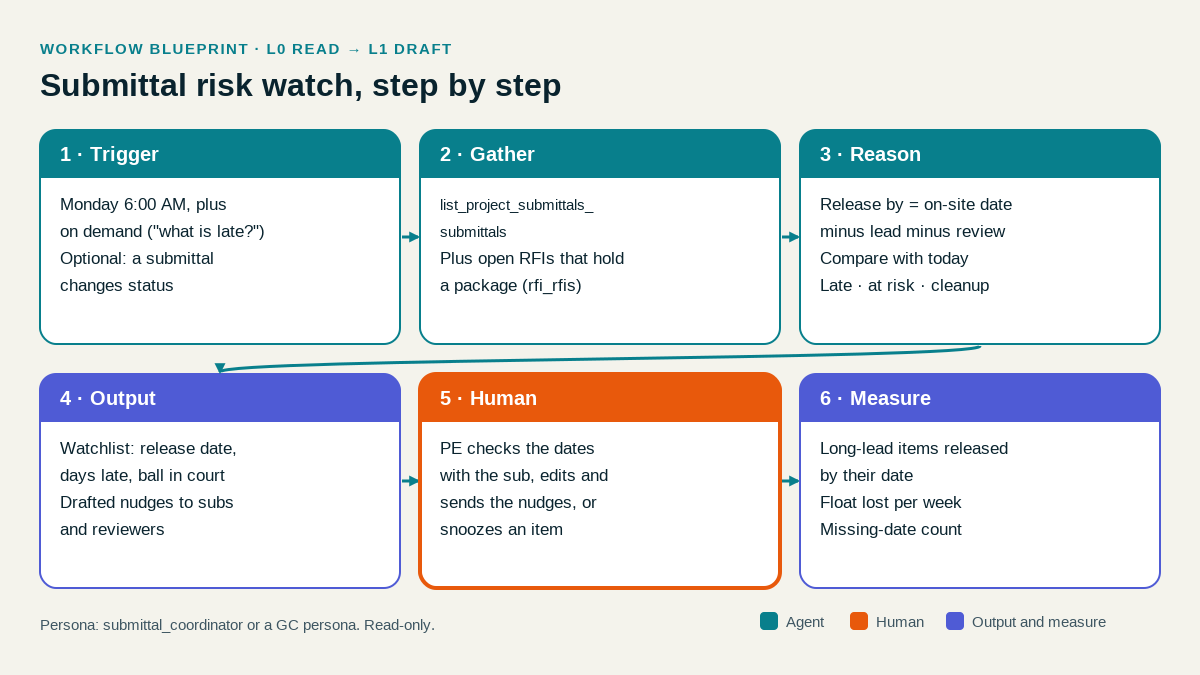 Read first, draft second. Nothing goes to a sub until the PE sends it.
| Step | What happens |
|---|---|
| Trigger | Monday 6:00 AM, plus on demand. Optionally, when a submittal changes status. |
| Gather | Pull all submittals (current revision), open RFIs, and last week's daily log notes. |
| Reason | Compute release-by dates, days late and float. Group into late, at risk and data cleanup. Link each risk to the RFI or reviewer holding it. |
| Output | A watchlist in Google Chat or email, plus drafted nudges to the sub or reviewer for each late item. |
| Human review | The PE confirms the dates with the sub, edits the nudges and sends them. The agent never sends. |
| Metric | Long-lead items released by their latest release date; days of float lost per week; count of open submittals with no on-site date. |
This starts at L0, read and answer, and moves to L1, draft, once the team trusts the list. Writing back into Procore, such as assigning a ball-in-court, belongs at L2 with a signed human confirmation. See the write governance ladder and the two-phase approval pattern.
Paste-ready prompts
These work in Gemini once the MCP server is connected (how to connect it), and in any other MCP client pointed at the same server. Swap in your project name and date.
The weekly watchlist:
Use the Procore tools. Project: <project name>. Today is <date>.
Which submittals are holding up procurement? For each open submittal,
latest release date = required-on-site date minus lead time (calendar days).
Compare with today and group them into:
1. Late: the release date has passed. Show days late and when it lands if released today.
2. At risk: under 21 days of float, before any review time.
3. Data cleanup: missing lead time or on-site date, or on-site date already past.
Show ball in court, responsible sub and any open RFI holding it.
Answer as a table, then three actions for this week. Read only.
Reviewer overdue:
Same project. List open submittals where the ball in court is with a reviewer
(architect, engineer or our team) and the item has been there longer than its
design team review time, or longer than 10 days if none is set.
Show who holds it, how long, and the procurement date it threatens.
Procurement log watchlist:
Build a procurement watchlist for long-lead items (lead time over 30 days).
Columns: spec section, item, sub, lead time, required on site, latest release,
received date, approved?, anticipated delivery, status. Flag any row where
anticipated delivery is later than required on site, or where no delivery
date is logged within 30 days of required on site.
Draft the nudges (L1):
For each item in the "Late" group, draft a two-sentence note to the
responsible sub asking for the package and a recovery date. Do not send
anything and do not change any Procore record. I'll review and send.
What it looks like on real data
This is the answer from the Procore developer sandbox, project "The Sparkling Skyrise Project," as of Monday 11/16/2026. It took three turns and 23 seconds, read-only, built on list_project_submittals_submittals (captured with a command-line MCP client against the same server Gemini connects to). The sandbox has 15 submittals.
Two are already late:
| # | Submittal | Sub | Lead | Required on site | Latest release | Today | If released today |
|---|---|---|---|---|---|---|---|
| 08 44 13-1 | Curtain wall shop drawings and structural calcs | Keystone Curtainwall & Glazing | 70 d | 12/14/26 | 10/05/26 | 42 days past | 1/25/27, about 6 weeks late |
| 23 73 13-1 | Rooftop AHU-1/AHU-2 product data | Allegheny Mechanical | 84 d | 1/18/27 | 10/26/26 | 21 days past | 2/8/27, about 3 weeks late |
One is at risk: firestopping (07 84 00-1), Tri-State Fire Protection, 10-day lead, needed 12/7, latest release 11/27. That's 11 days of float before any review time. It's still in Draft with nobody holding the ball, and it's waiting on an RFI about the UL system for mixed penetrations.
The agent's comment on the two late items is the part a PE actually needs: neither one had been received (no received date), the ball was in the GC's court, and neither had approvers or a review workflow set up. So the real slip is the gap above plus however long design review takes. It recommended pushing Keystone for the package within days, asking about fabricating at risk or phased shipping, and checking whether the AHU factory can expedite or whether temporary heat is needed.
It also tied the firestopping risk to the open RFI on the UL system, which is the real blocker, not the review queue. When the same agent builds the weekly executive brief, it goes one step further: the curtain wall package sits next to RFI #18 (embeds vs. PT anchors at L4), the L4 curtain wall crew on hold in Friday's daily log, a $168,400 curtain wall overrun on the budget, and a $48,500 change event. One trade, four Procore tools, one thread. That is the connection a person rarely has time to make on a Monday.
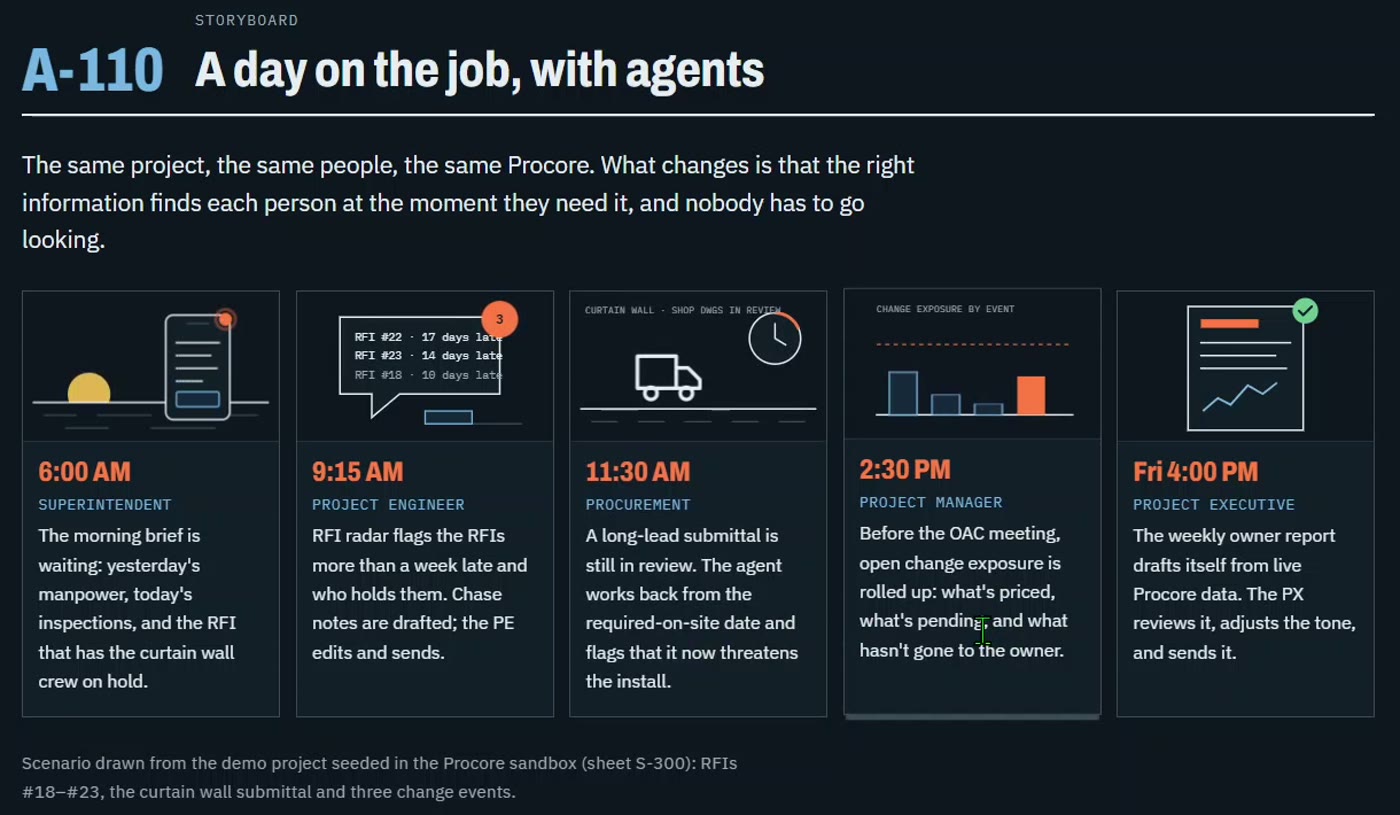 11:30 AM in the storyboard is this agent. From the video at 09:00.
Edge cases and data-quality traps
The sandbox surfaced most of these on its own, which is a good sign for a real log.
- Stale "Open" items. Ten older sample submittals (#2 to #11) were still Open with the architect, with on-site dates back in January to April 2026 and no delivery dates. The agent correctly called them data cleanup, not procurement risk. On a live job, these are the items that make a submittal log useless. Expect your first run to be half cleanup.
- Missing dates. Submittal #1 (light fixtures) had no lead time and no on-site date, so it can't be assessed. Report these as a count. If the count isn't falling, the process isn't working.
- Calendar days. Procore stores lead time in calendar days. If your team thinks in working days, say so in the prompt or the dates will be off by weeks on long items.
- No review time set. When
design_team_review_timeis empty, the release date is the best case. Tell the agent to add a default (we use 10 days) and to say it did. - Revisions. A rejected submittal comes back as a new revision. Make sure you're reading the current revision, or the agent will count the same item twice.
- Ball in court on placeholder accounts. In the sandbox the reviewers were Procore's placeholder users ("Test Architect"). On real jobs, a ball-in-court on someone who left the project is common. Flag any ball held by an inactive user.
- Delivered but not closed. On-site date passed, material installed, submittal still open. Ask the agent to cross-check the daily log for deliveries before calling something late.
- The schedule isn't in the submittal. Required-on-site dates are typed in by people. If they don't track the current schedule, the math is precise and wrong. A pilot should compare them to the schedule activity dates.
What to measure
| Metric | How | Target to agree |
|---|---|---|
| Long-lead items released on time | Release date vs. computed latest release, from Procore | Trend up month over month |
| Float lost per week | Sum of float change on at-risk items | Falling |
| Submittals missing on-site date or lead time | Count from the weekly run | Under 5% of open items |
| Reviewer days in court | Days the ball sits with each reviewer | Within the agreed review time |
| PE minutes on the weekly log | Before and after, self-reported | Agree a baseline first |
Industry numbers are thin here. Procore reports customers such as Haskell cutting submittal review cycles from a week to minutes with its own AI, but that's a vendor-reported result, not an independent study. Measure your own baseline before you turn anything on.
How to roll it out
- Pick one job with real long-lead exposure. Curtain wall, switchgear, elevators, AHUs. A job past buyout with an active procurement log is ideal.
- Run the cleanup prompt first. Fix missing on-site dates and close stale items before you trust any risk list.
- Run read-only for two weeks. The PE compares the agent's list with what they already know. Every disagreement is either a data fix or a prompt fix.
- Turn on drafted nudges (L1). The PE edits and sends. Track how many get sent unchanged.
- Schedule it. Monday 6 AM into a Chat space or inbox, alongside the RFI radar, so the RFI blocking a package shows up next to the package.
- Add it to the weekly report. The late items feed the weekly owner and executive brief and the superintendent morning brief.
Security and hosting matter before this leaves a sandbox. Keep the persona read-only, scope the service account to the projects in the pilot, and host the server properly. Hardening MCP servers for production and governing AI agents in construction cover the basics, and the 90-day pilot plan sets the gates. For the full picture of running this inside Gemini, start with the pillar article or the demo page.
Do it with us
BuildFlows sets this up with GCs: we connect the Procore MCP server to your Gemini or other MCP client, tune the watchlist to your submittal habits, clean up the log with your PE, and measure the result. Email charley@buildflows.ai or start at /engage.
References
- Procore Support: Set up submittal schedule calculations (Required On-Site Date, Lead Time in calendar days, review times, planned dates)
- Procore Support: Create a submittal
- Procore: Procore AI (vendor-reported submittal review results)
- Procore Developers: Rate limiting
- Google for Developers: Gemini Apps Developer Mode overview
- Google Cloud: Set up a custom MCP server in Gemini Enterprise
- BuildFlows: Procore MCP server on GitHub
- BuildFlows: Procore Agent Playbook
- Video: Procore data in Google Gemini, full walkthrough
Frequently asked questions
How does the agent decide a submittal is late?
It subtracts the lead time, and any design team and internal review time, from the required-on-site date to get a latest release date, then compares that with today. If the date has passed, it shows days late and when the material would land if released today.
Which Procore MCP tools does it use?
list_project_submittals_submittals for the log, list_project_rfi_rfis to find RFIs holding a package, and optionally list_project_daily_log_notes_logs to confirm crews on hold. A fuller version adds submittal revisions, packages and responses.
Does it write anything back to Procore?
No. It starts read-only. The next step is drafted nudges that a project engineer edits and sends. Changing a ball-in-court or status in Procore would be a confirmed write with a human approval.
Does it work in Gemini?
Yes. Once the Procore MCP server is connected in Gemini, the prompts work as written. They also work in any other MCP client pointed at the same server.
What if our required-on-site dates aren't maintained?
Then the math is precise and wrong. Run the cleanup prompt first, fix missing and stale dates, and in a pilot compare on-site dates against schedule activity dates.
Is lead time in calendar or working days?
Procore documents lead time as calendar days. If your team thinks in working days, say so in the prompt.
Next step
Have a workflow in mind?
Start with a readiness review: the task, the data and tools it needs, the access boundaries, and how a pilot would be evaluated.
Prefer email? charley@buildflows.ai
Keep learning
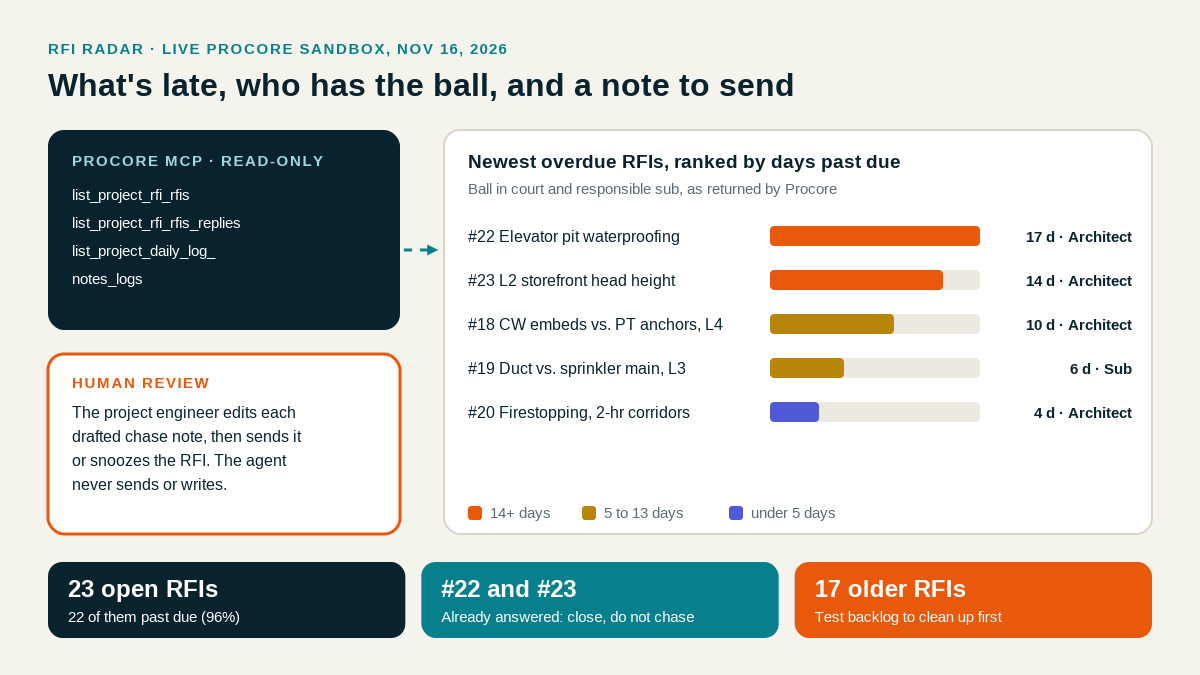
AI agents & MCP · November 16, 2026
Procore RFI Radar: An AI Agent for Overdue RFIs and Ball-in-Court
Who the RFI radar is for, the exact Procore MCP tools it calls, the workflow blueprint, paste-ready prompts for Gemini or any MCP client, what it returned on a live Procore sandbox (23 open RFIs, 22 past due), and the data traps to plan for.
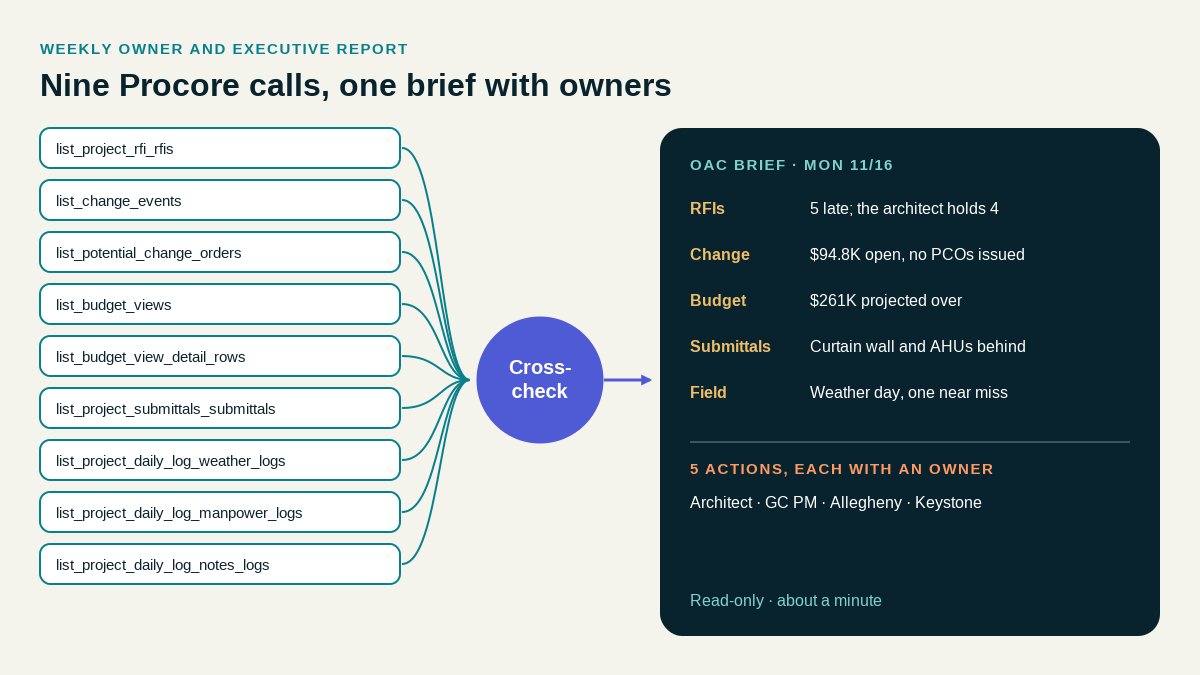
AI agents & MCP · November 16, 2026
Weekly Owner and Executive Report: An AI Agent That Builds the OAC Brief from Procore
A use-case playbook for an agent that drafts the weekly owner and OAC executive brief from live Procore data: late RFIs, change exposure, budget, submittals and the field, read against each other, with a named owner on every action and a check-before-sending list. On the Procore sandbox, Build my OAC brief made nine Procore calls, eight in parallel, in about a minute. The project executive reviews and sends.
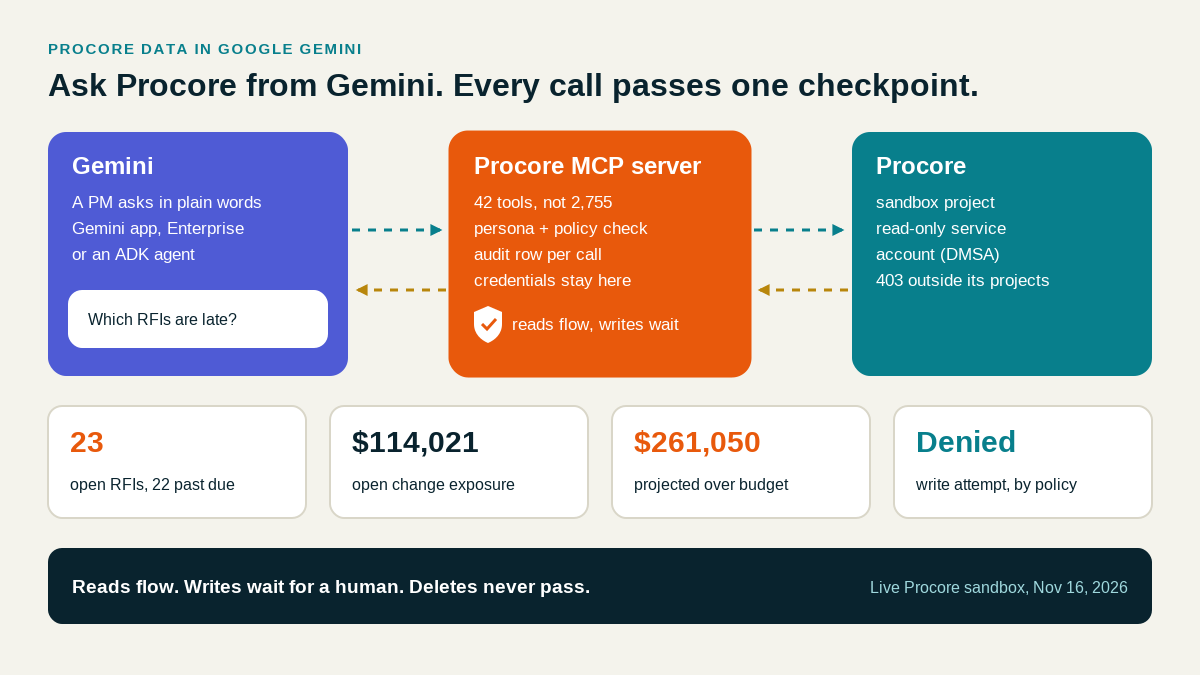
AI agents & MCP · November 16, 2026
Procore Data in Google Gemini: The Governed Path for GC Agents
Why GCs want Procore answers in Gemini, the gap while Procore AI MCP supports only Claude, the Ask, Plan, Check, Fetch, Answer path, what we proved on a live Procore sandbox, where it fits in Google Cloud (Gemini Enterprise, ADK, A2A, BigQuery, Cloud Logging), the use cases to start with, and how to run a pilot.