Key takeaways
- An uncertain write outcome needs target investigation before retrying.
- Record the owner, workflow revision, recovery scope and verification for each incident.
- A green execution is supporting evidence; reconcile the intended business result.
23 seconds · From a Build Flows walkthrough
Inspect a workflow run down to its requests
See how a run, its nodes and its input/output records help you investigate an automation. This excerpt demonstrates inspection, not a complete retry policy.
Read the clip transcript
And so the cool thing being is that we can then identify each flow run, if it's been successful, how many nodes are within it, and how many requests then for each of those nodes. And so we can then start getting granular in terms of identifying specific information whether it's the input requests or the response that is associated with that.
Captions adapted from the source video; proper names may reflect automatic transcription. Original segment: 5:23–5:45. Watch at the source.
A construction workflow fails at 7:10 a.m. The project manager needs the new job in the field system, accounting sees a posted record, and the automation dashboard says “failed.” Clicking retry is tempting. It is also the point where a recoverable incident can become a duplicate job, invoice or notification.
Start with two questions: what has already happened, and what is safe to repeat? This guide gives the person operating a construction automation a recovery process, a decision table and a blank incident worksheet. It applies to n8n workflows and custom integrations. The process below is a recommended operating pattern, not a claim that every connector supplies these controls automatically.
Watch the evidence behind the run
In the Build Flows n8n walkthrough, starting at 5:12, Charley shows flow-run analytics, node requests and failed requests. That visibility is the starting point: move from “the integration is broken” to one execution, one operation and one affected record. The original video was published on August 10, 2025. It demonstrates observability; it does not demonstrate every recovery control proposed here.
The full construction automation demo shows the surrounding Procore, Autodesk, HCSS and Power BI node work. This guide focuses on what the operating team does after a failure, rather than repeating the connector tour.
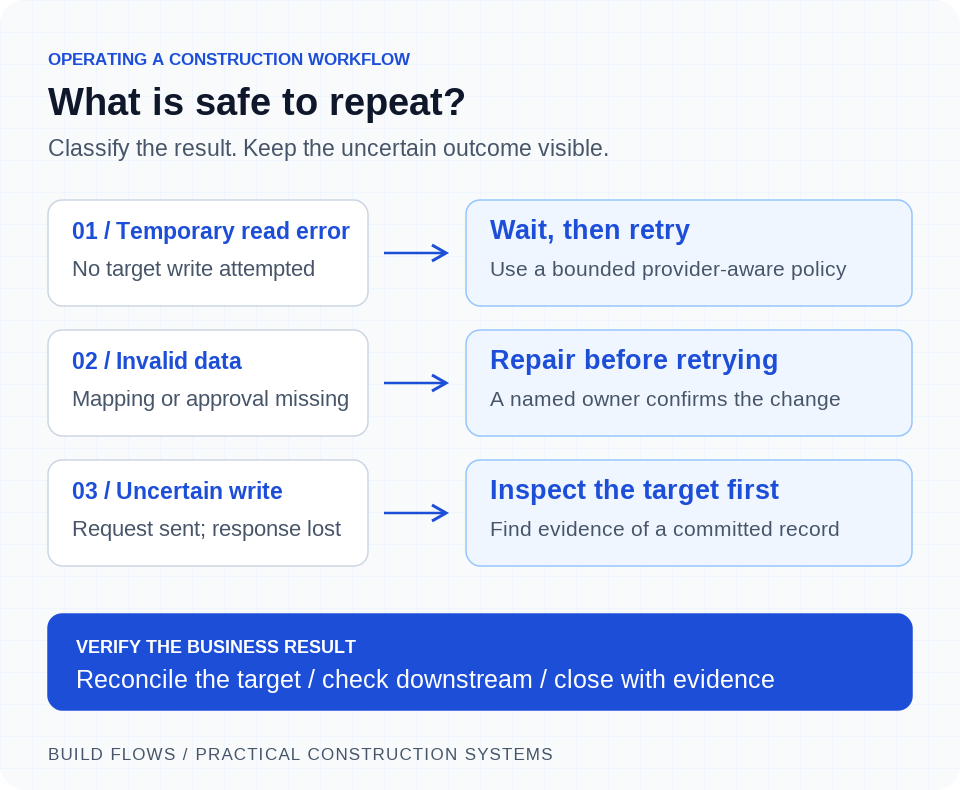
Try the interactive workflow reliability lab to see why a timed-out response can leave the target outcome uncertain. The simulation uses fictional events and never connects to your systems.
Classify the failure before choosing an action
The HTTP status helps, but it is not the whole decision. A timeout can happen before the target receives a request or after the target commits the write. A successful response can also contain a business result your workflow should reject.
| What you observe | First investigation | Recovery decision | Example owner |
|---|---|---|---|
| A read request is rate-limited | Confirm the provider's quota and retry guidance | Wait, then retry within a bounded policy | Integration operator |
| An expired credential or denied permission | Check the approved identity, scope and target access | Repair access; avoid repeatedly sending the same unauthorized call | System administrator |
| A project or cost-code mapping is missing | Compare the source ID with the approved crosswalk | Hold the record until the data owner resolves the mapping | Project or finance data owner |
| A write times out with no target ID returned | Search the target using the stable business key and available request evidence | Establish whether the write committed before deciding to repeat it | Integration operator plus target owner |
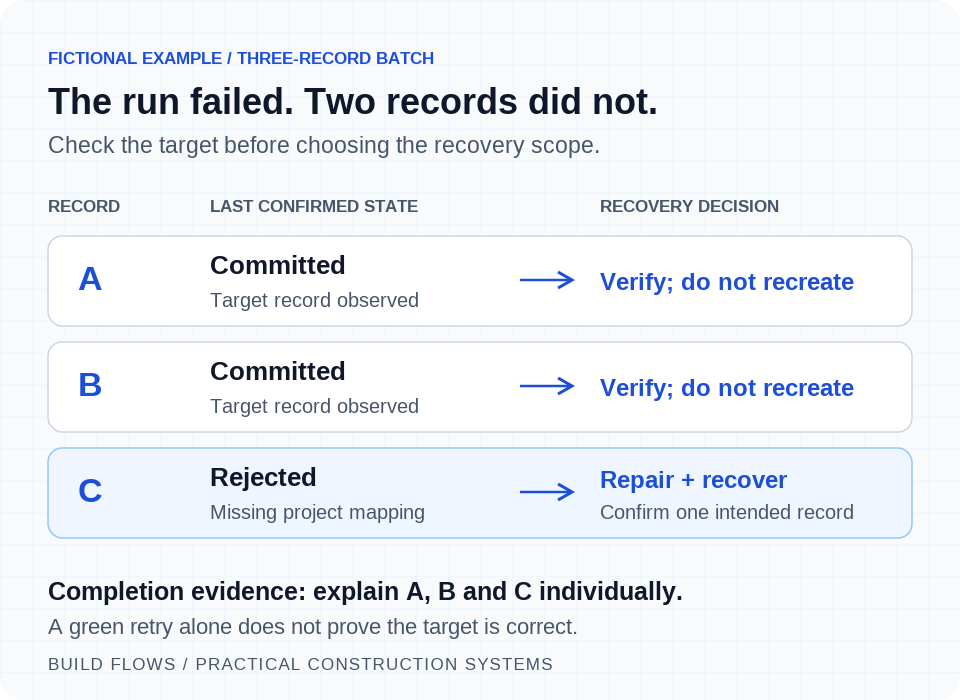
| One record in a batch fails | Identify which records completed and whether the failed node processed earlier items | Recover the affected slice using a duplicate-safe policy | Integration operator |
| The run succeeds but the expected output is absent | Check filters, branches, source status and reporting cutoff | Treat it as a business exception; investigate before rerunning | Workflow owner |
For rate limits, n8n documents both node retries and paced batches using Loop Over Items with Wait. Use the target service's current limits to set the policy; copying one delay into every connector is not a capacity plan. See n8n's rate-limit guidance.
Work the incident in six steps
1. Bound the affected work
Record the workflow, execution ID, failure time and source record IDs. Identify what is delayed: one job setup, a group of invoices, an owner report or an entire nightly refresh. Pause overlapping recovery attempts for that same slice. Do not disable unrelated workflows simply because they use the same source system.
If the event never created an execution, record the trigger failure separately. A workflow can be silent because nothing started, not because the run succeeded.
2. Establish the last confirmed result
Inspect the source, execution evidence and target. Write “unknown” when the target outcome is unknown. Keep these states separate:
- Not attempted: validation prevented a write.
- Confirmed committed: the target record and expected values were observed.
- Confirmed rejected: the target explicitly refused the operation.
- Outcome unknown: the request was sent, but available evidence does not establish the target result.
Do not infer “nothing happened” from an empty target-ID field in your log. The response itself may have been lost.
3. Fix the cause with the right owner
A developer should not invent a project mapping to clear the queue. A finance user should not grant broader API permissions to get a refresh through. Route the exception to the person authorized to resolve that specific cause, and retain their decision beside the record.
For a mapping change, preserve the old value, approved replacement and effective scope. For a credential repair, record the credential reference and access test, never the token or secret itself.
4. Choose the smallest safe recovery
A recovery should name the records, operation, workflow revision and duplicate policy. “Rerun everything” is not a sufficiently precise plan.
In n8n, a saved failed execution can be retried with its original or currently saved workflow. The current documentation explains that completed node results are retained, but the failed node can process items again, and a failed sub-workflow call can rerun the whole child workflow. Review those boundaries before retrying; verify behavior against your deployed version and node. n8n execution retry behavior.
A stable key such as source system + company + record type + source record ID can help identify a repeated operation. It must be enforced by your integration or supported target behavior; adding a field called “idempotency key” to a log does not make a create request safe to repeat.
5. Reconcile the result
After recovery, inspect the target record count, identity, status and values. Compare the affected slice, not only the overall total. Confirm that any downstream report or notification now reflects the intended state.
For a fictional batch of three records, two may have committed before the third failed. Your evidence should explain all three records, including why the first two were not created again.
6. Close with evidence and a prevention decision
The incident is closed when the owner can show the intended business result and the exception queue is reconciled. Record whether the fix was data repair, access repair, a workflow change or a provider recovery. Decide whether a test, validation rule or runbook update would prevent the same failure from becoming another investigation.
A green execution is supporting evidence. It is not a substitute for checking the job, invoice or report that the workflow exists to produce.
Give the operator a usable alert
Keep the alert short: affected workflow, safe record reference, failure category, business impact, owner and a link to restricted execution evidence. Put secrets, full payloads and client-confidential documents outside the alert. A client invoice attachment does not belong in a broad team channel.
n8n supports a separate error workflow beginning with Error Trigger. Its payload can include the workflow, last node and execution reference; execution links are not available in every failure situation. Build the alert so that missing execution metadata still leaves a clear investigation path. n8n error-workflow documentation.
Test the alert path separately from the main workflow. A failed notification should leave an observable record for the operator to discover.
Take the recovery worksheet to your next review
Download the construction automation recovery worksheet. It is a blank template with fields for the last confirmed state, repair owner, recovery scope, verification and closeout. Keep completed copies in your approved internal workspace, not a public repository.
Before a workflow goes live, rehearse a missing mapping, an access failure, a temporary read failure and an uncertain write in an approved test environment. The five-record integration acceptance guide covers record-level acceptance before release; this runbook covers operating the integration afterwards.
If the same manual investigation keeps returning, the next build may be a small exception worklist, a better crosswalk screen or a targeted recovery action. Bring Charley the workflow you want to improve, or email charley@buildflows.ai. Include the systems involved and a description of the failure; send sensitive evidence only through an agreed secure channel.
Frequently asked questions
Should every failed construction workflow be retried?
No. Temporary read failures may be retryable, invalid mappings need repair, and uncertain write outcomes require checking the target first. The recovery decision depends on what already happened and what the operation can safely repeat.
Does retrying an n8n execution start everything again?
Current n8n documentation says completed node results are retained, but the failed node may process items again and a failed sub-workflow call can rerun the child workflow. Check the deployed version and the target records before retrying.
What evidence should close an automation incident?
The affected source and target records, the approved repair, recovery scope, reconciled result, downstream verification and named closeout owner. A successful execution alone does not establish that the business result is correct.
Next step
Want help running this playbook?
Bring the report or workflow. We'll help map the work behind it.
Prefer email? charley@buildflows.ai
Keep learning

Integrations · October 9, 2026
Custom n8n Nodes for Procore, Autodesk, HCSS and Power BI
A walkthrough of the n8n nodes we built for Procore, Autodesk, HCSS and Power BI, the read-only Procore financials MCP server behind an AI agent, and the dashboard that traces every request.
Integrations · November 8, 2026
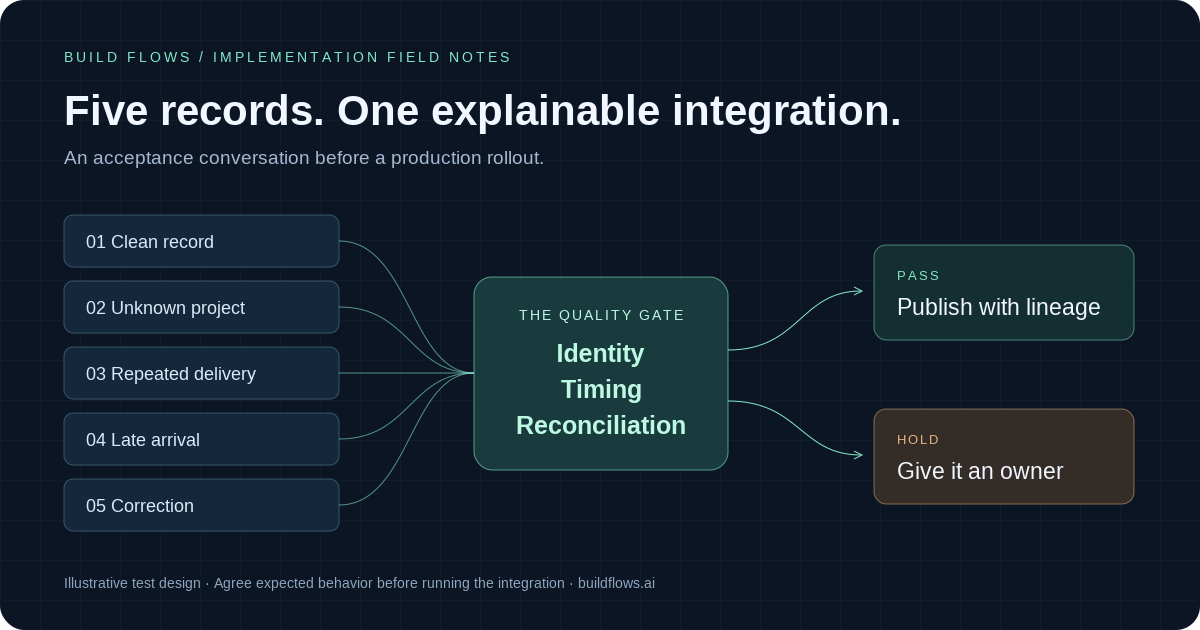
Can You Trust the Sync? A Five-Record Construction Integration Test
Five deliberately chosen records expose the gaps a successful API response cannot. A practical acceptance checklist for controllers, project managers and IT.
Integrations · October 9, 2026
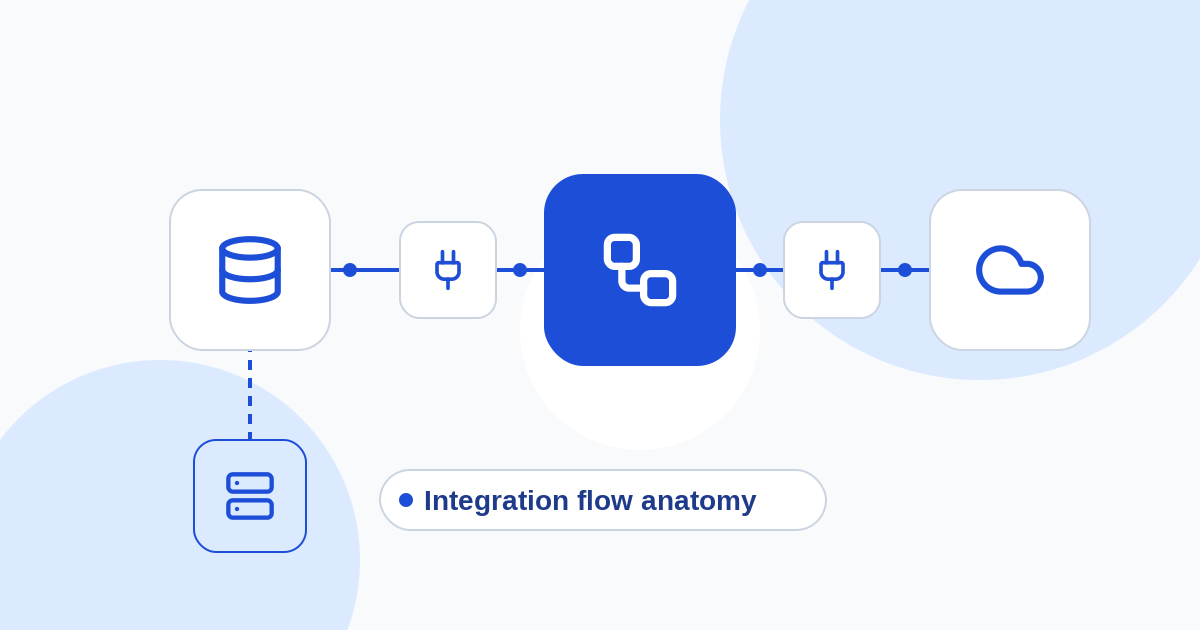
Anatomy of a Construction Integration Flow
How an iPaaS integration flow is put together, illustrated with Trimble App Xchange concepts: connectors, triggers, the cache-and-event model, step types, write scope, naming, remediation and limits. Ends with building a custom connector with the public Xchange SDK.