Key takeaways
- Intuit hides production client IDs and secrets until two cards are complete on the Production tab: App details and the Compliance questionnaire.
- Intuit's requirements apply to private, unlisted apps too, so an app used only by your own company still goes through the same tasks.
- The host domain takes a bare domain such as yourcompany.com. Adding https:// triggers the error Enter a valid host domain.
- The license agreement, privacy policy, launch and disconnect URLs need full https:// addresses. For an internal app, pages on your company website work, and one page can fill all three app URLs.
- You need real license and privacy terms when outside companies will connect their own QuickBooks, or when you list the app in the App Store.
- Stop screen sharing before Show credentials, then paste the values straight into Key Vault as quickbooks-client-id and quickbooks-client-secret.
- The refresh token doesn't exist yet. It's created during the one-time Connect step and written to the vault by the integration.
65 seconds · From a Build Flows walkthrough
Fill in Intuit's license and privacy URLs for an internal app
Intuit won't show production keys until the app details are done. For an app only your own company uses, the end-user license agreement and privacy policy URLs can point to your company website.
Read the clip transcript
- Yeah. - Right, until I complete these questions. - Okay, so the user license agreement, since this is just an internal app, and we're using it as for internal purposes, if you were to publish this or make it into where you were like, promoting this app for like an like a software solution or something, you'd want to have like a user agreement that they're like approving or like agreeing to in a sense. Since this is internal and you're just using it for internal purposes, it can really be used. You can use any URL that you want. Okay, so maybe use buildflows.ai or you can use your [your domain] yeah and you have to use the https yeah so this just shows up when you like basically say yes I authenticate for like signing in here, it basically says like here's the agreement and licensing and here's the privacy policy for it, which isn't really scary in this case.
Captions adapted from the source video; proper names may reflect automatic transcription. Original segment: 4:26–5:31. Watch at the source.
45 seconds · From a Build Flows walkthrough
Host domain vs. launch, disconnect and connect URLs
The host domain takes the bare domain with no https://. The launch, disconnect and connect/reconnect URLs take the full https:// address, and for an internal app they can all be the same page.
Read the clip transcript
Okay, and you can do the same thing for privacy policy too. And this will need to be, so these are, you may need to set these. And so the, let's see here, the host name, that can just be the same thing, [your domain]. So no HTTPS forward slashes on that one. And then launch URL will be the same, but with the HTTPS, okay, perfect. Disconnect URL will be the same. And the connect URL will also be the same. Okay, and we should be good for that.
Captions adapted from the source video; proper names may reflect automatic transcription. Original segment: 5:41–6:26. Watch at the source.
23 seconds · From a Build Flows walkthrough
Copy production keys off screen
When a setup call is recorded or screen-shared, open the keys page off screen and paste the values straight into Key Vault. Nobody else needs to see them.
Read the clip transcript
Okay. And if you want to do that off the recording to show your credentials, that probably better. If you just took that page and went off the screen and then copy and paste it. or like just kept those in a different page, 'cause then you'll ultimately paste those into fabric. Yeah, so, or in Azure portal. - Okay, so then those, I need to update the key vault
Captions adapted from the source video; proper names may reflect automatic transcription. Original segment: 6:29–6:52. Watch at the source.
You built an Intuit developer app so your reporting can read QuickBooks Online. The development keys work against a sandbox. Then you open the Production tab to get the real keys, and Intuit shows a task list instead: Complete these tasks in any order to unlock your production credentials.
The list asks for an end-user license agreement, a privacy policy, a host domain, a launch URL, a disconnect URL and a connect/reconnect URL. Those fields were written with published apps in mind, software that other QuickBooks customers sign up for. If the app is only for your own company and only reads data for reports, it isn't obvious what to type.
This guide goes through each task, says what the field is for in a published app, and what we enter for an internal, read-only reporting app. It ends with the production client ID and secret going straight into Azure Key Vault. It follows a real setup call with a client's admin, and it builds on the QuickBooks Online API credentials guide, which covers creating the app, the realm ID and the Connect step.
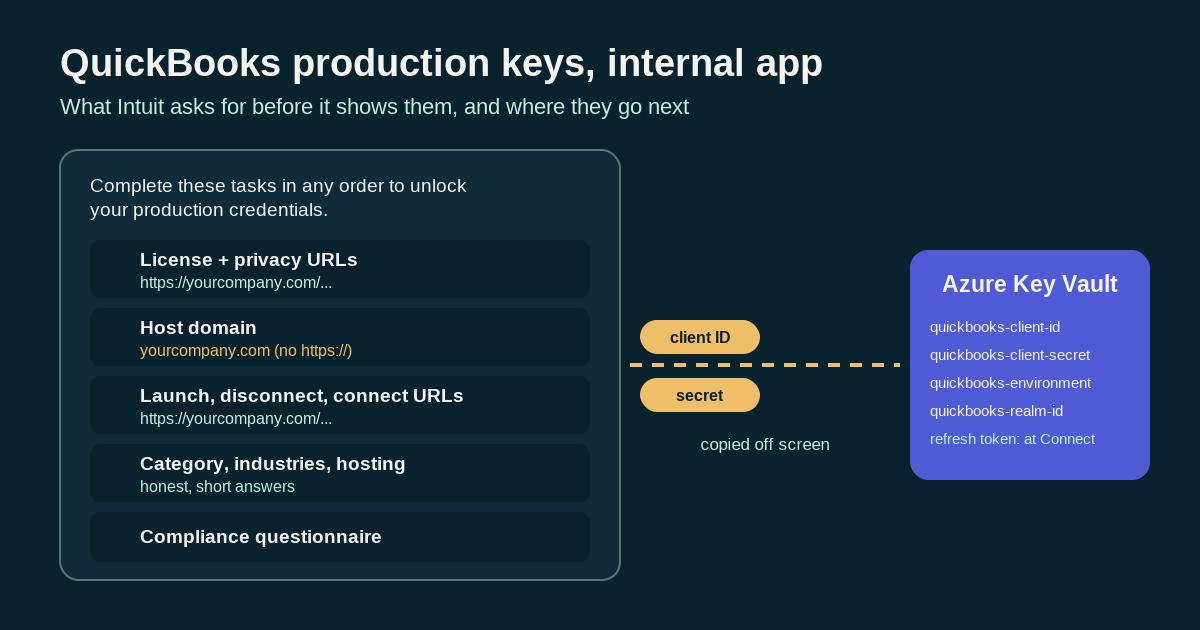 Intuit's production tasks, then straight into Key Vault
Where the task list lives
Sign in at developer.intuit.com, open your app from the app dashboard, select Keys and credentials in the left menu, then the Production tab. Intuit's own docs say the production client ID and secret "will be accessible only after completing the Production Key questionnaire and its approval."
The page shows two cards: App details and Compliance. Each has a progress percentage. You can do them in any order.
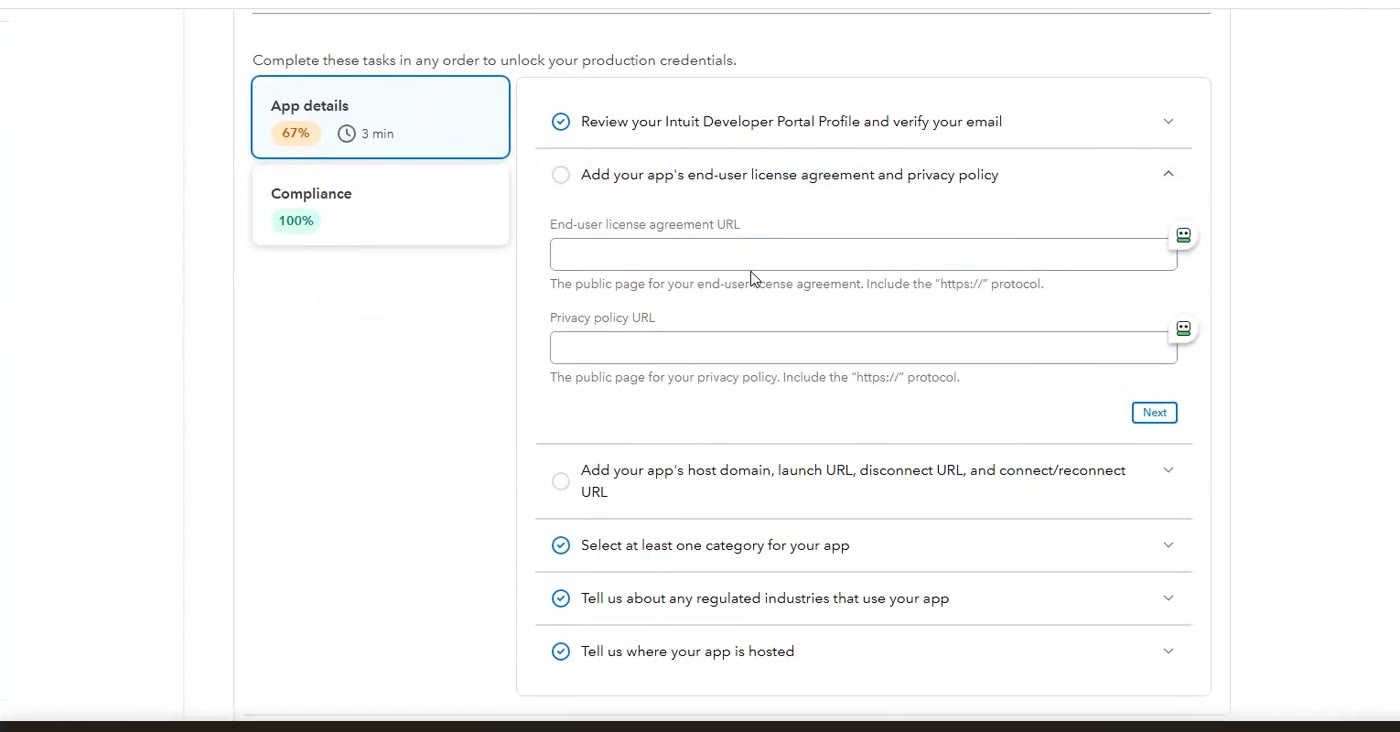 The two cards and six App details tasks, from the live session
Do internal apps really need all this?
Yes. Intuit's publishing requirements say they apply to "all apps that connect to production QuickBooks Online companies," and that "this includes both private (i.e., unlisted) apps and apps that want to be listed on the App Store." When you request production credentials, Intuit asks you to complete a self-assessment questionnaire. The same page says apps also go through an annual security assessment.
Getting production keys doesn't put your app in the QuickBooks App Store. Listing is a separate, three-part review that you'd have to start on purpose. Your app can stay private.
The App details tasks, one by one
| Task | What it's for in a published app | What we enter for an internal reporting app |
|---|---|---|
| Review your Intuit Developer Portal Profile and verify your email | Intuit knows who owns the app and can reach them | Verify the email. Use a company-owned inbox someone reads |
| Add your app's end-user license agreement and privacy policy | Customers see the terms and how you use their data when they connect | Public pages on your company website, with https:// |
| Add your app's host domain, launch URL, disconnect URL, and connect/reconnect URL | Where customers sign in, land after disconnecting, and reconnect | Your website domain, then a page on that site for the three URLs |
| Select at least one category for your app | Helps people find the app in the App Store | The closest fit, for example reporting or accounting |
| Tell us about any regulated industries that use your app | Lending, payments and similar uses have extra licensing rules | Answer truthfully. A contractor's reporting app usually isn't in one |
| Tell us where your app is hosted | Intuit's "geolocation" setting: the countries your app runs in | The country where your data platform runs, such as the United States |
License agreement and privacy policy
Both fields want a full public URL. The hint under each says: "Include the "https://" protocol."
In a published app, these links appear when a customer authorizes the connection. They're the legal terms between you and that customer. For an app that only your own company uses, nobody outside the company accepts them, so a page on your public website is enough. That's what we did on the call.
You need real, written terms when any of these is true:
- People outside your company will connect their own QuickBooks companies to the app.
- You plan to list the app in the QuickBooks App Store.
- You are a software vendor or integrator connecting clients' books to your product.
In those cases, have the license and privacy pages written properly, and make sure the privacy page says how you use QuickBooks data. Intuit's requirements say you must describe the purpose of any customer data you use and get agreement first.
Host domain and the three URLs
This is the task that trips people up, because the fields look the same and follow different rules.
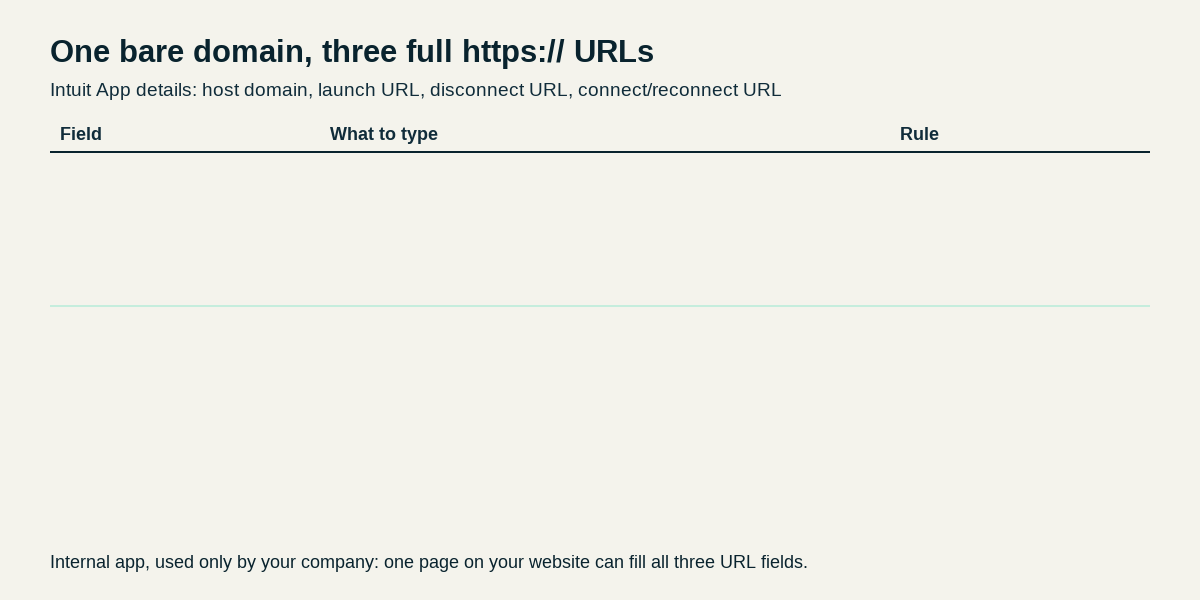 Host domain is bare. The three URLs are full https:// addresses.
- Host domain. Type the domain only, such as
yourcompany.com. The hint reads "Enter the customer-facing domain. No "https://" protocol needed." If you pastehttps://yourcompany.com, the field turns red and says Enter a valid host domain. - Launch URL. A full address with
https://. In a published app it's where customers go "once they authenticate," usually the app's sign-in page or the page that starts Intuit single sign-on. - Disconnect URL. A full address with
https://. In a published app it's the page customers see after disconnecting their QuickBooks company. Intuit suggests a static page that confirms the disconnect and explains how to reconnect. - Connect/Reconnect URL. Where customers go to connect or reconnect. On the call we entered an
https://address here too. - Select Next to save the task.
For an internal app, the same page on your website can fill all three URL fields. Nobody outside the company will be sent to them. A short page that says what the integration does and who to contact is a sensible choice if you want it to mean something.
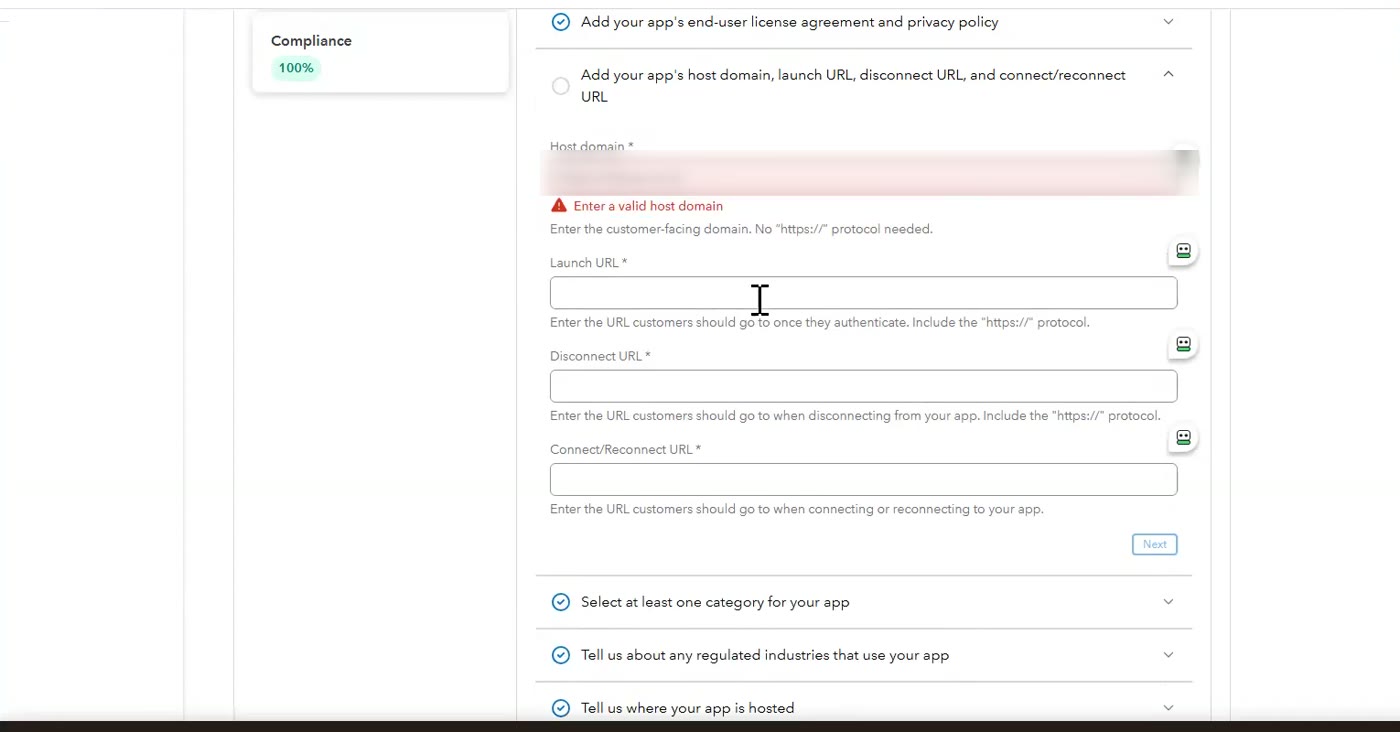 The host domain error that appears when https:// is included
These URLs are different from the redirect URI, which is where Intuit sends the authorization code during the Connect step. The redirect URI lives under Settings, must use HTTPS for production, and has to match what your integration sends. The QuickBooks credentials guide covers it.
The Compliance questionnaire
The Compliance card opens Intuit's app assessment questionnaire. Intuit doesn't publish the full question list on its public pages. Integration platforms that walk their customers through it, such as Codat, describe sections on general business information, app information, authorization and authentication, API usage, the Accounting API, error handling and security, plus a lending section if you say you're a lender.
Intuit's public requirements show what it cares about. You disclose complaints, lawsuits or government requests related to your business. If your app passes QuickBooks data to another service, you describe that integration. You confirm your app stores the latest refresh token and handles expired-token and invalid-grant errors.
For a read-only reporting app, answer for the app you actually run. It reads accounting data on a schedule, stores it in your own data platform, never writes back, and keeps credentials in a vault. Intuit's docs say they'll contact you if they have questions about your answers.
In the session's screenshot the Compliance card already showed 100 percent, because the client's admin had finished it before the call. Only App details was left.
From production keys to Key Vault
When both cards are complete, the Production tab shows a Show credentials switch with the client ID and client secret. This is where screen-sharing habits matter.
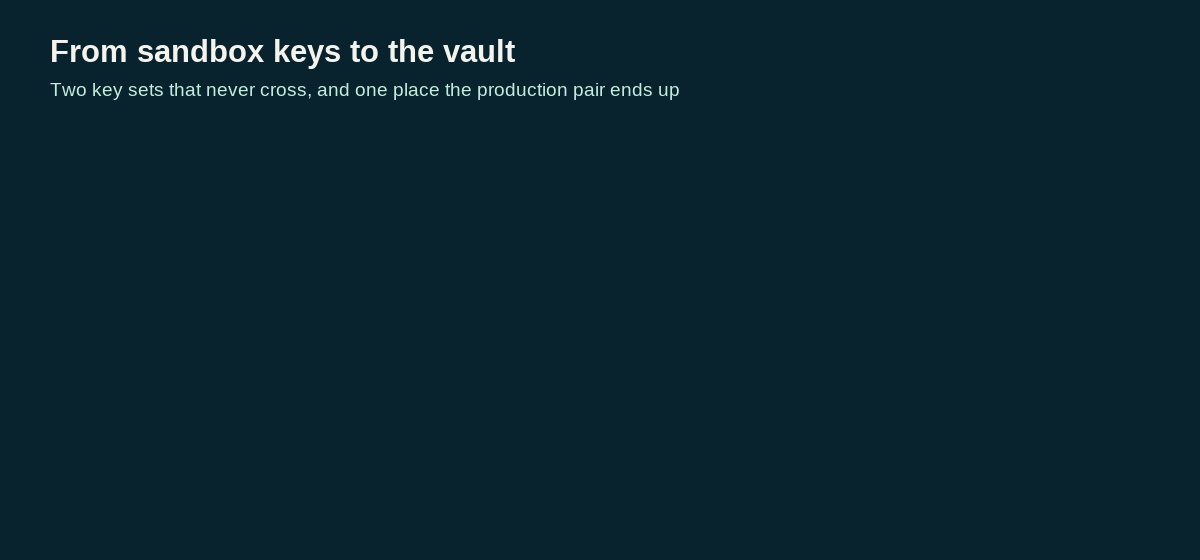 Development keys stay in the sandbox. Production keys go to the vault.
- Stop sharing your screen before you turn on Show credentials, or move the window to a screen you aren't sharing.
- Copy the Client ID. In the Azure portal, open your vault, then Objects > Secrets > + Generate/Import. Name it
quickbooks-client-id, paste the value and select Create. - Copy the Client secret and do the same with the name
quickbooks-client-secret. Don't paste either value into chat, email, a ticket or a notes file on the way. - Check
quickbooks-environment. It should beproduction. Production keys don't work against a sandbox company, and development keys don't work against your real books. Check and change a Key Vault secret safely shows how to read the value and change it with a new version. - Check
quickbooks-realm-id. That's your QuickBooks company ID. Where to find the realm ID shows where to look. - Leave the refresh token for later. It doesn't exist until a QuickBooks admin clicks Connect once. The integration then writes it to
quickbooks-refresh-token. That step is in the QuickBooks credentials guide.
If a secret value ever does appear on a recording, treat it as exposed. Reset the client secret in Intuit and add the new value as a new version in Key Vault. Rotating API secrets in Key Vault walks through it.
From the live session
This comes from an unscripted call with a client's admin at a low-voltage and security integrator. They had built the Intuit app and finished the Compliance questionnaire on their own, then got stuck on the App details card. Watch the recording.
- 02:20: Intuit portal. The admin opened developer.intuit.com and went to Keys and credentials. "So here's where I was getting stuck… it won't give me the information until I complete these questions."
- 04:11: the questionnaire. Charley explained the license agreement: if you published the app and sold it, you'd want real terms that users agree to, but for an internal app you can use your company website, as long as it starts with
https://. The same went for the privacy policy. For the host domain: "no HTTPS forward slashes on that one." Then the launch, disconnect and connect URLs all used the same address withhttps://. - 06:30: keep credentials off the recording. "If you want to do that off the recording to show your credentials, that's probably better." The admin later added
quickbooks-client-idandquickbooks-client-secretto Key Vault with the screen share paused, and noted there was no refresh token yet. That's expected before Connect.
The recording blurs the client's domain and identifiers.
Checklist
- Developer profile reviewed and email verified, on a company-owned inbox
- License agreement and privacy policy URLs entered, both starting with
https:// - Host domain entered as a bare domain, with no
https:// - Launch, disconnect and connect/reconnect URLs entered as full
https://addresses - Category, regulated industries and hosting location answered
- Compliance questionnaire submitted for this app
- Production redirect URI added under Settings
- Screen share stopped before Show credentials
-
quickbooks-client-idandquickbooks-client-secretin Key Vault, nowhere else -
quickbooks-environment=production,quickbooks-realm-idset - Connect step scheduled to create the refresh token
Need a hand?
Build Flows connects QuickBooks, Procore and HubSpot to Microsoft Fabric for construction companies, with every credential kept in your own Key Vault. If Intuit's production tasks or the Connect step are holding you up, we can do them with you on a call and keep the secrets off screen. Email charley@buildflows.ai or tell us what you're building.
References
- Intuit Developer: Get the client ID and client secret for your app
- Intuit Developer: Change app settings (host domain, launch URL, disconnect URL, geolocation)
- Intuit Developer: Publishing requirements and guidelines (private apps, questionnaire, annual security assessment)
- Intuit Developer: Publish and list
- Codat: QuickBooks Online app assessment questionnaire (third-party walkthrough of the sections)
- Microsoft Learn: Set and retrieve a secret from Key Vault using the Azure portal
Frequently asked questions
What does "Complete these tasks in any order to unlock your production credentials" mean in Intuit Developer?
Intuit won't show your app's production client ID and secret until you finish the App details tasks and the Compliance questionnaire on the Production tab under Keys and credentials. You can do the two cards in either order. Once both are complete, the Show credentials switch reveals the keys.
Why does Intuit say "Enter a valid host domain"?
The host domain field wants the domain only, such as yourcompany.com. If you include https:// or a path, Intuit shows Enter a valid host domain. The launch, disconnect and connect/reconnect URLs are the opposite: they take full addresses starting with https://.
Do I need production keys if my QuickBooks app is only for my own company?
Yes, if it reads your real QuickBooks company. Development keys only work against sandbox companies. Intuit's publishing requirements apply to private, unlisted apps as well as App Store apps, so you complete the same App details tasks and questionnaire. You don't have to list the app publicly.
What should I put for the launch URL and disconnect URL for an internal QuickBooks app?
In a published app, the launch URL is where customers go after they authenticate and the disconnect URL is where they land after disconnecting. For an app only your company uses, a page on your public website with https:// works for both, and for the connect/reconnect URL too.
Do I need a real end-user license agreement and privacy policy for a private QuickBooks app?
Intuit requires both URLs, with https://. If only your own company uses the app, pages on your company website are a reasonable answer. If other companies will connect their own QuickBooks, or you plan to list the app, have proper terms and a privacy policy written that explain how you use their data.
Where do I store the QuickBooks production client ID and secret?
In Azure Key Vault, as quickbooks-client-id and quickbooks-client-secret, next to quickbooks-environment set to production and quickbooks-realm-id. Copy them with screen sharing stopped and paste them straight into the vault, never into email or chat. The refresh token is added later, during the Connect step.
Next step
Need this connection in your environment?
Scope one integration: the records, direction, timing, and business rules behind the connection.
Prefer email? charley@buildflows.ai
Keep learning
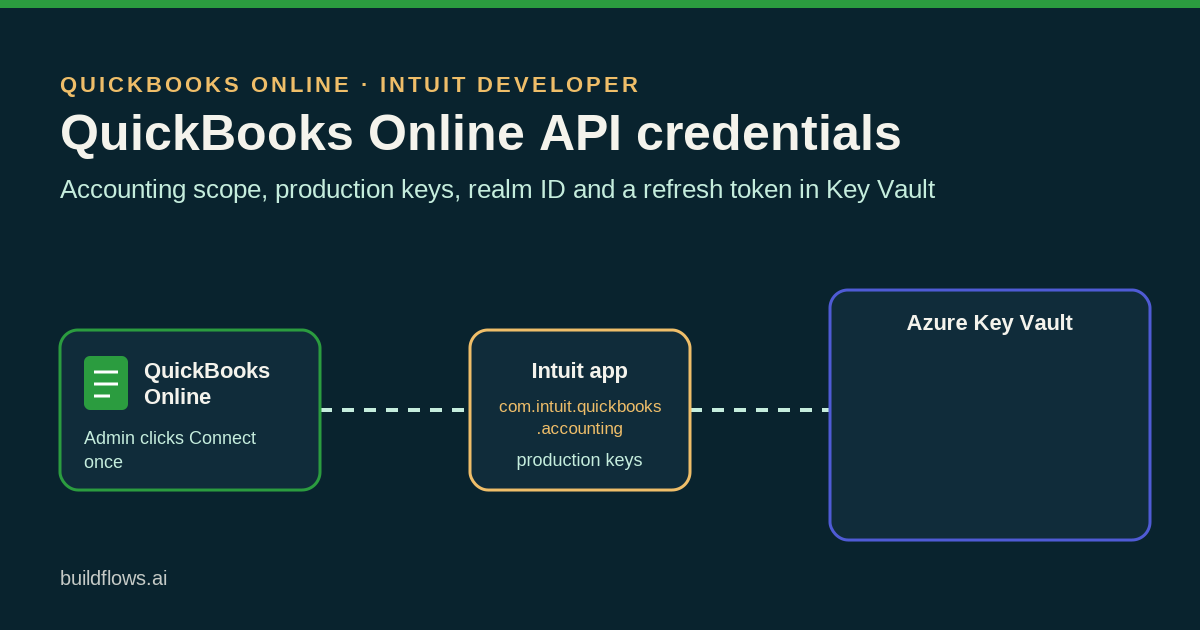
Integrations · November 14, 2026
QuickBooks Online API Credentials: Intuit Developer App, Production Keys and Refresh Tokens
A step-by-step guide to QuickBooks Online API credentials for reporting: the Intuit developer account, an app with only the Accounting scope, development versus production keys, the production-keys tasks, the realm ID, the one-time Connect step, and how refresh tokens rotate and expire under Intuit's current policy, with every value stored in Azure Key Vault.
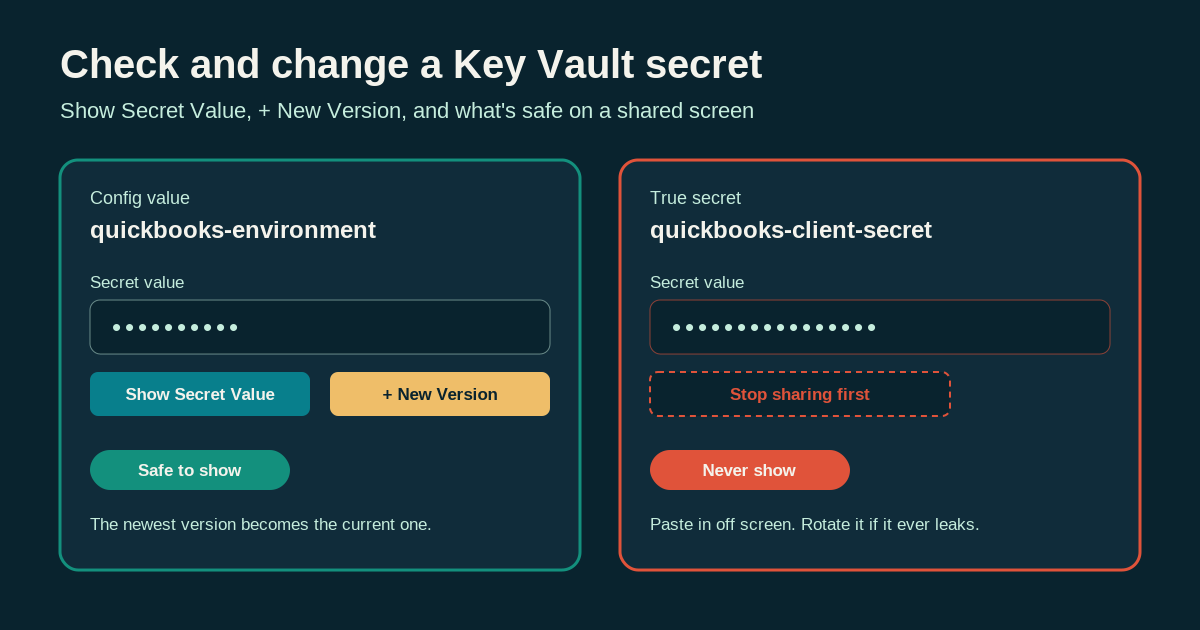
Integrations · November 17, 2026
Check and Change an Azure Key Vault Secret Safely: Show Secret Value and New Version
How to read an Azure Key Vault secret's current value with Show Secret Value, which RBAC role you need, how + New Version changes a value while pipelines that read by name pick up the newest version, what disabling versions and expiration dates really do, and which entries are config values safe to reveal on a call versus true secrets that never go on screen.
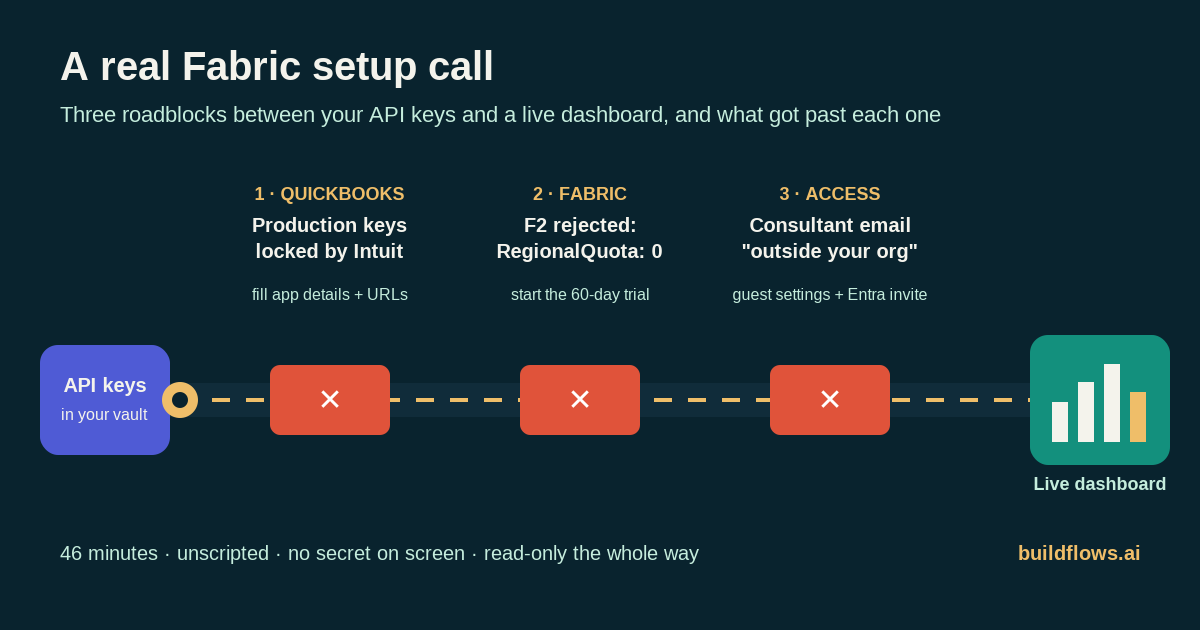
Integrations · November 17, 2026
A Real Microsoft Fabric Setup Call: QuickBooks, Key Vault and 3 Roadblocks We Fixed Live
A walkthrough of an unscripted 46-minute setup call with a client's admin: unlocking QuickBooks production keys in the Intuit Developer portal, checking Azure Key Vault values safely, getting past the Fabric F2 "RegionalQuota: 0" error with the 60-day trial, and giving an outside integrator guest access to a Fabric workspace, with a run sheet and checklist.