Key takeaways
- Three walls stop most QuickBooks, Procore and HubSpot to Fabric setups: Intuit hiding production keys, an F2 capacity rejected with "RegionalQuota: 0", and Fabric refusing an outside consultant's email. All three were cleared in one 46-minute call.
- Intuit shows production keys only after the app details and compliance tasks are done. For an internal app, your own website pages work for the license, privacy and app URLs; the host domain takes no https://.
- Configuration values such as quickbooks-environment and procore-base-url are safe to check on a shared screen. Client secrets and tokens are copied off screen straight into Key Vault.
- "RegionalQuota: 0" means the subscription has zero Fabric capacity units in that region. The 60-day Fabric trial lets the build start while you request quota or pick another region.
- Fabric won't invite an outside email from the workspace. Enable guest access in tenant settings, invite from Microsoft Entra ID, then give the integrator Contributor or Member.
- Check quota and enable guest access before the call, and the whole setup fits in under an hour. The real work starts after: validating the numbers with the people who own them.
35 seconds · From a Build Flows walkthrough
Why "My workspace" won't work for a shared build
My workspace is personal and can't be shared with a group. Create a new workspace so your team and your integrator can work in the same place.
Read the clip transcript
it took me back to like that other. Okay. So then in here. So what we'll need to do first here is you're on your own fabric, my workspace, I believe. And there needs to be that's like an individual workspace that is for you personally. That is not shared with a group or people. And so there would need to be a shared workspace for us to be able to collaborate on. And so to do that, essentially what we would need to do is to create a new workspace. - Okay. - So it's right there underneath. Welcome to Fabric right there. And you can name this anything that you want.
Captions adapted from the source video; proper names may reflect automatic transcription. Original segment: 18:26–19:01. Watch at the source.
69 seconds · From a Build Flows walkthrough
After setup: validate the numbers, then tune the dashboards
Once data flows, sit down together and check the numbers against the source systems. Then adjust pages, calculations and KPIs, and add simple inputs like a weekly wins form if the team wants them.
Read the clip transcript
once we get those few minor things tweaked and everything's pulling in data and we're able to like visually see it, next steps would then be to go through and sit down and do some data validation to say, "Hey, these numbers are correct," and then go through any... type of adjustments for pages, reports, dashboards, insights, things like that. So anything that you're wanting to change, modify, make it look different ways or pull in different calculations and work with some organizations, they have their own like KPIs that they set for their own internal systems that they want to reach. and so we can leverage that as well as then if there's any type of like data input. So as of right now we're just reading data from your sources from HubSpot, QuickBooks, and Procore. If we're ever wanting to like do any like data ingestion, so that would be like a weekly hey, These are three wins that I accomplished this week on my projects or something like that. We can create a Google site, which would be a form that they could fill out that could then feed into this dashboard and be able to do all of the formatting and filtering for that.
Captions adapted from the source video; proper names may reflect automatic transcription. Original segment: 43:48–44:57. Watch at the source.
Most setup guides, ours included, show a clean run: create the keys, store them, connect, done. Real setups don't go that way. This guide follows an unscripted 46-minute call with a client's admin who had already done most of the work alone and got stuck in three places. Each one is a wall that stops a lot of companies connecting QuickBooks, Procore and HubSpot to Microsoft Fabric. All three were cleared on the call, and no secret appeared on screen.
The client is a low-voltage and security integrator. Their admin had already created read-only API access in Procore and HubSpot and stored it in an Azure Key Vault in their own tenant, following our secure credential setup guide. What was left was QuickBooks, Fabric and access for us. You can watch the full call, or read the short version here.
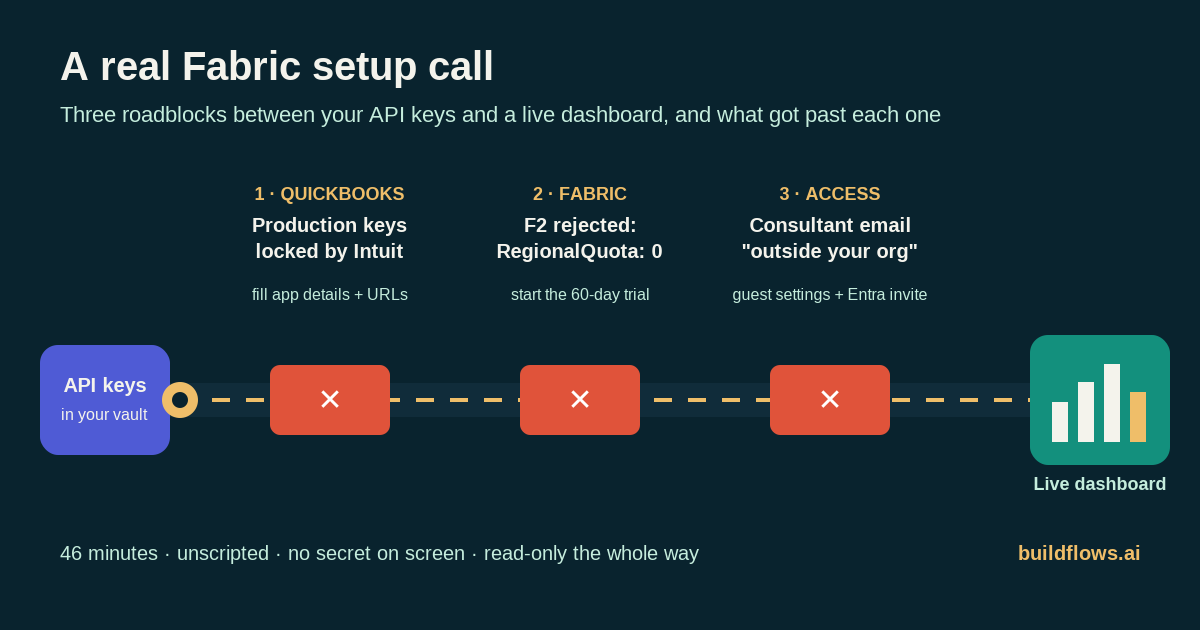 Three roadblocks, one call
The short version
| # | Roadblock | What you see | What got past it | Time on the call |
|---|---|---|---|---|
| 1 | QuickBooks production keys are locked | Complete these tasks in any order to unlock your production credentials | License, privacy and app URLs for an internal app. The host domain takes no https://. | About 5 minutes |
| 2 | Fabric F2 capacity won't deploy | TotalCapacityUnits: 0, RegionalQuota: 0, RequestedSku: F2 | The 60-day Fabric trial, so building can start now. The paid capacity waits for a quota increase or another region. | About 10 minutes |
| 3 | The consultant can't be added to the workspace | One or more e-mail addresses with the following domains are outside your organization | Guest access in Fabric tenant settings, an invitation from Microsoft Entra ID, then a workspace role | About 9 minutes |
Everything else on the call was quick checks: confirming Key Vault values, picking a region, naming a workspace.
Before the call: what was already done
The admin had prepared well, which is why the call took less than an hour:
- A resource group and an Azure Key Vault in their own tenant, using Azure role-based access control
- Procore: a custom app with a service account and read-only tool permissions, stored as
procore-client-id,procore-client-secret,procore-company-idandprocore-base-url - HubSpot: a service key with read-only CRM scopes, stored as
hubspot-private-app-token - QuickBooks: an Intuit developer app, the realm (company) ID and an environment value
If you're preparing for a call like this, the credential setup checklist generates the exact secret names.
Roadblock 1: Intuit won't show production keys
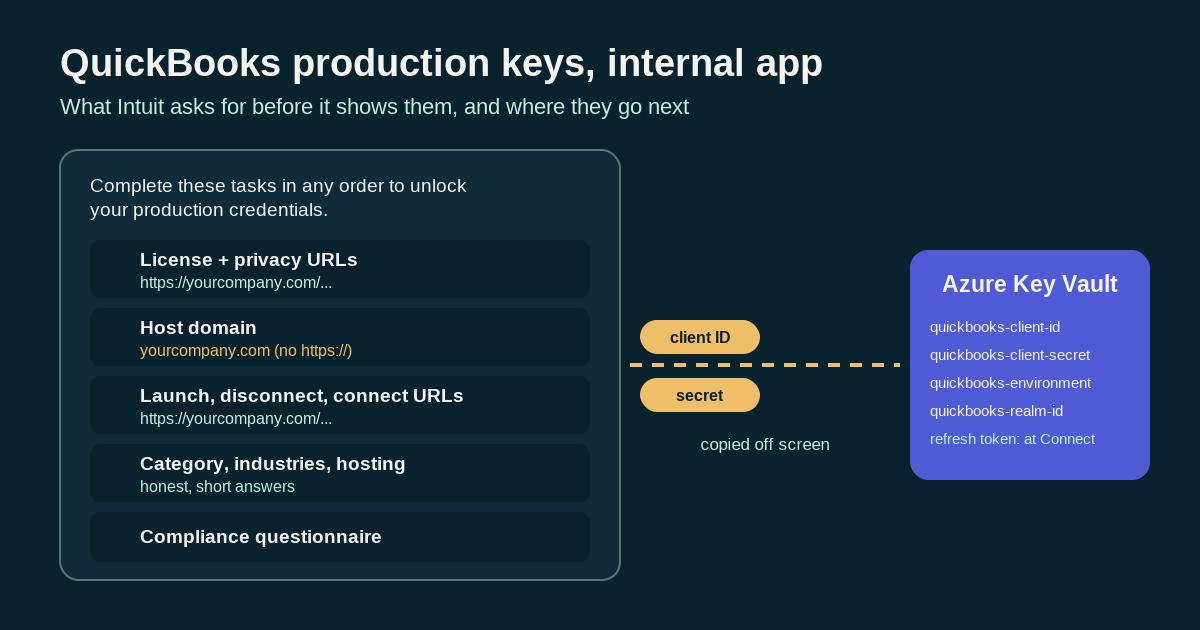
The Intuit Developer portal gives you development keys straight away. Production keys stay hidden until you complete a set of tasks under App details and Compliance. The admin had stopped at the URL fields.
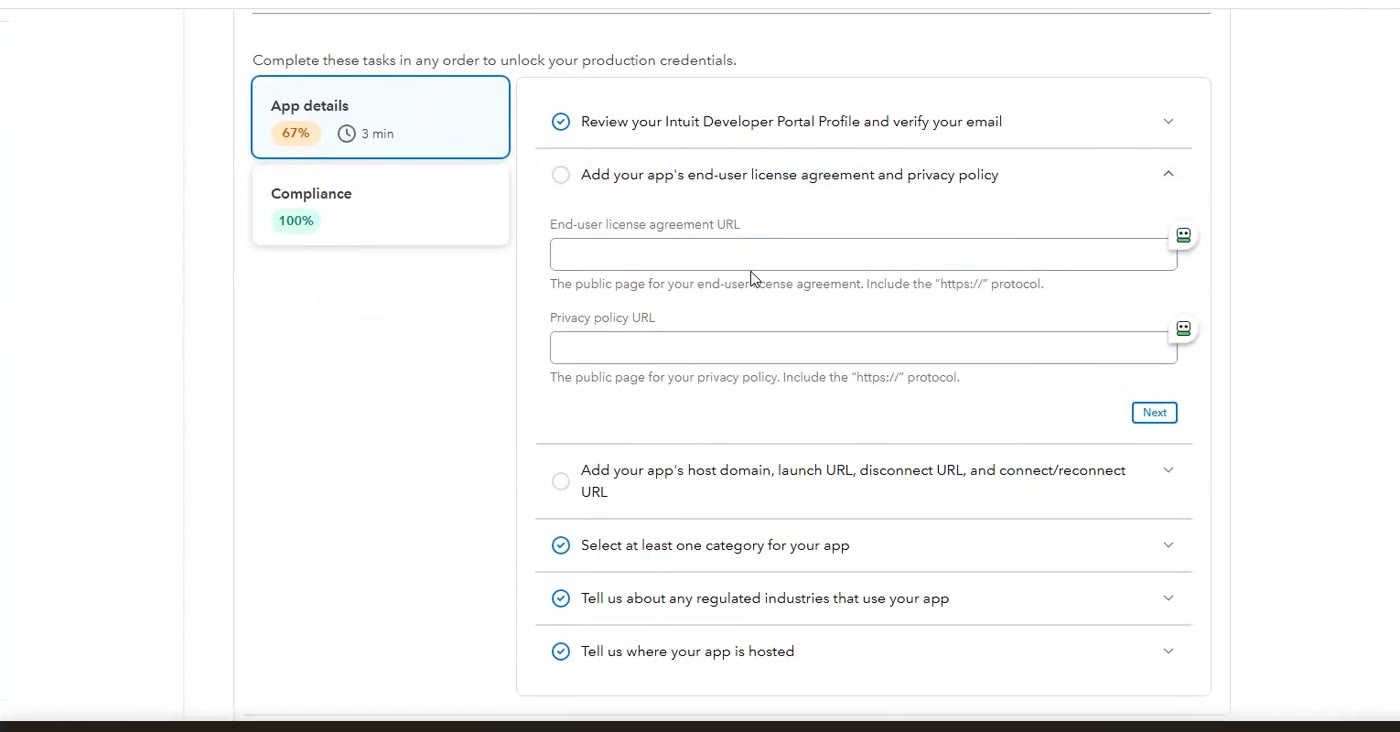 Intuit lists the tasks that unlock production keys
What worked for an app that only this company will ever use:
- End-user license agreement URL and Privacy policy URL: pages on the company's own website, with
https://. They matter most when other companies install your app. For an internal reporting app, they just need to be real pages you control. - Host domain: the bare domain, like
yourcompany.com. Typinghttps://here gives Enter a valid host domain. - Launch URL, Disconnect URL and Connect/Reconnect URL: full
https://addresses. For an internal app they can be the same page.
Then the production client ID and secret were copied off screen and pasted straight into Key Vault. The full field-by-field walkthrough is in QuickBooks production keys: what Intuit asks for.
A quick stop in Key Vault
Two checks took a few minutes and are worth copying:
- Is QuickBooks pointed at production? Open
quickbooks-environment, open the current version, and select Show secret value. It saidproduction. To change it, you'd select New version and savesandbox. The new version becomes the current one. - Is Procore pointed at production?
procore-base-urlshould be Procore's production API, not the sandbox, or the reports would show test data.
Both are configuration values, so it's fine to reveal them on a shared screen. Client secrets and tokens are never revealed. Check and change a Key Vault secret safely covers which values are which.
 The call, in order
Roadblock 2: "RegionalQuota: 0"
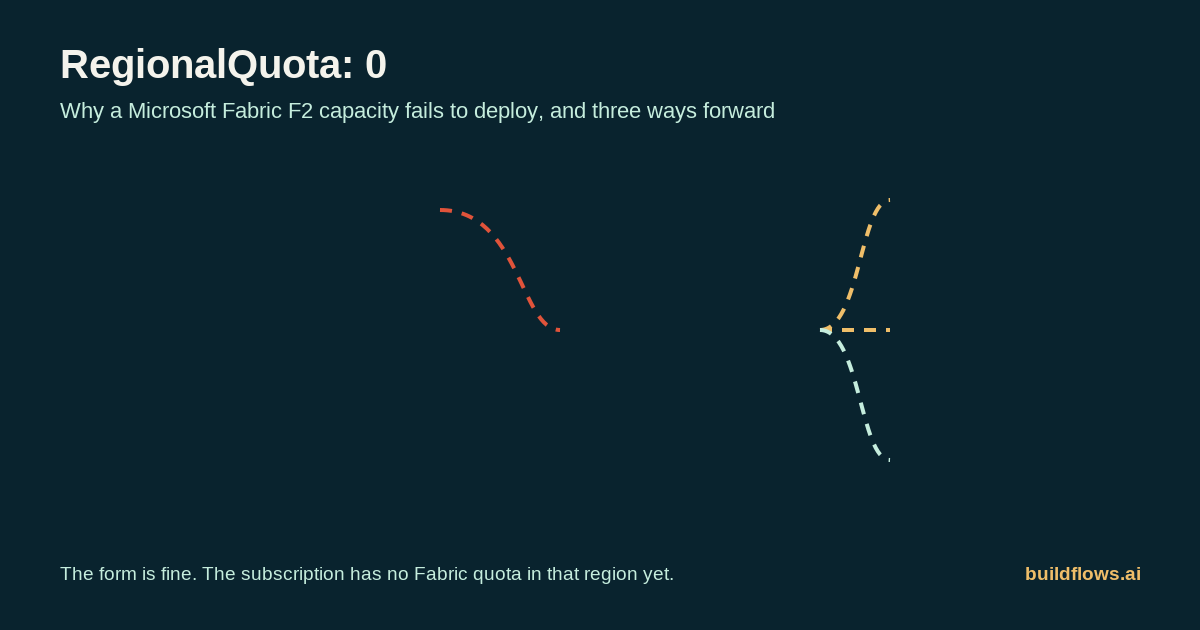
Fabric needs a capacity to run on. The admin had tried to create an F2 the day before and got an error. On the call we created it again: Azure portal, the resource group, Create, search Microsoft Fabric, size F2, region West US, on the subscription that came with Microsoft 365. It failed the same way:
The sum total of CapacityUnits of all Fabric capacities in the current subscription must not exceed the regional quota for the subscription! TotalCapacityUnits: 0, RegionalQuota: 0, RequestedSku: F2.
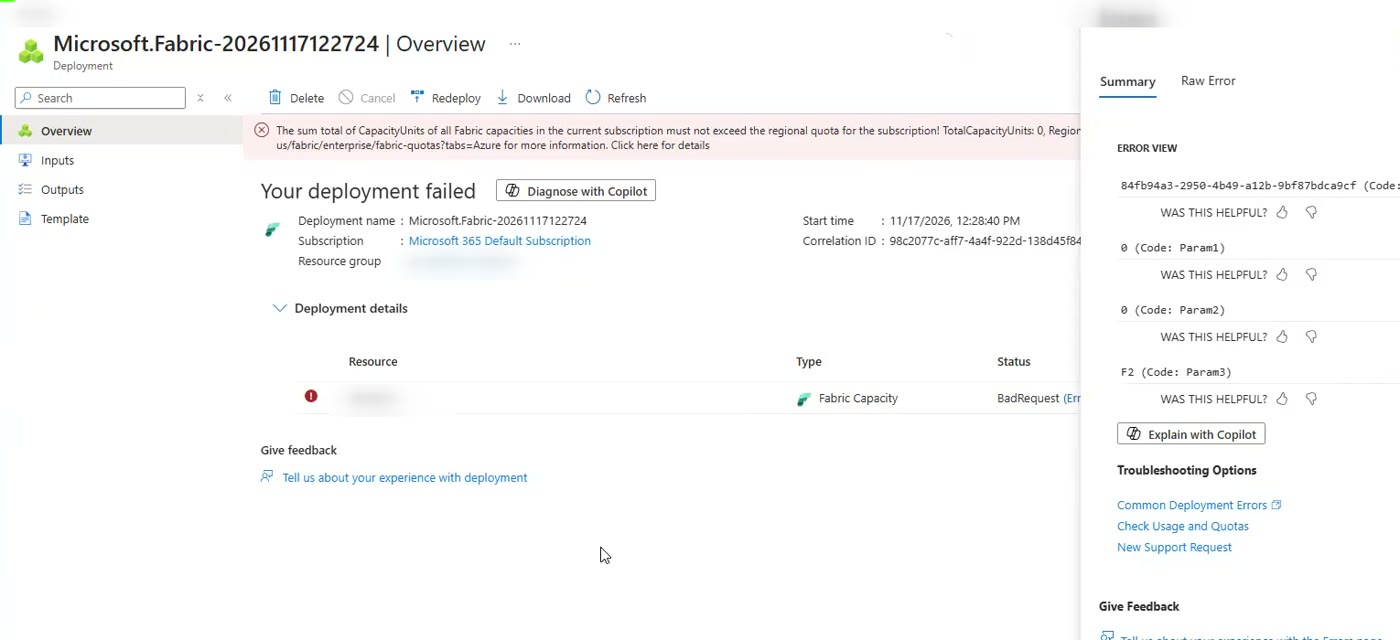 The deployment failed with a regional quota of zero
On the call I first guessed that the Microsoft 365 subscription couldn't hold Fabric at all. The error is more specific than that: this subscription is allowed zero Fabric capacity units in that region, so even an F2, the smallest size at 2 units, is over the limit. The fixes are to request a quota increase, try another region, or create the capacity on a different subscription that has quota.
Each of those can take a while, so we didn't wait. From app.fabric.microsoft.com, the admin opened the profile menu and selected Start Fabric trial. That gave them a trial capacity for 60 days, which is enough to build and validate everything before paying for F2.
- Fix "RegionalQuota: 0" when creating a Fabric F2 capacity
- Start the Fabric trial and move to a paid F2 before it ends
- Subscriptions, resource groups and what a Fabric capacity costs
Roadblock 3: "Outside your organization"
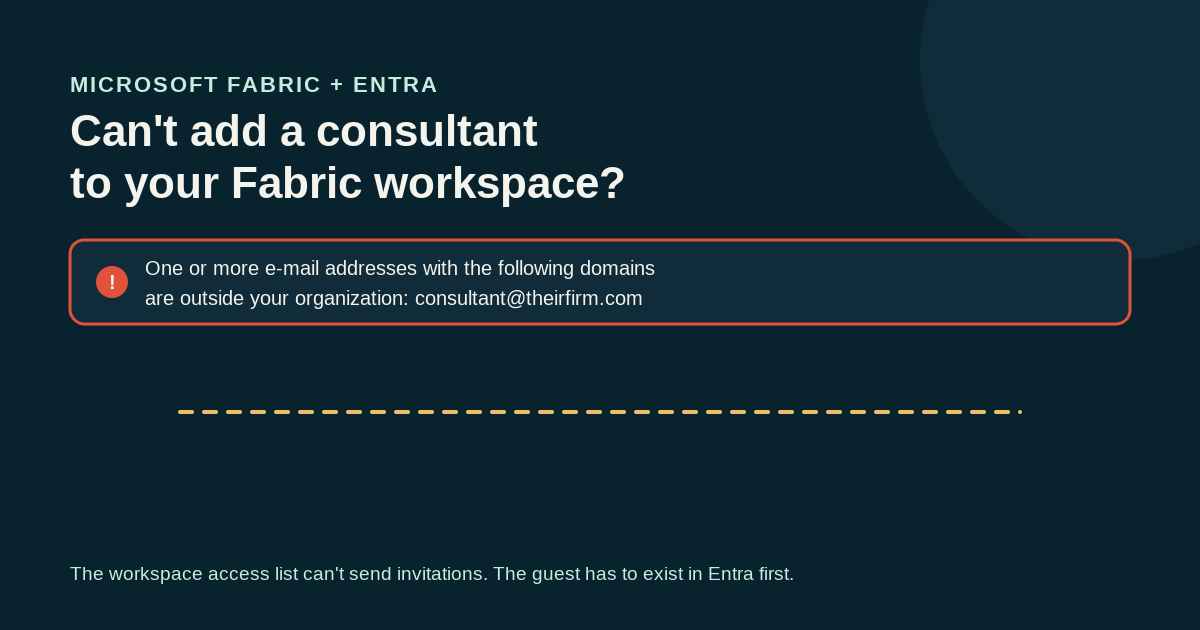
My workspace in Fabric is personal and can't be shared, so the admin created a new workspace on the trial capacity and opened Manage access to add us. Fabric refused our email address.
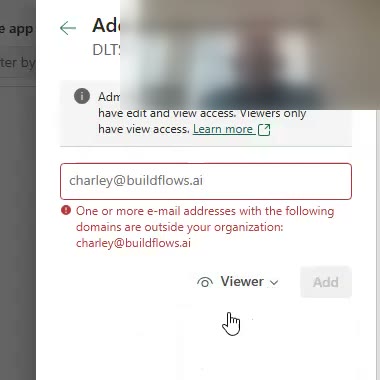 Fabric won't invite outside addresses from the workspace
There were two ways forward: create us an account on the company's domain, or let us in as a guest. Guest was quicker:
- Fabric Admin portal > Tenant settings > Export and sharing settings: turn on Guest users can access Microsoft Fabric, and select Apply.
- Microsoft Entra admin center > Users > New user > Invite external user: enter the consultant's email and send the invitation.
- The consultant accepts the invitation.
- Back in the workspace, Manage access > Add people, and choose a role. The admin picked Viewer first. An integrator who builds lakehouses, pipelines and reports needs Contributor or Member, so we switched to Member.
The full fix, with each setting explained, is in Can't add a consultant to a Fabric workspace?. For the guest-or-domain-account decision itself, see Guest account vs domain account.
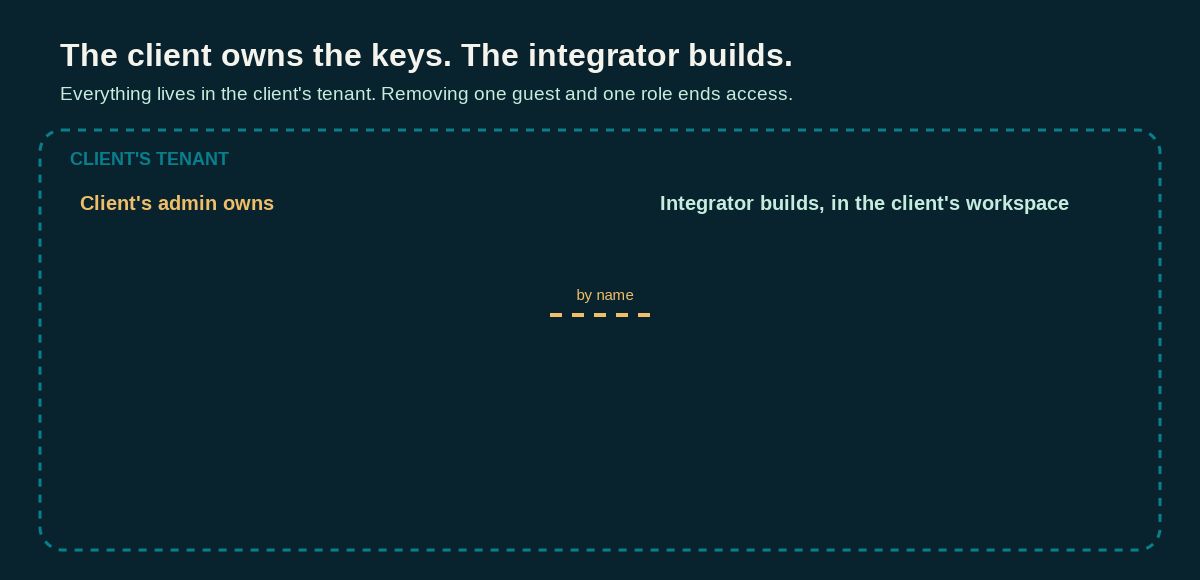 The client owns the keys and settings; the integrator builds
After the call
With access in place, the next steps were ours:
- Move the code from the earlier build into the client's workspace: lakehouse tables, data pipelines and the Power BI reports
- Link Key Vault to Fabric, which may need the client to authenticate once
- Validate the numbers together. This is the step that matters most. We sit down with the people who know the business and check the dashboard against QuickBooks, Procore and HubSpot until they trust it.
- Tune pages, calculations and KPIs to what the team actually tracks
- Optionally add inputs, like a short weekly form for project wins, that feed the same dashboard
From the live session
The full recording has chapters for each part: Intuit at 02:20, Key Vault at 09:06, the quota error at 26:27, the trial at 30:03, guest access from 32:53 and next steps at 42:25. Short clips of each step are on this page and on the linked guides. Camera tiles, address bars and the client's identifiers are blurred.
What we'd do differently next time
- Check Fabric quota before the call. In the Azure portal, open Quotas, filter to Microsoft Fabric, and look at the region you want. If it's 0, request an increase days ahead or plan to start on the trial.
- Turn on guest access first. If you know an outside partner will build in Fabric, enable the guest tenant setting and send the Entra invitation before the call.
- Pick the workspace role up front. Contributor or Member for the integrator, Viewer for people who only read reports.
Checklist
- Intuit app details done: license, privacy and app URLs; host domain without
https:// - Production keys copied off screen into Key Vault as
quickbooks-client-idandquickbooks-client-secret -
quickbooks-environment=production, andprocore-base-urlpoints at the production API - Fabric quota checked for your subscription and region, or the trial started
- A shared workspace (not My workspace) on the trial or a paid capacity
- Guest access enabled in Fabric tenant settings, and the integrator invited from Entra
- Integrator given Contributor or Member on the workspace
- A date set to move from the trial to a paid capacity, before day 60
- A validation session booked with the people who own the numbers
Need a hand?
If you're stuck on one of these, send us the exact error text and we'll tell you what it means. We do these setups with clients on short screen-share calls every week, and you keep every key in your own tenant. Email charley@buildflows.ai or tell us what you're building.
A printable version of the three fixes is in the Fabric setup roadblocks checklist.
References
- Microsoft Learn: Microsoft Fabric capacity quotas
- Microsoft Learn: Fabric trial capacity
- Microsoft Learn: Roles in workspaces in Microsoft Fabric
- Microsoft Learn: Add B2B collaboration users in the Microsoft Entra admin center
- Microsoft Learn: About Azure Key Vault secrets
- Intuit Developer: Get your app's production keys
Frequently asked questions
How long does it take to connect QuickBooks, Procore and HubSpot to Microsoft Fabric?
The access setup itself took one 46-minute call in this session, because the client's admin had already created the Procore and HubSpot credentials and the Key Vault. Building the lakehouse, pipelines and reports comes after, and the step that takes the most care is validating the numbers against the source systems.
Why can't I create a Fabric F2 capacity? It says RegionalQuota: 0.
The error "TotalCapacityUnits: 0, RegionalQuota: 0, RequestedSku: F2" means your Azure subscription is allowed zero Fabric capacity units in that region, so even the smallest F2 is over the limit. Request a quota increase for Microsoft Fabric in that region, try another region, or use a subscription that has quota. Start the Fabric trial if you don't want to wait.
Can I start building in Microsoft Fabric before my paid capacity is ready?
Yes. Start the Fabric trial from your profile menu at app.fabric.microsoft.com. It gives you a trial capacity for 60 days. Create the workspace on it, build and validate, then move the workspace to a paid capacity before the trial ends.
What URLs does Intuit need before it shows QuickBooks production keys?
An end-user license agreement URL and a privacy policy URL (both with https://), a host domain without https://, and launch, disconnect and connect/reconnect URLs with https://. For an app only your company uses, pages on your own website work, and the three app URLs can be the same page.
Why does Fabric say my consultant's email is outside my organization?
Fabric's workspace access list can't invite people who aren't in your directory yet. Turn on Guest users can access Microsoft Fabric in the admin portal's tenant settings, invite the consultant from Microsoft Entra ID (Users, New user, Invite external user), then add them to the workspace once they accept.
Is it safe to share my screen while setting up API keys?
Yes, if you keep secrets off screen. Open the page with the client secret on another monitor or stop sharing while you copy it into Key Vault. Values like the QuickBooks environment (production or sandbox) and the Procore base URL are configuration, not secrets, so they're fine to show.
What workspace role should an outside integrator get in Fabric?
Contributor or Member. Viewer can only look at content, so it isn't enough to build lakehouses, pipelines and reports. Admin is rarely needed. Start with the lowest role that lets them do the work.
Next step
Need this connection in your environment?
Scope one integration: the records, direction, timing, and business rules behind the connection.
Prefer email? charley@buildflows.ai
Keep learning
Integrations · November 17, 2026
Fix "RegionalQuota: 0" When Creating a Microsoft Fabric F2 Capacity
What the Microsoft Fabric regional quota error means when an F2 capacity fails to deploy in Azure, how to read TotalCapacityUnits, RegionalQuota, RequestedSku and Param1 to Param3, and the fixes in order: register Microsoft.Fabric, request a quota increase, try another region or subscription, and start the 60-day Fabric trial while you wait.
Integrations · November 17, 2026
Can't Add a Consultant to a Fabric Workspace? Fix the 'Outside Your Organization' Error
Why Microsoft Fabric rejects an outside email in a workspace's Add people panel, and the four-step fix: the Guest users can access Microsoft Fabric tenant setting, an Invite external user invitation from Microsoft Entra, the guest accepting, and adding them under Manage access with the right role, with a role table and a map of which setting controls what.
Integrations · November 17, 2026
QuickBooks Production Keys: What Intuit Asks For Before It Shows Them (Internal Apps)
A field-by-field guide to the App details and Compliance tasks Intuit shows before it unlocks QuickBooks Online production keys, with what each field is for in a published app, what to enter for an internal read-only reporting app, the host domain error, and how to move the client ID and secret straight into Azure Key Vault.