Key takeaways
- Rotate the same day after suspected exposure, within a week of staff changes, and otherwise on a calendar with a named owner.
- Fabric Key Vault references and notebookutils getSecret read a secret by name, so a new Key Vault version is picked up on the next run with no code change.
- Order matters: create the new credential, add it as a new version, run and verify, then retire the old credential and log it.
- HubSpot service keys can keep the old key working for 7 days; Procore documents no overlap on a client secret reset, so schedule it between runs.
- QuickBooks issues new refresh token values as it refreshes, and the pipeline must write each one back to Key Vault; tokens lapse after 100 idle days and have a five-year maximum.
- Set an expiration date on every version so Key Vault publishes SecretNearExpiry to Event Grid 30 days early.
The project accountant who set up your QuickBooks connection leaves on Friday. On Monday, someone asks the obvious question: did they ever have the client secret? Nobody knows. The reporting pipeline still runs, so the safest-sounding answer is to leave it alone.
That is the wrong answer, and it is usually avoided because rotation feels risky. Change a secret in the wrong order and the nightly refresh fails, the owner report goes out blank, and the person who changed it gets the blame.
Rotation does not have to break anything. If your pipelines read credentials from Azure Key Vault by name, you can swap the value underneath them without touching code. This playbook covers when to rotate, how to do it for Procore, HubSpot and QuickBooks Online, how Key Vault versions make the cutover clean, and how to get a reminder before anything expires. It assumes the setup in the secure API credential setup guide: one vault, named secrets, and Fabric reading them at run time.
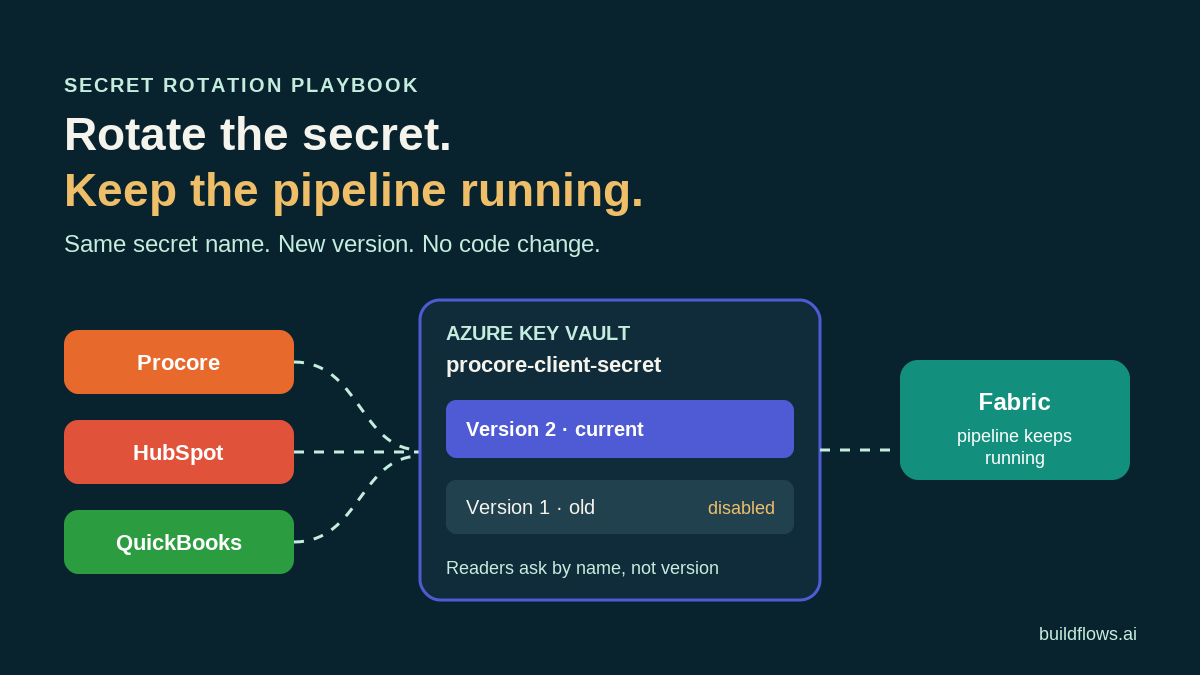 Same secret name, new version, no code change.
When to rotate
There are three triggers. Treat the first two as non-negotiable.
| Trigger | Examples | How fast |
|---|---|---|
| Suspected exposure | Secret pasted into email, Teams or a ticket; laptop lost; secret seen on a screen share or recording; committed to a repo | Same day. Use the "expire now" option where one exists. |
| People change | Anyone who saw or handled the secret leaves, changes role, or a consultant's engagement ends | Within a week of the change |
| Schedule | Routine rotation so no secret lives forever | On a calendar (see the table below) |
If a secret ever travelled by email or chat, rotate it. The secure handoff guide explains why a deleted message is not a deleted secret.
Rotation is also a test. If you cannot rotate a credential without a developer editing code, your setup has a secret hard-coded somewhere. Finding that during a calm scheduled rotation is much better than finding it during an incident.
Why Key Vault makes this a non-event
A Key Vault secret is a name with a stack of versions. When you add a new value under an existing name, Key Vault keeps the old value as an older version and makes the new one current. Anything that asks for the secret by name, without a version, gets the current one.
Fabric works this way in both places you are likely to use:
- Fabric connections with a Key Vault reference. Microsoft's docs state that Azure Key Vault references in Fabric always get the current (latest) version of a secret, and that Key Vault credential versioning isn't supported. Fabric stores only the vault, the secret name and the credential it uses to reach the vault. It fetches the value when it opens the connection and doesn't store it.
- Notebooks.
notebookutils.credentials.getSecret(vault_url, secret_name)takes a vault URL and a name. There is no version argument, so the next run reads whatever is current. See reading Key Vault secrets in a Fabric notebook for the pattern.
So the cutover is: put the new value in, let the next scheduled run pick it up, check it worked, then retire the old one.
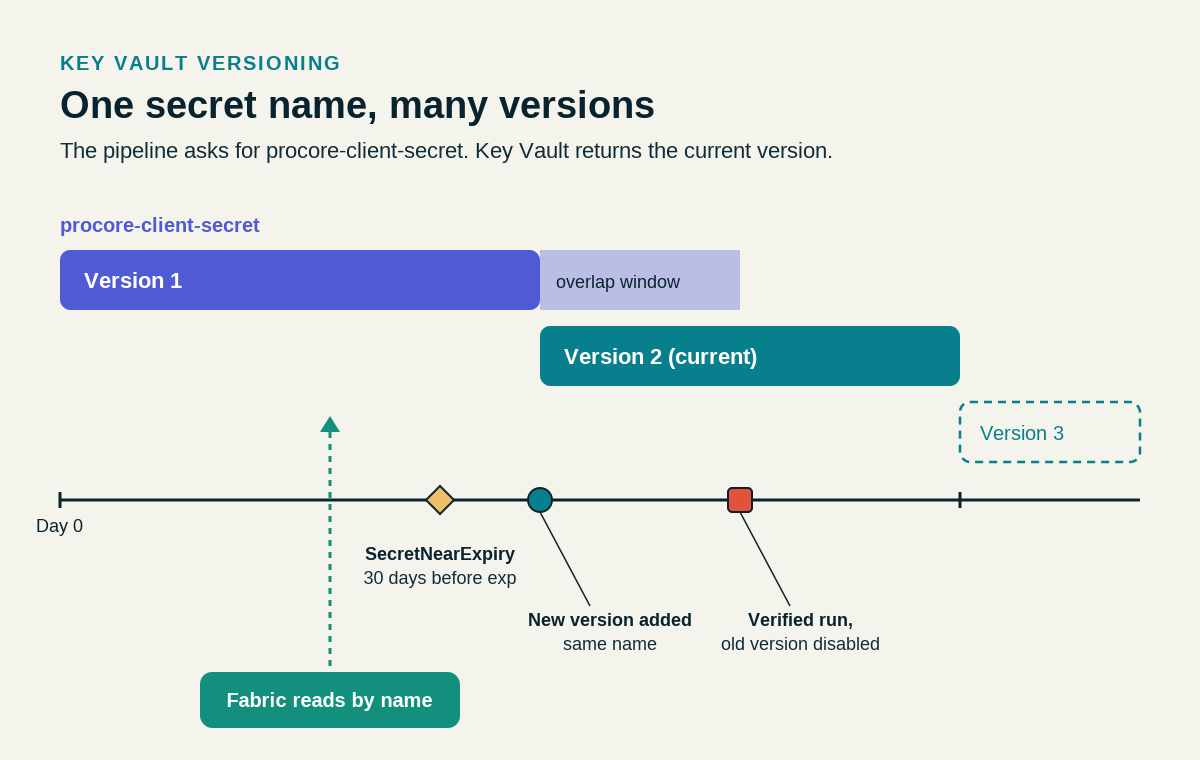 The pipeline asks for a name. Key Vault decides which version that means.
One warning: if any job pins a full secret identifier that includes the version ID (the long string after the secret name in the URI), it will keep reading the old version. Search your pipelines and notebooks for vault.azure.net/secrets/ before you rotate.
The rotation sequence
The order is the same for every system. Only step 2 changes.
- Pick a window. Choose a time after a scheduled run has just finished, so you have hours before the next one. Tell whoever reads the reports.
- Create the new credential in the source system. Per-system steps are below.
- Add it as a new version in Key Vault. Same name, new value, new expiration date.
- Run the pipeline once by hand and check that each source loaded row counts in line with the last good run.
- Retire the old credential in the source system, then disable the old version in Key Vault.
- Log it. Date, who, which secret, why, and the next due date. Never log the value.
To add the version in the Azure portal: open the vault, go to Objects > Secrets, select the secret, then + New Version. Paste the value, tick Set expiration date, pick a date, and select Create. You need Key Vault Secrets Officer (or equivalent) on the vault to do this. The pipeline identity should only ever have Key Vault Secrets User, which can read but not write. The Key Vault setup guide covers both role assignments.
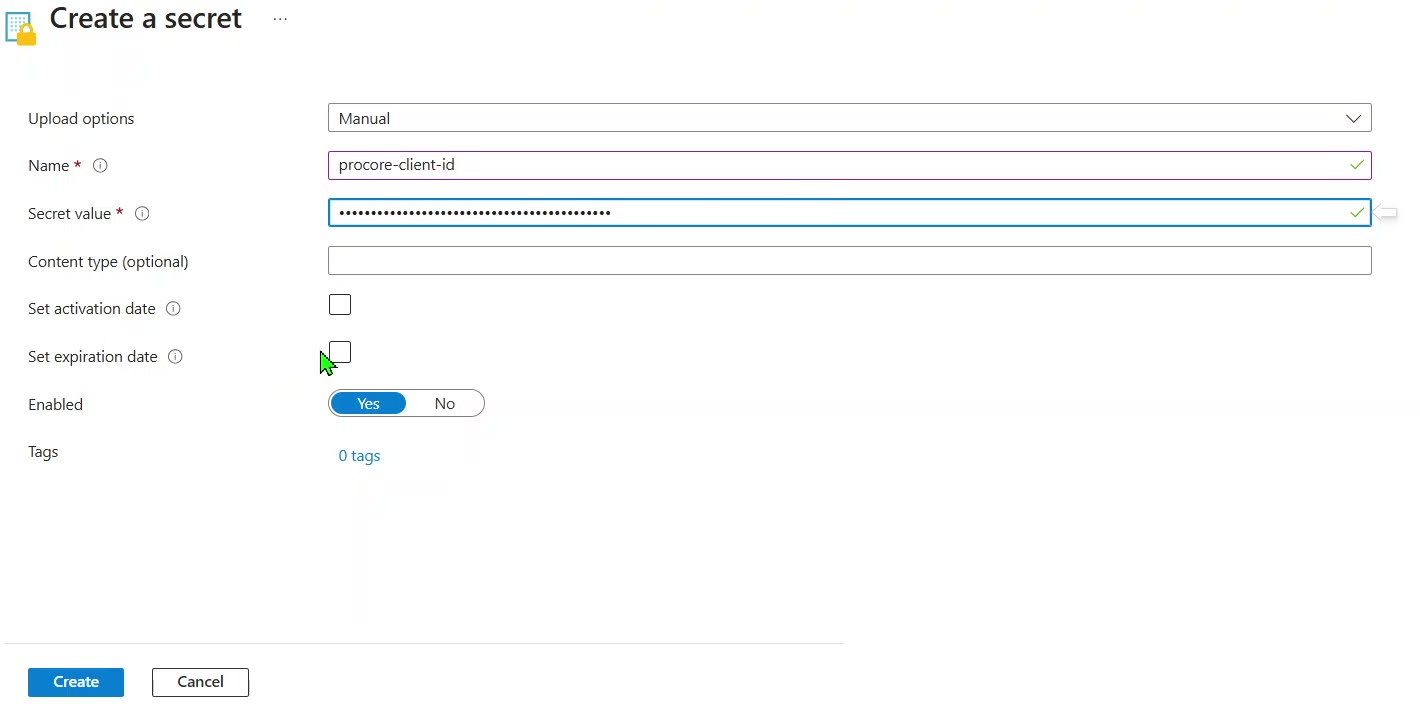 A new version uses a near-identical form. Tick Set expiration date this time.
In the setup walkthrough, the instructions say to leave the dates empty when the secrets are first loaded. That keeps the first load simple. Once the integration is live, give every version an expiration date. That date is what drives the reminders described below.
Expiration is set per version. A new version does not inherit the old one's date, so set it again each time.
Per-system steps
Each system handles rotation differently. The biggest difference is how long old and new credentials both work, which decides how careful your timing has to be.
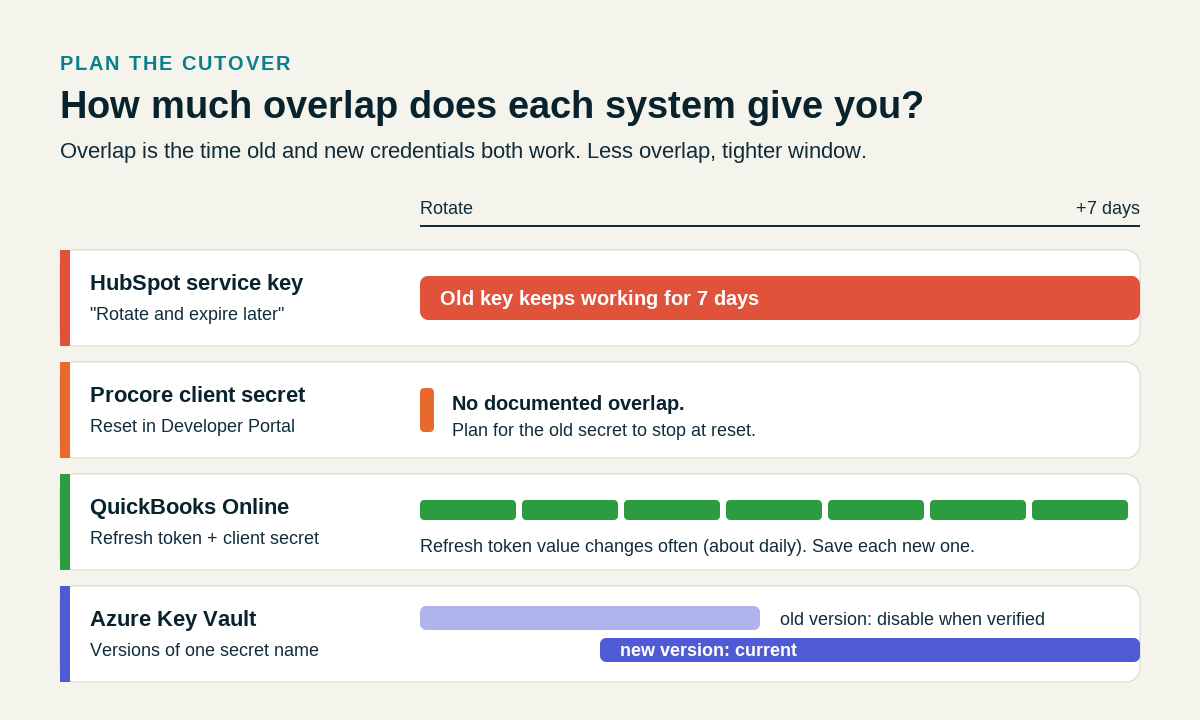 Less overlap means a tighter cutover window.
Procore: reset the client secret
With a developer-managed service account, the pipeline authenticates with your app's client ID and client secret. Procore's developer documentation says the App Credentials section of your app's settings in the Developer Portal shows the Client ID and lets you reset the Client Secret. The production secret is shown only when it is first issued, so copy the new value straight into Key Vault when you reset it.
Procore's documentation does not describe an overlap period after a reset. Plan as though the old secret stops working the moment you reset it:
- Make sure no run is due for a few hours.
- Reset the client secret in the Developer Portal.
- Immediately add it as a new version of
procore-client-secret. - Run the pipeline and confirm projects, budgets and commitments loaded.
The client ID does not change on a reset, so procore-client-id and procore-company-id stay as they are. Older "traditional" service accounts, managed in Company Admin, have their own reset flow, and Procore's support article warns that it also resets the account's permissions and project memberships. Procore has been retiring those in favour of developer-managed service accounts, so check which kind you have before you start.
HubSpot: rotate the service key
HubSpot service keys have the friendliest rotation of the three. In HubSpot, go to Development > Keys > Service keys, open the key, and select Rotate. HubSpot's docs describe two choices:
- Rotate and expire later. A new key is created and the original keeps working for 7 days. You can end that window early with Expire now, or Cancel rotation to keep the original. Use this for routine rotation.
- Rotate and expire now. The original stops immediately. Use this if the key may have been exposed.
HubSpot recommends rotating every six months and lets you set automatic rotation every 3, 6 or 12 months. Automatic rotation turns off manual rotation while it is on. HubSpot emails super admins and users with developer tools access when the key rotates and before the old key expires, but its docs don't state how long the old key lasts after an automatic rotation. Someone still has to copy each new key into Key Vault, so treat that email as a same-day task and put the due date on the calendar too. Creating and managing service keys needs a super admin or a user with the developer tools access permission. Scopes stay with the key, so rotation does not change what it can read. The service key guide covers setup and scopes.
In the setup guide this secret is stored as hubspot-private-app-token. Add the new service key as a new version of that name and nothing downstream changes.
QuickBooks Online: client secret and refresh token
QuickBooks has two different things to think about.
The refresh token rotates on its own. Intuit's docs say access tokens last one hour and refresh tokens last 100 days on a rolling basis. Each successful refresh extends the 100 days, and Intuit periodically returns a new refresh token value in the refresh response (in practice about once a day). Once a new value is issued, the previous one stops working. Your pipeline must save the newest refresh token every time it gets one, which means writing a new version of quickbooks-refresh-token to Key Vault. In a Fabric Python notebook that is notebookutils.credentials.putSecret(vault_url, name, value); Microsoft notes it works only in the Python runtime, not in Spark notebooks. Intuit's FAQ also sets a maximum validity of five years for any refresh token. If the pipeline stops running for 100 days, or the five-year limit is reached, someone with QuickBooks admin rights has to authorize the app again.
Because of that write-back, the identity that runs the QuickBooks load needs to set that one secret. Microsoft recommends assigning Key Vault roles at the vault scope and lists only a few exceptions for per-secret assignments; a single write-back token isn't one of its examples. You have two reasonable options. Assign Key Vault Secrets Officer on the quickbooks-refresh-token secret only, and record it as a deliberate exception your IT team has approved. Or keep the refresh token in a small second vault where the loader has Secrets Officer at vault scope. Either way, the loader stays read-only for every other secret.
The client secret is a manual job, and the docs are thin. Intuit's developer docs show where to view the client ID and secret: open your app in the developer portal and go to Keys and credentials, with separate Development and Production values. We could not find a public Intuit page that documents a self-service rotate or reset button, or what happens to existing tokens if the secret changes. Before you schedule it, check your app's Keys and credentials page. If there is no reset option, ask Intuit developer support. Test any change in the Development keys first, and keep the old secret until a production run has refreshed tokens with the new one. The Intuit app setup guide covers where these values live.
The realm ID (company ID) does not rotate. See where to find the Procore company ID, QuickBooks realm ID and HubSpot portal ID.
A rotation calendar
Put this in a shared calendar with a named owner per row. The cadences are our suggestions for a contractor-sized reporting integration, except where the vendor gives its own.
| Key Vault secret | What it is | Routine cadence | Also rotate when | Overlap on rotation | Owner |
|---|---|---|---|---|---|
procore-client-secret | Procore app client secret | Every 12 months | Staff or consultant change, exposure | None documented; plan for none | Procore admin |
procore-client-id, procore-company-id | Identifiers | Do not rotate | App rebuilt or company changes | n/a | Procore admin |
hubspot-private-app-token | HubSpot service key | Every 6 months (HubSpot's recommendation) | Staff change, exposure ("expire now") | 7 days with "expire later" | HubSpot super admin |
quickbooks-client-secret | Intuit app client secret | Every 12 months, if your portal offers a reset | Staff change, exposure | Not documented; test first | QuickBooks admin + developer |
quickbooks-refresh-token | OAuth refresh token | Automatic, on every refresh, by the pipeline | Reconnect before 100 days idle or the 5-year limit | n/a | Pipeline (monitored) |
| Vault role assignments | Who can read or write | Review every quarter | Anyone leaves | n/a | Azure owner |
Six or twelve months is not magic. Pick a cadence your team will actually keep, and rotate immediately for the first two triggers no matter where you are in the cycle.
Get a 30-day warning from Key Vault
Expiration dates in Key Vault are a reminder, not a kill switch. Microsoft describes the expiration attribute as informational and says a get still works on an expired secret, for recovery. Do not lean on that. We have not tested every Fabric connector against an expired version, so rotate before the date.
The reminder comes from Azure Event Grid. Key Vault publishes these secret events:
| Event | When it fires |
|---|---|
Microsoft.KeyVault.SecretNearExpiry | 30 days before the current version's expiration date |
Microsoft.KeyVault.SecretExpired | When the current version expires |
Microsoft.KeyVault.SecretNewVersionCreated | When a secret or a new version is created |
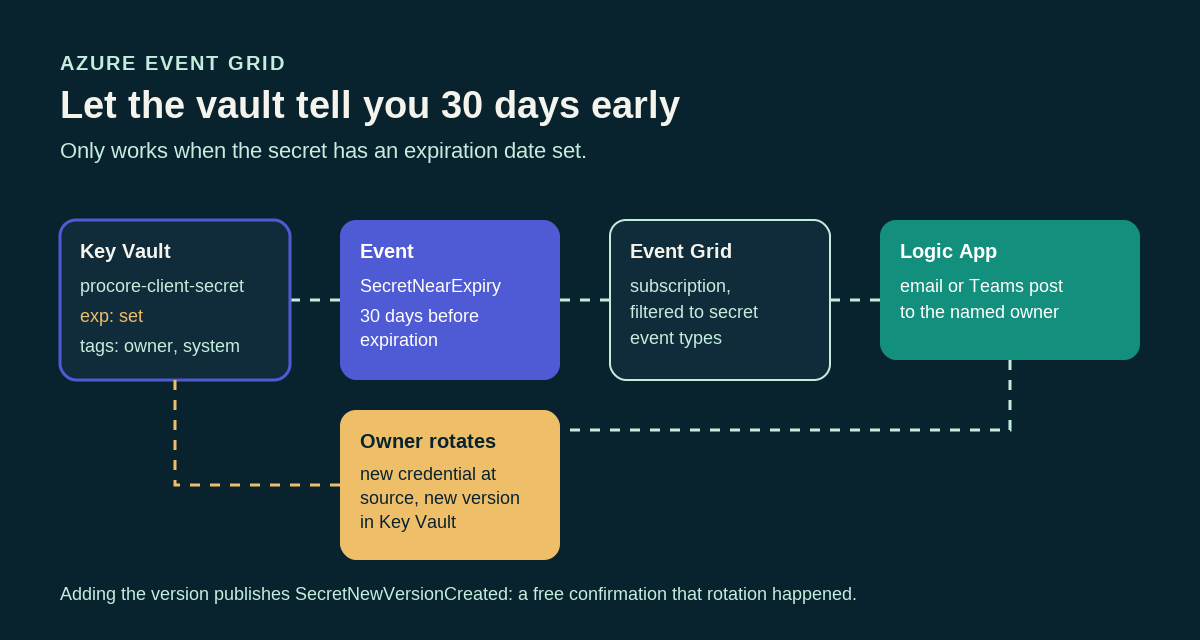 No expiration date, no event. Set one on every version.
The simplest setup is Microsoft's own tutorial: in the vault, open Events, choose Logic Apps, and build a flow on When a resource event occurs that sends an email or a Teams message. Filter it to SecretNearExpiry and SecretExpired for the warning, and add SecretNewVersionCreated if you want a record that each rotation happened. Put the owner's name in a secret tag so the message can say who should act. Two things catch people out:
- Near-expiry and expired events need an expiration date on the version. Microsoft also warns that notification events are triggered only on new versions, after you subscribe. Create the subscription first, then add the versions with dates. A version that existed before the subscription may never raise an alert.
- Microsoft's guidance is to check the event's topic and type rather than assume every event that arrives is the one you expect. Multiple vaults can feed the same handler.
Key Vault can rotate secrets fully automatically with an Azure Function triggered by these events, but only when code can create the new credential. Procore and HubSpot rotations happen in their own consoles, so for most contractors the alert plus a human is the right level. Monitoring credential expiry goes further on alert design.
If a rotation goes wrong
Roll back the vault, not the source system:
- Pipeline fails right after you add the new version. Check for a typo or trailing space first. If the value is right and the old credential still works at the source (HubSpot within its 7 days, for example), open the previous version in Key Vault, copy its value, and add it back as a new version. Do not just disable the newest version: a read by name targets the latest version, and if that version is disabled the read fails instead of falling back to an older one. Then investigate.
- You already retired the old credential at the source. There is no rollback. Create another new credential and add it as a new version. This is why retiring the old one is step 5, not step 2.
- QuickBooks returns
invalid_grantafter a rotation. The refresh token in Key Vault is probably stale or was overwritten by an older value. Reconnect the app and store the fresh token.
The troubleshooting guide lists the common error messages per system.
Checklist
- Every pipeline and notebook reads secrets by name, with no version ID in the URI.
- The pipeline identity has Key Vault Secrets User; only named people have Secrets Officer.
- The QuickBooks loader can write
quickbooks-refresh-tokenand nothing else, and that exception is written down. - Every current secret version has an expiration date.
- Each secret has an owner tag and a row in the rotation calendar.
- An Event Grid subscription sends
SecretNearExpiryandSecretExpiredto a person, not a shared inbox nobody reads. - Off-boarding includes "which integration secrets did this person see?"
- Rotation order is written down: new credential, new version, test run, retire old, log.
- HubSpot routine rotations use "Rotate and expire later"; exposures use "expire now".
- The Procore reset is scheduled between runs, with the new secret going straight into Key Vault.
- Old Key Vault versions are disabled after a verified run.
- The rotation log records date, person, secret name and reason, never the value.
For the full first-time setup, use the API credential setup checklist. If your IT team wants this written up for a review, see the IT security review guide.
Want a hand with the first rotation?
Build Flows sets up construction reporting on Microsoft Fabric with Procore, HubSpot and QuickBooks Online, and we design the integration so rotations are routine. If you want help with a first rotation or with setting up the near-expiry alerts, send a short brief or email charley@buildflows.ai. More guides are at buildflows.ai.
References
- Microsoft Learn: About Azure Key Vault secrets (exp and nbf are informational; get works for expired secrets; tags)
- Microsoft Learn: Monitoring Key Vault with Azure Event Grid (30-day near-expiry, events only on new versions after subscribing, consuming practices)
- Microsoft Learn: Azure Key Vault as Event Grid source (event type names and data fields)
- Microsoft Learn: Email when Key Vault status of the secret changes (Events > Logic Apps setup)
- Microsoft Learn: Rotation tutorial for resources with one set of credentials (Event Grid triggered rotation, Event Grid retries)
- Microsoft Learn: Understanding autorotation in Azure Key Vault (secret rotation is event-driven with a function)
- Microsoft Learn: Grant permission to applications to access an Azure key vault using Azure RBAC (Secrets User and Secrets Officer; secret-scope assignments and when to use them)
- Microsoft Learn: Configure Azure Key Vault references in Fabric (references always get the latest version)
- Microsoft Learn: NotebookUtils credentials utilities for Fabric (
getSecretby vault URL and name;putSecretin the Python runtime only) - HubSpot Developers: Account service keys (Rotate, expire later with 7 days, expire now, six-month recommendation, automatic rotation and notification emails)
- HubSpot Developers changelog: Service keys
- Procore Developers: Managing OAuth credentials and redirect URIs (App Credentials, reset Client Secret, production secret shown once)
- Procore Support: Reset the client secret for a service account (traditional service accounts; reset also resets permissions and project memberships)
- Intuit Developer: Authorization FAQ (one-hour access tokens, 100-day rolling refresh token, store the newest refresh token, five-year maximum validity)
- Intuit Developer: Get the client ID and client secret for your app (Keys and credentials, Development and Production)
- Intuit Developer: QuickBooks Online release notes (five-year maximum refresh token lifetime)
- Intuit Developer Blog: Important changes to refresh token policy (background on the five-year limit)
Frequently asked questions
Do I need to change pipeline code when I rotate a secret in Azure Key Vault?
Not if the pipeline reads the secret by name. Microsoft documents that Fabric Key Vault references always get the current version, and notebookutils.credentials.getSecret takes only a vault URL and a secret name. Add the new value as a new version and the next run uses it. Anything that pins a full secret URI with a version ID will keep reading the old value.
How often should we rotate Procore, HubSpot and QuickBooks credentials?
HubSpot recommends rotating service keys every six months. Procore and Intuit do not publish a cadence; we suggest every 12 months for client secrets. Rotate immediately after any suspected exposure and within a week of anyone who handled the secret leaving or changing role.
Does the old HubSpot service key stop working when I rotate?
It depends on the option. With Rotate and expire later, HubSpot keeps the original key working for 7 days, and you can end that early with Expire now or use Cancel rotation, which keeps the original and revokes the new key. With Rotate and expire now, the original stops immediately, which is the right choice if the key may have been exposed.
What happens to the Procore connection when I reset the client secret?
Procore's developer docs say you can reset the client secret from the App Credentials section of your app, and the production secret is only shown when issued. They do not describe an overlap period, so plan as though the old secret stops working at reset. Do it between scheduled runs and put the new value into Key Vault straight away.
Why does the QuickBooks connection need write access to Key Vault?
Intuit periodically returns a new refresh token value when the pipeline refreshes, and the old value stops working once a new one is issued. The 100-day validity rolls forward each time it is used. The pipeline must store the newest refresh token each time, which means writing a new version of that one secret. Limit that write permission to the single refresh-token secret, or to a small separate vault, and keep everything else read-only.
Will a Key Vault secret stop working when it reaches its expiration date?
Microsoft describes the expiration attribute as informational and says a get still works on an expired secret for recovery. Treat the date as a reminder, not a cutoff, and rotate before it. Its real value is that Key Vault publishes a SecretNearExpiry event to Event Grid 30 days before the date.
How do I get alerted before a Key Vault secret expires?
Set an expiration date on each secret version, then create an Event Grid subscription on the vault, for example through Events and Logic Apps in the portal, filtered to SecretNearExpiry and SecretExpired. Have the Logic App email or post in Teams to the named owner. Create the subscription before you add the dated versions, because Microsoft says events fire only on new versions after you subscribe.
Next step
Want help running this playbook?
Bring the report or workflow. We'll help map the work behind it.
Prefer email? charley@buildflows.ai
Keep learning
Integrations · November 14, 2026
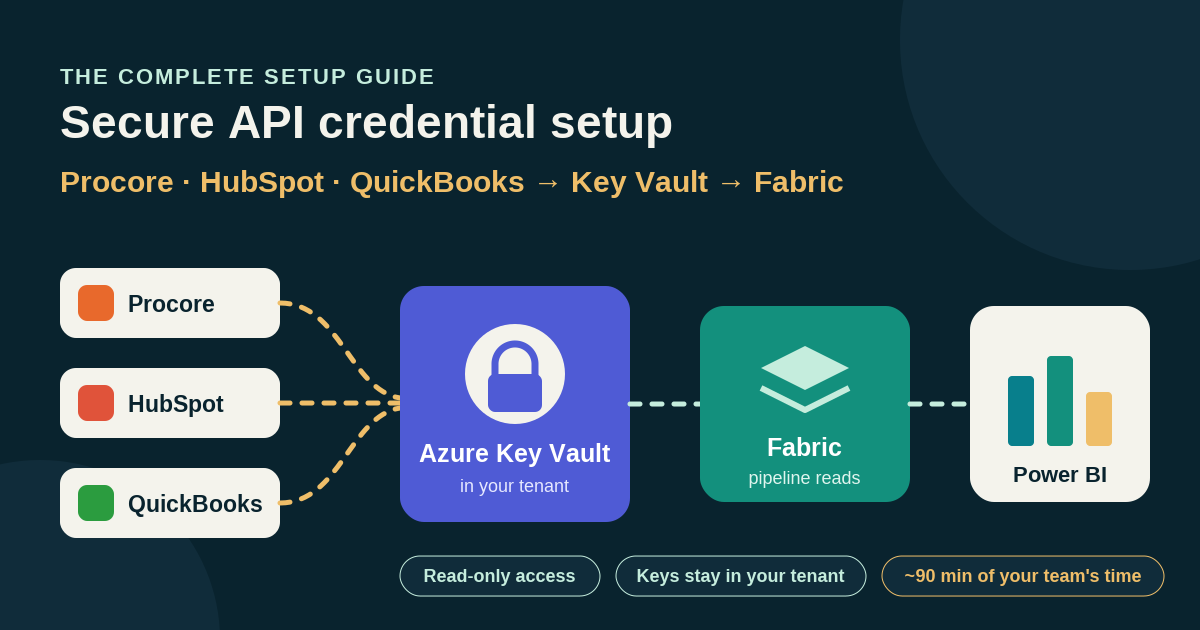
Secure API Credential Setup for Procore, HubSpot and QuickBooks with Azure Key Vault and Microsoft Fabric
The end-to-end guide to connecting Procore, HubSpot and QuickBooks Online to Microsoft Fabric and Power BI without handing over credentials: who owns each step and how long it takes, the architecture from sources through Azure Key Vault to Fabric, the four steps (Fabric access, read-only API access in three systems, Key Vault with the Secrets Officer role, connect and go live), the exact secret names, what to send back, how to revoke access, common mistakes and a checklist.
Workflow automation · November 14, 2026
Monitoring Integration Credentials After Go-Live: Key Vault Logs, Expiry Alerts and a Refresh Runbook
What to switch on after a Procore, HubSpot and QuickBooks Online integration goes live on Microsoft Fabric: Key Vault diagnostic logs and failed-read alerts, near-expiry events, Fabric job failure emails, each vendor's warning sign, a weekly health check and a runbook for a report that didn't refresh.
Integrations · November 14, 2026
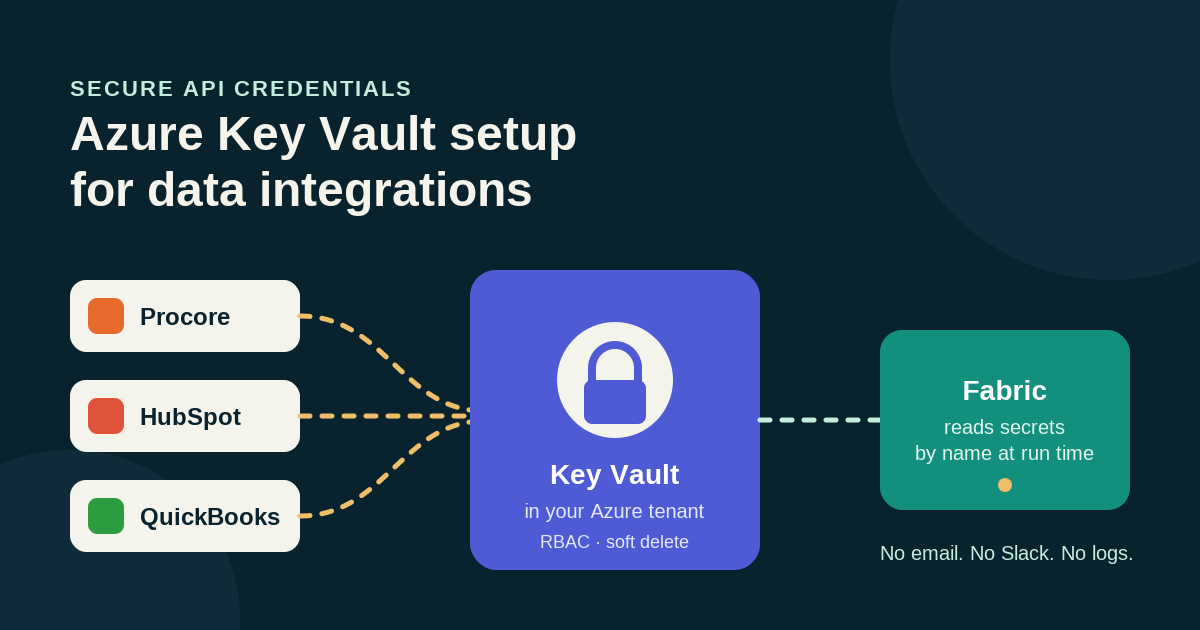
Azure Key Vault Setup for Data Integrations: Create the Vault, Set RBAC and Assign Secrets Officer
A step-by-step guide to creating an Azure Key Vault for integration secrets: resource group and globally unique name, matching the Fabric region, Standard tier, soft delete and the purge protection trade-off, the RBAC permission model, networking, the Key Vault Secrets Officer role assignment, why 'not authorized' appears right after setup, and what it really costs.