Key takeaways
- The agent answers which cost codes moved, why, what is projected over or under at completion, and whether Procore agrees with the ERP.
- It calls list_budget_views, list_budget_view_detail_rows, list_budget_view_summary_rows and list_work_order_contracts through a read-only Procore MCP server.
- On the live sandbox it found $261,050 projected over: curtain wall +$168,400, HVAC +$81,250 and fire and smoke protection +$11,400, all buyout overruns.
- It also found $124,500 of buyout savings that Procore still forecasts at full budget, because Forecast to Complete fills each line back up to budget.
- A self-reconciliation showed committed cost $10,000 above the subcontract total and one subcontract split across two cost codes, the kind of gaps that break ERP tie-outs.
- The narrative is a draft; a budget modification is a confirmed write a person signs.
- Measure days from cost hit to flag, month-end surprises and unreconciled dollars at close.
19 seconds · From a Build Flows walkthrough
Budget variance with a forecast narrative
Pull budget views and detail rows to explain which cost codes moved, why, and what is projected over.
Read the clip transcript
This would be very important for being able to gather the different types of budget views and detailed rows, specifically around which cost codes moved, why, what's over projected, and different types of Procore ERP reconciliation on the up-end. We then have the submittal to Procore
Captions adapted from the source video; proper names may reflect automatic transcription. Original segment: 15:16–15:35. Watch at the source.
Most budget variance gets found at month-end close, weeks after the cost actually hit. The subcontract was awarded over the line in September, nobody posted a budget modification, and the first time anyone talks about it is in the WIP meeting, when the project accountant asks why the curtain wall code is red. By then the options to buy it back, re-sequence or price a change are mostly gone.
A budget variance agent reads the Procore budget view every Monday, finds the cost codes that moved, explains why in plain language, and drafts the narrative for the monthly or WIP meeting. It also writes a short reconciliation note between Procore and your ERP so the two numbers agree before close instead of after. The PM and project accountant review it. This playbook covers the persona, the exact Procore MCP tools, the blueprint, prompts you can paste into Gemini or any MCP client, what the agent found on a real Procore sandbox ($261,050 projected over across three cost codes), and the traps that make budget data harder than it looks.
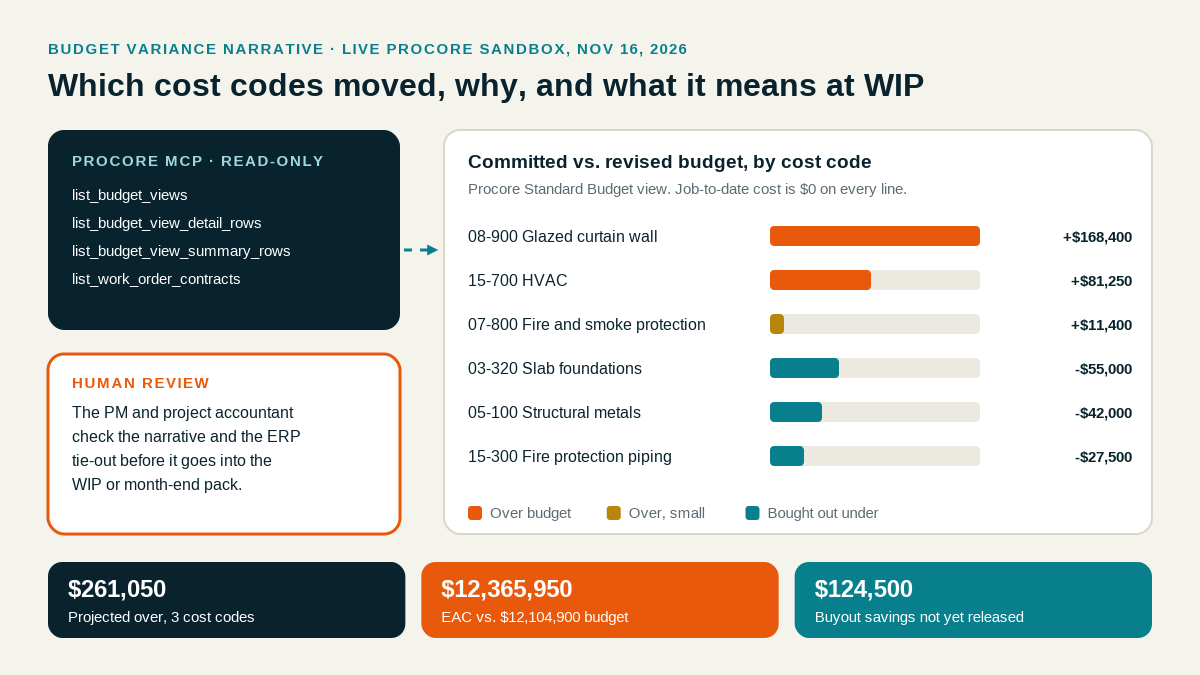 The budget view on the live sandbox: three codes over, three under, and a story to tell at WIP.
Who it's for and the question it answers
Primary users: the PM who owns the forecast and the project accountant who owns the close. Secondary: the CFO or controller who reads the WIP schedule across jobs.
The questions: "Which cost codes moved since last week, why did they move, what are we projected over or under at completion, and does Procore agree with the ERP?"
It's use case #3 in the Procore Agent Playbook catalog, scored 5 for value and 3 for feasibility. Value is high because variance caught weeks earlier means time to act. Feasibility is the lowest of the first three use cases because the useful version crosses systems: Procore holds the budget and commitments, but the ERP holds actual cost, and matching cost codes between them is the real work.
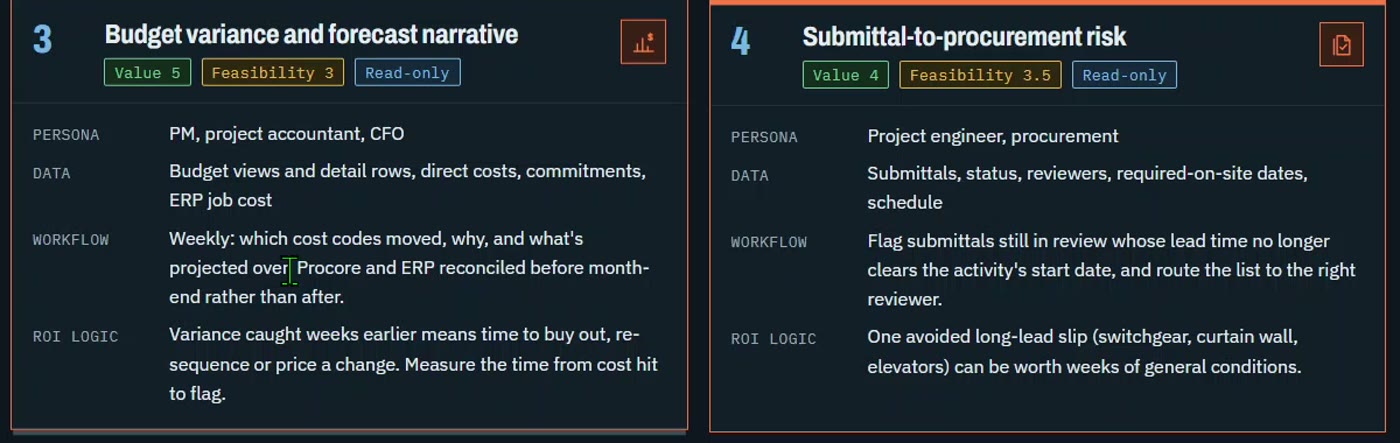 Use case 3 in the playbook catalog, shown at 15:09 in the video.
The Procore data and the exact MCP tools
Procore budgets are read through budget views. A view defines the columns (original budget, approved changes, committed costs, pending cost changes, projected costs, estimated cost at completion, projected over/under and so on), and the API returns detail rows per budget line and summary rows for the project. These are the tools the agent called against the sandbox, as exposed by our open-source Procore MCP server with the gc_demo persona:
| Tool | What it returns | How the narrative uses it |
|---|---|---|
list_budget_views | The budget views on the project | Finds the right view. On the sandbox, the "Procore Standard Budget" view, id 486532 |
list_budget_view_detail_rows | One row per budget line with every column in the view | The cost-code-level numbers: budget, committed, projected, EAC, over/under |
list_budget_view_summary_rows | Project totals for the same columns | The headline and a check that the lines add up |
list_work_order_contracts | Subcontracts: number, title, status, executed flag, value | Explains each move: which award caused it |
The repo's budget_analyst persona ships a starter workflow named budget_variance_report. It's a single read of budget metadata (list_project_budget_budget). The cost-code comparison, the narrative and the ERP tie-out are what you build on top. Use the budget view tools above for the numbers. They return the same columns your team sees in Procore.
It helps to know how Procore calculates the columns you'll be explaining. In the Procore Standard Budget view:
| Column | Procore's definition |
|---|---|
| Committed Costs | Subcontracts in Approved and Complete status, plus purchase orders in Approved status |
| Projected Costs | Committed Costs + Direct Costs + Pending Cost Changes |
| Forecast to Complete | Projected Budget − Projected Costs |
| Estimated Cost at Completion | Projected Costs + Forecast to Complete |
| Projected Over/Under | Projected Budget − Estimated Cost at Completion |
| Job to Date Costs | Direct Costs + Subcontractor Invoices |
Those definitions explain one of the most useful findings below.
The workflow blueprint
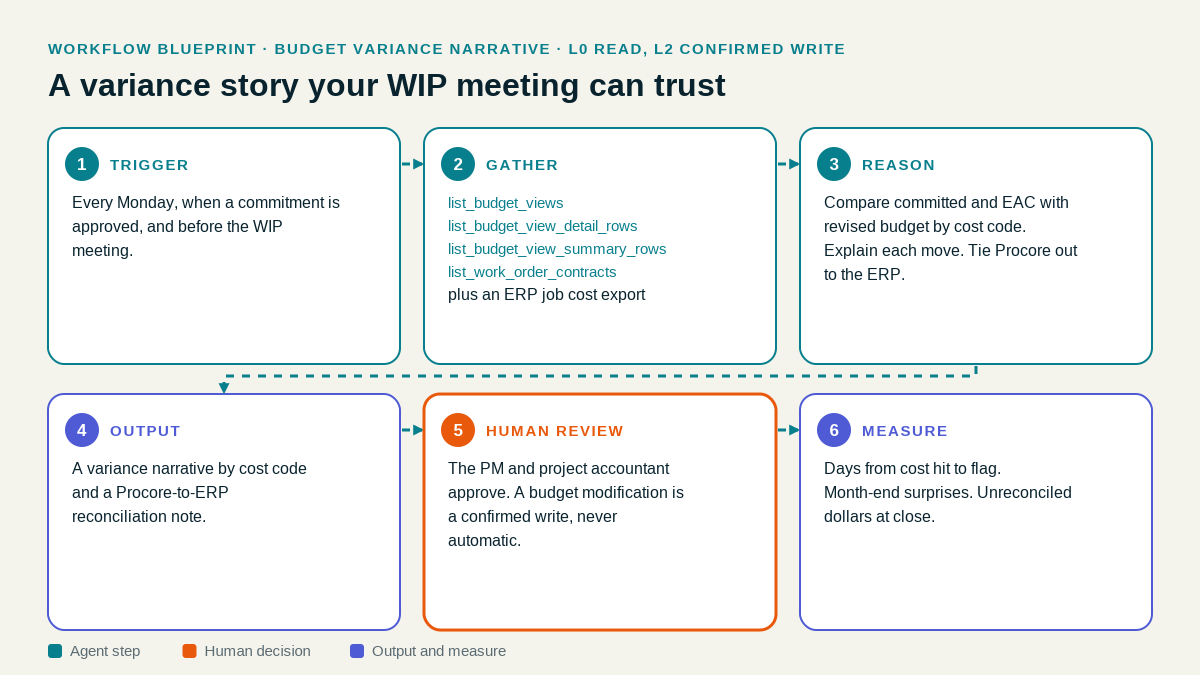 Agent steps in teal, the human decision in orange, output and measurement in indigo.
| Step | What happens |
|---|---|
| Trigger | Every Monday, whenever a new commitment is approved, and the week before the WIP or monthly cost meeting |
| Gather | Budget view detail and summary rows, the subcontract list, and an ERP job cost export by cost code |
| Reason | Compare committed and EAC with the revised budget by cost code. Compare with last week's snapshot to find what moved. Tie each move to a commitment, direct cost or change. Reconcile Procore committed and job-to-date cost to the ERP |
| Output | A variance narrative by cost code for the meeting, plus a short reconciliation note listing every difference with a likely reason |
| Human review | The PM and project accountant approve the narrative. If the answer is a budget modification (for example, moving buyout savings to cover an overrun), that's a confirmed write a person signs, never automatic |
| Measure | Days from cost hit to flag, month-end surprises, and unreconciled dollars at close |
On the write governance ladder, the narrative is L0 read and L1 draft. The playbook marks this blueprint as reaching L2 (confirmed write) only because a proposed budget modification is the natural next step. Start read-only. Add the confirmed write when the team trusts the reads.
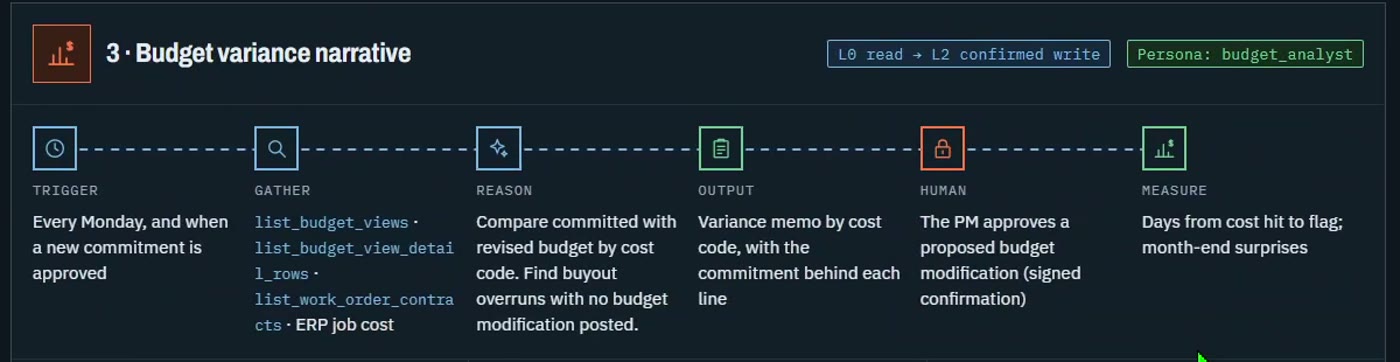 Blueprint 3 in the playbook, at 17:50 in the video.
Paste-ready prompts
These run in Gemini once the Procore MCP server is connected (see how to connect an MCP server in Gemini). The same questions ran in Claude Code against the same server, so any MCP client that can reach it will work.
Where are we over?
Use the Procore tools. Project: The Sparkling Skyrise Project. Today is 2026-11-16.

1. Find the Procore Standard Budget view.
2. Read its detail rows and summary rows.
3. List every cost code where projected over/under is negative, with
   revised budget, committed, estimated cost at completion and the overrun.
4. List every cost code where committed is below revised budget.
5. For each line over budget, name the subcontract that caused it
   (use the work order contracts) and say whether any budget change,
   change order or pending change exists on that line.

Give the project totals and check that the lines add up to them.
Read-only: do not create or change anything.
The WIP narrative:
Draft the cost section for this month's WIP meeting from that data.
Start with the projected over/under at completion. Then one short paragraph
per cost code over $10,000: what moved, why, and the options (buy back,
change event, use savings from other lines). Separate buyout overruns from
field overruns. Under 300 words. Mark anything you're unsure of with [check].
The Procore-to-ERP reconciliation note:
Here is the ERP job cost export by cost code [paste or attach].
Compare it with Procore by cost code: committed cost and job-to-date cost.
List every difference over $1,000 with the most likely reason (timing,
cost code mapping, a commitment in one system only, a direct cost not yet
posted). Then give the total unreconciled amount.
What it looks like on real data
We ran the agent against a real Procore developer sandbox on November 16, 2026: "The Sparkling Skyrise Project", a mid-rise seeded with a budget, five subcontracts, change events and RFIs. Read-only, one budget view, all eight budget lines checked. The figures below are from the captured budget view responses. The proof tiles are at 03:20 in the video, the catalog card at 15:09, and the sandbox results at 17:08.
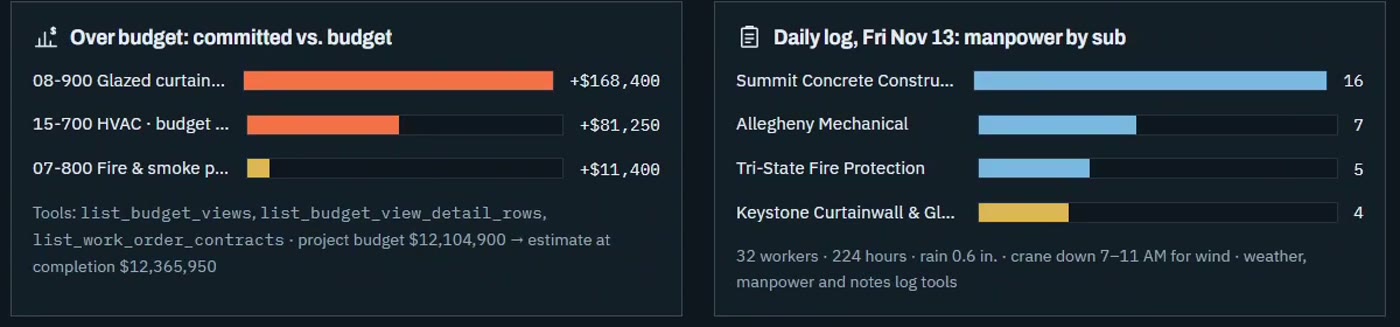 The over-budget panel from the playbook's sandbox results.
The agent's answer, from the captured transcript: three cost codes over, $261,050 in total, and in every case the subcontract came in above the budget line.
| Cost code | Revised budget | Committed / EAC | Over | Subcontract |
|---|---|---|---|---|
| 08-900 Glazed Curtain Wall | $3,150,000 | $3,318,400 | $168,400 | SC-08-001 Curtain Wall & Glazing |
| 15-700 HVAC | $2,780,000 | $2,861,250 | $81,250 | SC-23-001 HVAC |
| 07-800 Fire and Smoke Protection | $185,000 | $196,400 | $11,400 | SC-21-001 Fire Protection & Firestopping |
| Total | $261,050 |
Project totals: original budget $12,104,900, committed $11,151,550, estimated cost at completion $12,365,950, projected over/under −$261,050.
What a PX should take from it, in the agent's words and ours:
- These are buyout overruns, not field overruns. Job-to-date cost is $0 on every line. The overrun is all commitment.
- Nothing is in the pipeline to recover it. Approved budget changes, approved change orders, pending change orders and pending cost changes are all $0.00 on the project. If any of the overrun is owner-driven scope, a change event needs to be opened.
- Curtain wall is about 65% of the problem. Start there.
- There's $124,500 of buyout savings Procore isn't counting. 03-320 Slab Foundations bought out $55,000 under, 05-100 Structural Metals $42,000 under and 15-300 Fire Protection Piping $27,500 under. Because Forecast to Complete is Projected Budget minus Projected Costs, Procore still forecasts those lines at full budget, so the savings don't reduce the projected total. Moving them would offset roughly half the overrun. That's a budget modification, and it's a human decision.
The reconciliation note it can write
The sandbox has no ERP, so we can't show a live Procore-to-ERP tie-out. What the agent can already do is reconcile Procore against itself, and that surfaces the same kinds of differences you'll chase at close:
- Committed cost doesn't equal the subcontract list. The budget view shows $11,151,550 committed. The five approved subcontracts from
list_work_order_contractstotal $11,141,550. The $10,000 difference is committed on the 01-000 Owner Cost line, which isn't one of those subcontracts. That's the kind of difference you want named before the accountant finds it. - One subcontract, two cost codes. SC-21-001 Fire Protection & Firestopping ($808,900) is split across 07-800 ($196,400) and 15-300 ($612,500). An ERP that books that subcontract to one cost code will never tie out by line. Mapping cost codes is the main build effort, and the playbook says so.
- Change ROM sitting outside the budget. Open change events put $38,500 of ROM on 08-900 and $5,700 on 15-700, the two lines already over. None of it shows in the budget view until it becomes a PCO or change order. The change exposure rollup is where that lives.
Edge cases and data-quality traps
- Which budget view. Projects can have several views with different columns. Pin the view by id per project, and check the column names, because the narrative depends on them. Procore notes that some ERP cost-forecast exports only work when the column is named exactly "Estimated Cost at Completion".
- Savings that don't show. As above: under-bought lines stay at full budget in EAC. A narrative that only reads Projected Over/Under will miss $124,500 here.
- Negative means over. Projected Over/Under is budget minus EAC, so overruns come back negative (−261,050.00). Say "over" and "under" in the narrative. Don't make the reader decode signs.
- Numbers come back as strings. Detail and summary rows return amounts like
"12104900.00". Parse them before you add anything up, and check the line sum against the summary row every run. - No snapshot, no "what moved". The budget view is current state. To say what moved since last week, store a weekly copy of the detail rows (BigQuery works well for this) and diff against it.
- Job-to-date of zero. On a real job, $0 job-to-date usually means invoices and direct costs live in the ERP, not that nothing was spent. Read it as a reconciliation gap, not good news.
- Change ROM and budget are separate worlds. Don't add change event ROM into the EAC without saying so. Show it as a separate "exposure not in the forecast" line.
- Financial export policies. The repo includes a
no-financial-bulk-exportpolicy template. Decide up front who can pull budget data through an agent and for which projects.
What to measure
| Metric | How to compute it | Why it matters |
|---|---|---|
| Days from cost hit to flag | Commitment approval date (or direct cost date) to the first narrative that names it | The number this agent exists to shrink |
| Month-end surprises | Cost codes that first appear as over budget at close | Should trend to zero |
| Unreconciled dollars at close | Sum of Procore vs. ERP differences by cost code | Shows whether the tie-out is working |
| Unreleased buyout savings | Committed below budget, still forecast at full budget | Money a PM can redeploy with a decision |
| Narrative edits | How much the PM changes the draft | Tells you whether it's good enough to trust |
For context on margins: CFMA's 2024 Financial Benchmarker summary put average net income before tax at 6.3% of revenue across all respondent types. On thin margins, a $261,050 buyout overrun found a month early is real money.
How to roll it out
- Pick one job past buyout where the PM and project accountant both attend the WIP meeting.
- Pin the budget view and write down what each column means for your company.
- Connect read-only with a persona that exposes only the budget view and commitment tools, through a developer managed service account and the
readonly-by-defaultpolicy. - Store a weekly snapshot of detail rows so the agent can say what moved.
- Map cost codes to the ERP for that job. This is the slow part. Do it once, keep it in a table, and let the agent use it.
- Run it by hand before two WIP meetings. Compare the draft to what the PM would have written.
- Schedule it weekly, and add the confirmed-write step for budget modifications only when the team asks for it.
Related reading: WIP reporting in Power BI, over/under billing explained, the month-end close checklist and the change order aging report. For governance, see governing AI agents in construction and the two-phase agent workflow with human approval. The full program starts at the pillar guide and the demo page. For the server design, read routing 2,755 Procore tools. If MCP is new to you, start with what MCP means for construction.
Do it with us
BuildFlows builds the budget variance narrative with GC finance and operations teams: the read-only Procore connection, the weekly snapshot, the cost code map to your ERP, and a WIP narrative your PMs will actually use. Email charley@buildflows.ai or visit /engage.
References
- BuildFlows, Procore MCP server (open source): github.com/charley-forey/procore-mcp
- BuildFlows, Procore Agent Playbook and the video walkthrough
- Live sandbox evidence captured 2026-11-16:
list_budget_views,list_budget_view_detail_rows,list_budget_view_summary_rowsandlist_work_order_contractsresponses for project 120149 - Procore Support, What are Procore's standard budget views? (column definitions): v2.support.procore.com
- Procore Support, About the Procore Standard Budget View: support.procore.com
- Procore Support, What are Procore's standard budget views for ERP Integrations?: support.procore.com
- CFMA, Construction Financial Benchmarker executive summary (2024): cfma.org
- Google Cloud, Set up a custom MCP server for Gemini Enterprise: docs.cloud.google.com
Frequently asked questions
What does a budget variance narrative agent do?
Each week it reads the Procore budget view, finds the cost codes that moved, explains why (which commitment, direct cost or change), states the projected over or under at completion, and drafts the cost section for the WIP or monthly meeting with a Procore-to-ERP reconciliation note.
Which Procore MCP tools does it use?
list_budget_views to find the view, list_budget_view_detail_rows for cost-code rows, list_budget_view_summary_rows for project totals, and list_work_order_contracts to tie each overrun to a subcontract. All are read-only.
What did it find on the Procore sandbox?
Three cost codes projected over budget by $261,050 in total: 08-900 glazed curtain wall by $168,400, 15-700 HVAC by $81,250 and 07-800 fire and smoke protection by $11,400. All three were subcontracts awarded above the budget line with no budget change posted.
Why doesn't Procore count the buyout savings?
In the Procore Standard Budget view, Forecast to Complete is Projected Budget minus Projected Costs, and Estimated Cost at Completion adds it back. A line bought out under budget is still forecast at full budget until someone moves the savings with a budget modification.
Can it reconcile Procore to our ERP?
Yes, once you give it an ERP job cost export and a cost code map. The sandbox had no ERP, so that step was not demonstrated live, but the agent did reconcile Procore against itself and found a $10,000 committed-cost difference and a subcontract split across two cost codes.
Does it change the budget?
No. It reads and drafts. If the answer is a budget modification, that is a confirmed write a PM approves, never an automatic change.
Next step
Have a workflow in mind?
Start with a readiness review: the task, the data and tools it needs, the access boundaries, and how a pilot would be evaluated.
Prefer email? charley@buildflows.ai
Keep learning
AI agents & MCP · November 16, 2026
Procore Change Exposure Rollup: An AI Agent for Open Change Events and PCOs
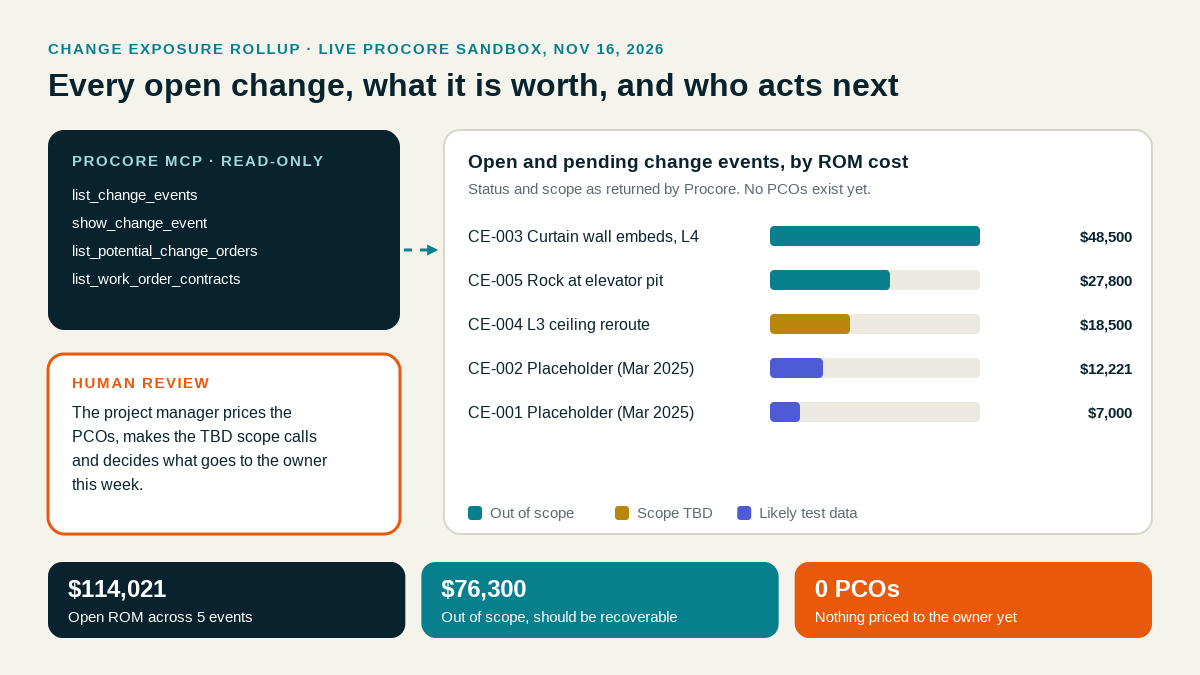
Who the change exposure rollup is for, the exact Procore MCP tools it calls, the blueprint, paste-ready prompts for Gemini or any MCP client, what it found on a live Procore sandbox ($114,021 open, $76,300 recoverable, zero PCOs), and the traps to plan for.
Reporting & analytics · October 8, 2026
Construction WIP Reporting in Power BI: A Controller's Guide
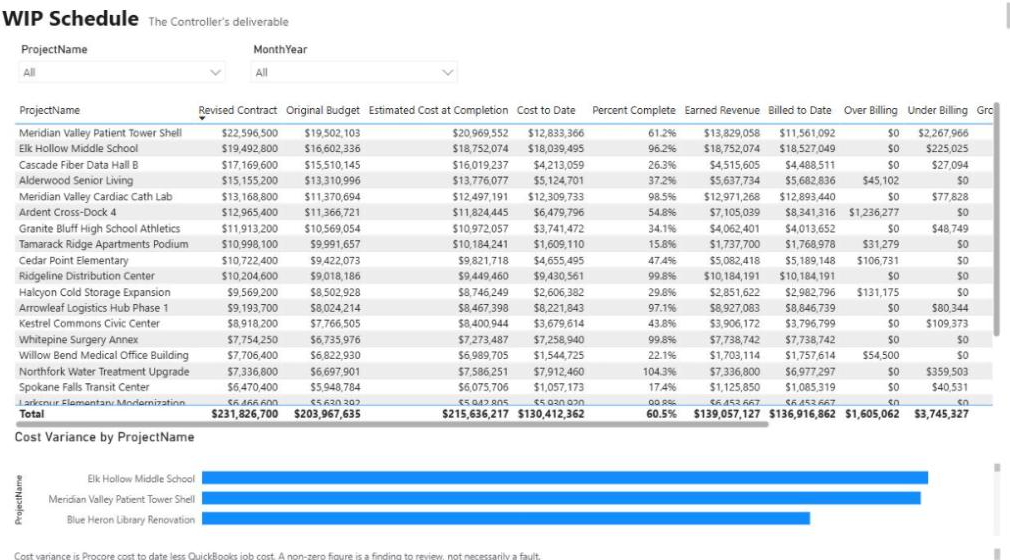
A practical guide to construction WIP reporting in Power BI: the formulas, where the data comes from in Procore and accounting, the mistakes that make a WIP schedule look right while being wrong, and how to automate it.
AI agents & MCP · November 16, 2026
Weekly Owner and Executive Report: An AI Agent That Builds the OAC Brief from Procore
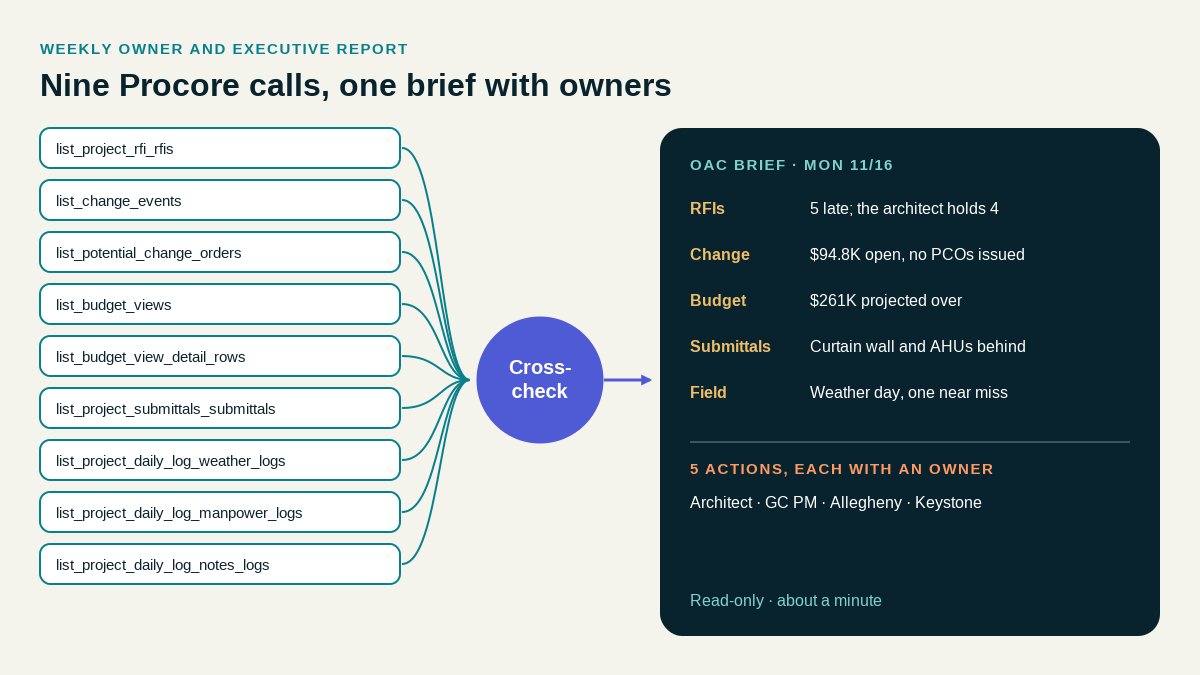
A use-case playbook for an agent that drafts the weekly owner and OAC executive brief from live Procore data: late RFIs, change exposure, budget, submittals and the field, read against each other, with a named owner on every action and a check-before-sending list. On the Procore sandbox, Build my OAC brief made nine Procore calls, eight in parallel, in about a minute. The project executive reviews and sends.