Key takeaways
- The RFI radar answers one daily question: which RFIs are late, who has the ball, which ones block work, and what to send.
- It calls list_project_rfi_rfis (status open, pick_fields), list_project_rfi_rfis_replies and daily log notes through a read-only Procore MCP server.
- On the live sandbox it found 23 open RFIs, 22 past due, led by #22 elevator pit (17 days), #23 storefront head height (14) and #18 curtain wall embeds (10).
- Check replies before chasing: #22 and #23 already had official architect answers but were still open in Procore.
- Matching RFIs to daily log notes ranks what blocks crews, such as #18 holding the Level 4 curtain wall install.
- The agent drafts chase notes; a project engineer edits and sends them. Writes are denied by policy.
- Measure median days to answer, percent overdue and RFIs more than 7 days late against your own 90-day baseline.
56 seconds · From a Build Flows walkthrough
One RFI question, end to end
A project manager asks the RFI agent in Gemini which RFIs are late. The agent gateway calls the Procore MCP, which checks access, calls Procore, logs the call, and returns 23 open RFIs.
Read the clip transcript
is not being shown publicly at all. But once this is being pulled, this project manager in this instance uses Gemini. How it's happening is they're asking then the RFI agent, hey, what RFIs are late? This tool calls then being sent to the agent gateway. So Gemini's agent gateway is then interacting with the Procore MCP, which is then checking to see who is interacting with it. What are they trying to do? It then says, all right, they have access to it. I'm going to use this tool to interact with the Procore API and return the response for that, which is then 23 open RFIs. Then we record this as an audit log within the tool call for the telemetry of how the tool is being referenced. And then ultimately that is then being returned back to the RFI agent at runtime to then be able to then perform its insights and then respond back to this user based upon what their response was.
Captions adapted from the source video; proper names may reflect automatic transcription. Original segment: 13:33–14:28. Watch at the source.
36 seconds · From a Build Flows walkthrough
RFI radar, step by step
The RFI radar blueprint: every weekday at 7 AM, list RFIs and replies, rank by days late and severity, send to a human for review, and track median days to answer.
Read the clip transcript
And then the workflows that are happening. So this would be like specific workflow steps that are happening between, hey, we're going to do the RFI radar, which every weekday at 7 a.m. plus on demand, you could always list RFIs and RFI replies. You rank them by days that are late in severity. You put the output there and then the human is able to go through and review them. And then you have a measurement of mean days, median days to answer and RFIs that are overdue that you can start running your different personas and metrics based on your persona.
Captions adapted from the source video; proper names may reflect automatic transcription. Original segment: 17:13–17:49. Watch at the source.
Every GC project team has the same Monday problem. Twenty-some RFIs are open, most of them are technically past due, and nobody can say in one sentence which three are actually holding up work, who has the ball on each one, and what to send them. The PE rebuilds that picture by hand from the RFI log, the daily log and memory. By the time it's done, the coordination call has started.
An RFI radar agent does that rebuild every morning before anyone logs in. It reads open RFIs, official replies and daily log notes from Procore through a read-only MCP server, ranks what's late by days past due and impact, matches each RFI to the work it's blocking, and drafts a chase note for each ball-in-court party. A person reads it, edits it and hits send. This playbook covers the persona, the exact Procore tools, the blueprint, prompts you can paste into Gemini or any MCP client, and what the agent returned on a real Procore sandbox, including two traps that would have embarrassed us if we'd let it send on its own.
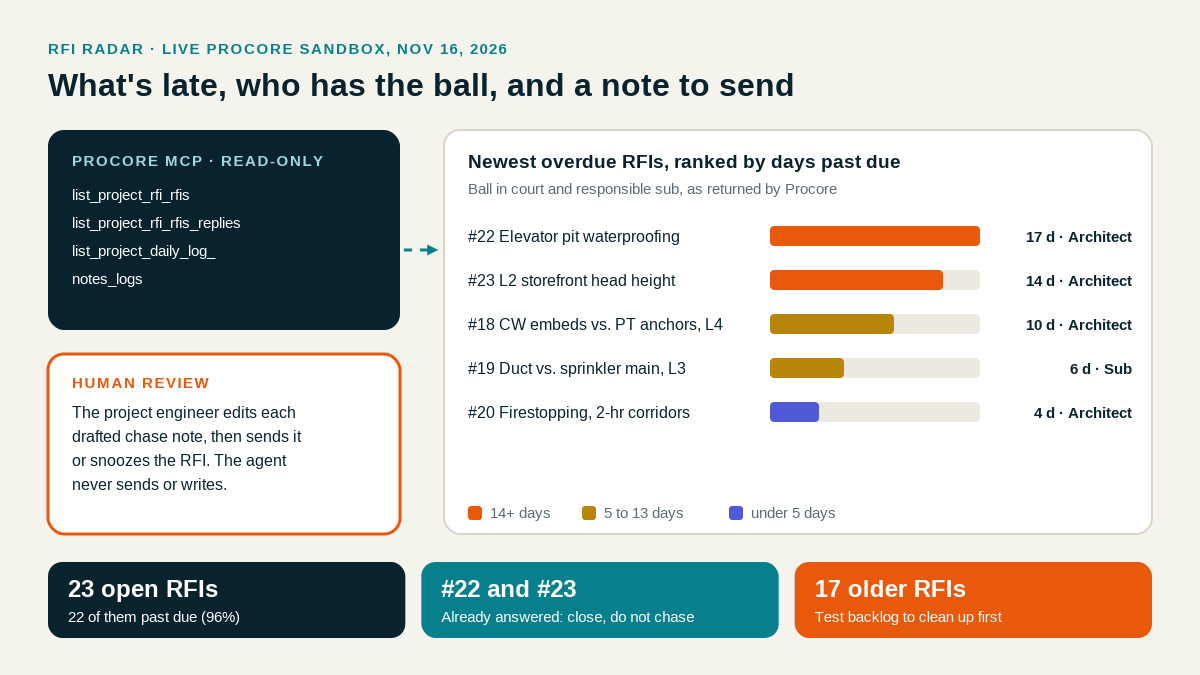 The RFI radar on the live Procore sandbox: ranked, attributed, and waiting for a human to send.
Who it's for and the question it answers
Primary user: the project engineer who owns the RFI log. Secondary: the PM who runs the coordination meeting, and the superintendent who feels every late answer in the field.
The question: "Which RFIs are overdue, who has the ball on each one, which of them are blocking work this week, and what do I send?"
That last part matters. A list of late RFIs is a report. A list with a drafted note to the right person, tied to the crew that's waiting, is something a PE can act on in ten minutes.
This is use case #1 in the Procore Agent Playbook catalog, scored 5 for value and 5 for feasibility. It's read-only, the data is already in Procore, and the payoff shows up in a number every GC already tracks. It's where we tell most teams to start.
The Procore data and the exact MCP tools
The radar needs three things from Procore: open RFIs with due dates and ball-in-court, the replies on each one, and the daily log notes that say what work is on hold. These are the tool names the agent actually called against the sandbox, as listed by our open-source Procore MCP server in hybrid mode with the gc_demo persona:
| Tool | What it returns | How the radar uses it |
|---|---|---|
list_project_rfi_rfis | Open RFIs: number, subject, status, due date, ball-in-court, responsible contractor, cost and schedule impact | The core list. Called with filters_status: "open", per_page: 100 and pick_fields so the response stays small |
list_project_rfi_rfis_replies | Replies on one RFI, including the official flag and answer date | Checks whether an "overdue" RFI was actually answered before it drafts a chase |
list_project_daily_log_notes_logs | Daily log notes for a date | Finds work the field says is on hold pending an RFI |
list_projects | Projects the service account can see | Resolves the project by name |
In the repo, the rfi_management capability groups the RFI tools, and the rfi_manager persona ships with a starter workflow called overdue_rfi_report. That starter is a single step (list_project_rfi_rfis). The ranking, reply check and log matching described here are the logic you add on top.
One call shape worth copying. This is the exact argument set from the evidence log:
{
  "tool": "list_project_rfi_rfis",
  "arguments": {
    "project_id": 120149,
    "per_page": 100,
    "filters_status": "open",
    "pick_fields": ["id", "number", "subject", "status", "due_date", "created_at",
                    "ball_in_courts", "cost_impact", "schedule_impact",
                    "responsible_contractor", "drawing_number"]
  }
}
pick_fields is the difference between a 22 KB response and a much larger one. On a job with 400 RFIs, that adds up fast.
The workflow blueprint
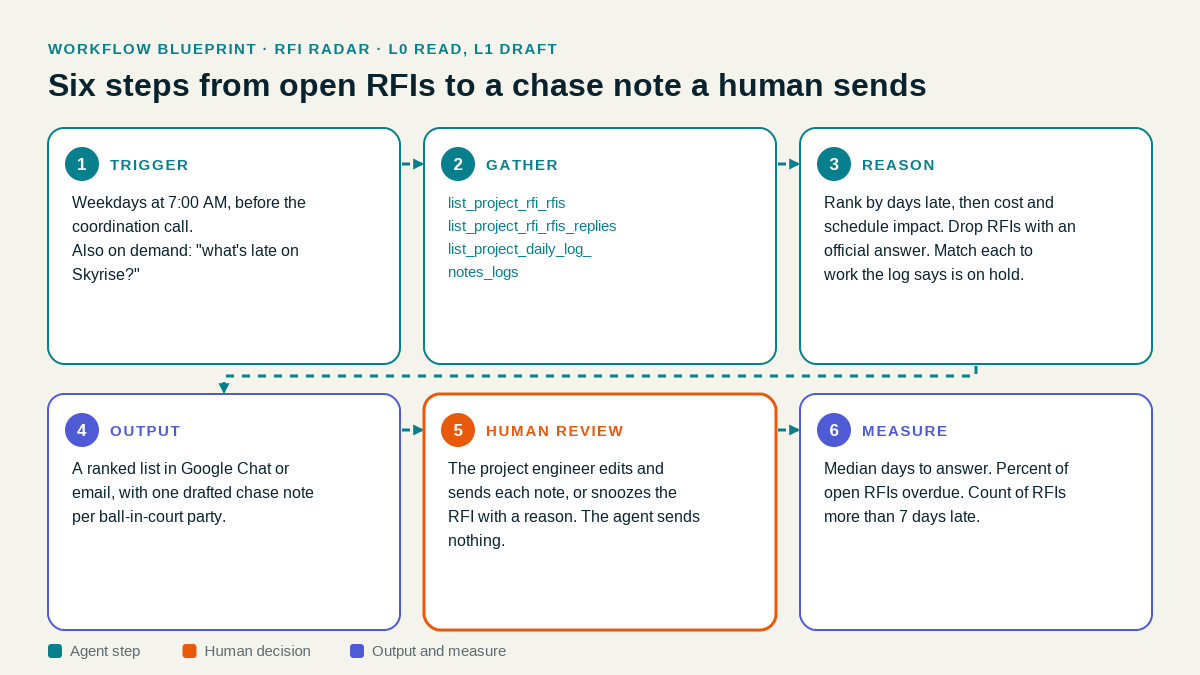 Agent steps in teal, the human decision in orange, output and measurement in indigo.
| Step | What happens |
|---|---|
| Trigger | Weekdays at 7:00 AM, before the coordination call. Also on demand: "what's late on Skyrise?" |
| Gather | Open RFIs with pick_fields, replies for every RFI that's past due, and the last two days of daily log notes |
| Reason | Compute days past due. Drop or flag any RFI with an official reply. Rank the rest by days late, then cost and schedule impact. Match each RFI number or subject to log notes that mention it |
| Output | A ranked list in Google Chat or email, grouped by ball-in-court party, with one drafted chase note per party |
| Human review | The PE edits and sends, or snoozes an item with a reason. The agent sends nothing and writes nothing to Procore |
| Measure | Median days to answer, percent of open RFIs overdue, and the count more than 7 days late, tracked weekly |
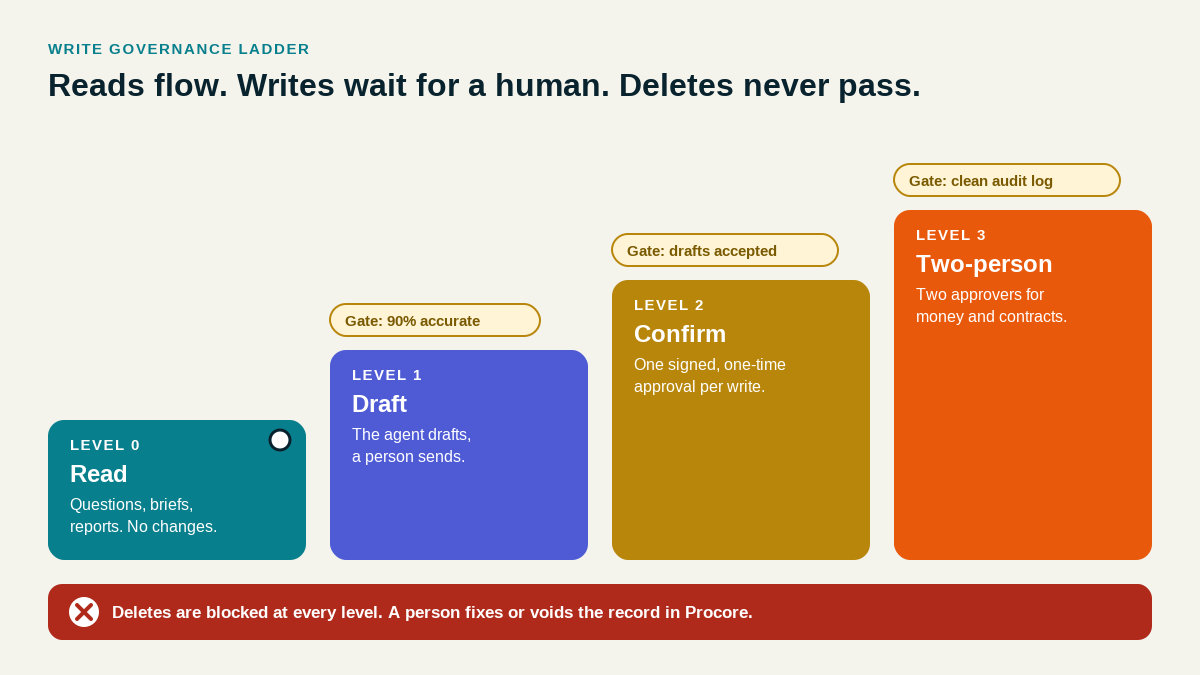
On the write governance ladder, this sits at L0 (read and answer) moving to L1 (draft). The chase note is a draft. The send button belongs to a person. That's also how the sandbox was configured: the readonly-by-default policy denied a valid create_project_rfi_rfis call before it ever reached Procore.
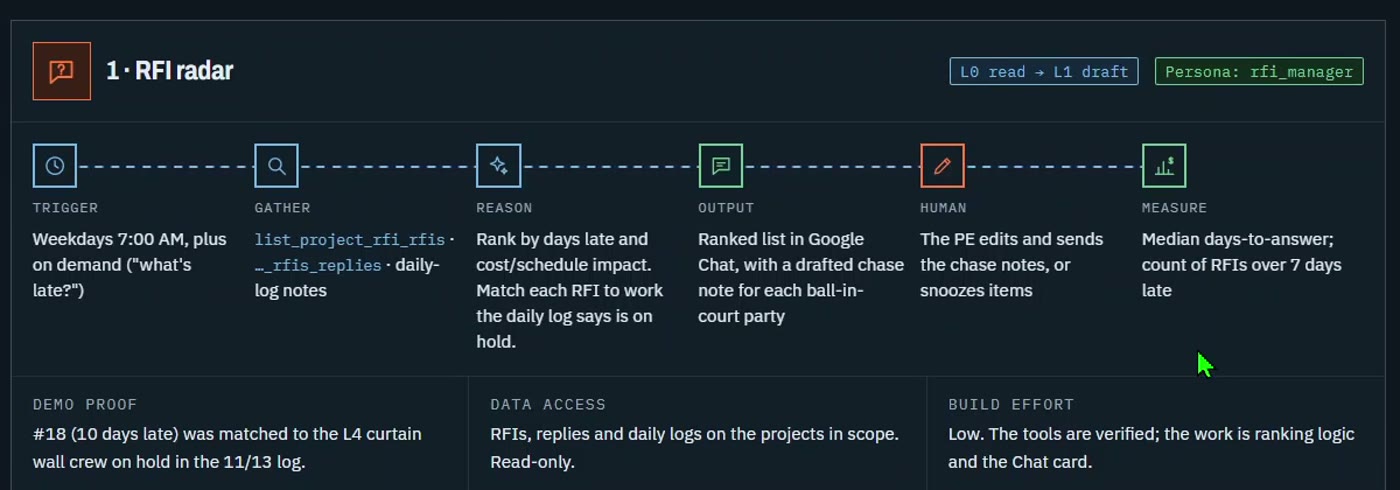 The blueprint in the playbook, walked through at 17:13 in the video.
Paste-ready prompts
These work in Gemini once the Procore MCP server is connected (the connection guide walks through Developer Mode step by step). Nothing in them is Gemini-specific. The same prompts ran in Claude Code against the same server, and they'll work in any MCP client that can reach it.
The daily radar:
Use the Procore tools. Project: The Sparkling Skyrise Project. Today is Monday 2026-11-16.

1. List all open RFIs (status open). Use pick_fields to keep the response small.
2. For every RFI past its due date, check its replies. If it has an official
   reply, put it in a separate "answered, needs closing" list. Don't chase it.
3. Rank the rest by days past due, then by cost and schedule impact.
4. Pull daily log notes for the last two working days and tell me which
   overdue RFIs are named as holding up work.
5. Group the result by ball-in-court party.

Answer as a table: RFI, subject, due, days late, ball in court,
responsible sub, blocking work (yes/no plus the log note).
Then one line on the older backlog. Read-only: do not create or edit anything.
The chase drafts:
For each ball-in-court party with overdue RFIs, draft one short chase note
I can paste into email. Name every RFI by number and subject, say how many
days late it is, and say what field work it's holding if the daily log says so.
Plain and polite, no more than 120 words each. Don't send anything.
The weekly metrics:
For the open RFIs on this project, give me: total open, number and percent
past due, number more than 7 days late, and the median days past due for
RFIs created in the last 90 days. Tell me which numbers you could not
compute from the data and why.
The last sentence of that prompt earns its keep. You want the agent to tell you when a number is unreliable instead of quietly giving you one.
What it looks like on real data
We ran the radar against a real Procore developer sandbox on November 16, 2026: project "The Sparkling Skyrise Project", a mid-rise we seeded with RFIs, change events, a budget, subcontracts and daily logs. The service account was read-only. Every figure below comes from the captured API responses. You can watch the run at 03:20 in the video.
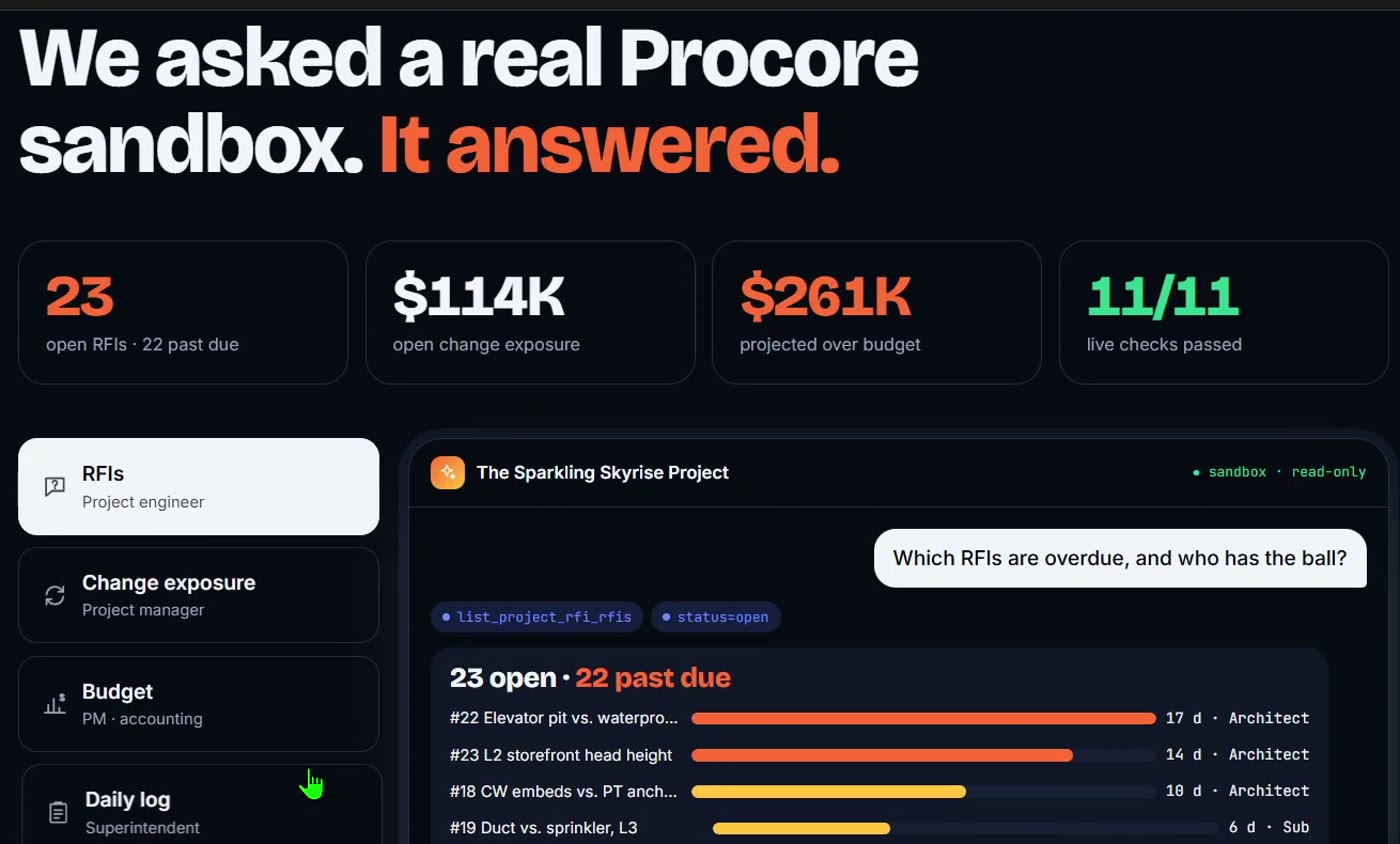 The RFI answer on the proof page, from one list_project_rfi_rfis call.
The headline: 23 open RFIs, 22 past due as of 11/16. That's 96% overdue, which tells you right away that the raw count is useless on its own. The agent led with the newest RFIs:
| RFI | Subject | Due | Days late | Ball in court | Responsible sub |
|---|---|---|---|---|---|
| #22 | Elevator pit depth vs. below-grade waterproofing detail | 10/30 | 17 | Architect | Summit Concrete |
| #23 | L2 storefront head height, A-201 vs. A-401 | 11/2 | 14 | Architect | Keystone Curtainwall |
| #18 | Curtain wall embeds vs. PT tendon anchors, L4 slab edge | 11/6 | 10 | Architect | Keystone Curtainwall |
| #19 | 24" supply duct vs. sprinkler main, L3 corridor | 11/10 | 6 | Subcontractor | Allegheny Mechanical |
| #20 | Fire-stopping at multi-trade penetrations, 2-hr walls | 11/12 | 4 | Architect | Tri-State Fire Protection |
| #21 | Roof overflow scupper vs. parapet coping joint | 11/20 | due in 4 days | Architect | Keystone Curtainwall |
Its recommendation, from the captured transcript: call the architect about #22, #23 and #18 in that order, make it one call because Keystone has three RFIs waiting on the same desk, and push Allegheny on #19 because that one sits with the sub, not the design team. That's what a good PE would say.
The matching step is where it earns its keep. The 11/13 daily log has Keystone's crew noting "L4 curtain wall install waiting on embed RFI", which is #18. The 11/12 log says "L3 east corridor duct work on hold pending MEP clash RFI", which is #19. Tri-State's 11/13 entry says "firestopping on hold for UL system", which lines up with #20. An RFI that's 10 days late with a crew standing on it outranks one that's 17 days late with nobody waiting.
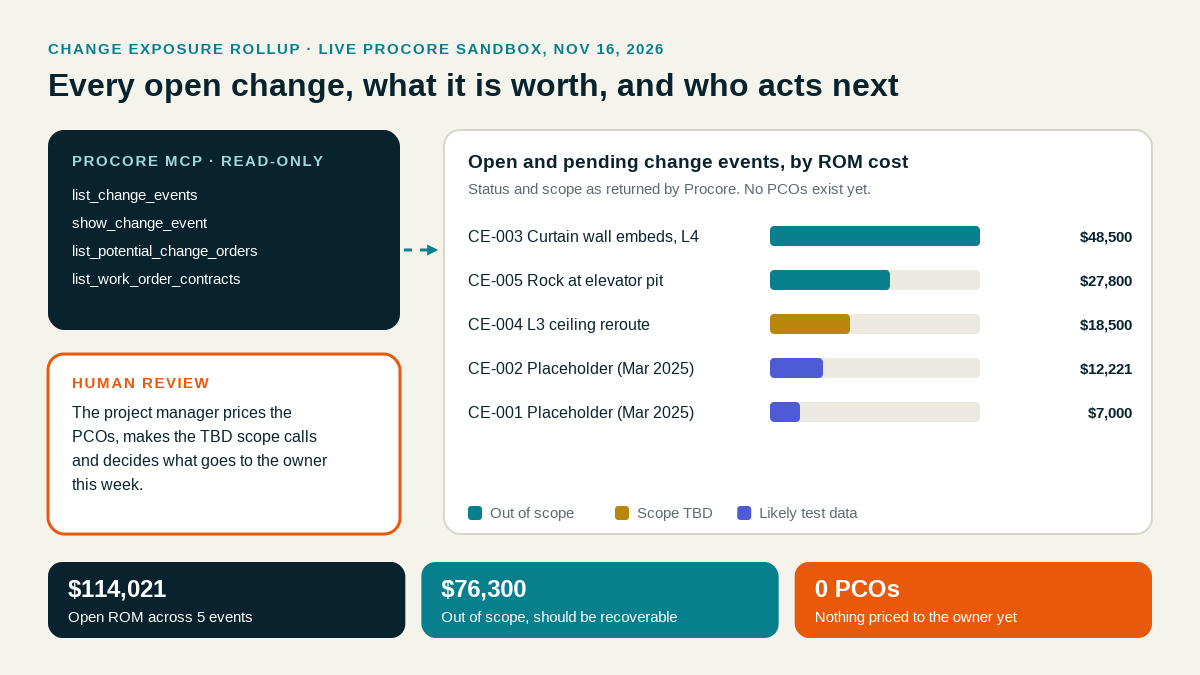
The radar also connects to money. #18 is the root of change event CE-003 ($48,500 ROM, curtain wall embed relocation) and #19 drives CE-004 ($18,500). If you're running the change exposure rollup, the two agents should share that link.
Edge cases and data-quality traps
The sandbox surfaced every one of these. Your live projects will too.
- "Overdue" RFIs that were already answered. #22 and #23 both have official architect responses. #22's says "Lower pit slab 4 in. to EL -6'-0"; extend waterproofing turn-up per revised detail 7/A-310 (ASI-014). No cost impact." Both RFIs are still open, with the ball still in the architect's court. A radar that only reads the RFI list would chase the architect for an answer they already gave. This is why the blueprint calls
list_project_rfi_rfis_repliesbefore drafting anything. These go on an "answered, needs closing" list for the PE. (In the sandbox this happened partly because Procore's public API doesn't expose an RFI close action, so seeded RFIs stayed open after the reply was posted.) - Duplicate replies. Each of those official answers was posted twice. Count distinct reply text, not reply records, if you're computing anything from replies.
- Test and stale records. RFIs #1 to #17 are older sandbox records, some 300 to 2,173 days late. #14, #15 and #16 have "RESOLVED" in the subject line and are still open. #17, titled "Power BI RFI", carries a $111,110 cost impact. Leave those in and they swamp every metric. The agent should surface them as hygiene work, not hide them or rank them.
- Messy ball-in-court lists. RFIs #2 to #16 each list eight ball-in-court entries, including the same company twice and two integration service accounts. "Who has the ball" has no single answer there. The radar should say so and route it to the RFI manager.
- Dates you can't trust. The seeded RFIs show
created_atof 11/16 with due dates in October, because the seed script created them that morning. On real projects, check whether RFIs are entered the day they're raised or backfilled later. Backfilled RFIs make days-to-answer look better than it is. - Who counts as "the sub". Ball-in-court on #19 is a subcontractor user, but the responsible contractor is Allegheny. Chase the person in court. Copy the responsible contractor.
- Rate limits. Procore enforces an hourly limit and a 10-second spike limit, and returns HTTP 429 when you exceed either. The sandbox reported 25 requests per window. One reply call per overdue RFI across a portfolio can hit that. The server retries 429s with backoff, but you should still cap reply lookups to RFIs that are actually late.
What to measure
The Navigant Construction Forum's study of more than a million RFIs found a median response time of 9.7 days, roughly $1,080 to process each RFI, and 21.9% never answered. Those figures are from 2013, so treat them as context, not a benchmark. Your own baseline is the one that counts.
| Metric | How to compute it | Why it matters |
|---|---|---|
| Median days to answer | From RFI initiated date to the first official reply, for RFIs answered in the period | The number the radar is meant to move |
| Percent of open RFIs overdue | Open RFIs past due ÷ all open RFIs | Shows whether the log reflects reality (96% says it doesn't) |
| RFIs more than 7 days late | Count, by ball-in-court company | Points the chase at the right desk |
| Answered but still open | RFIs with an official reply and status open | A hygiene number that should go to zero |
| Chase notes sent vs. drafted | From the PE's sends | Tells you whether the drafts are good enough to use |
Take a baseline from the last 90 days before you turn the radar on. The playbook's suggested pilot target is a 20% cut in median days to answer, but agree the number with your team before you start.
How to roll it out
- Pick one project with a reasonably clean RFI log. Not the one with 17 test records at the top.
- Connect read-only. Use a developer managed service account, the
readonly-by-defaultpolicy, and a persona that exposes only the RFI and daily-log tools. See hardening MCP servers for production before you go past a sandbox. - Run the prompts by hand for a week. The PE compares the radar to what they would have chased anyway. Note every miss.
- Clean up. Close the answered-but-open RFIs and fix the ball-in-court lists the radar flags. This alone usually changes the overdue count a lot.
- Schedule it. Weekdays at 7 AM into a Google Chat space or email. The PE edits and sends the chase notes.
- Review weekly. Look at median days to answer and the 7-day-late count. Tune the ranking: some teams weight schedule impact above days late.
- Then add projects. Same persona, same prompts, one project at a time.
For how the governed layer, approvals and audit fit together, see governing AI agents in construction and the two-phase agent workflow with human approval. For the bigger picture of Procore data inside Gemini, start with the pillar guide and the demo page. If MCP itself is new to you, what MCP means for construction is the short version, and routing 2,755 Procore tools explains how the server keeps the tool list small.
Do it with us
BuildFlows sets up the RFI radar with GC teams on their own Procore data: read-only connection, the persona and policies, the ranking tuned to how your PEs actually work, and the daily delivery into Chat or email. We start on one project, prove the numbers, then add the next. Email charley@buildflows.ai or visit /engage.
References
- BuildFlows, Procore MCP server (open source): github.com/charley-forey/procore-mcp
- BuildFlows, Procore Agent Playbook (use-case catalog and workflow blueprints) and the video walkthrough
- Live sandbox evidence captured 2026-11-16:
list_project_rfi_rfis,list_project_rfi_rfis_repliesand daily log responses for project 120149 - Procore Support, RFIs glossary (Ball In Court): support.procore.com
- Procore Developers, Rate Limiting: procore.github.io/documentation/rate-limiting
- Navigant Construction Forum RFI study (2013), as summarized by Procore: procore.com/library/rfi-construction
- Google Cloud, Set up a custom MCP server for Gemini Enterprise: docs.cloud.google.com
Frequently asked questions
What does a Procore RFI radar agent do?
Every weekday morning it reads open RFIs, their replies and recent daily log notes from Procore, ranks overdue RFIs by days late and impact, shows who has the ball in court, flags which ones are blocking field work, and drafts a chase note per ball-in-court party for the project engineer to send.
Which Procore MCP tools does it use?
list_project_rfi_rfis with status open and pick_fields, list_project_rfi_rfis_replies to check for official answers, list_project_daily_log_notes_logs to find work on hold, and list_projects to resolve the project. All are read-only.
Does the agent send emails or change RFIs in Procore?
No. It starts at read and draft. The project engineer edits and sends every chase note. In the sandbox, a valid create RFI call was denied by the readonly-by-default policy before it reached Procore.
Does this only work in Google Gemini?
No. The prompts work in Gemini once the Procore MCP server is connected, and the same questions ran in Claude Code against the same server. Any MCP client that can reach the server can use them.
What data problems should we expect?
RFIs that were answered but never closed, duplicate replies, old test records, ball-in-court lists with duplicates or service accounts, and backfilled dates that distort days-to-answer. The agent should surface these as hygiene work rather than hide them.
How do we measure whether it works?
Take a 90-day baseline of median days to answer, percent of open RFIs overdue and RFIs more than 7 days late, then track them weekly after the radar goes live. Agree a target, such as a 20% cut in median days to answer, before you start.
Next step
Have a workflow in mind?
Start with a readiness review: the task, the data and tools it needs, the access boundaries, and how a pilot would be evaluated.
Prefer email? charley@buildflows.ai
Keep learning
AI agents & MCP · November 16, 2026
Procore Change Exposure Rollup: An AI Agent for Open Change Events and PCOs
Who the change exposure rollup is for, the exact Procore MCP tools it calls, the blueprint, paste-ready prompts for Gemini or any MCP client, what it found on a live Procore sandbox ($114,021 open, $76,300 recoverable, zero PCOs), and the traps to plan for.
AI agents & MCP · November 16, 2026
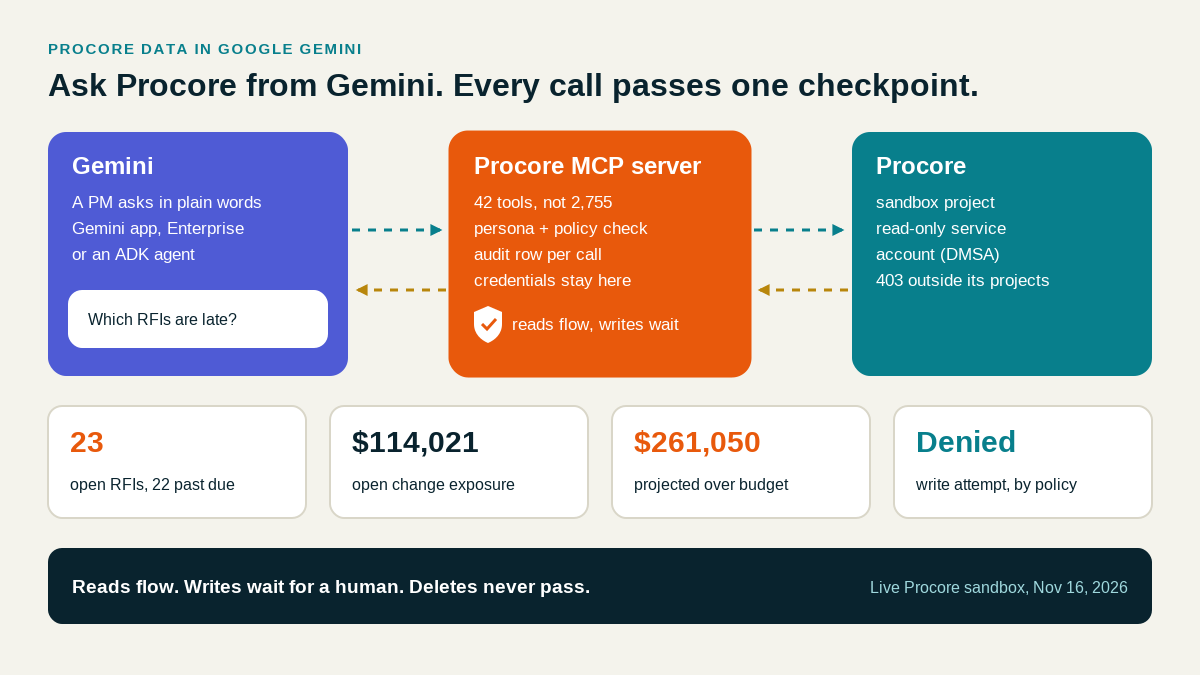
Procore Data in Google Gemini: The Governed Path for GC Agents
Why GCs want Procore answers in Gemini, the gap while Procore AI MCP supports only Claude, the Ask, Plan, Check, Fetch, Answer path, what we proved on a live Procore sandbox, where it fits in Google Cloud (Gemini Enterprise, ADK, A2A, BigQuery, Cloud Logging), the use cases to start with, and how to run a pilot.
AI agents & MCP · November 16, 2026
The Write Governance Ladder for AI Agents on Procore: Read, Draft, Confirm, Two-Person
A practical ladder for AI agents that touch Procore. What each level allows, which Procore actions belong where, how the open-source Procore MCP server enforces it with policy YAMLs and signed confirmation tokens, the live write denial from the sandbox, and a policy table GCs can copy.