Key takeaways
- Start the trial at app.fabric.microsoft.com: select your profile picture, choose Start trial, pick the trial region on purpose, and select Activate. You become the trial's Capacity administrator.
- The trial is an F4 or F64 capacity for 60 days with up to 1 TB of OneLake storage. Copilot, AI features such as data agents, Trusted Workspace Access, Private Link and autoscale aren't included.
- A trial does nothing until a workspace uses it: create the workspace with the Fabric Trial workspace type and keep the small semantic model storage format unless you need large.
- On day 60 workspaces on the trial drop to Power BI Pro, and lakehouses, notebooks and pipelines go inactive. You have seven days to assign the workspace to a paid capacity before they can be deleted.
- Buy the F2 by about day 45, in the same region as the trial. A cross-region move only carries Power BI items, so lakehouses, warehouses, notebooks and pipelines would have to be deleted first.
- F2 is smaller than the trial and changes the licensing for viewers: on F2 every report viewer needs Power BI Pro or PPU, while the trial lets Free users with a Viewer role view.
80 seconds · From a Build Flows walkthrough
Start the Fabric free trial from your profile
From app.fabric.microsoft.com, open your profile picture and choose Start Fabric trial. You get a trial capacity for 60 days, which is enough to build and validate the reports before you pay for F2.
Read the clip transcript
Sorry it was the, okay. And then in your profile picture on the right hand side, is there like a, can you click on that real quick? Okay. Do you, okay, license your premium, okay, so free trial for fabric capacity. So can you select the start fabric free trial at the green button right there? Okay. You don't need to invite anyone at this point. Okay. Nice. So now we have fabric and it should be assigned to your, it has the trial there for 59 days left. So we can have this going here. And then once the trial is up, then ultimately we can turn it over to the building and create that new resource group assigned to it. So we'll go ahead and handle this later in a sense. 60 days whenever we want to provision this and have it keep running with the fabric license. Okay. That was the quick fix, I guess, that makes it easier and it saves you.
Captions adapted from the source video; proper names may reflect automatic transcription. Original segment: 30:52–32:12. Watch at the source.
58 seconds · From a Build Flows walkthrough
Create the shared workspace on the trial capacity
Create a workspace, pick Fabric Trial under the license mode, keep the small semantic model storage format, then open Manage access to add your integrator.
Read the clip transcript
Come on, Max, too. Yeah. Cool. All right. So from this standpoint, now what we need to do is we need to create a workspace. and this workspace then you can invite me to which then I can work in and create all this stuff for and so you can name this whatever you need. Okay. Okay, it should be good for the rest of that. And then fabric trial, perfect details. the small semantic model should be fine and we don't need to allow any template apps. So we should be able to classify. Okay, very nice. Now on here, if you're open to it, you can invite me. And if you either want to see the data, to use if you want to create an email for me you can or you can invite my Build Flows email and so that would be in the top right hand corner next to workspace settings there's manage access. Okay.
Captions adapted from the source video; proper names may reflect automatic transcription. Original segment: 32:14–33:12. Watch at the source.
The Microsoft Fabric trial gives you a free capacity for 60 days. You can build lakehouses, pipelines, notebooks and Power BI reports on it with no Azure subscription and no bill. It's a good way to get a reporting project moving while someone sorts out purchasing or an Azure quota.
The catch is the end date. On day 60 the trial capacity goes away. Your Fabric items stop working, and seven days after that they can be deleted. This guide covers how to start the trial, how to put a workspace on it the right way, and how to move that workspace to a paid F2 before the clock runs out.
We used this exact path with a client, a low-voltage and security integrator, when their F2 capacity failed to deploy with a regional quota error. The trial let the work start that afternoon. The full call is in the live client setup session.
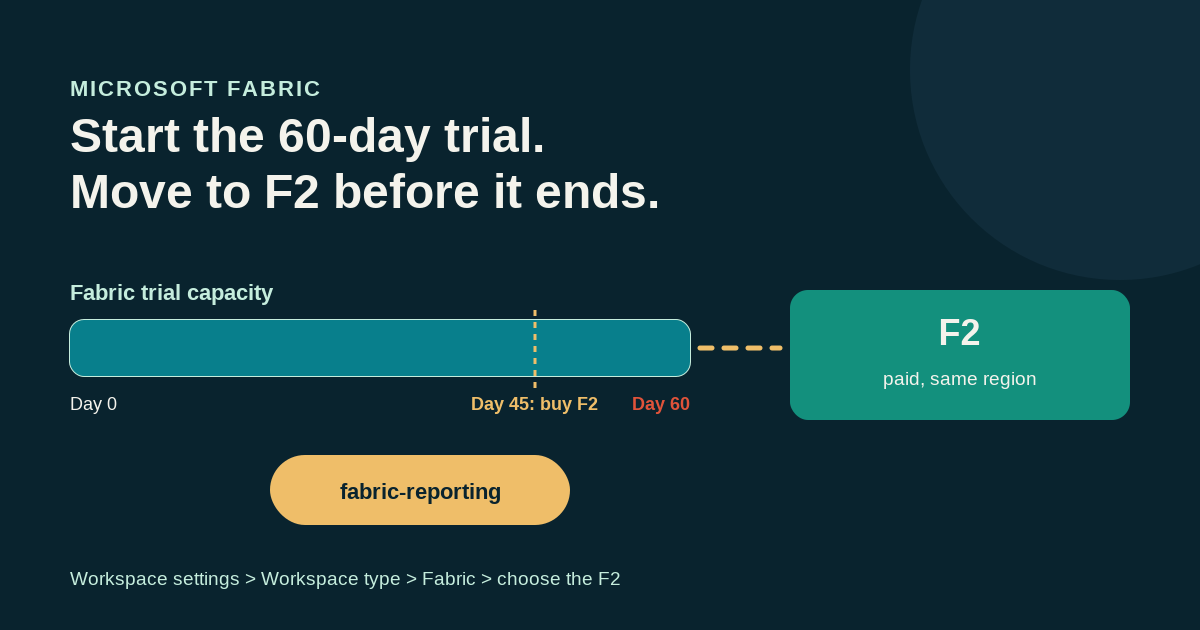 Start on the trial, finish on F2
What the trial capacity is
A Fabric trial is a capacity, the pool of compute that workspaces run on. Microsoft's trial page says your trial is configured as either an F4 (4 capacity units) or an F64 (64 capacity units). If yours started at 4, a Capacity administrator may be able to raise it under OneLake catalog > Govern > Capacities > Trial > Change size. Changing the size doesn't reset the 60 days.
What you get:
- All Fabric workloads: Data Factory, Data Engineering, Data Science, Real-Time Intelligence and Power BI.
- Up to 1 TB of OneLake storage.
- A Power BI Individual Trial for the person who starts it, if they don't already have Premium Per User. That trial gives them PPU-level rights in Power BI.
What you don't get:
- Copilot and Trusted Workspace Access.
- AI experiences such as data agents, AI functions and AI services. Microsoft's Copilot page says the Azure OpenAI service behind Copilot isn't available on trial SKUs.
- Private Link and autoscale.
There's also a cap of three SQL databases per trial capacity. Microsoft also says plainly that a trial is for evaluation and testing, not production. Treat it as a build environment with a deadline.
Who can start one
Any user can start a trial if the tenant allows it. The person who starts it becomes the trial's Capacity administrator. If you don't see a Start trial button, check these first:
- Tenant settings. A Fabric administrator controls trials under Help and support settings > Users can try Microsoft Fabric paid features. Creating Fabric items is controlled by Users can create Fabric items.
- Trial limit. Microsoft caps the number of trial capacities per tenant. If the cap is reached, ask whoever owns an existing trial to share it, or cancel an abandoned one.
- An existing trial. If the account menu already shows Trial status, a Power BI or Fabric trial may already be running for you.
Start the trial
- Go to app.fabric.microsoft.com and sign in with your work account.
- Select your profile picture in the upper-right corner to open the account manager.
- Select Start trial (it may read Free trial). Agree to the terms if prompted.
- In Activate your 60-day free Fabric trial capacity, check Trial capacity regions. The default is usually your tenant's home region. Pick the region where your paid capacity will live. More on why below.
- Select Activate. When the confirmation appears, the countdown shows in the account manager and in OneLake catalog > Govern > Capacities > Trial.
Create a workspace on the trial
A trial does nothing until a workspace is assigned to it.
- Select Workspaces > New workspace and give it a name, for example
fabric-reporting. - Expand Advanced. Under the workspace type (older screens call it License mode or License info), select Fabric Trial.
- Under Details, pick your trial capacity if more than one is listed.
- Leave Semantic model storage format on Small semantic model storage format unless you know you need large.
- Leave Develop template apps unchecked and select Apply.
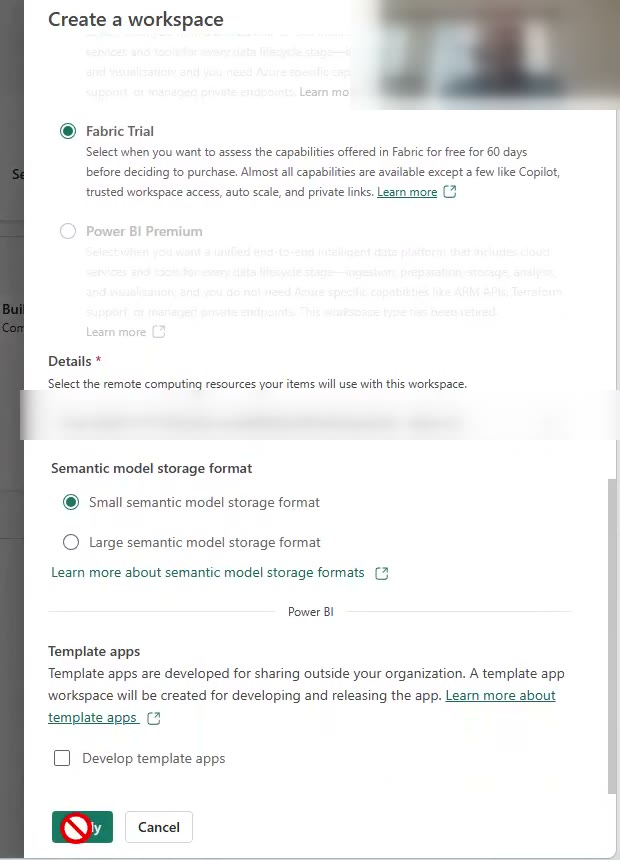 Fabric Trial selected, small semantic model storage format
To move an existing workspace onto the trial instead, open Workspace settings > Workspace type, choose Fabric Trial and select Apply.
Small or large semantic model format? Small keeps each model to the default 1 GB limit. Large lets a model grow up to the capacity's limit and improves XMLA write performance. For a construction reporting project on QuickBooks, Procore and HubSpot data, small is plenty. It also matters for the move later: small-format models can move between regions, and Microsoft says a large-format model can't leave the region it was created in.
What happens on day 60
| When | What happens |
|---|---|
| Last weeks of the trial | Notifications in the Fabric portal and in Govern > Capacities |
| Day 60 | Access to the trial capacity is revoked. Workspaces on it are switched to Power BI Pro. |
| Day 60 to 67 | Non-Power BI items (lakehouses, notebooks, pipelines, warehouses) stay in OneLake but are inactive. Assign the workspace to a paid F or P capacity to bring them back. |
| After day 67 | Those items can be deleted under Microsoft's retention policy |
| Any time | Power BI items (reports, semantic models) are unaffected and remain in the Pro workspace |
The Pro workspace part matters. Once the workspace drops to Pro, everyone who opens a report there needs a Power BI Pro or PPU license. If you need more time, Microsoft says to ask your Microsoft or Azure sales contact about an extension. Don't plan around getting one.
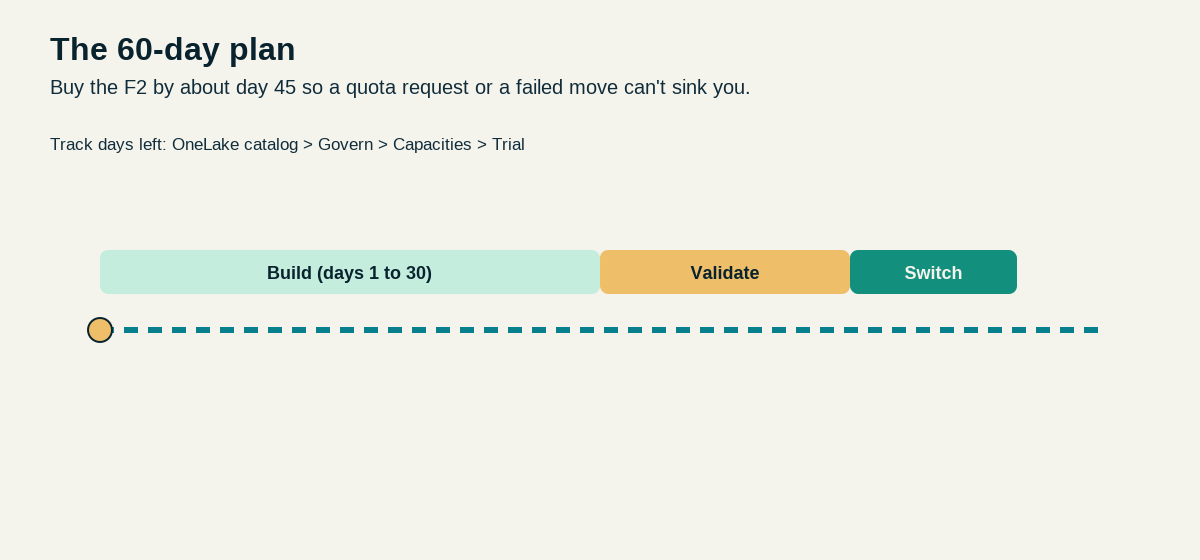 A 60-day plan with the F2 bought by day 45
Trial vs F2
 What changes when you move from the trial to F2
| Fabric trial | F2 | |
|---|---|---|
| Cost | Free for 60 days | About $263/month pay-as-you-go in US regions, billed per second. You can pause it. |
| Size | F4 or F64 (4 or 64 CU) | 2 CU |
| Needs an Azure subscription | No | Yes, with Fabric quota in your region |
| Copilot and AI features | Not supported | Available on F2 and up, subject to tenant settings |
| Viewing Power BI reports | Acts like F64: Free users with a Viewer role can view | Viewers need Pro or PPU |
| Private Link, ARM and Terraform support | No | Yes |
| Ends | Day 60, then a 7-day window to rescue items | When you delete it |
Two rows catch people out. First, F2 is smaller than the trial, so a heavy notebook that ran fine on 64 CU may run slower or get throttled on 2. Watch the Microsoft Fabric Capacity Metrics app during the trial. Second, report viewing gets stricter. On F2, every report viewer needs Power BI Pro (listed at $14 per user per month) or PPU. The F2 capacity guide covers that trade-off in detail. Check the Azure pricing page for current regional prices.
Move the workspace to F2
Do this by about day 45. That leaves two weeks for a quota request, a purchasing delay or a failed move.
- Check the trial's region. Go to OneLake catalog > Govern > Capacities > Trial and note the region.
- Create the F2 in the same region. In the Azure portal, create a Microsoft Fabric capacity at the F2 size. The capacity setup guide walks through the subscription, resource group and resource provider. If deployment fails with
RegionalQuota: 0, see the regional quota fix. That error is why our client was on the trial in the first place. - Make sure you have rights on both sides. You need the workspace Admin role. Microsoft says an F capacity admin must also be a workspace Admin to reassign it, so add the F2's capacity admin to the workspace or have that person do the move.
- Pause scheduled runs. Microsoft says moving a workspace cancels all running jobs for its items.
- Change the workspace type. Open Workspace settings > Workspace type, select Fabric, pick the F2 under Details, and select Apply.
- Check for leftovers. If any items didn't migrate, a warning banner appears in Workspace type with a View details link. Don't pause or delete the old capacity until the list is empty.
- Run a full refresh of every pipeline and semantic model on the F2, and confirm reports load for a Pro-licensed viewer.
Why the region matters. A move within the same region carries everything across. A move to a different region only carries reports, small-format semantic models, dashboards, Dataflow Gen1, paginated reports, datamarts and scorecards. Lakehouses, warehouses, notebooks and pipelines have to be deleted before a cross-region move will run. If your trial is in West US and your quota is approved in East US, fix that before you build anything big, either by starting the trial in the right region or by getting quota where the trial is.
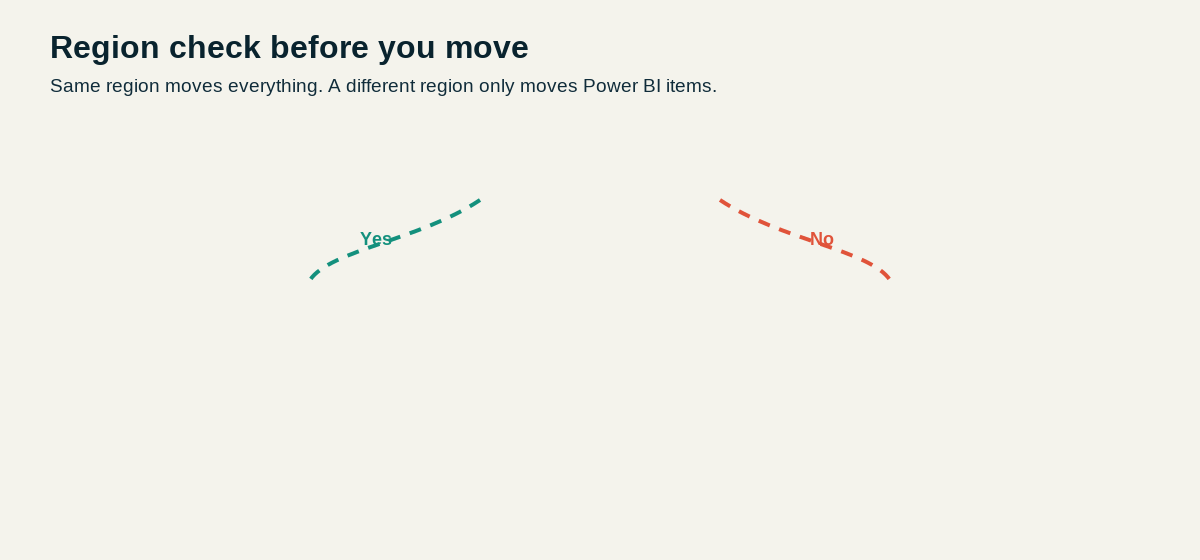 Same region moves everything. A different region doesn't.
From the live session
The client's admin had tried to create an F2 in the Microsoft 365 default subscription in West US. Azure rejected it: the subscription's regional quota for Fabric capacity units was 0. Rather than stop the call and wait on a quota request, Charley had the admin open app.fabric.microsoft.com, select the profile picture and choose Start trial (30:03 in the video). A minute later the account manager showed 59 days left.
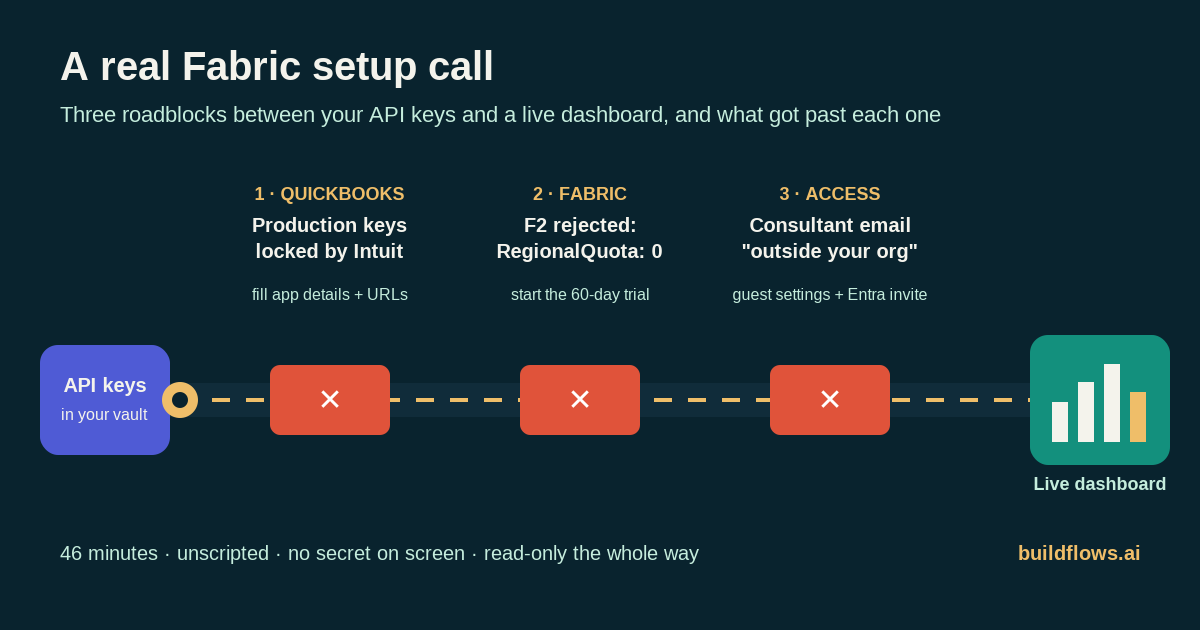
The plan they agreed was simple: build and validate on the trial, then create the paid capacity and its resource group once the quota was sorted, and switch the workspace over. At 32:13 they created the shared workspace with Fabric Trial selected, the small semantic model format, and template apps left off. The next roadblock, adding an outside consultant to that workspace, is covered in the external user guide. The whole session is summarized in three roadblocks from a real Fabric setup call.
Checklist
- Tenant allows trials (Users can try Microsoft Fabric paid features)
- Trial started from the account manager, region chosen on purpose
- Trial region written down
- Workspace created with Fabric Trial and small semantic model format
- Trial end date on a shared calendar, with a reminder at day 40
- Capacity Metrics app checked for load that won't fit on 2 CU
- Power BI Pro licenses planned for everyone who views reports on F2
- F2 created in the same region as the trial by day 45
- F2 capacity admin is also a workspace Admin
- Workspace type switched to Fabric on the F2, no items left behind
- Full refresh run and reports checked on the F2 before day 60
Need a hand?
Build Flows builds construction reporting on Microsoft Fabric, from QuickBooks, Procore and HubSpot data through to the Power BI reports your team opens every morning. We often start clients on the trial and move them to F2 once the numbers check out. If you'd like help planning that move, email charley@buildflows.ai or tell us what you're building.
References
- Microsoft Learn: Fabric trial capacity
- Microsoft Learn: Understand Microsoft Fabric licenses and capacity
- Microsoft Learn: Workspaces in Microsoft Fabric and Power BI (workspace type)
- Microsoft Learn: Capacity reassignment restrictions and common issues
- Microsoft Learn: Manage workspaces (reassign a workspace)
- Microsoft Learn: Large semantic models
- Microsoft Learn: Overview of Copilot in Fabric
- Azure: Microsoft Fabric pricing
Frequently asked questions
How do I start the Microsoft Fabric free trial?
Sign in at app.fabric.microsoft.com, select your profile picture in the upper-right corner to open the account manager, and select Start trial. Agree to the terms, check the Trial capacity regions drop-down, and select Activate. Then create a workspace and set its workspace type to Fabric Trial.
How long does the Fabric trial last and what happens when it ends?
60 days. When it ends, access to the trial capacity is revoked and workspaces on it are switched to Power BI Pro. Lakehouses, notebooks, pipelines and other non-Power BI items stay in OneLake but are inactive for seven days. Assign the workspace to a paid F or P capacity within that window or they can be deleted. Reports and semantic models stay in the Pro workspace.
Why don't I see the Start trial button in Microsoft Fabric?
Usually a tenant setting or a limit. A Fabric administrator controls trials with Users can try Microsoft Fabric paid features under Help and support settings. Microsoft also caps the number of trial capacities per tenant, so ask someone with an existing trial to share it. If the account manager already shows Trial status, a trial may already be running for you.
How big is the Microsoft Fabric trial capacity?
Microsoft's trial page says it's configured as either an F4 (4 capacity units) or an F64 (64 capacity units), with up to 1 TB of OneLake storage. A Capacity or Fabric administrator may be able to change the size under OneLake catalog, Govern, Capacities, Trial. Changing the size doesn't extend the 60 days.
How do I move a workspace from the Fabric trial to a paid F2 capacity?
Create the F2 in Azure in the same region as the trial. Then, as a workspace Admin, open Workspace settings, select Workspace type, choose Fabric, pick the F2 under Details and select Apply. Microsoft says an F capacity admin must also be a workspace Admin to do the reassignment. Check for a warning banner listing items that didn't migrate, then run a full refresh.
Can I move a Fabric trial workspace to a capacity in a different region?
Only partly. Reports, small-format semantic models, dashboards, Dataflow Gen1, paginated reports, datamarts and scorecards can move between regions. Lakehouses, warehouses, notebooks, pipelines and other Fabric items must be deleted before the move, and large-format semantic models can't leave their region. Create the F2 in the trial's region to avoid this.
Does Copilot work on the Fabric trial?
No. Microsoft lists Copilot, Trusted Workspace Access and AI experiences such as data agents, AI functions and AI services as unsupported on the trial, and says the Azure OpenAI service behind Copilot isn't available on trial SKUs. Copilot is enabled by default on paid capacities from F2 up, subject to tenant settings.
Next step
Need this connection in your environment?
Scope one integration: the records, direction, timing, and business rules behind the connection.
Prefer email? charley@buildflows.ai
Keep learning
Integrations · November 17, 2026
A Real Microsoft Fabric Setup Call: QuickBooks, Key Vault and 3 Roadblocks We Fixed Live
A walkthrough of an unscripted 46-minute setup call with a client's admin: unlocking QuickBooks production keys in the Intuit Developer portal, checking Azure Key Vault values safely, getting past the Fabric F2 "RegionalQuota: 0" error with the 60-day trial, and giving an outside integrator guest access to a Fabric workspace, with a run sheet and checklist.
Integrations · November 17, 2026
Fix "RegionalQuota: 0" When Creating a Microsoft Fabric F2 Capacity
What the Microsoft Fabric regional quota error means when an F2 capacity fails to deploy in Azure, how to read TotalCapacityUnits, RegionalQuota, RequestedSku and Param1 to Param3, and the fixes in order: register Microsoft.Fabric, request a quota increase, try another region or subscription, and start the 60-day Fabric trial while you wait.
Integrations · November 17, 2026
Create a Microsoft Fabric Capacity in Azure: Subscriptions, Resource Groups and F2 Costs
A plain-English guide for office managers and IT generalists at contractors: what an Azure subscription, resource group, resource and resource provider are, how to create a Microsoft Fabric F2 capacity (name rules, region, size, Capacity Overage Protection, capacity administrator), assign it to a workspace, pause it, and what F2 really costs with reservations, Power BI Pro viewers, tags and budgets.