Video unavailable? Watch on YouTube or read the written breakdown.
The short version: Buy when a mature product already fits most of the workflow and the workflow is not what sets you apart: project management, accounting, scheduling engines, document control. Build when the gap is specific to how your company works, when no product covers it, or when the value sits between systems rather than inside one: integrations, reporting across sources, and workflows that cross departments. Most contractors end up hybrid: they buy the systems of record, configure them as far as they reasonably go, and build the thin layer that connects them and reports on them. Judge each option on fit, differentiation, total cost over several years, who owns the data and the code, and who maintains it after go-live.
Every construction company eventually hits a request that its software does not handle well. The monthly report needs numbers from three systems. The owner wants a portal. Project setup means typing the same job into the CRM, the project management system and accounting. Someone suggests a new product, someone else suggests "just building it", and the decision gets made on whoever argues best.
This guide is a framework for making that call deliberately. It covers the five factors that matter, a decision table, the hybrid patterns that usually win, the questions to ask vendors and builders, and a checklist you can use in your next meeting. We build custom software, so we will say plainly where buying is the better answer.
Build vs buy: what you are actually deciding
"Build vs buy" sounds like one choice, but in construction it is usually three different decisions that get lumped together:
- Core systems of record. Project management, ERP and accounting, scheduling, estimating, document control. These are almost always bought. They carry years of domain logic, compliance features and integrations you do not want to recreate.
- The connections between systems. Moving jobs, cost codes, commitments, invoices and schedule dates between products. This is where most of the real choice lives: a vendor's native integration, an integration platform, a workflow tool, or a custom API integration.
- Reporting and the workflows on top. Dashboards that combine sources, the WIP schedule, owner updates, approval routing, client portals. Products cover part of this; the part that reflects how your company measures and runs work is often built or configured.
Separating these keeps the conversation honest. Nobody is proposing to rebuild Procore or Sage. The real question is usually "who builds the layer between them, and on what?"
The five factors in a build vs buy decision
1. Fit: how much of the workflow does the product cover?
Map the workflow step by step before looking at products: who does what, with which data, and what decision comes out the other end. Then check each candidate against the map. A product that covers most of the steps with configuration is a strong buy. One that covers the headline feature but forces workarounds on the steps people do every day will cost you in spreadsheets and re-keying for as long as you use it.
"Has a cost report" is not fit. "Shows cost to date, committed cost and forecast at completion by our cost codes, with approved and pending changes split out" is fit you can test in a demo.
2. Differentiation: is this how you win work?
If a workflow is the same at every contractor, buy it. Payroll, AP processing and standard RFI logs are not where your company competes. If the workflow reflects something distinctive, such as how you forecast, how you report to owners, or how your schedulers build a CPM schedule, a generic product will flatten it into the vendor's version. That is where building, or building on top of a product, earns its cost.
3. Total cost: subscription and build cost are only the start
Compare total cost over a realistic life, usually several years, not the first invoice. On the buy side that means subscriptions per user or per project, implementation and configuration, connectors and middleware, training, and the internal time spent on workarounds the product does not cover. On the build side it means the initial build, hosting and platform licenses, monitoring, fixes when a source system changes its API, and enhancements as the business changes.
Do not compare a vendor's subscription with a builder's quote alone. Both sides have running costs, and the internal hours behind the current manual process are a cost too. If you want to put a number on the hours your team spends assembling reports today, the monthly report cost calculator is a quick way to make that baseline explicit.
4. Ownership: who owns the data, the logic and the code?
Ask who owns three things: the data, the business logic, and the code or configuration. With a product, the data lives in the vendor's platform; check that you can export it in full, through an API or bulk export, without extra fees or limits that block real use. The business logic lives in the vendor's configuration screens, which is fine until you want to leave.
With a build, ownership should be explicit in the contract: the code in your repository, running in your tenant, under accounts you control. Our principle is "built as code": pipelines, definitions and configuration in version control, so another team can read, run and change them.
5. Maintenance: who keeps it working after go-live?
Software you buy is maintained by the vendor, on the vendor's roadmap. Software you build is maintained by someone you name: an internal team, the builder on a support agreement, or both. Integrations need the most care, because they break when either side changes. Procore, for example, publishes its API documentation and change notices on its developer portal, and any integration has to keep up with them.
Whatever you choose, decide before go-live who gets the alert when a nightly load fails, who fixes it, and how long the business can live with yesterday's numbers.
Decision table: build, buy or hybrid
Use this as a starting point, not a verdict. Most real decisions land in the hybrid column for at least part of the scope.
| Situation | Lean toward | Why |
|---|---|---|
| Standard workflow every contractor runs the same way (payroll, AP entry, RFI log) | Buy | Mature products already encode it; building it adds cost and no advantage |
| Core system of record (project management, ERP, scheduling engine) | Buy | Years of domain logic, compliance and ecosystem you should not recreate |
| A product covers most of the workflow and the rest is configuration | Buy and configure | Configuration is cheaper to own than code |
| Two products need to share jobs, cost codes or commitments, and a native connector covers the fields you need | Buy the connector | Vendor-maintained, if it really covers your mappings |
| The native connector misses fields, cost code mapping or history you rely on | Build the integration | The gap is in your data rules, which only a custom mapping can follow |
| Reporting that combines project management, accounting and schedule data on your definitions | Build on a platform you own | Each product reports well on its own data; cross-system definitions are yours |
| A workflow no product handles, or one that is how you win work | Build, often on top of existing systems | Differentiation is worth owning |
| Short-lived need or uncertain process | Neither yet | Run it manually or in a spreadsheet until the process settles |
Hybrid approaches: configure first, then extend
The pattern we see work most often is to buy the systems of record, configure them as far as they go, and build only the layer that is genuinely yours. In practice that layer takes a few common shapes.
Integrations between bought systems
Instead of re-keying jobs and cost codes, a custom integration moves them between systems on your rules. The hard part is rarely the API call; it is agreeing on the crosswalk that says which project, vendor and cost code in one system matches which in another, and what happens when a record does not match. Flag, never drop: unmatched records should be visible and fixable at the source, not silently skipped. See integrations, cost code crosswalk and master data and Procore and Sage integration for how we approach it.
A reporting layer that sits beside your systems
Your project management and accounting products each report well on their own data. What they cannot do is apply your definitions across all of them. A reporting layer extracts data from each source on a schedule, cleans and joins it, and serves it through a shared semantic model in Power BI. In our construction reporting build (Production), that means Procore, Sage 100 Contractor, Outbuild and SharePoint inputs landing in Microsoft Fabric through a nightly pipeline, with a data-quality gate before the reports publish. The sources stay as they are; the reporting is owned by the contractor. More on this pattern in reporting and analytics and Procore data in Power BI.
If you go this way, use the platform vendor's own guidance for the plumbing, for example Microsoft's documentation for Microsoft Fabric and Power BI, rather than inventing your own conventions.
Workflow automation on top of existing tools
Approvals, reminders, expiry alerts and scheduled distribution often do not need a new product. A workflow tool such as Power Automate, n8n or Zapier can handle them against the systems you already pay for. Our guide to construction workflows in Power Automate covers which ones to automate first.
Custom applications that extend a product rather than replace it
Sometimes the gap is a whole workflow, and then a focused application is the right call. The trick is to build only what is missing. Connect, the multi-agent scheduling platform we built for Syncify (Production), takes schedulers from project documents to a reviewed CPM schedule and works on top of the Syncify scheduling engine instead of rebuilding a Gantt chart. That is the hybrid principle at application scale: own the differentiating workflow, reuse the engine. See custom applications and the client and owner reporting portal for another common shape.
When building is the wrong answer
We would rather tell you not to build than build something you will regret. Building is usually wrong when:
- A product already does it well and the only objection is price or a few cosmetic preferences.
- The process is not settled. If the team cannot agree how change orders should be approved, code will freeze the disagreement. Agree the process first.
- Nobody will own it. A build without a named business owner and a maintenance plan becomes the next legacy spreadsheet, only harder to fix.
- The source data is not trustworthy. A dashboard on top of unreliable data just shows bad numbers faster. Fix it at the source, or at least make the gaps visible; our guide to construction data quality rules covers how.
- You need it next week. A spreadsheet or a manual step is a fine bridge while you decide.
Questions to ask software vendors
Before you sign, get specific answers in writing:
- Can you show this exact workflow, with our cost codes and our report layout, in a demo on sample data that looks like ours?
- Which parts are standard configuration, which need your professional services, and which are not possible?
- How do we get all of our data out, in what format, through which API or export, and does that cost extra?
- Which integrations with our other systems are built and maintained by you, which by a partner, and which would we have to build?
- What does the API expose, and what are its rate limits and authentication model? Is the documentation public?
- How are changes to the product and the API announced, and how much notice do we get?
- What does pricing look like as we add users, projects or modules over the next several years?
- What happens to our data and configuration if we leave?
Questions to ask custom software builders
Hold builders to the same standard, and add a few of your own:
- Have you built something similar, and can we see it running? What is its maturity: production, pilot or reference build?
- Who owns the code, and where will it live? Will it run in our tenant under accounts we control?
- What is fixed in scope and price, and how is the scope agreed before work starts?
- How will we know the data is right? What checks run before numbers reach a report, and what happens to records that fail them?
- What happens when a source system changes its API or a load fails? Who is alerted, and how is it fixed?
- How is access controlled, and what permissions will the integration accounts have? Least privilege should be the default.
- What documentation will we get, and could another team take over the build?
- What does ongoing support look like, and what can our own team change without you?
For our own answers to these, see how we work and governance.
Build vs buy checklist
Run through this before you commit either way:
- The workflow is mapped step by step, with owners and the decision it produces.
- We know which parts are standard and which are how we win work.
- We have checked whether our existing products can be configured to cover it.
- Total cost is compared over several years on both sides, including internal hours and maintenance.
- We have measured today's baseline: hours spent, errors found, delays caused.
- Data export and API access are confirmed for every system involved.
- Ownership of data, logic and code is written into the contract.
- A business owner and a technical owner are named for after go-live.
- We know who is alerted when an integration or refresh fails, and how fast the business needs it fixed.
- Data quality checks and the handling of unmatched records are defined.
- Access uses dedicated accounts with least-privilege permissions.
- The first phase is small enough to prove value before the next is funded.
How to measure whether the decision paid off
Whichever way you go, decide up front how you will judge it. Capture a baseline before go-live: hours spent assembling the report or re-keying data, how many errors are found after the fact, how long approvals take, how late the numbers arrive at month end. Measure the same things a few months after go-live. If the numbers do not move, the problem may have been the process or the data rather than the software.
Where to go next
- If you have a gap in mind, plan your build to scope it, or look at the integration sprint when the gap sits between systems; scope and price are fixed, agreed after discovery.
- See the hybrid pattern in practice in the Connect scheduling work example, or watch the Connect platform walkthrough.
- Put a number on the hours behind your current reporting with the monthly report cost calculator.
- Want to talk the decision through first? Start a conversation.
Frequently asked questions
When should a construction company build custom software instead of buying?
Build when no product covers the workflow, when the workflow is part of how you win work, or when the value sits between systems, such as integrations and cross-system reporting. Buy when a mature product already fits most of the workflow and it is the same at every contractor.
Is it better to use a native connector or build a custom integration?
Use the native connector if it covers the fields, mappings and history you rely on and the vendor maintains it. Build a custom integration when the connector misses your cost code mapping, project crosswalk or records you need, because those rules are specific to your company.
What is a hybrid build and buy approach?
You buy the systems of record, configure them as far as they reasonably go, and build only the layer that is yours: integrations, a reporting layer on a platform you own, workflow automation, or a focused application that extends a product instead of replacing it.
What costs should be included when comparing build vs buy?
Compare total cost over several years. For a product, include subscriptions, implementation, connectors, training and internal workaround time. For a build, include the initial build, hosting and platform licenses, monitoring, fixes when source APIs change, and enhancements.
Who should own the code when we hire someone to build custom software?
You should. Put it in the contract: the code in your repository, running in your tenant, under accounts you control, with enough documentation that another team could take it over.
Next step
Want help running this playbook?
Bring the report or workflow. We'll help map the work behind it.
Prefer email? charley@buildflows.ai
Get the next guide in your inbox
Field Notes: practical guides and new walkthroughs, about once a month.
Field Notes
Practical guides and new walkthroughs on construction data and automation, roughly monthly.
Keep learning
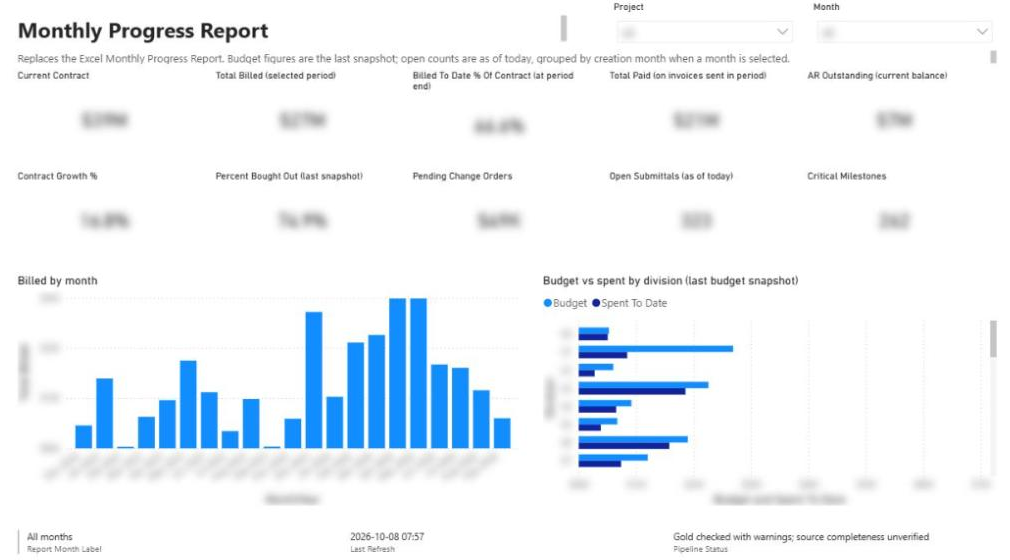
Playbooks · October 8, 2026
Playbook: Replacing the Monthly Excel Report for Contractors
A step-by-step program for retiring a contractor's hand-built monthly Excel report: inventory the workbook, map sources, give manual data a home, build crosswalks and a gated pipeline, pilot in parallel, then retire the spreadsheet.
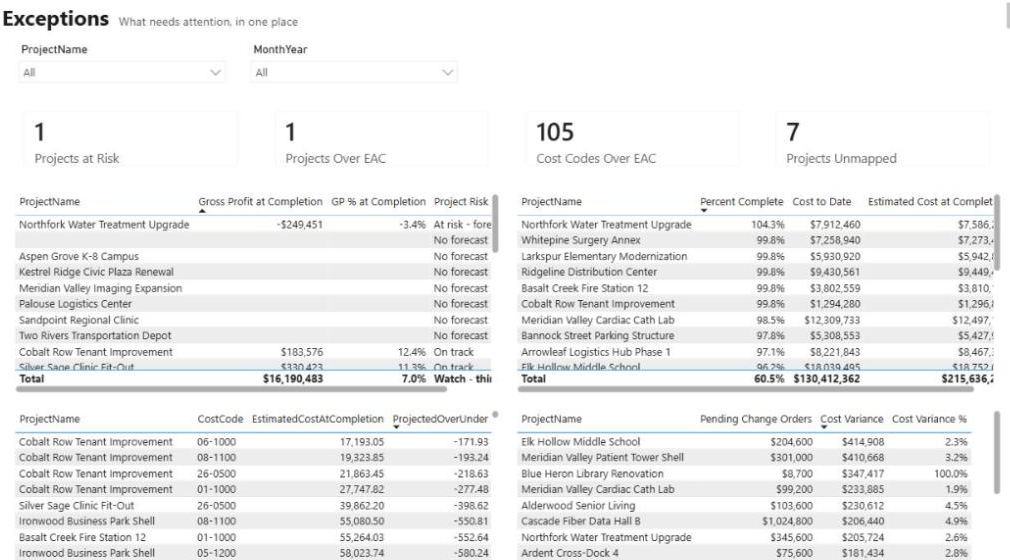
Integrations · October 8, 2026
Procore API Integration Guide: Patterns, Crosswalks and Governance
A practical guide to connecting Procore with accounting, scheduling, BI and CRM systems: which pattern to use, how to link projects across systems, and how to keep the numbers trustworthy.

Scheduling & P6 · October 8, 2026
How Specialized AI Agents Standardize CPM Scheduling
A walkthrough of Connect, the agentic platform we built on Syncify, where one agent per step turns drawings, specs and client answers into validated, versioned CPM schedules.