Key takeaways
- Procore builds job cost from QuickBooks Item details lines tied to a cost code, while Ramp syncs card spend as Category details, so you need a table that turns GL accounts into cost codes.
- Only cost-of-services (COGS) accounts carry job cost. At Cattlemen those are the 5000s; the 7000s are G&A and should be marked never to map to a job.
- Give every account one row: a default cost code and cost type, a short list of allowed codes, a needs-human-pick flag and keyword hints.
- One-to-one accounts like fuel or permits can use the default. One-to-many accounts like Supplies & Materials need the person who made the purchase to pick.
- Keyword hints from the description or merchant can pre-select a code, but only from that account's allowed list, and they never approve on their own.
- Unmapped accounts, uncoded catch-alls and projects not yet in Procore go to a needs-review bucket owned by one admin.
- An Item details line posts to the item's expense account, so have your bookkeeper confirm each cost-code item's account before go-live.
26 seconds · From a Build Flows walkthrough
"Is that some voodoo magic behind the scenes?"
Cardholders in Ramp only see GL categories, not project cost codes. Getting from one to the other takes a mapping you build on purpose.
Read the clip transcript
and say, OK, Charley, this Lowe's invoice was for tile materials. Tie that out to my. Caught my project. And then I'm able to see all of the cost codes. Like, you know, like global cost code. So I was curious how you made that jump. Or like if I'm in Ramp, am I able to see that cost code and do that? Or is that some like Voodoo magic that happens behind the scenes? That's a great question. That would be something we would have to map to make sure that we're
Captions adapted from the source video; proper names may reflect automatic transcription. Original segment: 6:36–7:02. Watch at the source.
36 seconds · From a Build Flows walkthrough
5000s are cost of services, 7000s run the company
Only the 5000-series cost-of-services accounts carry job cost. The 7000s are G&A and never map to a Procore cost code. The screen is blurred to keep the client's data private.
Read the clip transcript
The receipt, not auto verified, it's showing here, though. So then here's my, my categories, right? So like, the 5000s from an accounting standpoint are kind of like our cost of goods sold. And then 7000s become like our general and administrative, like that would be what it takes to run Cattlemen. So here in the 5000s, I coded out to supplies and materials. But that's not recognized on the Procore side of things. But it is recognized in QuickBooks, where you do your accounting. Is that correct? Yes. Cool. Okay. So when it lands in
Captions adapted from the source video; proper names may reflect automatic transcription. Original segment: 8:16–8:52. Watch at the source.
41 seconds · From a Build Flows walkthrough
Why a GL category can't map one-to-one to a cost code
Supplies & Materials can belong to electrical, lighting controls or plumbing. A rule can suggest a code, but a person has to pick it.
Read the clip transcript
Okay. I see. So in this instance, there's not always a direct correlation of a one -to-one where this cost code equals this category ID, QuickBooks to Procore. It's a, hey, here's a category ID. Now, because of the materials or whatever was purchased for it, we need some delineation to then specify further around what category or cost code it goes further into with Procore. It's not direct one-to-one integration. More of, like, a selection of, hey, here's how it needs to basically be assigned to that cost code in Procore without it automatically doing it. But we would want a way to automatically either have the person reference
Captions adapted from the source video; proper names may reflect automatic transcription. Original segment: 14:52–15:33. Watch at the source.
74 seconds · From a Build Flows walkthrough
Vendor spend, uncoded aging, and the QuickBooks vs Procore gap
Card spend, commitments and AR by vendor; what is uncoded and how old; spend by cost code and by GL account; and the exceptions to reconcile.
Read the clip transcript
everything about it if necessary for that project project we have our vendor spend here so this is how much card is on spend what we've committed and billing and any ar that's open and so i know that many people that are going through wanting to identify what's uncoded and what's by age they can go through and collect on it what are their top vendors that they're supplying for and what they've spent by cost code and the spend by GL account so this goes through and really tracks everything is everything in great detail gives great detail into the visibility of each item and then is able to see all the expenses and track them into the reports for all of these vendors and their cards and see by user and by GL account as well and so this gives great visibility and analytics into everything for the coding structure to QuickBooks versus Procore and the gap that is there what needs to be reconciled and any exceptions that are happening here and what's occurred and so as you're going through and tracking and managing all of this it gives great visibility into being able to analyze everything through these reports
Captions adapted from the source video; proper names may reflect automatic transcription. Original segment: 23:29–24:43. Watch at the source.
Your Ramp card charges land in QuickBooks Online with a GL account, a customer/project and a class. Procore wants a cost code and a cost type. Somewhere between the two you need a table that says which GL accounts can become which cost codes. If every account mapped to exactly one code, you could automate the whole thing and stop reading here. In practice it doesn't. One account, usually Supplies & Materials, feeds half a dozen cost codes, and the right one depends on what was bought.
This guide walks through building that table: what to export from each system, how to set a default code per account, how to mark the accounts a person has to decide, and how to keep the table current. It comes from a recorded discovery call with Ryan Blankers, Co-Founder of Cattlemen Construction Services, a general contractor and design-build firm in Fort Worth, TX. The full story of the call is in the call walkthrough, and the recording is on the video page.
 Most accounts map one-to-one. Supplies & Materials doesn't.
Why the mapping matters
Procore's QuickBooks Online integration brings job costs into Procore from Item details lines, where the Product/Service represents a Procore cost code. Ramp syncs card spend into QuickBooks using Category details, which is just a GL account. So a card charge can sit in QuickBooks against the right job and still show $0 in Procore. Category vs Item details explains that gap in full.
The fix agreed on the call is a small expense coding portal: each cardholder picks a Procore cost code, presses Approve, and the QuickBooks expense is rebuilt with Item details. The mapping table is what makes that portal quick to use. It decides which code is suggested, which codes are allowed, and when the portal should stop and ask.
Ryan was clear about the bar: "I'm trying to make this as intuitive as possible." A superintendent who just bought wire and a box of dimmers should see two or three sensible choices, not 400 cost codes.
Step 1: Export your GL accounts and split COGS from G&A
- In QuickBooks Online, open your chart of accounts and export it (or run an Account List report).
- Keep the account number, name, type and parent account.
- Tag each row with an account group: cost of services (COGS) or general and administrative (G&A).
Most contractors number their chart so this is easy. At Cattlemen, the 5000s are cost of services and the 7000s are G&A. Only cost-of-services accounts can carry job cost. A 7000-series charge, like software or office rent, never maps to a Procore cost code, even if someone tags a project on it. Mark those rows maps_to_job_cost = N and the portal will leave them out of the queue entirely.
Parent accounts (a "5000 Cost of Services" header with children under it) get N too. You post to the children.
Step 2: Export your Procore cost codes and cost types
From Procore, export the company cost code list. You want:
- Division and code, written the way your team says it, for example
16-500 Lighting Controls. - Cost types in use, for example L (Labor), M (Materials), E (Equipment), S (Subcontract), O (Other). Use your own list; Procore lets each company set them.
- Whether each code is active.
In our experience, the cost code list is longer than anyone remembers, and only a fraction of it ever sees card spend. Don't map all of it. Map the codes a card could plausibly hit.
Step 3: Build the table
Every GL account gets one row. The columns that matter:
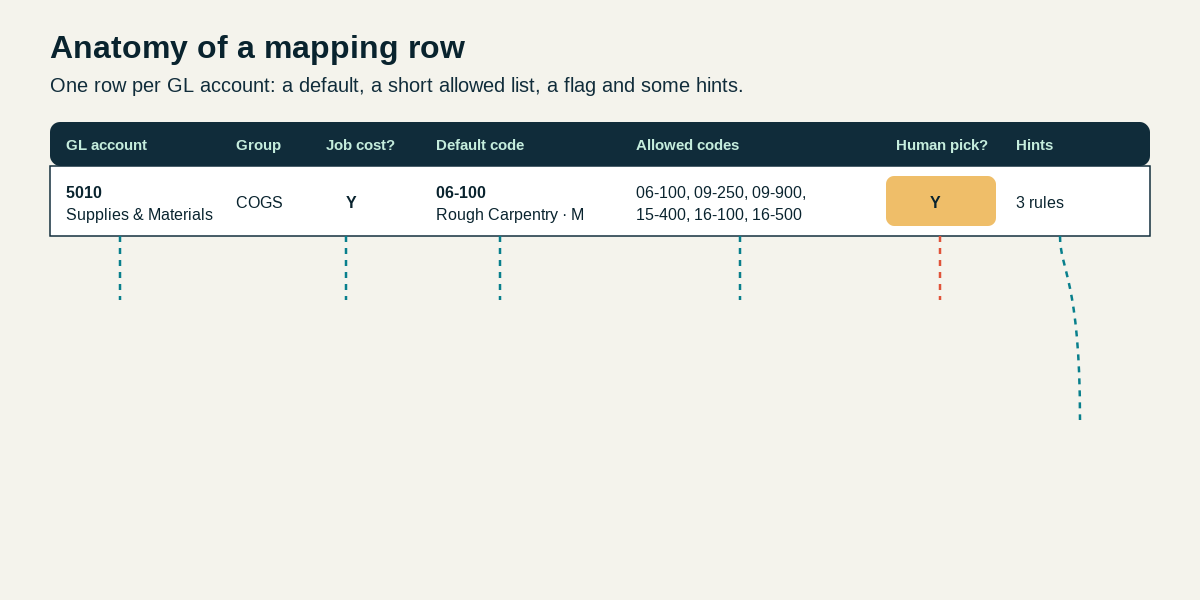 One row per GL account: a default, a short allowed list, and a flag
| Column | What goes in it | Why |
|---|---|---|
gl_account_number / gl_account_name | 5010 Supplies & Materials | The key the portal matches on |
account_group | COGS or G&A | Separates job cost from overhead |
maps_to_job_cost | Y or N | N rows never enter the coding queue |
default_procore_cost_code | 06-100 | Pre-selected in the portal |
default_cost_type | M | Cost type for the default |
allowed_procore_cost_codes | 06-100, 09-250, 16-100, 16-500... | The short list the user picks from |
needs_human_pick | Y or N | Y means the portal won't auto-approve |
keyword_hints | wire, conduit, breaker → 16-100 | Moves the suggestion before a person looks |
notes | Anything an accountant needs | Context for the next person who edits it |
You can start from our GL to Procore cost code mapping template (CSV). It has 19 sample rows for a made-up contractor, including one-to-many accounts and G&A rows marked N.
Step 4: Flag the one-to-many accounts
Go down the COGS rows and ask one question: can a charge to this account belong to more than one cost code?
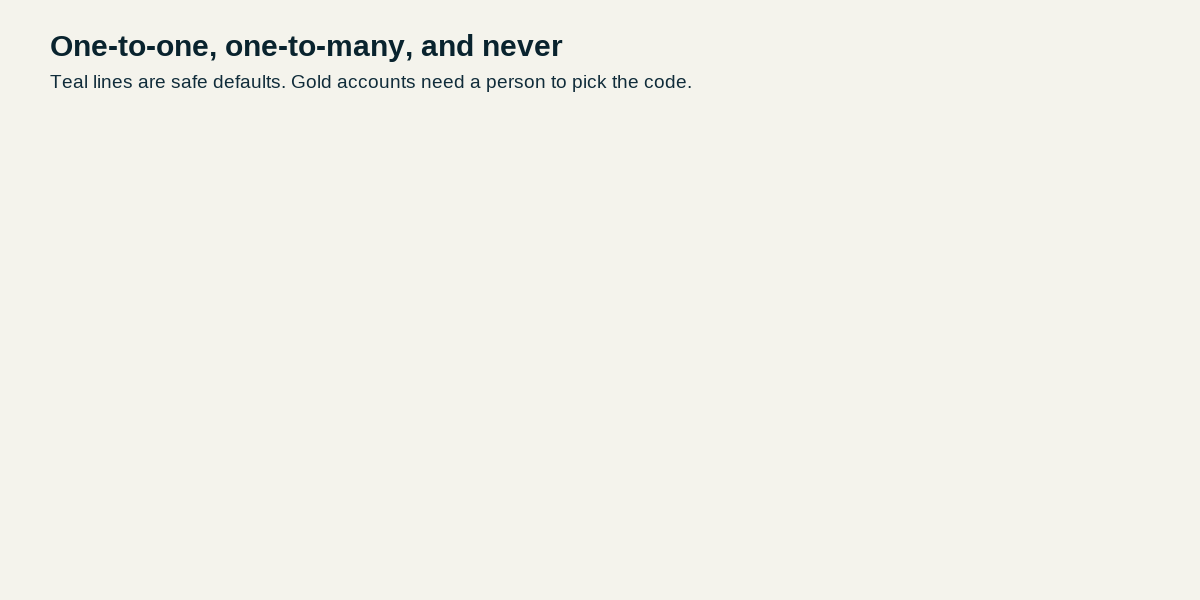 Green lines are safe defaults. Gold accounts need a person.
- One code only (fuel, permits, small tools for most firms): set
needs_human_pick = N. The default is the answer. The portal can still show it for a one-click Approve. - Several codes (supplies and materials, dumpsters that might be demolition or cleanup): set
needs_human_pick = Yand fillallowed_procore_cost_codeswith the short list. - Can't tell from the account at all (a catch-all "job costs, other"): leave the default blank and set
Y. These go to review.
This is the exercise Charley described on the call: "this bill, 5000 is associated to Procore cost code 2001, and the line item shows 2001, tagged with 5000 in the description." The GL account still travels with the expense, written into the line description, so accounting doesn't lose it.
Ryan's instinct for his field team was the same: "If I go swipe something, it's probably going to supplies & materials." That's exactly why Supplies & Materials is the account that needs the pick.
Step 5: Add keyword hints
Ramp records a merchant and a memo, and QuickBooks carries the description. Those words are often enough to move the suggestion to the right code before anyone opens the portal.
| If the description or merchant contains | Suggest |
|---|---|
| lumber, 2x4, plywood, OSB | 06-100 Rough Carpentry |
| drywall, sheetrock, mud, tape | 09-250 Gypsum Board |
| paint, primer, roller | 09-900 Painting |
| wire, conduit, breaker, j-box | 16-100 Electrical Rough-In |
| dimmer, occupancy sensor, lighting control | 16-500 Lighting Controls |
| PVC, fitting, faucet, supply line | 15-400 Plumbing Fixtures |
Hints only suggest. They never approve. A hint can only point to a code that is already in that account's allowed list, so a typo in a memo can't send cost somewhere strange.
Step 6: Route everything else to "needs review"
Some charges won't fit:
- The GL account isn't in the table yet (someone added an account in QuickBooks).
- The account is COGS but has no default and no hint matched.
- The project on the expense isn't a Procore project yet. At Cattlemen, a job only goes to Procore once it's won.
- The charge is on a 5000-series account with no customer/project at all.
Those go to an unmapped / needs review bucket that only the admin sees. Ryan wanted "one person to be able to control where it goes," and this bucket is where that person spends their time. Everything else stays with the cardholder.
Step 7: Feed the coding portal
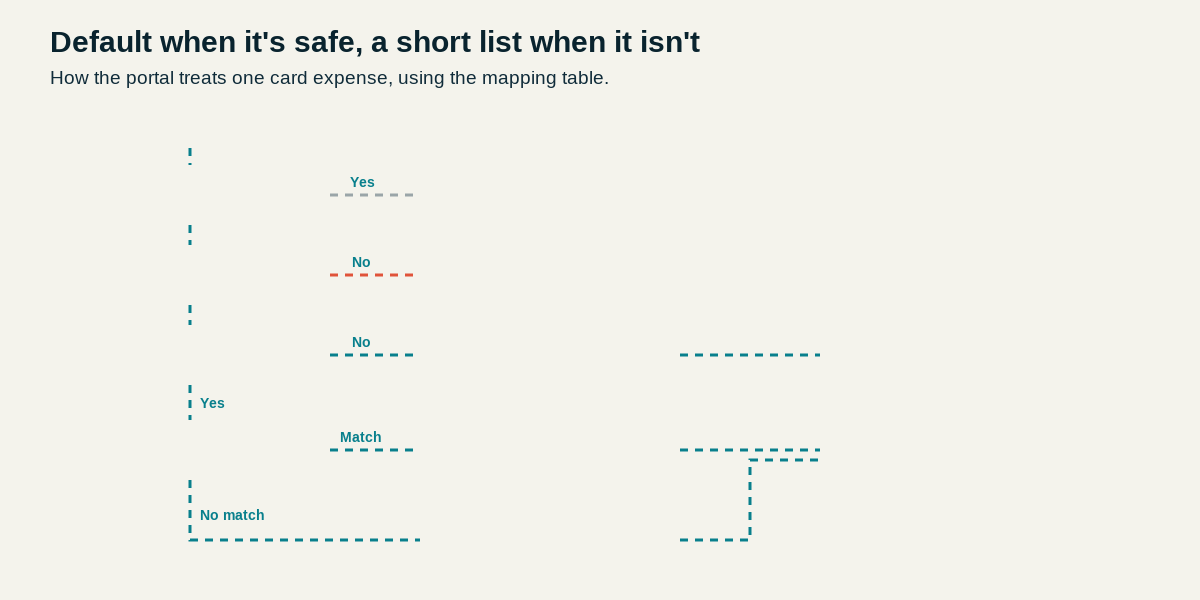
Once the table is clean, the portal reads it on every sync:
 Default when it's safe, a short list when it isn't
- Skip expenses on accounts marked
N. - Send unknown accounts and non-Procore projects to needs review.
- For
needs_human_pick = N, pre-select the default. - For
Y, pre-select the keyword match if there is one, otherwise show the allowed list with no selection. - On Approve, write the chosen code (as its QuickBooks item) and the GL account in the description.
Worked example
A made-up company, Sample Builders, has these four card charges on job 24-017 Sample Retail TI:
| Charge description | GL account | Rule | Suggested code |
|---|---|---|---|
| Wire, 12/2, 250 ft | 5010 Supplies & Materials | Y, hint "wire" | 16-100 Electrical Rough-In |
| Occupancy sensors (6) | 5010 Supplies & Materials | Y, hint "occupancy sensor" | 16-500 Lighting Controls |
| Scissor lift, 1 week | 5020 Equipment Rental | N | 01-540 Equipment Rental |
| Accounting software | 7030 Software | G&A, N | Not shown |
Three charges reach the cardholder, two already pointed at the right code. The software charge never appears. That's the goal: the person who made the purchase confirms it in a few seconds, and the admin only sees the strange ones.
Keeping the map current
Cost codes change. New projects add codes, an estimator adds a division, someone retires a code. Treat the table like any other master list:
- One owner. The admin who controls the review bucket also owns the table.
- Check it monthly, and whenever the review bucket fills up with the same account.
- Never delete a row. Mark a code inactive and remove it from allowed lists, so past approvals still make sense.
- Check the item's expense account. In QuickBooks, an Item details line posts to the expense account set on that item, not to the category you started with. Before go-live, have your bookkeeper confirm each cost-code item posts where they expect. This is the main accounting question in the whole design.
- Version it. Keep the CSV in SharePoint or your repo with a dated change note.
FAQ
Can we just map each GL account to one cost code and skip the portal? For accounts like fuel or permits, yes. For supplies and materials, no. The same account covers carpentry, drywall, electrical and plumbing, and only the buyer knows which one it was.
Should 7000-series G&A accounts ever map to a job? No. If a G&A charge really belongs on a job, recode it to the right 5000-series account in QuickBooks first. The table should never turn overhead into job cost.
Why not give cardholders Procore cost codes in Ramp directly? Depending on your Ramp setup, you may be able to collect extra accounting fields at purchase, but cardholders would then pick from a long cost code list at the moment of purchase. A short, suggested list after the fact was what Ryan's team wanted.
What if a project isn't in Procore yet? Hold the expense in needs review until the project is created in Procore, then code it.
Who should own the mapping table? One person with accounting context, usually the admin who handles needs review.
Get the mapping built
Build Flows builds the mapping and the coding portal that uses it, connected to Ramp, QuickBooks Online and Procore. Grab the card spend to Procore checklist to see where you stand, then book a call or email charley@buildflows.ai with your 5000-series accounts and cost code list.
Frequently asked questions
Can I map each QuickBooks GL account to one Procore cost code?
For accounts like fuel, permits or equipment rental, often yes. For an account like Supplies & Materials, no. The same account covers carpentry, drywall, electrical and plumbing purchases, so the person who bought the item has to pick the cost code from a short allowed list.
Should G&A accounts ever map to a Procore cost code?
No. General and administrative accounts, such as a 7000 series for office, software and rent, are overhead. If a charge really belongs on a job, recode it to the right cost-of-services account in QuickBooks first, then map that.
Why don't my Ramp credit card expenses show up in Procore?
Ramp syncs card charges to QuickBooks Online with Category details, which is a GL account. Procore's QuickBooks integration builds job cost from Item details lines whose Product/Service represents a cost code. Until the expense has an item line for a cost code, Procore shows nothing for it.
What columns does a GL to cost code mapping table need?
GL account number and name, account group (COGS or G&A), whether it maps to job cost, a default Procore cost code and cost type, the allowed cost codes, a needs-human-pick flag, keyword hints and notes. Our free CSV template has all of them with sample rows.
How do keyword hints work in cost code mapping?
Words in the expense description or merchant, such as wire, conduit or dimmer, point to a likely cost code. The hint pre-selects that code in the coding portal, but only if it's in the account's allowed list, and a person still approves.
How do I keep the mapping current when cost codes change?
Give the table one owner, review it monthly and whenever the needs-review bucket fills with the same account, mark retired codes inactive instead of deleting rows, and keep a dated version in SharePoint or your repository.
Next step
Need this connection in your environment?
Scope one integration: the records, direction, timing, and business rules behind the connection.
Prefer email? charley@buildflows.ai
Keep learning
Integrations · November 18, 2026
Design a Human-in-the-Loop Expense Coding Portal for Ramp, QuickBooks and Procore
The expense coding portal designed on a recorded discovery call with Cattlemen Construction Services. Cardholders sign in and see only their uncoded card expenses, pick a suggested Procore cost code and approve; the portal rebuilds the QuickBooks Online expense with Item details and Procore's own integration brings it in as actual cost. Covers the admin view, notifications, roles, audit log, failure handling, idempotency, API scopes, hosting, the proof of concept and the metrics that show it's working.
Integrations · November 18, 2026
Why Ramp Card Costs Show $0 in Procore: A Real Discovery Call, Walked Through
A walkthrough of a recorded discovery call with Ryan Blankers of Cattlemen Construction Services in Fort Worth, Texas. Ramp card expenses sync to QuickBooks Online as Category details lines, while Procore's QuickBooks integration builds job costs from Item details lines tied to a cost code, so card spend shows $0 in Procore. Covers why the fix can't be fully automatic, the expense coding portal design with approvals and an audit log, the GL to cost code mapping, hosting, a role-based Cattlemen OS with KPIs, SharePoint project folders and a Procore convert-to-won automation, embedding into an AI platform through an iframe, API or MCP server, and the timeline.
Integrations · November 18, 2026
QuickBooks Category Details vs Item Details: Why Procore Shows $0 Job Cost
QuickBooks Online expenses, bills and checks have two line sections: Category details (account-based) and Item details (item-based). This guide compares the fields each carries, explains why Procore's QuickBooks Online integration builds job costs from item lines tied to a cost code, why card feeds like Ramp land as category lines, how to check a transaction in six steps, and three fixes: code at the source, re-code in QuickBooks, or a coding portal that rebuilds the expense with an Item line.